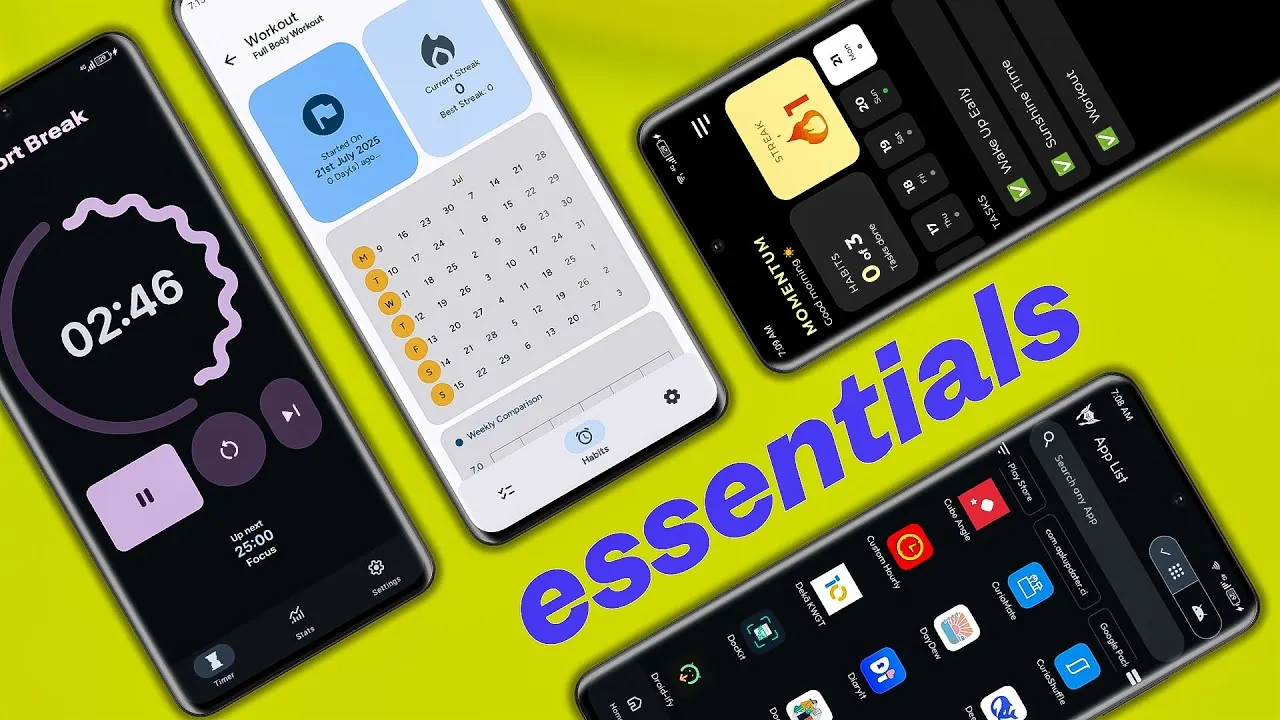
Finding the right Android apps that balance functionality, privacy, and efficiency can often feel overwhelming. Open source apps offer a transparent, customizable, and frequently ad-free alternative to proprietary software. These apps not only prioritize user privacy but also provide practical tools to streamline daily tasks and enhance productivity. In the video below from Enoch Boateng, you’ll discover five exceptional open source Android applications that stand out for their utility, user-focused design, and privacy-conscious features.

Tomato: A Streamlined Pomodoro Timer
If managing your time effectively is a priority, Tomato is a minimalist Pomodoro timer designed to help you stay focused. The app uses the Pomodoro Technique, breaking your work into manageable intervals—traditionally 25 minutes—followed by short breaks. However, the timer durations are fully customizable, allowing you to tailor the app to your specific workflow.
Tomato also provides detailed productivity insights, including visual graphs that track your progress over time. Built with Material 3 design principles, its clean and modern interface ensures ease of use. With its focus on simplicity and transparency, Tomato is an excellent tool for boosting productivity without unnecessary distractions.
Grit: Your All-in-One Task and Habit Tracker
Grit combines task management and habit tracking into one cohesive platform, making it easier to stay organized and motivated. You can categorize tasks into areas such as personal, work, or health, making sure that your priorities are clearly defined. The habit-tracking feature includes a visual habit map, which helps you monitor progress and maintain consistency.
The app also supports scheduled reminders, so you’ll never miss a task or habit. Additionally, home screen widgets provide quick access to your daily goals, keeping everything you need at your fingertips. With its intuitive design and dual-purpose functionality, Grit is a valuable tool for anyone looking to stay organized and build positive habits.
Momentum: Build Consistency with Ease
Momentum is a habit tracker designed to help you establish and maintain routines effortlessly. Its straightforward interface includes features like a calendar view and streak tracking, which can motivate you to stick to your habits over time. The app also integrates an AI assistant that suggests habits based on your goals and provides timely prompts to keep you on track.
Momentum prioritizes user privacy by offering offline functionality and local data storage, making sure your information remains secure. Whether you’re adopting a new habit or breaking an old one, Momentum provides the tools and structure needed to succeed.
Toolbox: A Versatile Utility App
For users who value efficiency and versatility, Toolbox is an all-in-one utility app that offers a wide range of features. It includes tools such as a stopwatch, compass, text manipulation utilities, and encryption options. Developers will appreciate advanced features like SSH connections and HTTP utilities, while creative users can explore tools like a whiteboard, music analyzer, and random generators.
Despite its extensive functionality, Toolbox remains lightweight and ad-free, making sure a smooth and seamless user experience. This app is an indispensable resource for anyone seeking a comprehensive, privacy-respecting toolkit to handle a variety of tasks.
Thor App Manager: Take Control of Your Apps
Thor App Manager is a powerful yet lightweight tool for managing your Android apps with precision. It offers advanced features such as batch installation and uninstallation, app freezing, and process termination. For rooted users, Thor unlocks additional system-level controls, including package editing and deeper app management capabilities.
The app also provides tools for APK management and app data backup, making it an essential resource for users who frequently customize or experiment with their Android setup. Thor’s focus on functionality and precision ensures that you can manage your apps confidently and efficiently.
Enhance Your Android Experience with Open source Apps
These five open source Android apps demonstrate the potential of transparent, privacy-focused software to deliver meaningful functionality. Whether you’re looking to improve productivity with Tomato and Grit, build better habits with Momentum, access versatile tools with Toolbox, or gain advanced app control with Thor App Manager, these applications cater to a wide range of needs. By choosing open source solutions, you can enjoy a customizable, ad-free experience while maintaining control over your data and privacy.
Take a look at other insightful guides from our broad collection that might capture your interest in Open source Android apps.
- 5 Awesome Open Source Android Apps
- The ONLY Open Source Android Apps You’ll Ever Need
- Best Open Source Android Apps You Should Download Today
- 7 Free Open Source Apps to Enhance Your Android Experience
- 15 Powerful Open Source Android Apps You Need
Source & Image Credit: Enoch Boateng
Disclosure: Some of our articles include affiliate links. If you buy something through one of these links, Geeky Gadgets may earn an affiliate commission. Learn about our Disclosure Policy.
