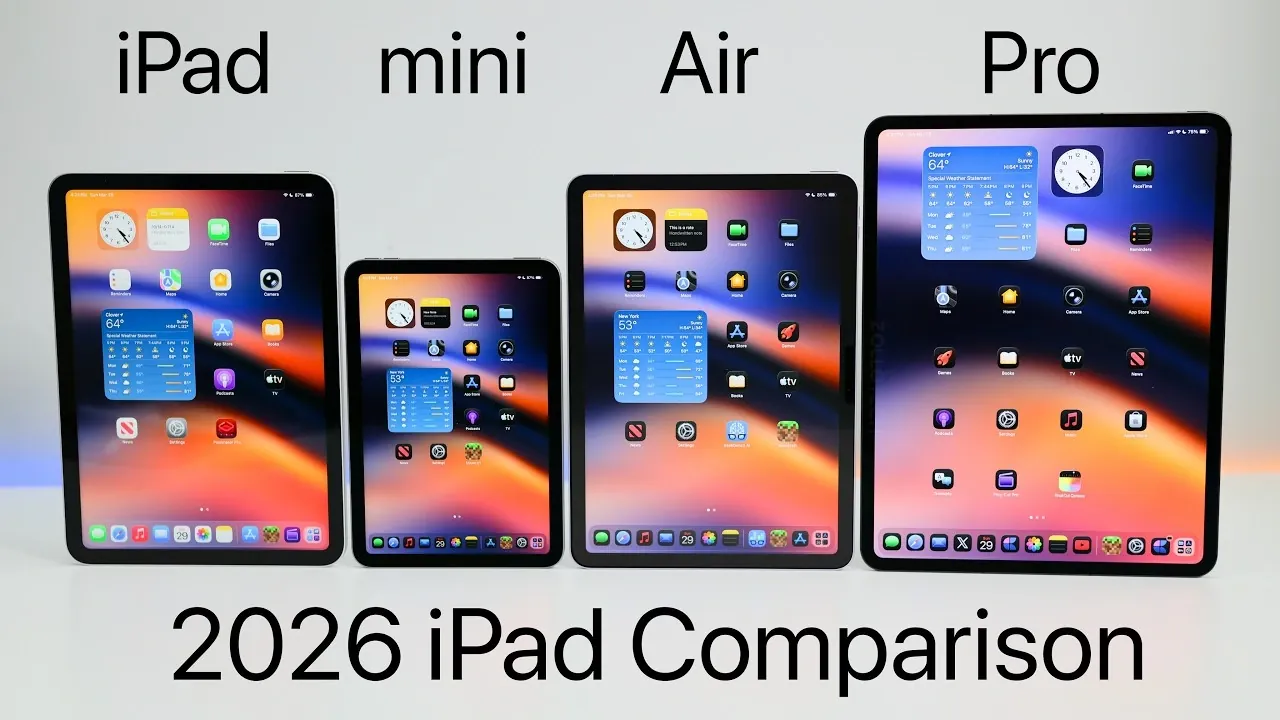
Apple’s 2026 iPad lineup continues to offer a versatile range of devices, catering to diverse user needs. Whether you’re a casual user, student, or professional, understanding the distinctions in performance, display technology, and features is essential for making an informed choice. With prices starting at $349 and reaching up to $999, plus additional costs for storage upgrades and accessories, the lineup ensures there’s an iPad for every budget and purpose. The video below from Zollotech gives us a detailed look at the current iPad models and their range of features.

Overview of Models and Pricing
The 2026 iPad lineup includes four models: the base iPad, iPad Mini, iPad Air and iPad Pro. Each model is designed to meet specific user requirements, offering unique features and capabilities at varying price points:
- Base iPad (A16): Starting at $349 with 128GB storage, this model is the most affordable option, ideal for basic tasks like web browsing, streaming and light productivity.
- iPad Mini (A17 Pro): Compact and portable, priced from $499 with 128GB storage, it’s perfect for users who prioritize mobility and convenience.
- iPad Air (M4): A mid-tier option starting at $599 with 128GB storage, offering enhanced performance and versatility for students and professionals.
- iPad Pro (M5): Starting at $999 with 256GB storage, this high-end model is designed for professionals and power users requiring top-tier performance and advanced features.
Display Technology: What Sets Them Apart
The display technology across the lineup significantly impacts the user experience, with each model offering varying levels of quality and functionality:
- Base iPad: Features a non-laminated LCD with no anti-reflective coating and 500 nits brightness. While sufficient for everyday tasks, it lacks the clarity and vibrancy of higher-end models.
- iPad Mini and iPad Air: Both models include a laminated LCD with an anti-reflective coating, providing better clarity and reducing glare. They also offer 500 nits brightness, making them suitable for a wide range of activities.
- iPad Pro: Equipped with an OLED display, it delivers 1,000 nits brightness (1,600 nits for HDR content) and offers a nano-texture option to minimize glare. This makes it an excellent choice for creative professionals and multimedia enthusiasts.
Performance and Hardware
Each iPad model is powered by a different chipset and RAM configuration, making sure that the device meets the specific needs of its target audience:
- Base iPad: Powered by the A16 chip with 6GB RAM and Wi-Fi 6, it provides reliable performance for casual users engaging in basic tasks.
- iPad Mini: Features the A17 Pro chip, 8GB RAM and Wi-Fi 6E, offering faster speeds and improved efficiency for multitasking and light productivity.
- iPad Air: Utilizes the M4 chip with 12GB RAM and Wi-Fi 7, delivering near-Pro performance at a more accessible price point.
- iPad Pro: The M5 chip powers this model, paired with 12-16GB RAM (depending on storage) and Wi-Fi 7. It also includes a Thunderbolt port with 40Gbps transfer speeds, catering to advanced workflows and professional tasks.
Apple Pencil Compatibility
Apple Pencil support varies across the lineup, with higher-end models offering advanced features for creative professionals and students:
- Base iPad: Compatible with the 1st-generation Apple Pencil and the USB-C Apple Pencil, making it suitable for basic note-taking and casual drawing.
- iPad Mini, Air, and Pro: Support the USB-C Apple Pencil and the Apple Pencil Pro, which introduces haptic feedback for a more tactile and precise drawing experience.
Accessory Compatibility
Keyboard and accessory support differ across the models, impacting productivity and overall usability:
- Base iPad: Works with the Magic Keyboard Folio, though it lacks backlighting, limiting its usability in low-light environments.
- iPad Mini: Does not have official keyboard support but is compatible with Bluetooth keyboards, offering flexibility for users who need occasional typing capabilities.
- iPad Air: Supports the Magic Keyboard, though it is not backlit, making it a good option for moderate productivity tasks.
- iPad Pro: Includes a backlit Magic Keyboard with an additional port for enhanced functionality, ideal for professional workflows and multitasking.
Audio and Camera Features
The audio and camera capabilities vary across the lineup, with the iPad Pro offering the most advanced features for content creators and professionals:
- Base iPad, Mini, and Air: Equipped with two speakers, two microphones, and a basic camera setup. These features are sufficient for video calls, casual photography and everyday use.
- iPad Pro: Features four speakers, four studio-quality microphones and advanced camera technology, including LiDAR and ProRes recording capabilities. These enhancements make it a powerful tool for content creation and professional-grade photography.
Battery Life and Longevity
All models in the 2026 iPad lineup provide approximately 10 hours of battery life, ensuring a full day of use for most tasks, whether you’re streaming, browsing, or working on creative projects. Additionally, Apple’s commitment to long-term software updates ensures that these devices remain functional and relevant for years to come.
Choosing the Right iPad for Your Needs
Selecting the right iPad depends on your specific requirements and budget. Here’s a quick guide to help you decide:
- Base iPad: Best for first-time users, families, or those needing a device for casual tasks like web browsing and streaming.
- iPad Mini: Ideal for users prioritizing portability, such as students, note-takers, or frequent travelers.
- iPad Air: A great choice for those seeking near-Pro performance without the higher price tag, suitable for students and professionals alike.
- iPad Pro: Tailored for professionals who need top-tier performance, advanced display technology, and multitasking capabilities for demanding workflows.
Future-Proofing Your Investment
To maximize the longevity and utility of your iPad, consider the following tips:
- Opt for a model with at least 256GB of storage to accommodate future software updates, growing app sizes, and multimedia files.
- All models are expected to receive software updates for 5-7 years, making sure long-term usability and value.
Find more information on the Apple iPad by browsing our extensive range of articles, guides, and tutorials.
- Apple iPad 12th Gen 2026: Features, Specs, and Pricing
- iPad 2026 Release Date, Features, and Pricing Explained
- Apple iPad Mini 2026 Release Date, Specs, and Pricing
- Apple iPad 12 Delay: How MacBook Neo Changed Everything
- Apple Ipad Air M4 Specs: 30% Faster CPU, 12GB RAM, Wi-Fi 7
- 2026 iPad 12th Gen Release Date, Specs, and Rumors
Source & Image Credit: zollotech
Disclosure: Some of our articles include affiliate links. If you buy something through one of these links, Geeky Gadgets may earn an affiliate commission. Learn about our Disclosure Policy.
