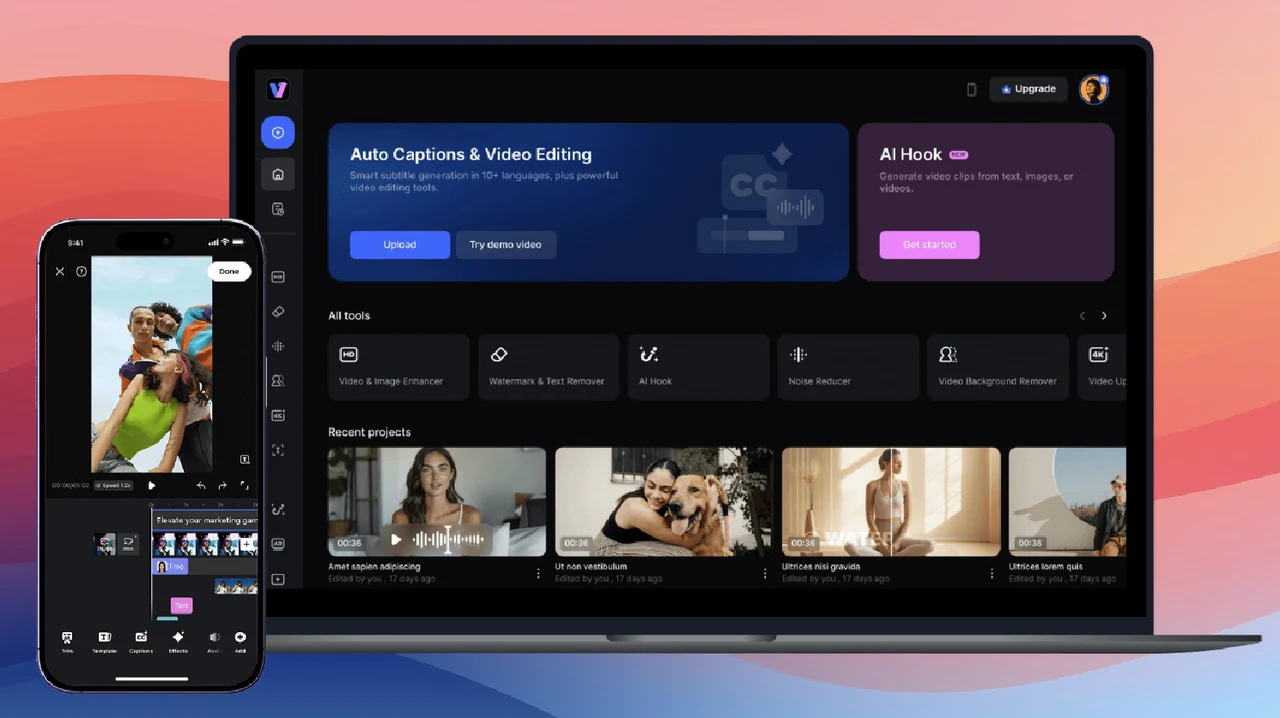
Have you ever spent hours trying to remove a stubborn watermark or subtitle from a video, only to end up frustrated with clunky editing tools or subpar results? It’s a common pain point for creators, marketers, and anyone working with video content. But what if there was a way to achieve professional-grade edits without the steep learning curve or time sink? Enter Vmake AI, an innovative tool that uses innovative technology to make removing watermarks and subtitles as simple as a few clicks. Whether you’re a seasoned video editor or a complete beginner, this video watermark remover promises to transform how you approach video editing.
In this guide, you’ll uncover how AI-powered automation can save you hours of manual effort while maintaining impeccable video quality, even for 4K content. From batch processing multiple files to editing on the go with a mobile app, Vmake AI offers a suite of features designed to streamline your workflow and elevate your projects. Curious about how it all works? Stick around to explore the step-by-step process and discover how this tool can empower your creativity without the usual headaches of video editing. Sometimes, the simplest solutions are the most powerful.
Effortless Video Editing with Vmake
TL;DR Key Takeaways :
- Vmake simplifies video editing with AI-powered tools, allowing users to remove watermarks and subtitles effortlessly, even for high-resolution videos like 4K.
- The platform supports batch processing, allowing users to edit up to eight videos simultaneously, saving time and making sure consistent quality across projects.
- Vmake’s mobile app offers on-the-go editing capabilities, allowing users to upload videos or public links, crop content, and remove watermarks directly from their devices.
- The tool features a fully automated workflow with minimal user input, making it accessible to individuals with limited technical expertise while delivering professional-grade results.
- Vmake supports diverse video formats and resolutions, including horizontal, vertical, short-form, and long-form videos, making sure versatility for various content creation needs.
How to Remove Watermarks Using Vmake’s Web Platform

Vmake’s web-based platform is designed to make the process of removing watermarks and subtitles straightforward, even for high-resolution videos such as 4K. The intuitive interface ensures that users can achieve their desired results without requiring extensive technical expertise. To remove watermarks or subtitles, follow these steps:
- Visit the Vmake website and upload your video file directly from your device.
- The AI scans each frame of the video, automatically detecting and removing watermarks or subtitles with precision.
- Preview the processed video to ensure the quality meets your expectations before finalizing the edit.
- Download the cleaned, watermark-free version of the video directly to your device.
This method is particularly beneficial for creators who need a quick and reliable solution without compromising the video’s quality or resolution. By automating the process, Vmake eliminates the need for manual editing, saving both time and effort.

Streamline Workflows With Batch Processing
For users managing multiple video files, Vmake’s batch processing feature offers a highly efficient solution. This functionality allows you to process up to eight videos simultaneously, making sure consistency across projects while significantly reducing the time required for editing. Here’s how to use this feature:
- Select whether you want to remove text-based subtitles or image watermarks from your videos.
- Upload all the files you wish to edit at once, and let the AI handle the processing automatically.
- Preview each processed video individually to confirm the edits or download all the cleaned files in one batch.
This feature is ideal for professionals such as marketers, video editors, and content creators who frequently work with large volumes of video content. It ensures that all files are edited with the same level of precision and quality, making it easier to maintain a cohesive visual style across projects.
Edit Videos on the Go With the Mobile App
For those who need to edit videos while on the move, Vmake’s mobile app offers the same powerful AI capabilities in a portable and user-friendly format. The app is designed to provide flexibility, allowing users to edit videos directly from their mobile devices or by using public video links. To edit videos using the mobile app, follow these steps:
- Upload videos directly from your device or paste links for files up to 10 minutes in length.
- The AI automatically detects and removes watermarks or subtitles, or you can manually highlight specific areas for removal if needed.
- Crop your video before processing to focus on the desired content and improve the final output.
This mobile functionality ensures that you can edit videos anytime and anywhere, without the need for access to a desktop computer. Whether you’re traveling or working remotely, the app provides a convenient solution for quick and efficient video editing.
How to Remove Watermarks & Subtitles From Videos In Seconds With Vmake

Automation and Simplicity: Key Features of Vmake
Vmake’s fully automated workflow is designed to minimize user input, making it accessible even for individuals with limited technical expertise. The process involves just four simple steps:
- Upload your video file to the platform.
- Allow the AI to process the video automatically, removing watermarks or subtitles as needed.
- Preview the results to ensure the video quality enhancer meets your expectations.
- Download the cleaned and polished video to your device.
This streamlined approach eliminates the need for manual adjustments, allowing users to focus on other aspects of their projects. By combining simplicity with advanced AI technology, Vmake ensures that anyone can produce high-quality, professional-grade videos with ease.
Comprehensive Support for Diverse Video Needs
Vmake is designed to accommodate a wide range of video formats and resolutions, making it a versatile tool for various types of content creators. Its key features include:
- Support for horizontal, vertical, short-form, and long-form videos, making sure compatibility with different content styles.
- High-resolution editing capabilities, including support for 4K videos, to maintain exceptional video quality.
- Batch processing for efficient handling of multiple files, ideal for professionals managing large-scale projects.
- Seamless integration across web and mobile platforms, providing flexibility and convenience for users.
These capabilities make Vmake an indispensable tool for both casual creators and professionals, making sure that it meets the diverse needs of its users. Whether you’re editing personal videos or producing content for a larger audience, Vmake provides the tools you need to achieve polished, professional results.
Disclosure: Some of our articles include affiliate links. If you buy something through one of these links, Geeky Gadgets may earn an affiliate commission. Learn about our Disclosure Policy.
