
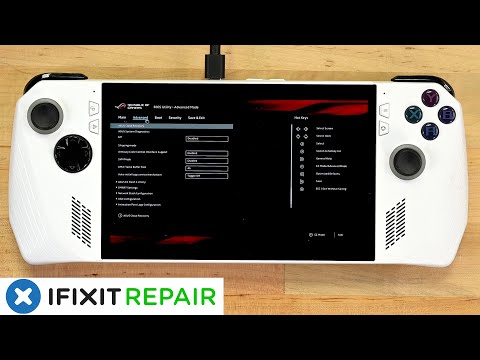
If you have just collected your new ASUS ROG Ally handheld games console and would like to expand its storage or have found yourself running out of space for your library of games. You will be pleased to know that the iFixit team has created a quick tutorial video that shows you how to upgrade the SSD on your ASUS ROG Ally games console.
Asus is well-known brand in the gaming industry, and recently they have entered the handheld gaming console market with their latest offering, the ASUS ROG Ally. If you would like to upgrade the standard 512GB PCIe 4.0 NVMe M.2 SSD (2230) storage to something a little larger check out the video below.
The ROG Ally comes with some impressive hardware specifications that make it a powerful gaming console. The device is powered by a AMD Ryzen Z1 Extreme Processor (“Zen4” architecture with 4nm process, 8-core /16-threads, 24MB total cache, up to 5.10 Ghz boost), supported by AMD Radeon Graphics (AMD RDNA 3, 12 CUs, up to 2.7 GHz, up to 8.6 Teraflops) offering gamers a powerful powerful combination that can handle the most demanding games without any issues.
Upgrade your Asus ROG Ally SSD
“If you just picked up your ROG Ally, somehow are enjoying a bug free experience, and were shocked to find out that Windows needs an extra 11GB of space just for updates, you might be interested in upgrading your SSD. The good news is, it’s an extremely easy process that will only take you about 20 minutes to do, and once you’re done you can enjoy up to 2 TB of space.”
One of the most significant advantages of the ROG Ally is its portability. This device has been designed to be portable, and it is small enough to fit in your pocket. The ROG Ally weighs only 608g, which makes it one of the lightest handheld gaming consoles out there. You can take it with you wherever you go, and you can enjoy your favorite games on the go. The device comes with a 7-inch, FHD (1920 x 1080) 16:9 IPS-level screen, which is perfect for gaming on a handheld device.
The ROG Ally also comes with 16GB of RAM which ensures that the device runs smoothly even during heavy gaming sessions. The device also has a 40WHrs, 4S1P, 4-cell Li-ion battery that can last for up to 7 hours of continuous gaming.
The ASUS ROG Ally has been designed to provide gamers with an immersive gaming experience. The device comes with a 90Hz refresh rate, which ensures that the screen is smooth and responsive. The ROG Ally also comes with speakers that provide high-quality sound, offering AI noise-canceling technology, Hi-Res certification, Dolby Atmos, Built-in array microphone and 2speaker system with Smart Amplifier Technology.
Source : ASUS : iFixit
Disclosure: Some of our articles include affiliate links. If you buy something through one of these links, Geeky Gadgets may earn an affiliate commission. Learn about our Disclosure Policy.
