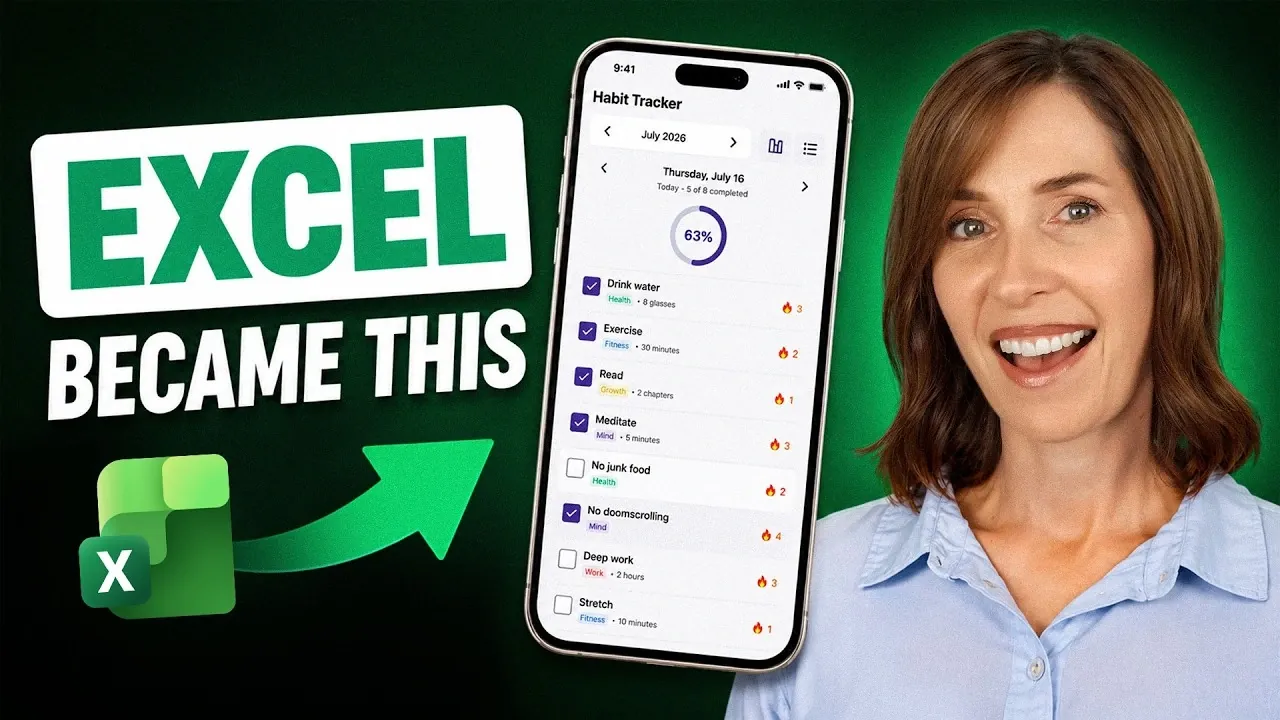
Using Excel on a phone can be challenging, especially for tasks like habit tracking. Limited screen space and the desktop-oriented design of Excel often result in cumbersome navigation and input errors. My Online Training Hub highlights how Zite, a no-code app builder, addresses these issues by converting Excel spreadsheets into mobile-friendly apps. For example, a habit tracker spreadsheet can be turned into an app with automated calculations and visual progress tracking, making it more practical for mobile use.
Explore how to upload your spreadsheet to Zite and define its functionality for mobile optimization. Learn to automate tasks such as progress tracking and integrate interactive features like reminders and checklists. Gain insight into how Zite ensures compatibility across devices, allowing your app to function effectively on various platforms.
Why Excel Struggles on Mobile Devices
TL;DR Key Takeaways :
- Excel’s desktop-oriented design poses challenges for mobile users, including navigation difficulties, manual data entry errors and a lack of mobile-friendly features.
- Zite simplifies habit tracking by converting Excel spreadsheets into interactive mobile apps with features like checklists, progress dashboards and historical data access.
- Automated data management in Zite reduces complexity, minimizes errors and saves time by calculating metrics like streaks and completion rates automatically.
- Additional productivity features in Zite include scheduled reminders, AI-powered insights and integration with external tools for enhanced functionality.
- Zite ensures cross-device compatibility, offering a seamless experience across smartphones, tablets and desktops, making it a superior alternative to Excel for mobile users.
Excel is a powerful tool for data management, but its design is primarily optimized for desktop use, which creates several obstacles when transitioning to mobile devices:
- Navigation Challenges: Scrolling through rows and columns on a small screen can be tedious and time-consuming.
- Manual Data Entry: Entering data manually on a touchscreen increases the likelihood of errors and slows down productivity.
- Lack of Interactive Features: Excel lacks mobile-friendly tools like checklists, reminders, or notifications that streamline daily tasks.
These limitations make Excel less effective for habit tracking and other mobile-focused activities, leaving users searching for more practical alternatives.
How Zite Transforms Excel Spreadsheets
Zite offers a straightforward way to convert your Excel spreadsheets into fully functional mobile apps, eliminating the frustrations of using Excel on a phone. The process involves three simple steps:
- Upload Your Spreadsheet: Start by uploading your existing Excel habit tracker to Zite.
- Define App Features: Specify the app’s functionality, such as tracking habits, setting goals and monitoring progress.
- Automated Transformation: Zite automatically interprets and structures your data into an interactive, mobile-friendly format.
This process results in a user-friendly app that is optimized for mobile use, making it easier to manage your habits and stay organized.

Find more information on Excel by browsing our extensive range of articles, guides and tutorials.
- The Only Microsoft Excel Tutorial Beginners Need In 2026
- Master Advanced Excel Functions BYROW vs MAP vs SCAN vs REDUCE
- Why Excel’s FILTER Function Outperforms VLOOKUP for Complex Data
- Advanced Excel Tips & Tricks to improve your data analysis in 2024
- How to Unlock Excel Sheets Without a Password
- How to use the Excel FILTER function
- Excel Formatting : Simple Tricks for Stunning Spreadsheets in 2025
- How to convert a PDF file to Excel without software
- 15 Microsoft 365 Copilot Tricks to Speed up Chat, Email, Data & Slides for Busy Teams
- Create Stunning Excel Dashboards in Seconds with AI : You Won’t Believe How Easy It Is
Enhanced Features for Habit Tracking
Once your app is created, Zite introduces features that go beyond Excel’s capabilities, making habit tracking more intuitive and engaging:
- Interactive Checklists: Replace static rows with dynamic checklists to track daily habits effortlessly.
- Progress Visualization: Use charts and dashboards to monitor completed habits, streaks and overall progress at a glance.
- Historical Data Access: Easily review past performance with tools that allow month-to-month or week-to-week comparisons.
These features not only simplify habit tracking but also help you stay consistent and motivated by providing clear insights into your progress.
Streamlined Data Management and Automation
Zite simplifies data organization by normalizing your information into structured tables. For example, one table might track habits, while another records daily completions. This structured approach offers several advantages:
- Reduced Complexity: Organizing data into tables makes it easier to manage and analyze.
- Automated Calculations: Metrics like streaks and completion rates are calculated automatically, saving you time and effort.
- Error Reduction: By automating repetitive tasks, Zite minimizes the risk of errors associated with manual data entry and formula creation.
This level of automation ensures that your data is accurate and up-to-date, allowing you to focus on achieving your goals rather than managing spreadsheets.
Additional Productivity Features
Zite extends its functionality beyond habit tracking, offering advanced features that enhance productivity and convenience:
- Scheduled Reminders: Set notifications to remind you to complete your habits on time, making sure consistency.
- AI-Powered Insights: Use tools like ChatGPT to analyze your habits and receive personalized recommendations for improvement.
- Integration with External Tools: Connect your app to email, CRM systems, or payment platforms for a more comprehensive solution.
These additional features transform your app into a versatile productivity tool, capable of managing multiple aspects of your daily routine.
Cross-Device Compatibility
Zite ensures that your app functions seamlessly across devices, whether you’re using a smartphone, tablet, or desktop. This cross-device compatibility allows you to access your habit tracker anytime, anywhere, without compromising functionality. Additionally, you can choose to share your app with others for collaborative use or keep it private for personal productivity.
Why Zite is a Superior Alternative to Excel
By converting your Excel spreadsheet into a Zite app, you gain access to several key advantages:
- Enhanced Mobile Usability: Interact with your data through an intuitive interface designed specifically for small screens.
- Expanded Functionality: Enjoy features like reminders, AI-driven insights and visual dashboards that Excel cannot provide.
- Efficient Data Management: Automate calculations and updates, reducing errors and saving valuable time.
These benefits make Zite an ideal solution for mobile users seeking a more efficient and user-friendly way to manage their habits and daily tasks.
Zite bridges the gap between Excel’s robust data management capabilities and the need for a mobile-friendly interface. By transforming your spreadsheets into interactive apps, Zite not only simplifies habit tracking but also enhances productivity with features like reminders, AI insights and automated data handling. Whether you’re looking to streamline your workflow or stay consistent with your habits, Zite offers a practical and effective solution for making Excel work seamlessly on your phone.
Media Credit: MyOnlineTrainingHub
Disclosure: Some of our articles include affiliate links. If you buy something through one of these links, Geeky Gadgets may earn an affiliate commission. Learn about our Disclosure Policy.
