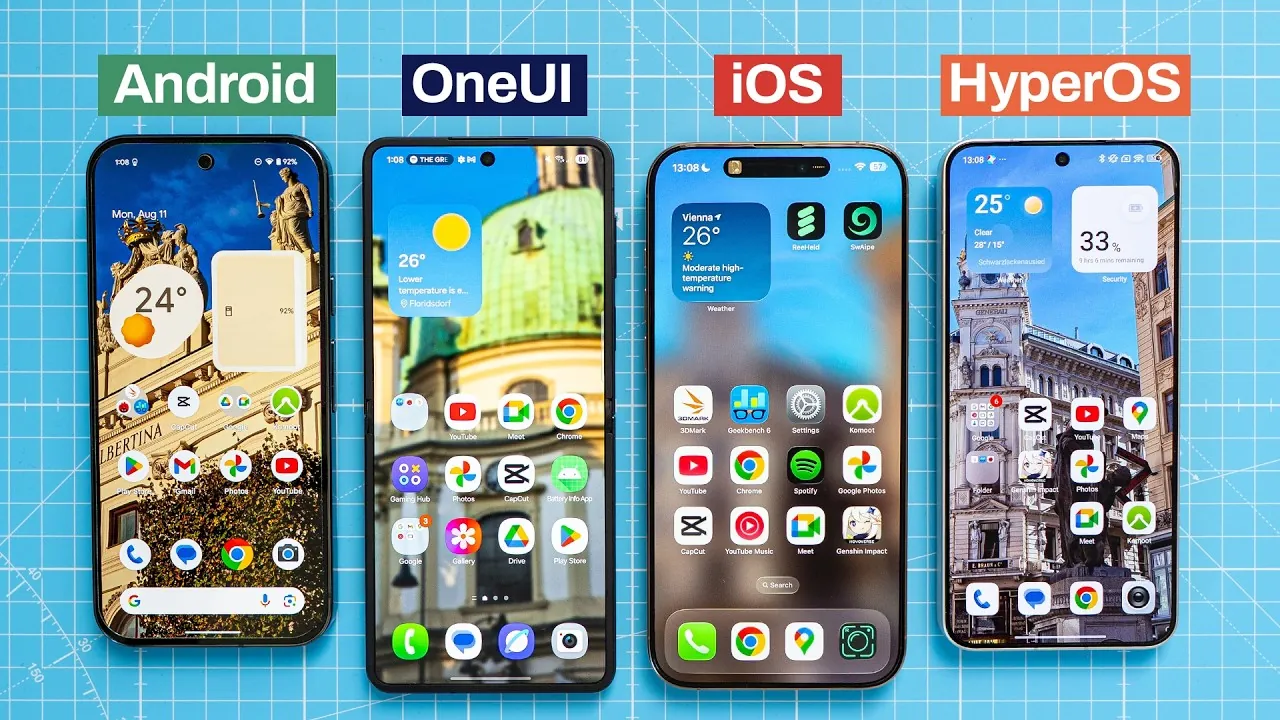
The latest mobile operating systems—Android 16, Samsung’s OneUI 8, Xiaomi’s HyperOS 2, and Apple’s iOS 26 beta—bring a range of updates and refinements to the table. Each platform is designed to cater to distinct user preferences, offering unique strengths in areas such as design, functionality, and customization. This detailed comparison from Techmo explores their key features, focusing on gestures, animations, multitasking, AI integration, and more to help you make an informed decision.

Gestures and Navigation
Navigation gestures have become a cornerstone of modern mobile operating systems, offering users a more intuitive way to interact with their devices. Here’s how the platforms stack up:
- Android 16, OneUI 8, and HyperOS 2: These systems implement a universal back gesture, creating a consistent and seamless navigation experience across apps. This approach minimizes confusion and enhances usability.
- iOS 26: Retains app-specific gestures, which can feel less intuitive when switching between apps. While this method aligns with Apple’s design philosophy, it may not be as user-friendly for multitasking.
In terms of multitasking, Xiaomi’s HyperOS 2 introduces a side-by-side view, allowing users to manage multiple apps simultaneously with ease. On the other hand, Android 16, OneUI 8, and iOS 26 rely on a vertically stacked layout, which balances functionality with visual simplicity.
Animations and Design
Animations play a crucial role in shaping the user experience, influencing how smooth and engaging an operating system feels.
- iOS 26: Focuses on fluidity, incorporating subtle “jelly” effects that make transitions appear natural and polished. This attention to detail enhances the overall user experience.
- Android 16: Prioritizes speed and simplicity, particularly on Pixel devices. Its no-frills approach appeals to users who value efficiency over visual flair.
- OneUI 8 and HyperOS 2: Emphasize dynamic animations and visual appeal. OneUI 8, for instance, introduces interactive quick settings, adding a layer of sophistication to its design. HyperOS 2 blends aesthetic elements with functionality, creating a visually engaging interface.
Customization Options
Customization remains a defining feature of Android-based systems, offering users unparalleled flexibility.
- Android 16, OneUI 8, and HyperOS 2: Allow extensive personalization, from wallpapers and themes to icon styles and widgets. HyperOS 2 even includes Leica-inspired color modes, catering to photography enthusiasts who want to fine-tune their device’s visual output.
- iOS 26: While Apple has made strides in customization, such as allowing widget placement and lock screen adjustments, it still lags behind Android in terms of flexibility. For users who prioritize individuality, Android-based systems remain the superior choice.
Notifications and Quick Settings
Effective notification management is essential for productivity, and each platform approaches this differently.
- iOS 26: Introduces categorized and priority notifications, helping users focus on what matters most. However, its quick settings menu remains streamlined and less customizable, which may limit its appeal to power users.
- Android 16, OneUI 8, and HyperOS 2: Provide greater flexibility in managing notifications and quick settings. Users can rearrange toggles, add shortcuts, and customize notification preferences to suit their workflow, making these systems more adaptable to individual needs.
Multitasking and Widgets
Multitasking capabilities vary significantly across these platforms, reflecting their differing priorities.
- Android 16, OneUI 8, and HyperOS 2: Support split-screen multitasking, allowing users to run two apps simultaneously. This feature is particularly beneficial for productivity-focused users who need to multitask efficiently.
- iOS 26: Does not offer split-screen multitasking, limiting users to app switching and Picture-in-Picture mode. While this approach simplifies the interface, it may not meet the needs of power users.
When it comes to widgets, Apple has refined its design in iOS 26, making them more visually appealing and functional. However, Android systems continue to lead in customization, with Pixel devices offering unique widget styles and enhanced functionality.
AI and Search Features
Artificial intelligence is deeply integrated into all four operating systems, enhancing usability and functionality in various ways.
- Android 16: Uses AI assistants like Google’s Gemini to provide advanced features such as reverse image search, which allows users to identify objects and scenes effortlessly.
- iOS 26: Enhances Siri with interactive capabilities and introduces AI-driven suggestions and contextual actions, streamlining everyday tasks and improving overall efficiency.
Camera Functionality
Camera capabilities are a significant factor for many users, and each platform offers distinct advantages.
- Android 16 (Pixel devices): Focuses on simplicity, offering limited Pro features for casual users who want quick, high-quality shots without the need for extensive adjustments.
- OneUI 8 and HyperOS 2: Cater to photography enthusiasts with advanced options such as LOG video recording and Leica-inspired color profiles, providing greater creative control.
- iOS 26: Improves its camera interface and introduces minor enhancements, but it lacks the depth of features found in Android-based systems, particularly for professional photographers.
Unique Features
Each operating system includes standout features that cater to specific user needs, further differentiating them from one another.
- OneUI 8: Excels in text selection tools, offering advanced summarization and proofreading capabilities that are particularly useful for students and professionals.
- iOS 26: Prioritizes accessibility, introducing larger buttons, interactive animations, and other features designed to assist users with disabilities.
- HyperOS 2: Combines elements of iOS design with Android’s flexibility, creating a hybrid experience that appeals to users seeking the best of both worlds.
By understanding the strengths and limitations of each platform, you can choose the operating system that best aligns with your preferences and needs.
Expand your understanding of Mobile Operating Systems Comparison with additional resources from our extensive library of articles.
- iOS 26 vs Android 16: Which OS Offers Better Customization
- Which Mobile OS Reigns Supreme? One UI 7, iOS 18, and Others
- Android 15 vs. iOS 18: Which OS is Faster, Smoother, & More
- Android 16 vs iOS 18 vs One UI 7: A Comprehensive Comparison
- Android vs iPhone
Source & Image Credit: Techmo
Disclosure: Some of our articles include affiliate links. If you buy something through one of these links, Geeky Gadgets may earn an affiliate commission. Learn about our Disclosure Policy.
