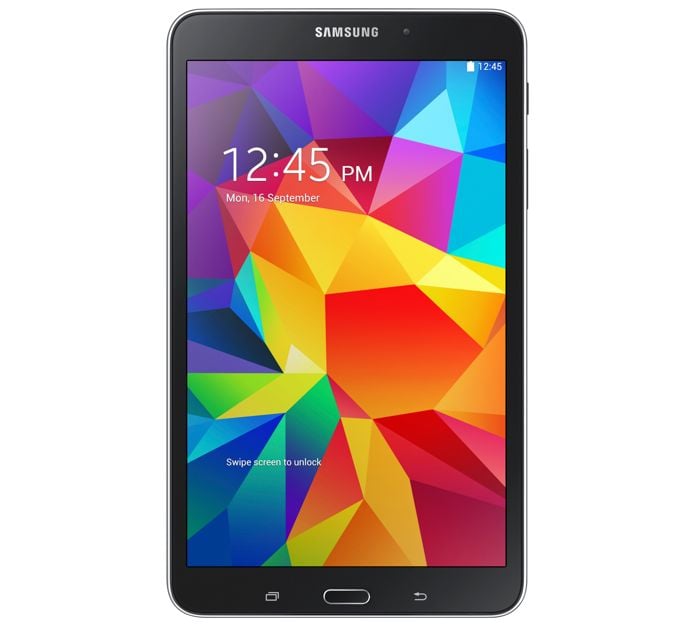
Samsung has started to roll out the Android Lollipop update to another device, the Samsung Galaxy Tab 4 8.0 LTE. The update is currently rolling out in Europe, bringing a host of new features and improvements to the device.
The Lollipop update for the Samsung Galaxy Tab 4 8.0 LTE comes in the form of Android 5.1.1 Lollipop, and owners of the device in Switzerland have started to receive the update. This marks a significant upgrade from the previous Android 4.2.2 KitKat version that the device was running.
New Features and Improvements
The Android 5.1.1 Lollipop update introduces several new features and enhancements that will improve the overall user experience on the Samsung Galaxy Tab 4 8.0 LTE. Some of the key features include:
1. Material Design: The update brings Google’s Material Design language to the tablet, offering a more visually appealing and intuitive user interface. This includes new animations, a revamped notification system, and a more cohesive design across the system and apps.
2. Improved Performance: Android 5.1.1 Lollipop is optimized for better performance, resulting in smoother multitasking and faster app launches. The update also includes various bug fixes and stability improvements.
3. Enhanced Security: The update introduces new security features such as Device Protection, which helps keep your device secure even if it is lost or stolen. Additionally, there are improvements to the lock screen and encryption options.
4. Battery Life: Lollipop includes Project Volta, a set of tools and APIs designed to help developers optimize battery usage. This should result in improved battery life for the Galaxy Tab 4 8.0 LTE.
How to Update Your Device
The Android 5.1.1 Lollipop update is being rolled out as an over-the-air (OTA) update to the tablet. If you own a Samsung Galaxy Tab 4 8.0 LTE, you can check to see if the update is available for your device by following these steps:
1. Open Settings: Navigate to the Settings menu on your device.
2. Check for Updates: Scroll down and select “About Device” or “Software Update,” then tap on “Check for Updates.”
3. Download and Install: If the update is available, follow the on-screen instructions to download and install it. Make sure your device is connected to Wi-Fi and has sufficient battery life before starting the update process.
The update should also start to roll out to more European countries shortly. If you receive the update, leave a comment and let us know, also let us know which country you are in.
The rollout of the Android 5.1.1 Lollipop update for the Samsung Galaxy Tab 4 8.0 LTE is a welcome development for users who have been waiting for new features and improvements. With enhancements in design, performance, security, and battery life, the update is set to provide a better overall experience for tablet owners.
As the update continues to reach more devices across Europe, it is expected to bring a fresh and improved user experience to the Samsung Galaxy Tab 4 8.0 LTE. If you haven’t received the update yet, keep an eye on your device’s settings menu for the notification. Enjoy the new features and improvements that come with Android 5.1.1 Lollipop!
Source
Disclosure: Some of our articles include affiliate links. If you buy something through one of these links, Geeky Gadgets may earn an affiliate commission. Learn about our Disclosure Policy.
