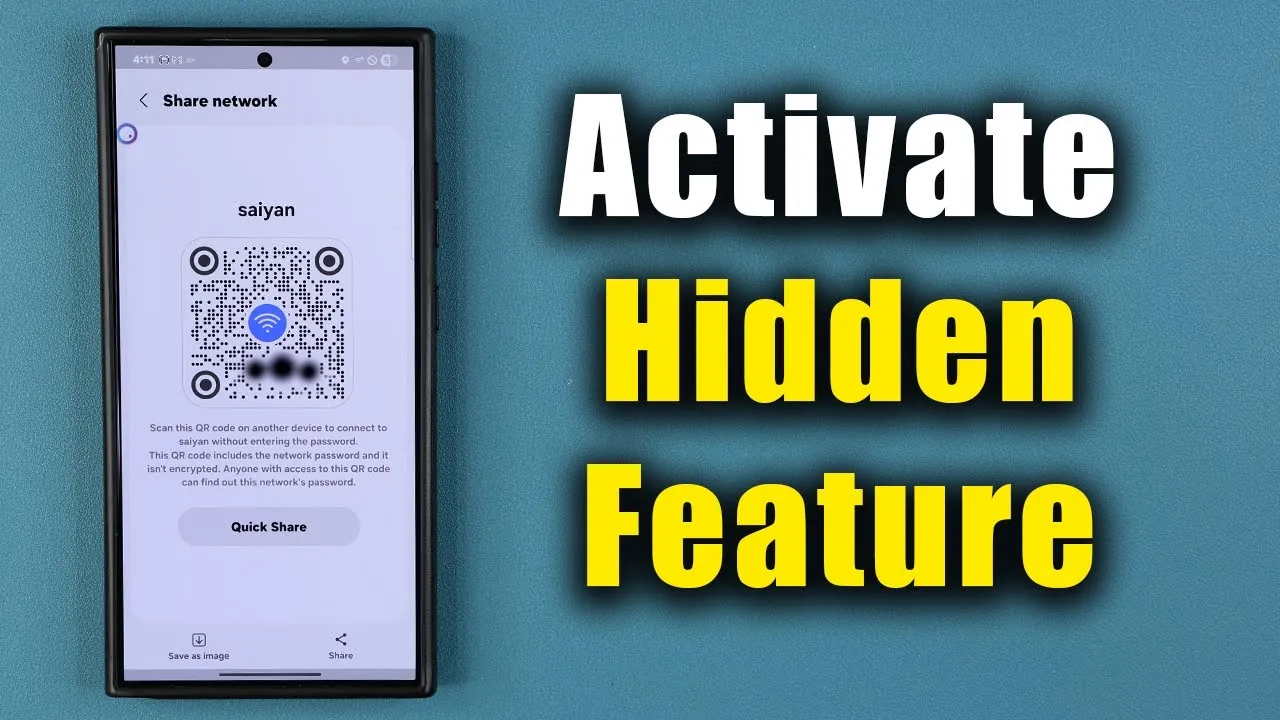
Samsung Galaxy smartphones offer a powerful yet often overlooked feature that simplifies Wi-Fi sharing while maintaining robust security. By using QR codes and advanced authentication methods, users can connect other devices to their network without exposing their passwords. This feature is designed to enhance convenience and security, making it suitable for both personal and professional environments. The video below from Sakitech gives us more details.

How QR Codes Simplify Wi-Fi Sharing
Samsung Galaxy phones make sharing Wi-Fi networks intuitive through the use of QR codes. To begin, navigate to your phone’s Wi-Fi settings and connect to the desired network. Once connected, you can generate a QR code directly from the settings menu. This QR code acts as a secure digital key, allowing others to join your network without manually entering the password.
To ensure that only authorized users can share network credentials, Samsung requires fingerprint or PIN authentication before generating the QR code. This extra step adds a layer of security, making sure that the feature cannot be misused. After authentication, the QR code is displayed on your screen, ready to be scanned by others.
Connecting Devices: A Quick and Easy Process
Connecting another device to your Wi-Fi network using this feature is remarkably simple. The recipient only needs to scan the QR code using their device’s camera or a QR code scanning app. Once scanned, the device will automatically connect to the network—eliminating the need to type in long or complex passwords. This process not only saves time but also reduces the likelihood of errors or unauthorized access.
One of the standout aspects of this feature is its broad compatibility. It works seamlessly with non-Samsung devices, making it a versatile solution for sharing Wi-Fi with friends, colleagues, or guests, regardless of the device they use.
Saving and Sharing QR Codes for Later Use
Samsung Galaxy smartphones allow users to save the generated QR code as an image file. This functionality is particularly useful when you need to share Wi-Fi access with someone who isn’t physically present. The saved QR code can be shared through various methods, such as text messages, emails, or messaging apps, offering flexibility in how you distribute your network credentials.
For users within the Samsung ecosystem, the Quick Share feature provides an additional layer of convenience. Quick Share enables you to send the QR code directly to nearby Samsung devices, streamlining the process even further. This is especially beneficial in environments with multiple Samsung devices, such as family households or office settings, where quick and secure sharing is a priority.
Security and Compatibility: A Balanced Approach
The inclusion of fingerprint or PIN authentication ensures that only authorized users can generate QR codes for Wi-Fi sharing. This added layer of security protects your network from unauthorized access, giving you peace of mind when sharing your connection. Additionally, the feature’s compatibility with non-Samsung devices ensures that it can be used by a wide range of users, regardless of their device brand.
For those concerned about privacy, this method eliminates the need to verbally share passwords, reducing the risk of them being overheard or misused. By relying on QR codes, Samsung Galaxy smartphones provide a secure and efficient way to manage Wi-Fi connections, making sure that your network remains protected while being easily accessible to trusted users.
Why This Feature Stands Out
Samsung’s Wi-Fi sharing feature strikes a perfect balance between ease of use, security, and flexibility. Whether you’re saving QR codes for future use, sharing them via messaging apps, or using Quick Share for nearby Samsung devices, this tool simplifies the process of connecting devices to your Wi-Fi network. Its compatibility with a variety of devices ensures a seamless experience for all users, making it a practical and reliable solution for both everyday and professional scenarios.
By integrating advanced security measures with user-friendly functionality, Samsung has created a feature that not only enhances convenience but also addresses common concerns about network security and accessibility. Whether you’re hosting guests, collaborating with colleagues, or managing multiple devices in your household, this hidden feature is a valuable tool that ensures your Wi-Fi network remains secure while being easily shareable.
Enhance your knowledge on Samsung Galaxy hidden features by exploring a selection of articles and guides on the subject.
- 20 Samsung Galaxy A56 Tips and Tricks to Unlock Its Full Potential
- Samsung Galaxy S25 Mastery Tips Tricks & Hidden Features
- Discover the Hidden Features of the Samsung Galaxy S25 Ultra
- Samsung Galaxy S25 Edge: Unveiling the Hidden Features
- Samsung Galaxy Z Fold 7 – Tips Tricks & Hidden Features
Source & Image Credit: sakitech
Disclosure: Some of our articles include affiliate links. If you buy something through one of these links, Geeky Gadgets may earn an affiliate commission. Learn about our Disclosure Policy.
