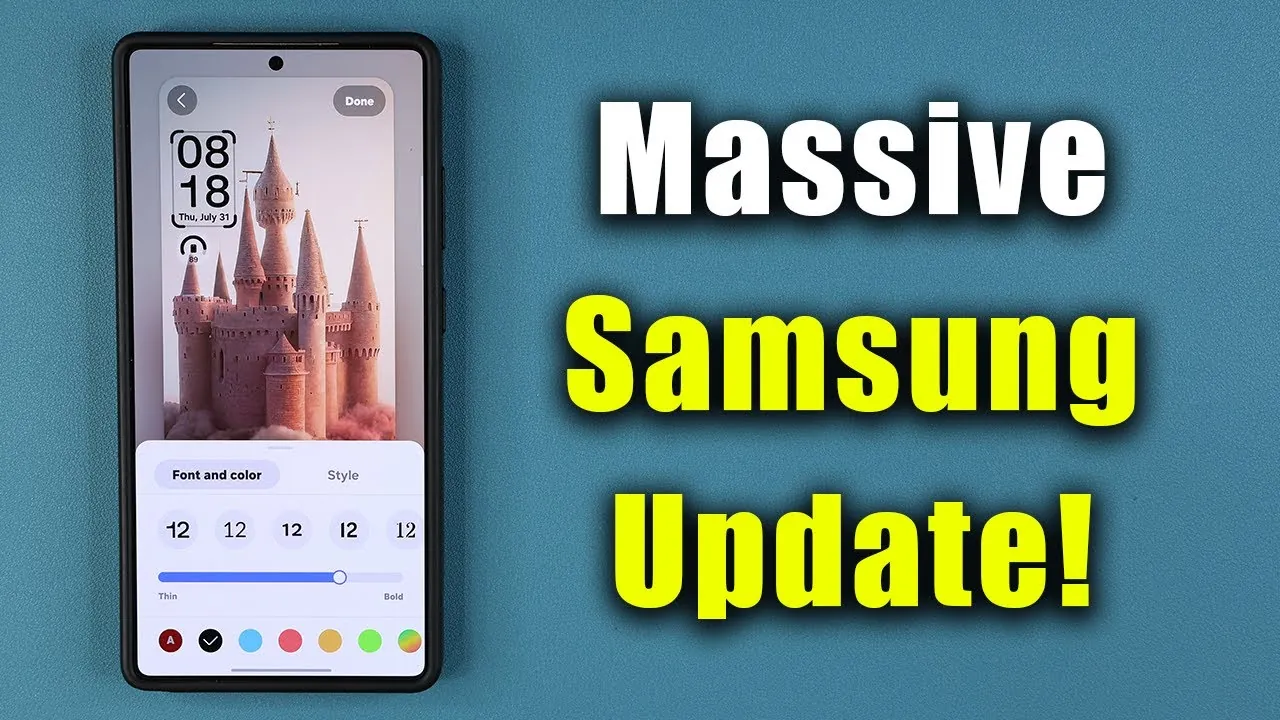
Samsung has rolled out a substantial 1.25GB update for its Galaxy S25 smartphones, introducing the fourth beta of One UI 8. This update is packed with a combination of new features, performance optimizations, and essential bug fixes, all aimed at enhancing your device’s functionality and security. Additionally, it includes the July security patch, making sure your phone remains safeguarded against the latest threats. The video below from Sakitech gives us more details on the update.

Key Features and Improvements
The One UI 8 Beta 4 update introduces a range of features designed to improve usability, customization, and the overall user experience. These enhancements cater to both casual users and tech enthusiasts, offering tools and options that elevate the Galaxy S25’s capabilities. Here’s a closer look at what’s new:
- Linux Terminal in Developer Options: An innovative feature for advanced users, this terminal provides access to system-level operations, granting developers and tech-savvy users greater control and flexibility over their devices.
- Always-On Display (AOD) Enhancements: The new “Erase Background” feature allows for a cleaner, more focused AOD, perfect for users who prefer sleek and minimalistic designs.
- Wallpaper Customization: Suggested image stacks from your gallery simplify the process of personalizing your device. Enhanced wallpaper options now include seamless transitions and dynamic visuals, creating a more immersive and engaging experience.
- Clock Customization: A variety of new clock styles and a shifting clock feature have been introduced, optimized specifically for foldable devices like the Galaxy Z Fold 7 and Flip 7, ensuring a tailored experience for these innovative designs.
Performance Upgrades
The update places a strong emphasis on performance improvements, delivering smoother animations and faster navigation throughout the interface. These enhancements result in improved responsiveness, making everyday tasks feel quicker and more efficient. Whether you’re opening apps, scrolling through menus, or multitasking, the optimizations contribute to a polished and seamless user experience. These refinements ensure that your Galaxy S25 operates at peak performance, meeting the demands of modern smartphone users.
Bug Fixes and Stability Enhancements
Samsung has addressed several critical issues in this update, significantly improving the stability and reliability of the Galaxy S25. These fixes not only resolve existing problems but also enhance the overall functionality of the device. Key improvements include:
- Emergency Update System: A newly introduced feature that allows Samsung to deploy emergency updates for the IMS service, ensuring uninterrupted functionality during critical situations.
- Samsung DeX Enhancements: Full-screen support for video playback in Samsung DeX enhances both productivity and entertainment, making it a more versatile tool for users.
- Galaxy AI and Bixby Fixes: Bugs affecting AI-driven features and the voice assistant have been resolved, ensuring smoother and more reliable interactions with these tools.
- Camera Improvements: The flickering issue in the central level gauge when switching between front and rear cameras has been fixed, delivering a more consistent and enjoyable photography experience.
- Lock Screen Refinements: Display issues in the quick launch icon area have been addressed, resulting in a more visually appealing and consistent lock screen interface.
Why This Matters
The One UI 8 Beta 4 update represents a significant step forward for the Galaxy S25, combining advanced features, enhanced performance, and critical fixes. These updates are designed to make your device more intuitive, reliable, and enjoyable to use. Whether you’re exploring the new customization options, experiencing smoother animations, or benefiting from the improved stability, this update underscores Samsung’s commitment to delivering a superior user experience. For both casual users and tech enthusiasts, the Galaxy S25 continues to set a high standard in smartphone innovation.
What’s Next?
As the official release of One UI 8 draws closer, this beta update offers a preview of what’s to come. Samsung remains dedicated to refining its software platform, making sure that the Galaxy S25 stays at the forefront of technological advancements. If you haven’t already, downloading this update will allow you to explore the latest improvements and prepare for the full release. By staying up to date, you can ensure your device remains equipped with the best features and performance enhancements Samsung has to offer.
Uncover more insights about the Samsung Galaxy S25 Update in the previous articles we have written.
- Samsung Galaxy S25 Ultra: Massive One UI 7.0 Update Released
- Samsung One UI 8.0 Beta 3 Update: Features, Fixes, and More
- Samsung Galaxy S25 Ultra: First Major Update Brings Notable
- Samsung Galaxy S25 Gets Gemini Live Update
- Samsung Galaxy S25 Ultra: 13 HUGE Upgrades!
Source & Image Credit: sakitech
Disclosure: Some of our articles include affiliate links. If you buy something through one of these links, Geeky Gadgets may earn an affiliate commission. Learn about our Disclosure Policy.
