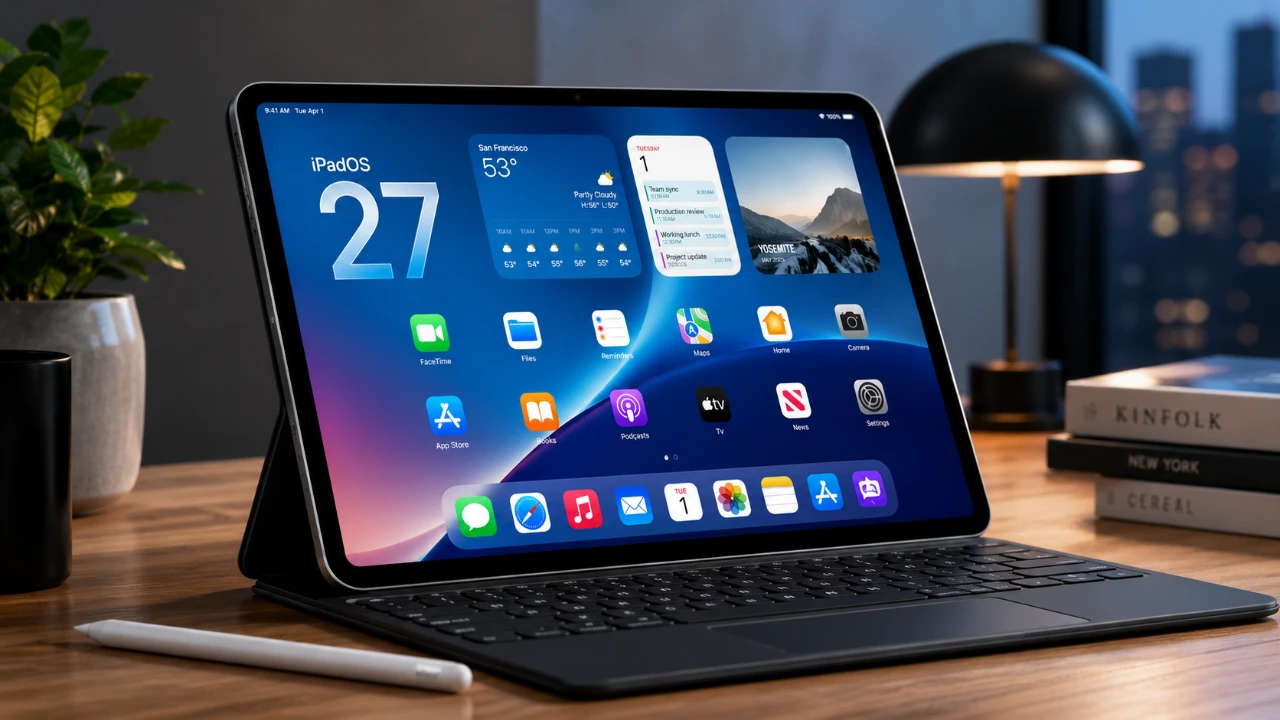
Apple’s iPadOS 27 introduces a range of thoughtful enhancements designed to improve multitasking, productivity, and overall system performance. While it avoids a dramatic visual overhaul, this update focuses on practical improvements that make the iPad more intuitive and versatile. Whether you’re a casual user or a professional, iPadOS 27 delivers tools and features aimed at streamlining workflows and enhancing the overall user experience.
With a clear emphasis on usability and efficiency, this update reflects Apple’s ongoing commitment to refining its tablet ecosystem, making sure the iPad remains a powerful and adaptable device for a variety of needs. The video below from 9 to 5 Mac gives us more details on the new iPadOS 27.

Compatibility and Performance: A Smoother Experience
iPadOS 27 is compatible with a wide range of devices, making sure that both newer and slightly older models benefit from its features. Supported devices include:
- iPad Mini (6th generation or newer)
- iPad (9th generation or newer)
- iPad Air (4th generation or newer)
- iPad Pro (2nd generation or newer)
However, certain advanced features, such as enhanced Siri capabilities, are exclusive to devices equipped with Apple’s M-series chips or the A17 Pro processor. This ensures that the latest hardware fully utilizes the software’s potential, delivering a seamless and optimized experience.
Performance improvements are a key highlight of this update. Users will notice faster app launches, smoother animations and an overall more fluid interface. Subtle refinements, such as rounded edges and consistent design elements across native apps, enhance the visual appeal without overwhelming the user. A new persistent menu bar further improves multitasking, offering a desktop-like experience for managing tasks and switching between apps effortlessly.
Multitasking and Customization: More Control at Your Fingertips
Multitasking capabilities see significant advancements in iPadOS 27. The introduction of the persistent menu bar simplifies the process of managing multiple app windows, allowing users to resize and arrange them with greater flexibility. This feature maximizes screen real estate, making it easier to juggle tasks. For those using a Magic Keyboard, new automation features enable actions such as launching specific apps or triggering workflows when the iPad is docked, adding a layer of convenience.
Customization options have also been expanded. The home screen now supports extra-large widgets, providing more information at a glance. This is particularly beneficial for productivity-focused users or those engaged in creative workflows. Additionally, new tools like undo and redo buttons, along with a paintbrush icon, make it easier to adjust widget layouts and personalize the home screen. These enhancements hint at Apple’s forward-thinking approach, possibly laying the groundwork for future foldable devices.
Siri and Visual Intelligence: Smarter and More Context-Aware
Siri receives notable upgrades in iPadOS 27, becoming more intelligent and responsive. A new gesture allows quicker access to the assistant, which now provides context-aware suggestions tailored to your activity. For example, if you’re editing a document, Siri might recommend related files or apps, helping to streamline your workflow and save time.
Visual intelligence is another standout feature. The iPad can now recognize objects in photos or on-screen content, offering additional insights or actions. This capability is particularly useful for educational purposes, research, or simply exploring the world around you. Whether identifying landmarks, plants, or objects, this feature adds a layer of interactivity and practicality to the iPad experience.
Safari and Native Apps: Productivity Meets Creativity
Safari has been enhanced to improve organization and efficiency. Users can now group tabs, bookmarks and reading lists by topic, making it easier to manage browsing sessions. These improvements are complemented by a faster and more responsive browsing experience, making sure seamless performance whether you’re working or exploring the web.
Native apps like Messages have also received thoughtful updates. Apple Pencil integration allows users to draw and send handwritten messages directly within the app, adding a creative and personal touch to conversations. This feature is particularly appealing to those who enjoy visual expression, further enhancing the iPad’s versatility.
External Display Support and Sidecar: Expanded Versatility
For users who rely on external displays, iPadOS 27 introduces significant improvements. The ability to access the Control Center directly on an external display simplifies adjustments, eliminating the need to return to the iPad’s main screen. Sidecar, which enables the iPad to function as a secondary display for a Mac, now supports touchscreen controls and Apple Pencil input. These enhancements make the iPad an even more powerful tool for creative professionals and multitaskers, bridging the gap between tablet and desktop functionality.
News+ Audio and Media Features: Hands-Free Information
News+ subscribers gain a new way to consume content with the addition of audio news stories in iPadOS 27. This feature allows users to listen to curated news while multitasking or on the go, catering to those who prefer audio content over reading. It’s a practical addition for staying informed without interrupting other activities.
Additionally, media features across the system have been refined to enhance the overall entertainment experience. Whether you’re streaming, creating, or consuming content, these updates ensure a smoother and more enjoyable interaction with the iPad.
A Refined Vision for the iPad
iPadOS 27 exemplifies Apple’s dedication to enhancing the iPad’s functionality and user experience. By focusing on performance improvements, advanced multitasking tools and expanded customization options, this update ensures the iPad remains a versatile and efficient device for a wide range of users. Whether you’re using it for work, creativity, or leisure, iPadOS 27 delivers meaningful enhancements that make everyday tasks more intuitive and enjoyable.
As Apple continues to refine its tablet ecosystem, iPadOS 27 serves as a testament to the company’s commitment to innovation and user-centric design. These updates not only improve the current iPad lineup but also set the stage for future advancements, making sure the iPad remains a cornerstone of modern productivity and creativity.
Below are more guides on iPadOS 27 from our extensive range of articles.
- What to Expect from Apple’s Massive iOS 27 Update
- Why iPadOS 27 is the AI Update You Can’t Ignore
- The Hidden iPadOS 27 Features Everyone Is Missing
- The Hidden iPadOS 27 Features Apple Didn’t Tell You About
- Is Your iPhone on the List? iOS 27 Could Cut Off These Popular Models
Source: 9to5Mac
Disclosure: Some of our articles include affiliate links. If you buy something through one of these links, Geeky Gadgets may earn an affiliate commission. Learn about our Disclosure Policy.
