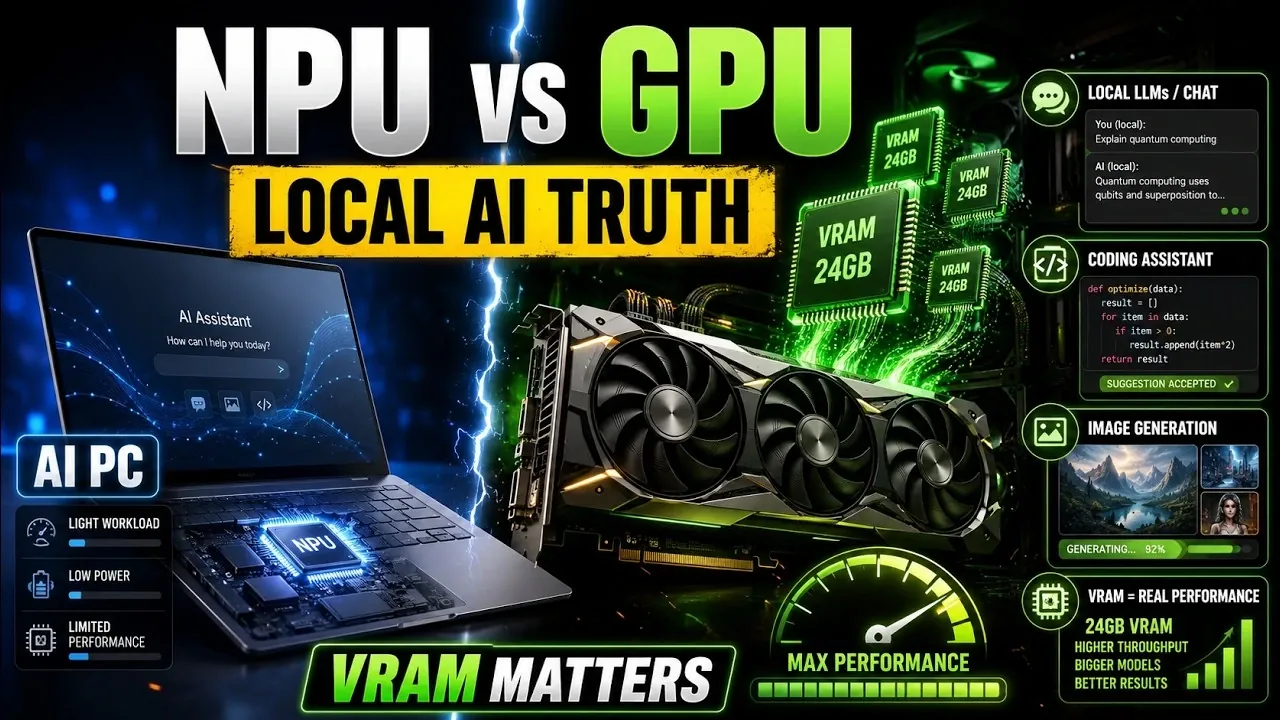
As the demand for local AI workflows grows, understanding the differences between Neural Processing Units (NPUs) and Graphics Processing Units (GPUs) is increasingly important. NPUs are designed for efficiency in lightweight tasks like noise suppression and real-time transcription, making them ideal for consumer devices. However, for resource-heavy applications such as running large language models (LLMs) or generating high-resolution images, GPUs remain the preferred choice due to their superior computational power and flexibility. In this feature, PC Sense explores the distinct roles of NPUs and GPUs, emphasizing how their capabilities align with various AI workloads.
Discover how to evaluate hardware choices based on your specific AI needs. This breakdown highlights the critical role of VRAM in GPU performance, particularly for managing complex models and avoiding bottlenecks. You’ll also gain insight into scenarios where NPUs excel, such as enhancing video calls and audio clarity and learn why GPUs dominate in tasks like model fine-tuning and video AI. Whether you’re a developer, creator, or hobbyist, this guide offers practical considerations to help you make informed decisions about your AI hardware setup.
NPU vs GPU for AI
TL;DR Key Takeaways :
- Neural Processing Units (NPUs) are optimized for lightweight, repetitive AI tasks like webcam effects, noise suppression and live captions, excelling in low-power, embedded applications but lacking the computational power for complex AI workflows.
- Graphics Processing Units (GPUs) dominate demanding AI tasks such as large language models (LLMs), high-resolution image generation, video AI and model fine-tuning, thanks to their parallel processing capabilities and robust software ecosystem.
- VRAM capacity is critical for GPU performance in AI workflows, allowing larger model sizes, reduced quantization and efficient processing, while insufficient VRAM leads to performance bottlenecks.
- NPUs are ideal for consumer devices and specific use cases requiring efficiency and low power, while GPUs are essential for developers, creators, gamers and hobbyists engaged in advanced AI tasks.
- The future of AI hardware lies in hybrid systems combining NPUs, GPUs and CPUs, with trends focusing on task coordination, expanded NPU applications, enhanced GPU capabilities and integrated accelerators for optimized performance.
What Are NPUs?
Neural Processing Units (NPUs) are specialized processors designed to handle lightweight, repetitive AI tasks with high efficiency. Their primary focus is on delivering consistent performance for specific embedded applications. Common use cases for NPUs include:
- Webcam effects: Features like background blurring and automatic framing during video calls.
- Noise suppression: Enhancing audio clarity by reducing background noise.
- Live captions: Real-time transcription and other operating system-level AI functionalities.
NPUs excel in these scenarios due to their low power consumption and predictable performance. However, their capabilities are limited when it comes to general-purpose AI tasks. They lack the computational power and flexibility required for running complex models, conducting advanced experiments, or managing high-performance workflows. As a result, NPUs are best suited for consumer devices and specific, low-power applications rather than demanding AI workloads.
Why GPUs Dominate Local AI Workflows
Graphics Processing Units (GPUs) are the cornerstone of AI computing, offering unmatched performance for parallel processing tasks. This capability is particularly critical for neural networks, which rely heavily on repetitive matrix operations. GPUs are highly effective in a wide range of demanding AI applications, including:
- Large language models (LLMs): Powering natural language processing tasks with high accuracy and speed.
- Image generation and editing: Creating high-resolution visuals and performing advanced image manipulations.
- Video AI: Tasks such as video editing, analysis and enhancement.
- Model fine-tuning: Experimenting with and optimizing AI models for specific use cases.
In addition to their raw computational power, GPUs benefit from a mature and robust software ecosystem. Tools and frameworks like CUDA, TensorFlow and PyTorch enable developers to optimize and deploy AI models efficiently. This combination of hardware performance and software support makes GPUs a versatile and essential choice for professionals, creators and hobbyists alike.

Discover other guides from our vast content that could be of interest on local AI.
- Ollama Runs 32B Local AI Models on a $599 Mac via Quantization for Free
- How DeepSeek Fits a 284B Parameter AI Model on a Single Laptop
- Forget the Cloud: This Tiiny Pocket PC Packs 80GB RAM for Local AI
- New AMD’s $1,500 Strix Halo PC Runs 120B AI Models Locally
- Build Your Own AI Assistant an Local AI Agent Quickly with Cursor AI (No Code)
- Why Google’s Gemma 4 Local AI Just Made Cloud-Based AI Optional
- Revive Your Old Tech: Running a Local LLM on a 12-Year-Old Raspberry Pi
- Why NVIDIA’s New 748GB Desktop is Replacing Enterprise Cloud AI Subscriptions
- Easily run AI chatbots on your home PC locally using Jan AI for free
- Meet oMLX : Apple Silicon’s Fastest Local AI Model Runner
The Role of VRAM in AI Performance
Video RAM (VRAM) plays a pivotal role in determining the effectiveness of a GPU for AI tasks. The capacity of VRAM directly influences several critical aspects of AI workflows:
- Model size: Larger VRAM allows for running more complex AI models without compromising performance.
- Quantization levels: Higher VRAM reduces the need for aggressive quantization, preserving model accuracy.
- Workflow efficiency: Sufficient VRAM ensures faster processing and minimizes performance bottlenecks.
When VRAM is insufficient, data spills over into slower system memory, creating bottlenecks that significantly degrade performance. This issue is particularly pronounced in tasks such as high-resolution image generation, video processing and running LLMs with extensive context windows. For users engaged in serious AI workflows, investing in a GPU with ample VRAM is not just beneficial, it is essential.
Where NPUs Shine
Although NPUs are not designed for heavy AI workloads, they excel in specific scenarios where efficiency and low power consumption are priorities. Their strengths lie in handling predictable, repetitive tasks with precision. Key areas where NPUs demonstrate value include:
- Video calls: Automatic framing and background blur for enhanced user experience.
- Audio clarity: Voice focus and noise suppression for improved communication.
- System enhancements: AI-driven features like live captions and real-time transcription.
These capabilities make NPUs a valuable addition to consumer devices such as laptops, smartphones and tablets. However, their utility is limited for users who require advanced AI capabilities, as they lack the computational depth and flexibility of GPUs.
Who Should Use NPUs vs GPUs?
The decision between NPUs and GPUs ultimately depends on your specific needs and use cases. Below is a breakdown of which technology is better suited for different user groups:
- Students: NPUs can enhance productivity features like live captions and noise suppression, but they are not essential. Prioritize devices with good battery life, sufficient RAM and high-quality displays.
- Developers: GPUs are indispensable for building, training and deploying AI models, including LLMs and embeddings. Their computational power and software support are critical for development workflows.
- Creators: GPUs are essential for tasks such as image generation, video editing and upscaling, where performance and VRAM capacity are key factors.
- Gamers: GPUs are a priority for gaming and local AI experimentation, offering the performance needed for both activities.
- Hobbyists: GPUs provide the flexibility and computational power required for experimenting with AI models and workflows.
For most users engaged in AI-related tasks, GPUs remain the superior choice due to their versatility and performance capabilities.
Looking Ahead: The Future of AI Hardware
The future of AI hardware is poised to evolve toward hybrid systems that integrate the strengths of NPUs, GPUs and CPUs. Key trends and developments to watch include:
- Task coordination: Improved collaboration between accelerators for seamless task distribution and routing.
- Expanded NPU applications: Broader software support for NPUs in both consumer and professional environments.
- Enhanced GPU capabilities: Consumer GPUs with increased VRAM to meet the growing demands of AI workflows.
- Hybrid systems: AI hardware solutions that combine multiple accelerators for optimized performance and efficiency.
These advancements are likely to redefine how AI tasks are distributed across hardware, allowing more efficient and powerful workflows for a wide range of users.
While NPUs offer significant value for lightweight, embedded AI features, they are not a substitute for GPUs in demanding local AI tasks. GPUs remain the foundation of serious AI workflows, providing the computational power, memory capacity and software ecosystem necessary for flexibility and performance. For applications such as LLMs, image generation and video AI, GPUs are an essential investment. As hybrid AI systems continue to develop, the collaboration between NPUs, GPUs and CPUs will shape the next generation of AI hardware solutions, offering users more efficient and powerful tools for their needs.
Media Credit: PC Sense
Disclosure: Some of our articles include affiliate links. If you buy something through one of these links, Geeky Gadgets may earn an affiliate commission. Learn about our Disclosure Policy.
