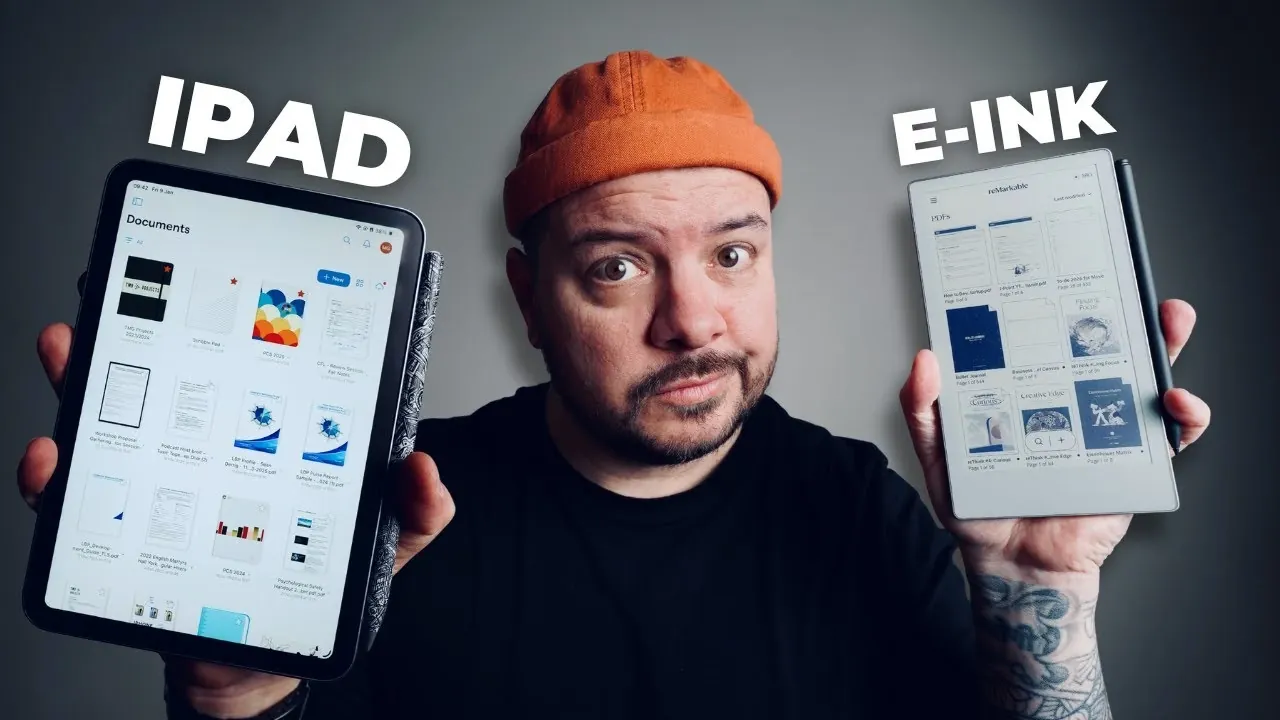
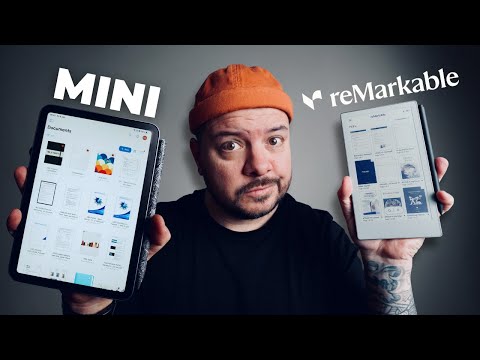
Is the iPad Mini the ultimate multitasking powerhouse, or does the reMarkable Paper Pro Move’s simplicity make it the better choice for focused productivity? In this breakdown, Mark Gilroy walks through how these two devices stack up, offering insights into their design, functionality, and user experience. While the iPad Mini dazzles with its vibrant display and app-rich ecosystem, the reMarkable Paper Pro Move stands out with its distraction-free, paper-like writing experience. Both devices cater to very different needs, and your decision might come down to what you value more: versatility or focus.
This guide explores the key differences between these devices, from their note-taking capabilities to the hidden costs of accessories and subscriptions. Whether you’re a multitasker looking for an all-in-one device or someone yearning for a minimalist, analog-like experience in a digital world, there’s plenty to consider. By the end, you’ll have a clearer sense of which device aligns better with your lifestyle and priorities. So, which will it be: the Swiss Army knife or the chef’s knife of the tech world?
iPad Mini vs Paper Pro Move
TL;DR Key Takeaways :
- The iPad Mini is a versatile, multi-functional device ideal for multitaskers, while the reMarkable Paper Pro Move is a specialized tool focused on note-taking and reading with a distraction-free design.
- Both devices start at $499, but additional costs for accessories and subscriptions (e.g., Apple Pencil, cases, or reMarkable’s Connect subscription) can significantly increase the total investment.
- The iPad Mini features a vibrant glass LED display suitable for multimedia use, whereas the reMarkable Paper Pro Move offers a glare-free E-ink display optimized for a natural, paper-like writing experience.
- The Apple Pencil provides advanced features like pressure sensitivity and hover gestures, while the reMarkable Marker focuses on simplicity with no charging required and a built-in eraser.
- Choosing between the two depends on your priorities: the iPad Mini excels in versatility and multitasking, while the reMarkable Paper Pro Move is ideal for users seeking a focused, tactile note-taking and reading experience.
Price and Accessories: What to Expect
Both devices start at a base price of $499, but the total cost can increase significantly depending on the accessories and subscriptions you choose. Understanding these additional expenses is crucial for budgeting effectively.
- iPad Mini: To unlock its full potential, you’ll likely need an Apple Pencil, which costs between $79 and $129, depending on the model. Popular apps like GoodNotes or Procreate may add up to $35 annually. Protective cases start at $59, further increasing the overall investment.
- reMarkable Paper Pro Move: The Marker Plus stylus is priced at $50, while cases range from $100 to $139. Additionally, the optional Connect subscription, which enhances cloud syncing and file management, costs $2.99 per month or $29 annually.
If you plan to use the device extensively, these accessory and subscription costs should factor into your decision-making process.
Design and Portability: Form Meets Function
Both devices are lightweight and portable, making them easy to carry in a bag or even a large pocket. However, their designs reflect different priorities and use cases.
- iPad Mini: With its sleek glass LED display, the iPad Mini offers vibrant colors and sharp visuals, making it ideal for multimedia use. However, its glossy screen can produce glare, which may hinder outdoor usability. While its modern design is visually appealing, it may feel less ergonomic during extended writing sessions.
- reMarkable Paper Pro Move: The reMarkable Paper Pro Move features an E-ink display that eliminates glare, making sure a comfortable reading and writing experience even in bright sunlight. Its lightweight, minimalist design is optimized for prolonged note-taking, offering a natural, paper-like feel that appeals to users seeking a distraction-free environment.
iPad Mini vs Remarkable for Note-Taking & Distraction-Free Work
Explore further guides and articles from our vast library that you may find relevant to your interests in iPad Mini.
- iPad Mini Pro: Features, Specs, and Pricing Breakdown
- iPad Mini 2026 First Look: OLED, A19 Chip & Major Redesign
- iPad Mini 8: Key Upgrades and Why It’s Worth the Wait
- iPad Mini Release Date and Price – OLED DISPLAY LEAK
- New 2024 Apple iPad Mini 7 Details Revealed
- iPad Mini 2026 Rumors: OLED Display, ProMotion & A19 Pro Chip
- iPad Mini 2026: Features, Specs, and Release Date
- iPad Mini vs. iPad 11: Making the Right Choice
- iPad Mini 8 Rumors: A19 Pro Chipset, OLED Display & More
- Apple iPad Mini 8: OLED Display, A19 Pro Chip, and More
Note-Taking Experience: A Tale of Two Approaches
The note-taking experience is a key differentiator between these devices, as they cater to different styles and preferences.
- iPad Mini: The iPad Mini supports a wide range of apps, offering flexibility and advanced features for note-taking, sketching, and creative tasks. However, writing on its glass screen can feel less natural, even with the Apple Pencil, which may not appeal to users accustomed to traditional pen-and-paper methods.
- reMarkable Paper Pro Move: Designed to replicate the tactile sensation of writing on paper, this device provides a focused, distraction-free environment. Its E-ink display and tactile feedback create a seamless transition for users who value the simplicity and familiarity of a traditional writing experience in a digital format.
Features and Functionality: Versatility vs. Focus
The iPad Mini and reMarkable Paper Pro Move serve different purposes, and their features reflect these distinct roles.
- iPad Mini: As a multi-purpose device, the iPad Mini excels in versatility. It allows you to browse the web, play games, send messages, and more, in addition to its note-taking capabilities. This makes it an excellent choice for users who need an all-in-one device for work, entertainment, and creative tasks.
- reMarkable Paper Pro Move: The reMarkable Paper Pro Move is a purpose-built tool for reading, writing, and annotating. It includes features like cloud sync, file transfer, and integration with platforms such as Dropbox and Google Drive. While it lacks the breadth of functionality offered by the iPad Mini, its simplicity ensures a distraction-free environment for focused tasks.
Stylus Comparison: Apple Pencil vs. reMarkable Marker
The stylus is a critical component of the user experience, and the differences between the Apple Pencil and the reMarkable Marker highlight the contrasting philosophies of these devices.
- Apple Pencil: The Apple Pencil offers advanced features such as hover gestures, pressure sensitivity, and precise input, making it a powerful tool for creative professionals. However, it is relatively expensive and requires regular charging, which may inconvenience some users.
- reMarkable Marker: The reMarkable Marker is a simpler, more intuitive tool with a built-in eraser and no need for charging. Its natural writing experience is ideal for users who prioritize ease of use and simplicity over advanced functionality.
Who Are These Devices For?
Understanding your primary use case is essential when choosing between the iPad Mini and the reMarkable Paper Pro Move.
- iPad Mini: This device is best suited for individuals who need a versatile tool that integrates seamlessly with the Apple ecosystem. It’s ideal for multitaskers who value having a single device for work, entertainment, and creative tasks.
- reMarkable Paper Pro Move: The reMarkable Paper Pro Move is tailored for professionals, students, and creatives who prioritize focused note-taking and reading. Its distraction-free design makes it a valuable tool for those transitioning from physical notebooks to digital formats without compromising the writing experience.
Key Considerations Before You Decide
When deciding between the iPad Mini and the reMarkable Paper Pro Move, several factors should guide your choice:
- Versatility vs. Focus: The iPad Mini offers unmatched versatility, but its multi-functional nature may encourage distractions. The reMarkable Paper Pro Move excels in simplicity and focus, making it a better choice for users who value a dedicated tool for writing and reading.
- Cost: While both devices have similar starting prices, accessories and subscriptions can significantly impact the total cost. Consider your budget and the long-term expenses associated with each device.
- User Experience: The iPad Mini provides a modern, app-rich experience with advanced features, while the reMarkable Paper Pro Move delivers a tactile, paper-like feel that appeals to users seeking a traditional writing experience.
Making the Right Choice
The iPad Mini is a versatile “Swiss Army knife,” offering a wide range of features for users who need a multi-functional device. It’s perfect for those who want a single device for work, entertainment, and creative tasks. On the other hand, the reMarkable Paper Pro Move is more like a “chef’s knife,” excelling in its specialized purpose of note-taking and reading. Its distraction-free environment and paper-like writing experience make it an excellent choice for focused users.
Ultimately, the right choice depends on your priorities. If you value versatility and multitasking, the iPad Mini is the way to go. If you prefer simplicity and a dedicated tool for writing and reading, the reMarkable Paper Pro Move is the better option.
Media Credit: That Mark Gilroy
Disclosure: Some of our articles include affiliate links. If you buy something through one of these links, Geeky Gadgets may earn an affiliate commission. Learn about our Disclosure Policy.
