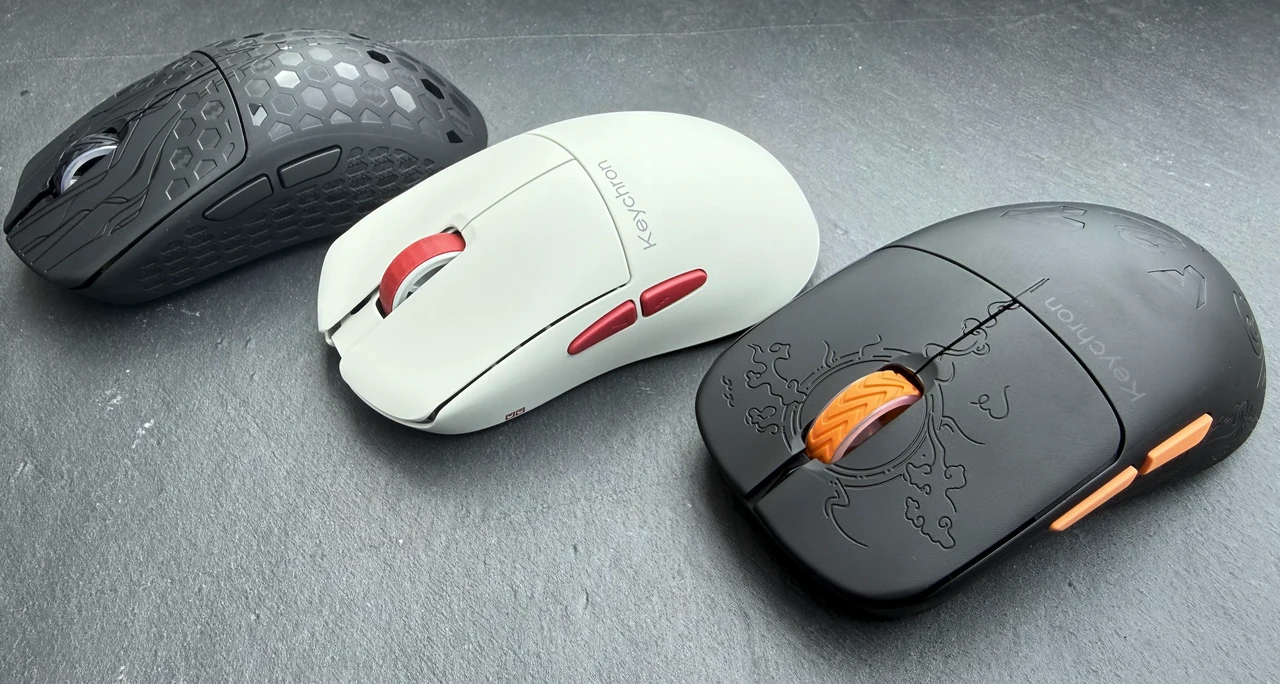
Keychron have been making waves in the mechanical keyboard world for years, but their push into gaming and productivity mice has been quietly impressive. The G3, G4, and G5 all share the same flagship PixArt 3950 sensor, the same Huano micro switches rated for 120 million clicks, and the same tri-mode connectivity (2.4 GHz, Bluetooth 5.3, and wired USB-C). So what actually separates them? Quite a lot, as it turns out. I have spent time with all three thanks to Keychron, and each one carves out its own niche depending on your hand size, grip preference, and budget. Below is a quick-reference comparison table, followed by a detailed look at each mouse as quick reference. With more in depth reviews of each below.
Three-Way Comparison
| Specification | Keychron G3 | Keychron G4 | Keychron G5 |
|---|---|---|---|
| Price | $109.99 | $79.99 | $109.99 |
| SKU | G3-Z1 | G4-B1 | G5-Z1 |
| Weight | 44 g | 55 g | 43 g |
| Shape | Symmetrical | Ergonomic (right-hand) | Ergonomic (right-hand) |
| Shell Material | ABS + Carbon Fiber (Black) / ABS + PC (Frosted Gray) | ABS + PC | ABS + Carbon Fiber |
| Colours | Black, Frosted Gray | White | Black |
| Sensor | PixArt 3950 | PixArt 3950 | PixArt 3950 |
| Max DPI | 30,000 | 30,000 | 30,000 |
| Max Polling Rate | 8,000 Hz (2.4 GHz / Wired) | 8,000 Hz (2.4 GHz / Wired) | 8,000 Hz (2.4 GHz / Wired) |
| Max Tracking Speed | 750 IPS | 750 IPS | 750 IPS |
| Switches | Huano (120M clicks) | Huano (120M clicks) | Huano (120M clicks) |
| Lift-Off Distance | 0.7 / 1.0 / 2.0 mm | 0.7 / 1.0 / 2.0 mm | 0.7 / 1.0 / 2.0 mm |
| Tracks on Glass | Yes | Yes | Yes |
| Battery | 500 mAh | 500 mAh | 500 mAh |
| Battery Life (8K Hz) | ~37 hrs | ~34 hrs | ~37 hrs |
| Battery Life (1K Hz) | ~140 hrs | ~130 hrs | ~153 hrs |
| Battery Life (Bluetooth) | ~160 hrs | ~130 hrs | ~162 hrs |
| HW DPI/Polling Button | No | Yes (bottom) | No |
| Connectivity | 2.4 GHz, Bluetooth 5.3, USB-C Wired | 2.4 GHz, Bluetooth 5.3, USB-C Wired | 2.4 GHz, Bluetooth 5.3, USB-C Wired |
| On-Board Profiles | 5 | 5 | 5 |
Keychron G5 Ultra Light Wireless Mouse
Price: $109.99 | SKU: G5-Z1 | Colour: Black | Weight: 43 g
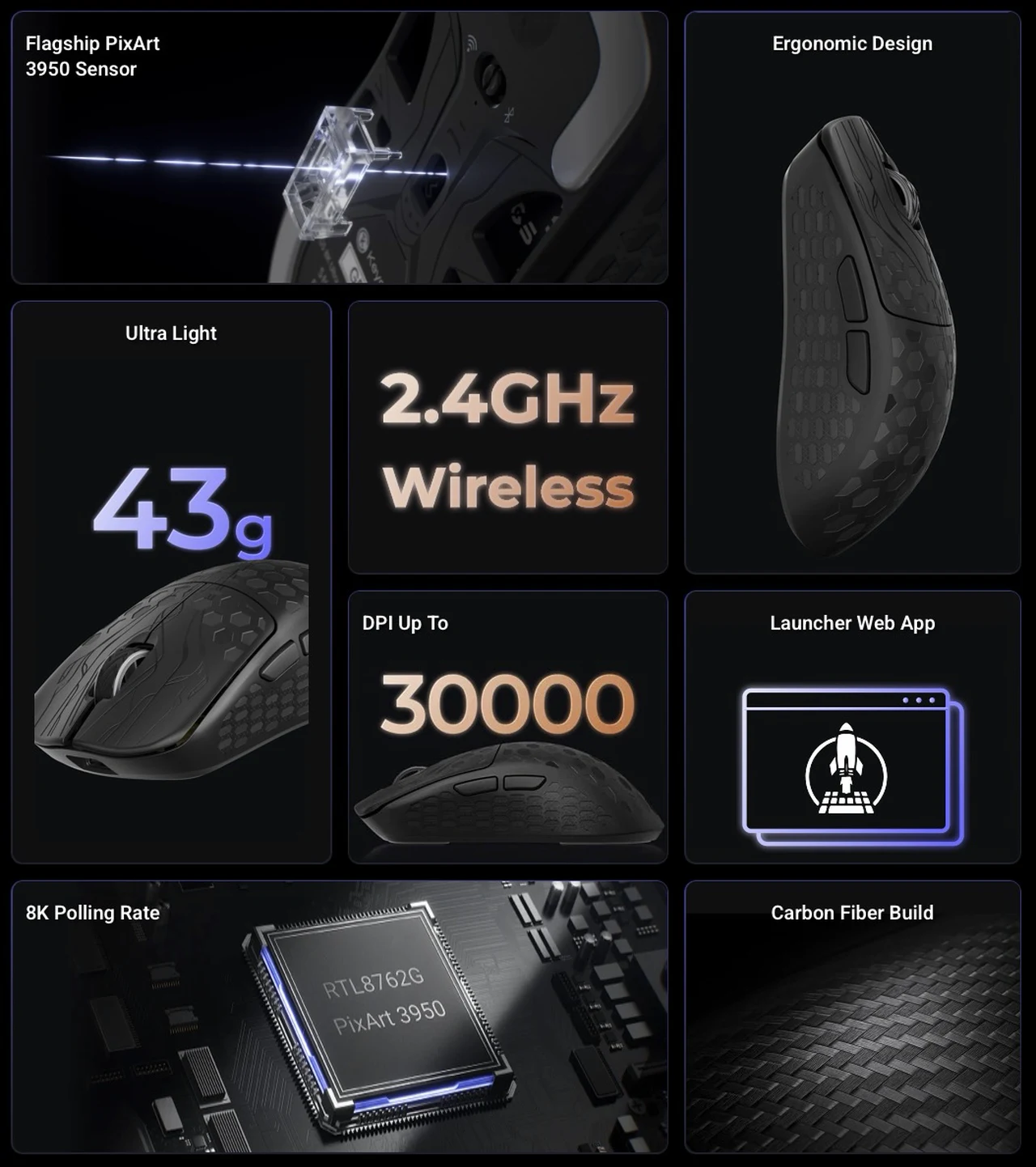
The G5 is the lightest mouse in Keychron’s current lineup, and the moment you pick it up, you notice it. At just 43 grams, it genuinely feels like there is almost nothing in your hand. The carbon fiber and ABS construction keeps the shell rigid and responsive while shaving every possible gram. Flip it over and you will see the cutouts on the underside that help achieve that featherweight figure, along with the wireless/Bluetooth selection button and a USB-C charging port at the front.
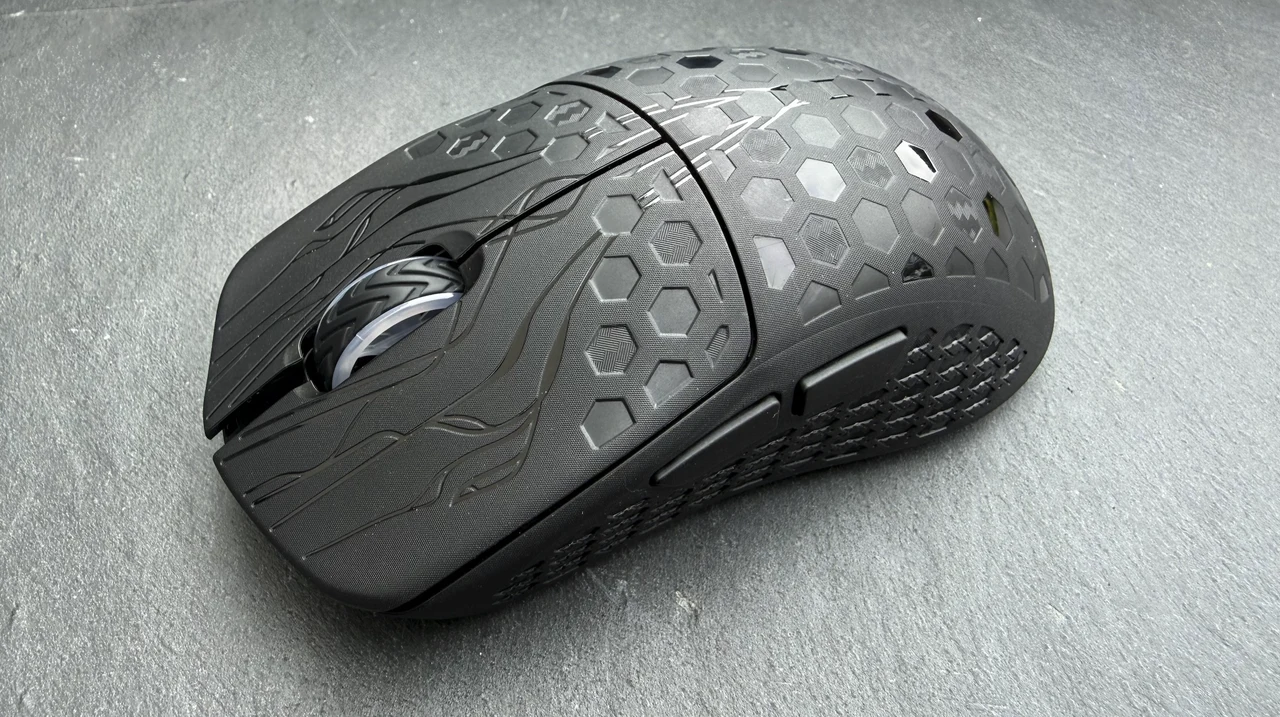
The top surface has a noticeably engraved texture with a cyberpunk style pattern that provides genuine grip. During longer sessions, your fingers never slip or lose contact, which is something I really appreciated. It is a compact mouse, smaller than many competitors, and suits my medium sized right hand perfectly for a fingertip or claw grip style. If you have larger hands and prefer a full palm grip, you might find it a touch small.
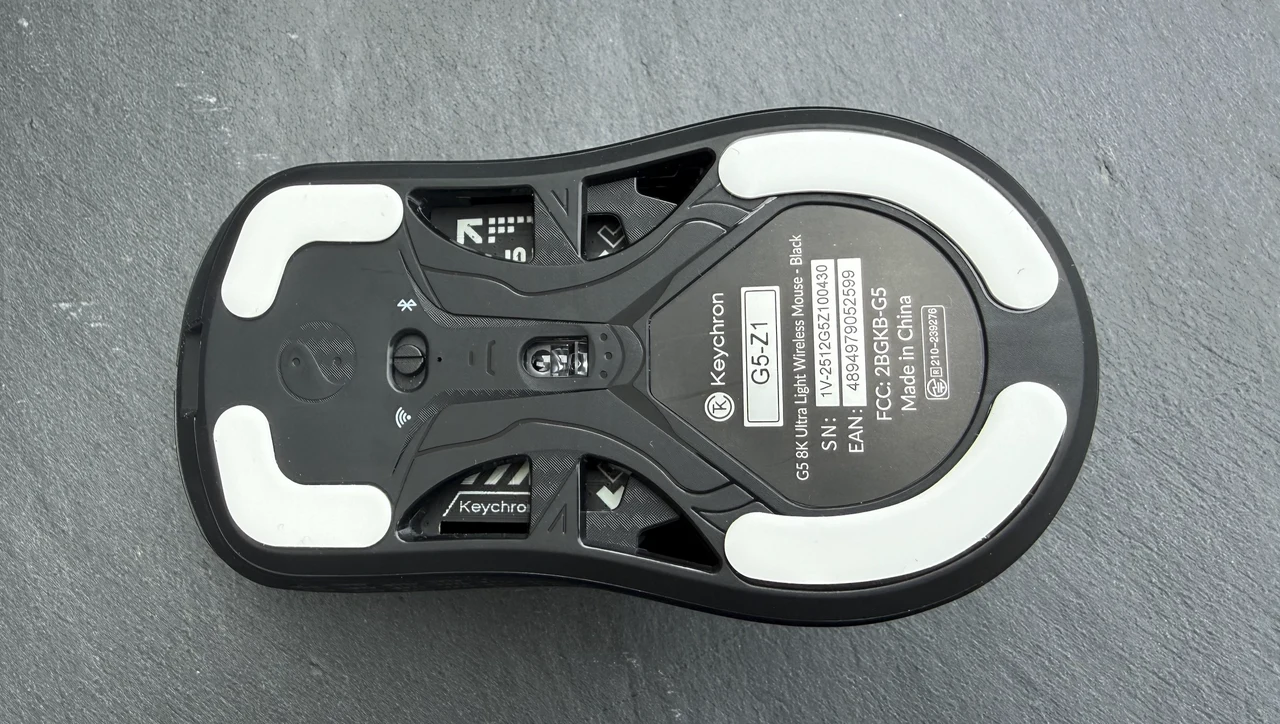
One practical detail I like: the G5 comes with four replaceable glide pads (two larger at the rear, two smaller at the front), plus spare pads in the box. That is a thoughtful inclusion, since mouse feet are a consumable that most manufacturers treat as an afterthought.
Key Features & Specifications:
- Ultra-lightweight 43 g carbon fiber and ABS construction
- PixArt 3950 sensor with up to 30,000 DPI and 750 IPS tracking
- 8,000 Hz polling rate in 2.4 GHz and wired modes (0.41 ms latency)
- Tri-mode connectivity: 2.4 GHz wireless, Bluetooth 5.3, USB-C wired
- 500 mAh battery delivering up to 162 hours on Bluetooth, 153 hours at 1K Hz, or 37 hours at 8K Hz
- Huano micro switches rated for 120 million clicks
- Adjustable lift-off distance: 0.7 mm, 1.0 mm, or 2.0 mm
- Tracks on glass surfaces
- Honeycomb-engraved textured top for improved grip
- Four replaceable glide pads with spares included in the box
- USB-C charging port at the front for charge-and-play
- 5 on-board memory profiles via the Keychron Launcher web app
- Ergonomic right-hand design
Keychron G3 Ultra Light Wireless Mouse
Price: $109.99 | SKU: G3-Z1 | Colours: Black (Carbon Fiber), Frosted Gray | Weight: 44 g
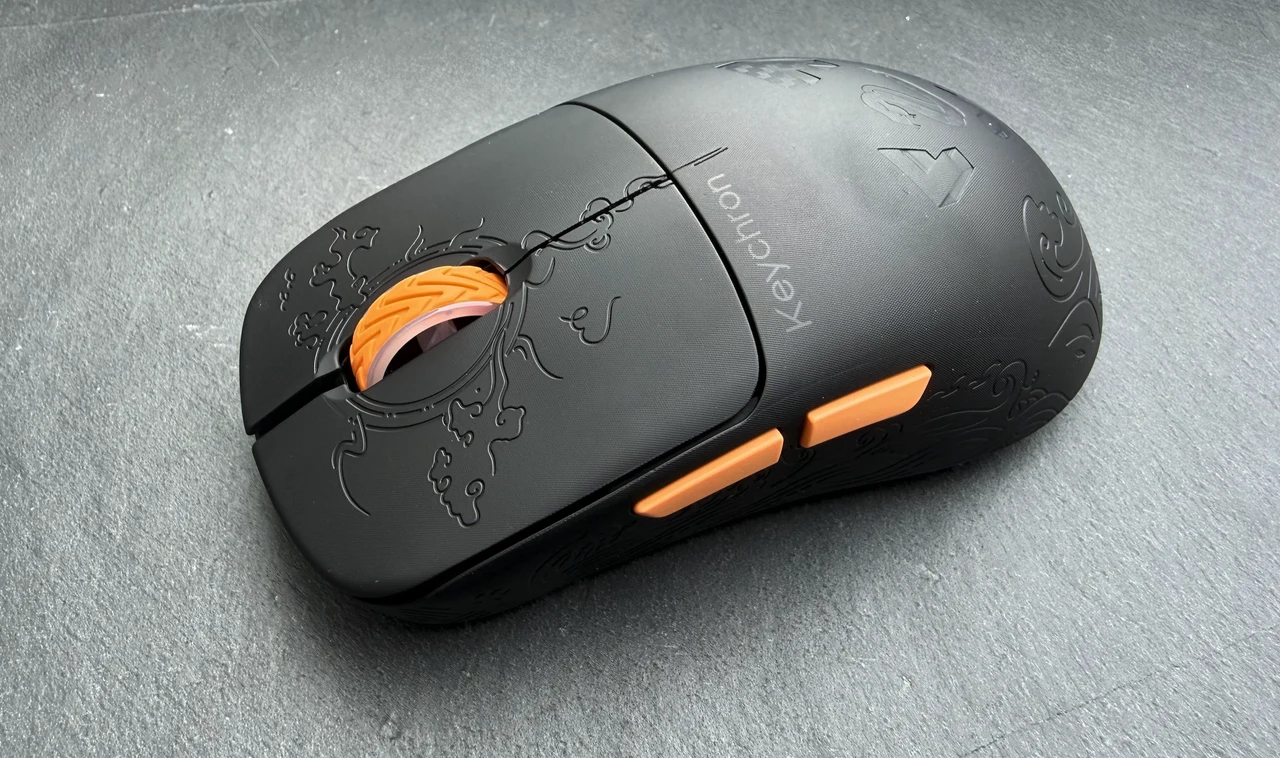
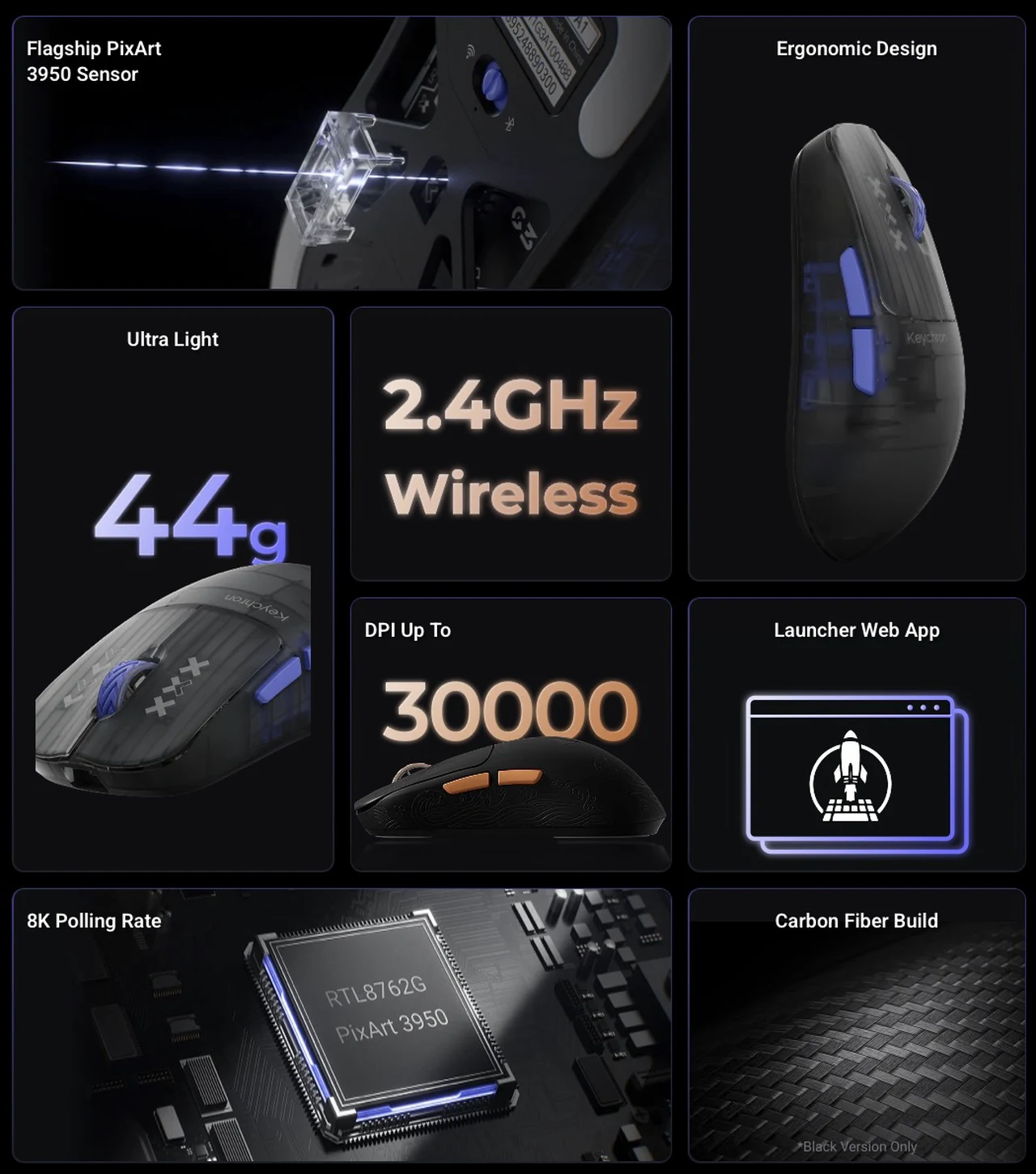
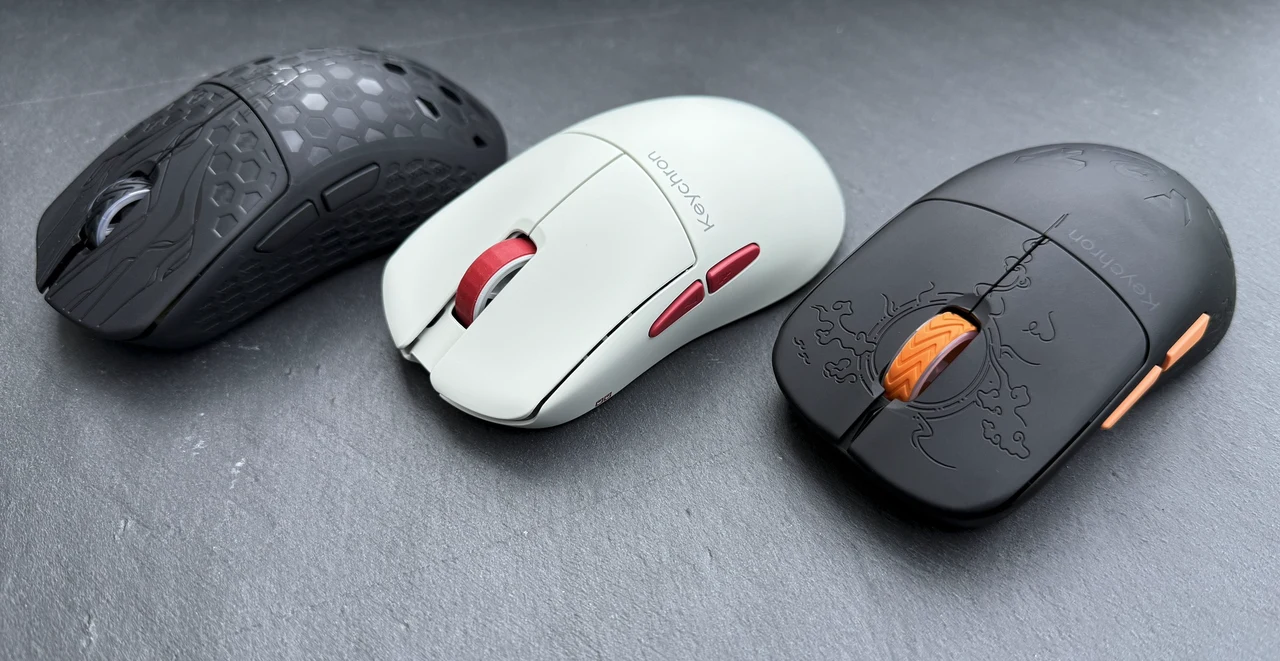
The G3 shares the same ultra-light philosophy as the G5, coming in at just 44 grams with the same cutout design on the underside. Where it differs is in shape: the G3 has a symmetrical body, so the shell itself feels equally comfortable in either hand. That said, the two side buttons sit on the left, positioned for right-hand thumb access, so left-handed users would need to remap them or go without. It is a compact, well-proportioned mouse that fits my hand perfectly, and because it is so light you can push it around with real precision and very little effort.
The top surface on the G3 Black version does feature a carbon fiber texture with engraved patterns of clouds, birds, and waves, though the engraving is not as deep or aggressive as the honeycomb pattern on the G5. It looks great, but it does not provide quite the same level of grip. The Frosted Gray version uses an ABS + PC shell without the carbon fiber.
Where the G3 really caught my attention is the scroll wheel. It has a colour-coded accent that matches the two side buttons on the left, giving it a cohesive, intentional look. More importantly, the wheel itself offers good friction and a satisfying haptic feedback as you scroll. Each notch is clearly defined in both directions, which makes precision scrolling through documents or weapon cycling in games feel deliberate and controlled.
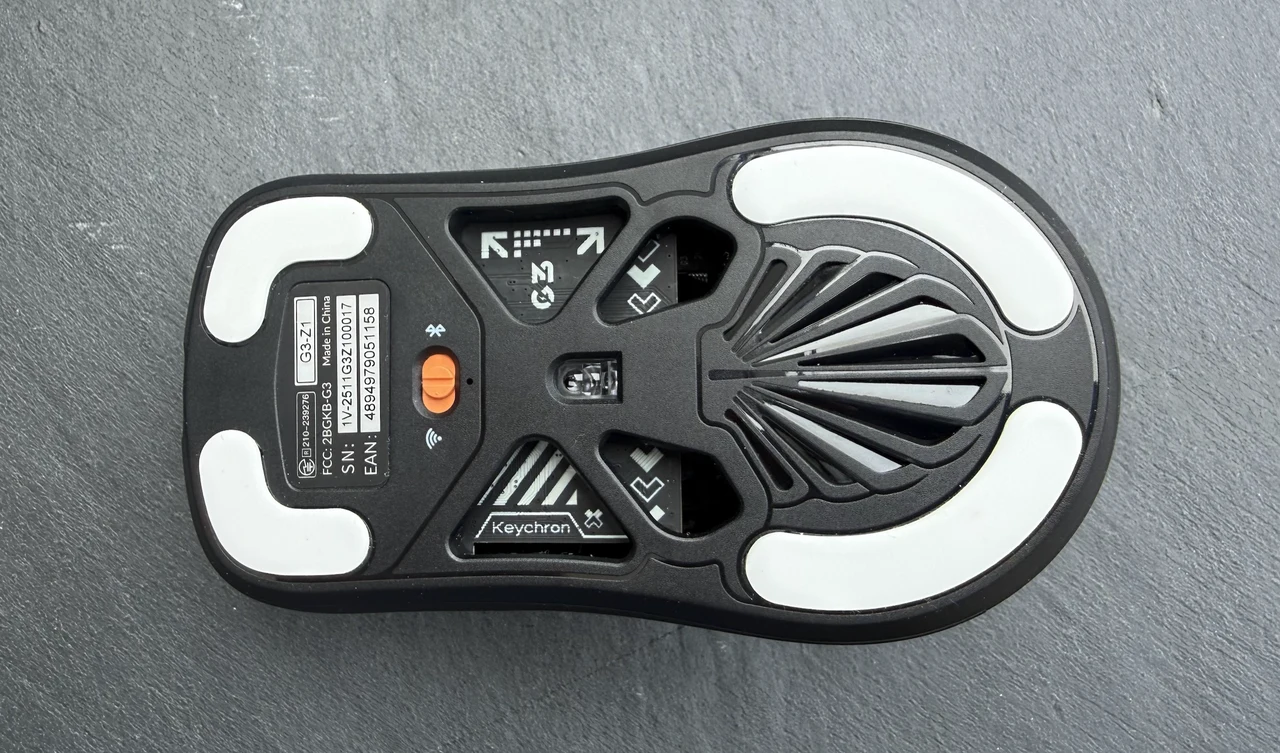
Like the G5, the G3 has a USB-C charging port at the front, so you can charge and use it simultaneously. That said, I did find the cable a little restrictive when gaming in wired mode; it is fine for topping up the battery, but for competitive play you will want to stay wireless. The battery life is strong enough that this is rarely a problem in practice.
Key Features & Specifications:
- Ultra-lightweight 44 g construction (ABS + Carbon Fiber on Black, ABS + PC on Frosted Gray)
- PixArt 3950 sensor with up to 30,000 DPI and 750 IPS tracking
- 8,000 Hz polling rate in 2.4 GHz and wired modes (0.41 ms latency)
- Tri-mode connectivity: 2.4 GHz wireless, Bluetooth 5.3, USB-C wired
- 500 mAh battery delivering up to 160 hours on Bluetooth, 140 hours at 1K Hz, or 37 hours at 8K Hz
- Huano micro switches rated for 120 million clicks
- Adjustable lift-off distance: 0.7 mm, 1.0 mm, or 2.0 mm
- Tracks on glass surfaces
- Symmetrical shell shape with side buttons positioned for right-hand use
- Colour-matched scroll wheel and side buttons
- Tactile, notched scroll wheel with clear haptic feedback
- USB-C charging port at the front for charge-and-play
- Engraved carbon fiber texture on the Black version (cloud, bird, and wave motifs)
- 5 on-board memory profiles via the Keychron Launcher web app
Keychron G4 Wireless Mouse
Price: $79.99 | SKU: G4-B1 | Colour: White | Weight: 55 g
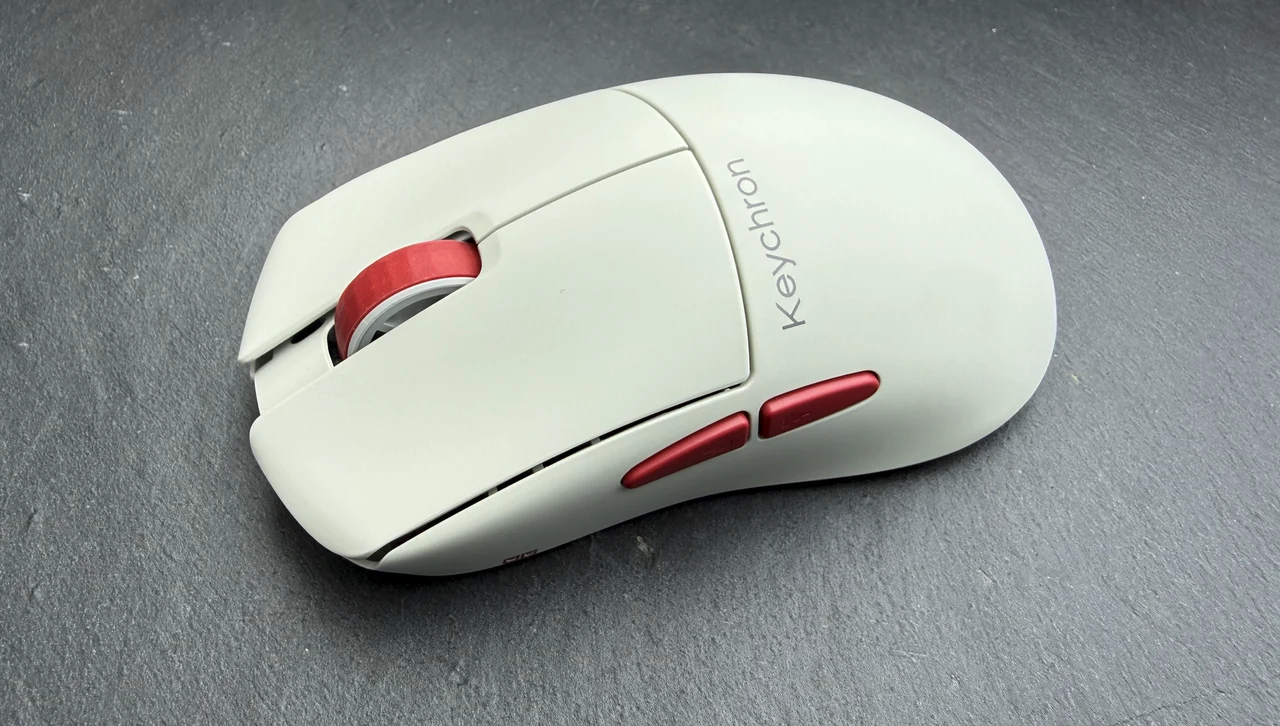
The G4 is the most affordable mouse in this lineup and takes a slightly different approach. At 55 grams it is heavier than both the G3 and G5, though calling a 55 g mouse “heavy” feels a bit ridiculous; it is still lighter than the vast majority of wireless mice on the market. The extra weight comes from the ABS + PC shell, which foregoes carbon fiber entirely. There are no cutouts on the underside either, giving it a cleaner, more solid feel in the hand.
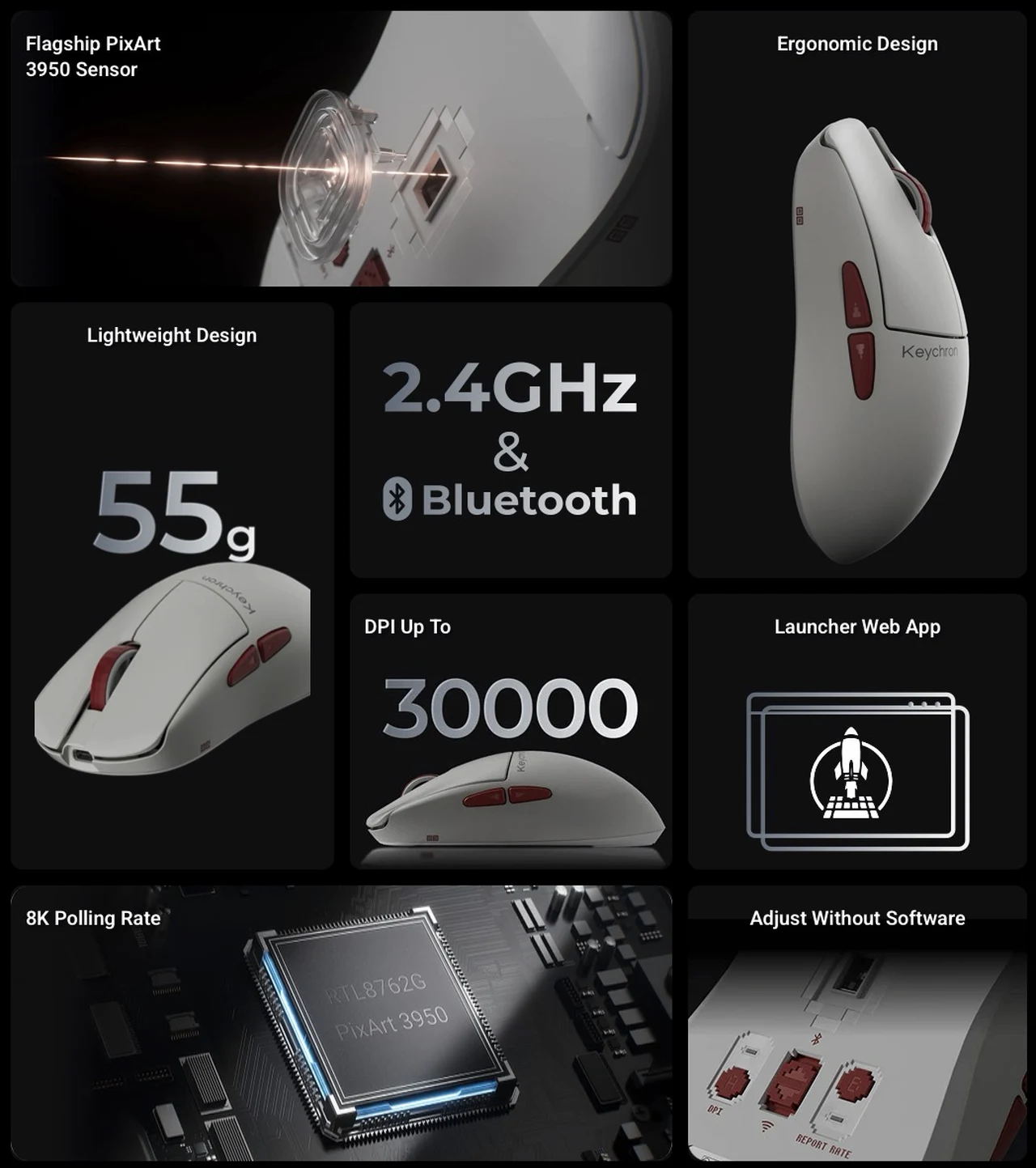
The top surface is noticeably smoother than the other two, with no textured engraving. It is a clean, minimal aesthetic in white with red accent highlights on the scroll wheel and side buttons. If the G5 and G3 lean into a gamer-oriented look, the G4 feels more like a productivity mouse that happens to have flagship internals.
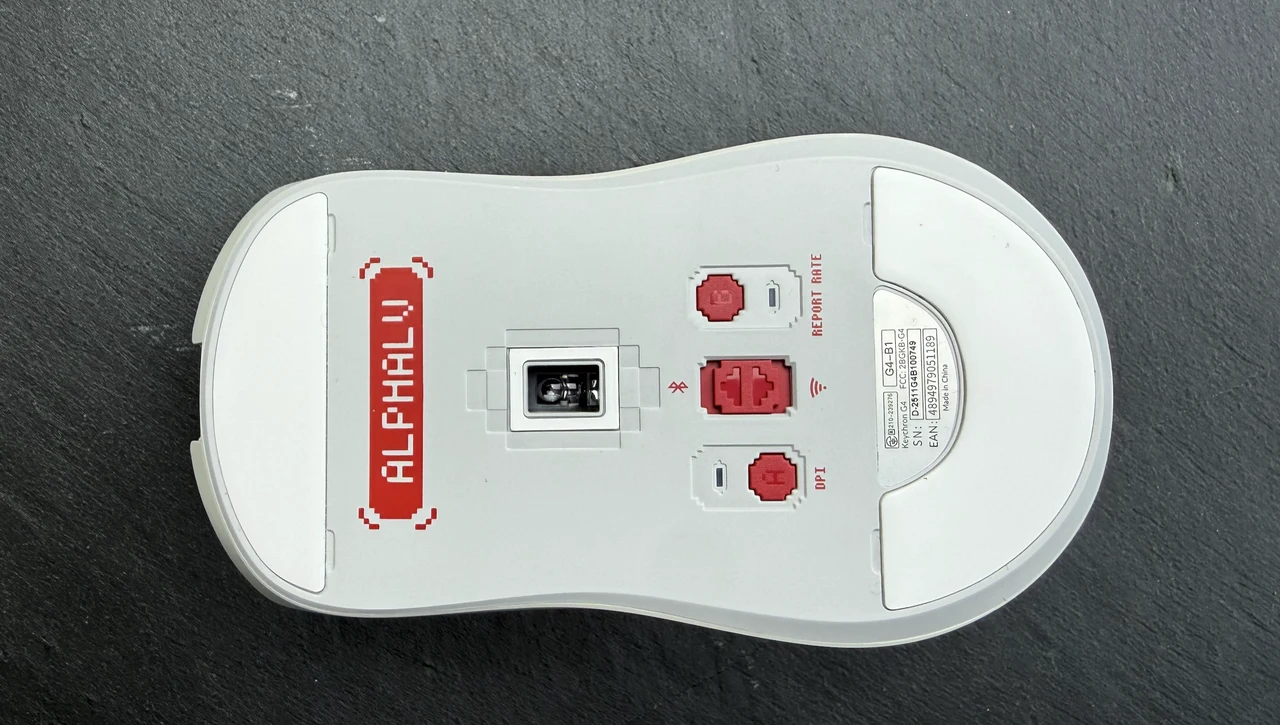
One standout feature the G4 has over its siblings is the hardware DPI and polling rate buttons on the underside. You can switch between DPI presets and polling rates without opening any software at all, which is genuinely useful if you move between a gaming setup and a work laptop regularly. The G3 and G5 rely on the Keychron Launcher web app for these adjustments.
The G4 also has larger replaceable glide pads at the front and rear, with spares included. The larger pad surface area combined with the slightly heavier weight gives the G4 a different glide character; it feels a touch more planted and controlled compared to the almost weightless dart-like movement of the G5.
Battery life is respectable at up to 130 hours on Bluetooth, though it does trail the G3 and G5 by a noticeable margin. At $79.99 versus $109.99 for the other two, the G4 represents strong value, especially considering it shares the exact same PixArt 3950 sensor, Huano switches, and 8K polling rate capability.
Key Features & Specifications:
- Lightweight 55 g ABS + PC construction
- PixArt 3950 sensor with up to 30,000 DPI and 750 IPS tracking
- 8,000 Hz polling rate in 2.4 GHz and wired modes (0.41 ms latency)
- Tri-mode connectivity: 2.4 GHz wireless, Bluetooth 5.3, USB-C wired
- 500 mAh battery delivering up to 130 hours on Bluetooth, 130 hours at 1K Hz, or 34 hours at 8K Hz
- Huano micro switches rated for 120 million clicks
- Adjustable lift-off distance: 0.7 mm, 1.0 mm, or 2.0 mm
- Tracks on glass surfaces
- Hardware DPI and polling rate buttons on the underside (no software needed)
- Smooth, clean white shell with red accent highlights
- Ergonomic right-hand design
- Larger replaceable glide pads with spares included in the box
- USB-C charging port at the front
- 5 on-board memory profiles via the Keychron Launcher web app
The Shared DNA: What All Three Have in Common
Before you get lost in the differences, it is worth highlighting just how much these three mice share under the skin. All three are powered by the PixArt 3950, which is arguably the best mouse sensor available right now, capable of tracking at 20,000 frames per second with up to 750 IPS and glass-surface tracking. The Huano micro switches across the range are rated for 120 million clicks, which should outlast any reasonable usage scenario.
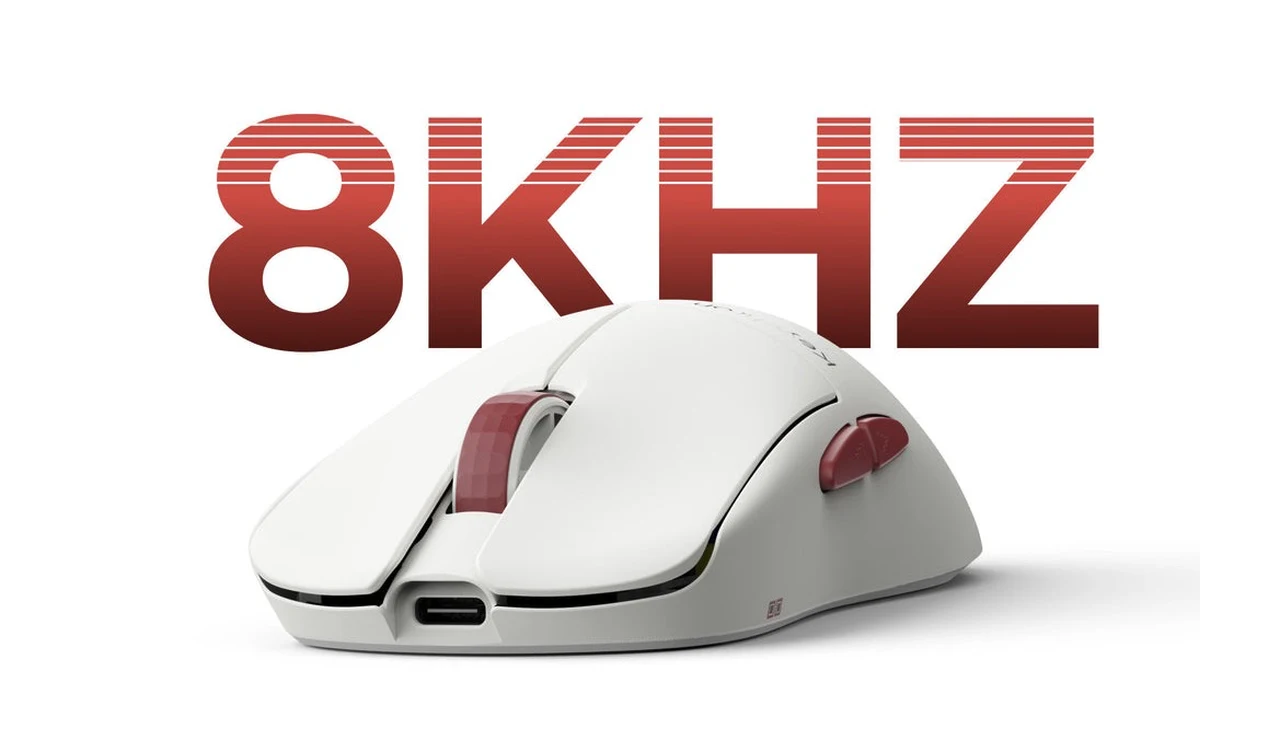
All three support 8,000 Hz polling in 2.4 GHz mode, bringing latency down to just 0.41 ms. For context, most gaming mice on the market still ship at 1,000 Hz, so Keychron is offering genuinely cutting-edge responsiveness here across the entire lineup, not just on the premium models.
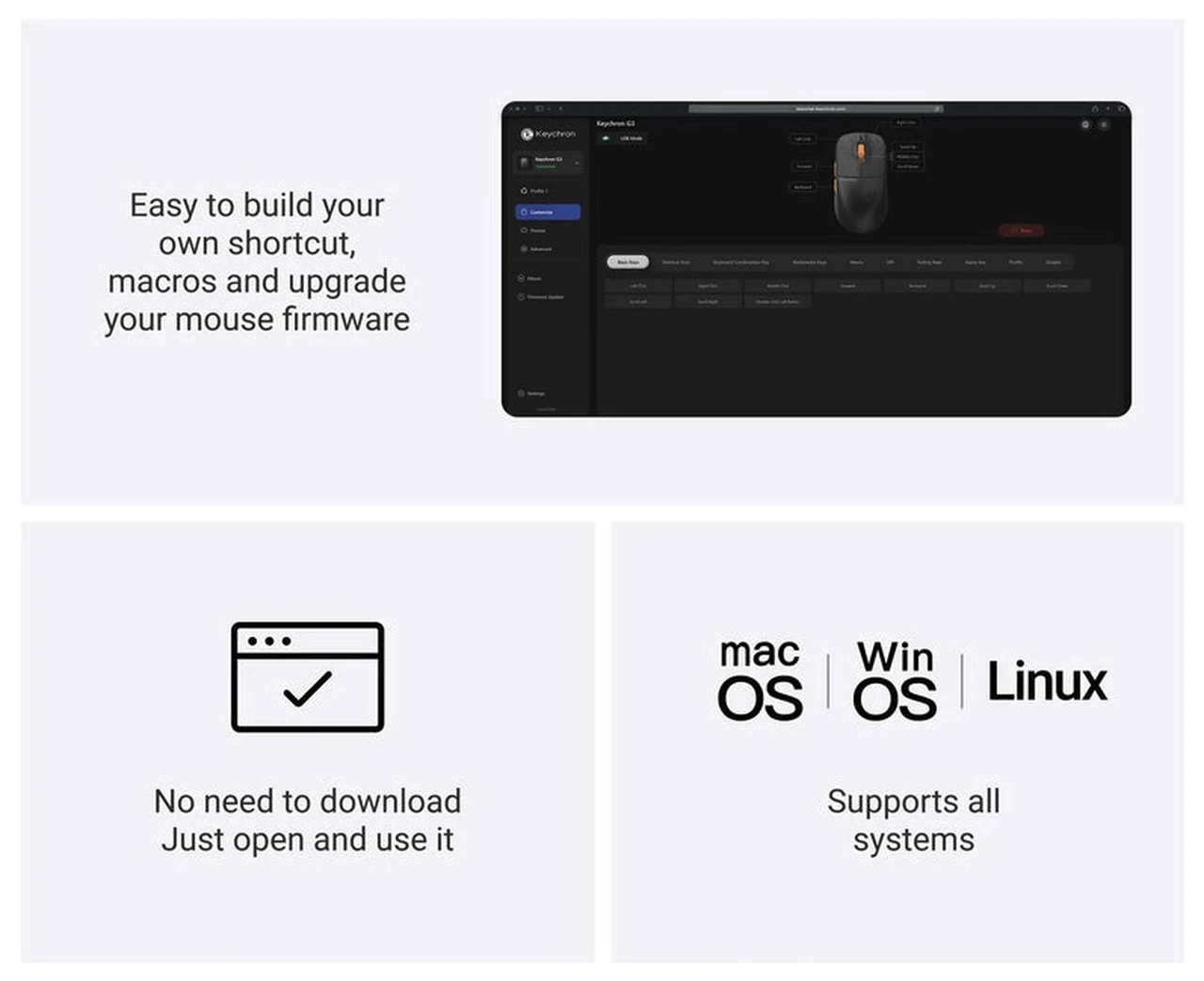
The Keychron Launcher web app handles customisation for all three. It runs in Chrome, Edge, or Opera, requires no installation, and lets you remap buttons, set macros, adjust DPI curves, tweak lift-off distance, and store up to five profiles directly on the mouse. It is simple, effective, and works across Windows, macOS, and Linux.
Each mouse also includes a 2.4 GHz USB receiver with an extension adapter for desktop use, a USB-C charging cable, and spare glide pads. The packaging and accessory set is consistent and generous across the range.
Keychron Launcher
Which One Should You Choose?
If you want the absolute lightest mouse with the best grip texture, the G5 is the one to pick. Its 43 g carbon fiber build and honeycomb-engraved surface make it feel like an extension of your hand.
If you prefer a symmetrical shape, the G3 is the standout. The shell works comfortably in either hand for general use, though the side buttons are set up for right-handers. Its colour-matched scroll wheel with that satisfying notched feedback is a highlight all on its own, and the carbon fiber Black version is practically indistinguishable from the G5 in terms of build quality.
If budget matters and you do not need the absolute lightest shell, the G4 at $79.99 is remarkably good value. You get the same flagship sensor and polling rate in a slightly heavier but very comfortable package, plus the convenience of hardware DPI and polling rate buttons that the other two lack.
Honestly, there is no bad choice here. Keychron have done something clever by keeping the core internals identical across the range and letting shape, material, and price do the differentiating. Whichever one you pick, you are getting a seriously capable mouse.
Disclosure: Some of our articles include affiliate links. If you buy something through one of these links, Geeky Gadgets may earn an affiliate commission. Learn about our Disclosure Policy.
