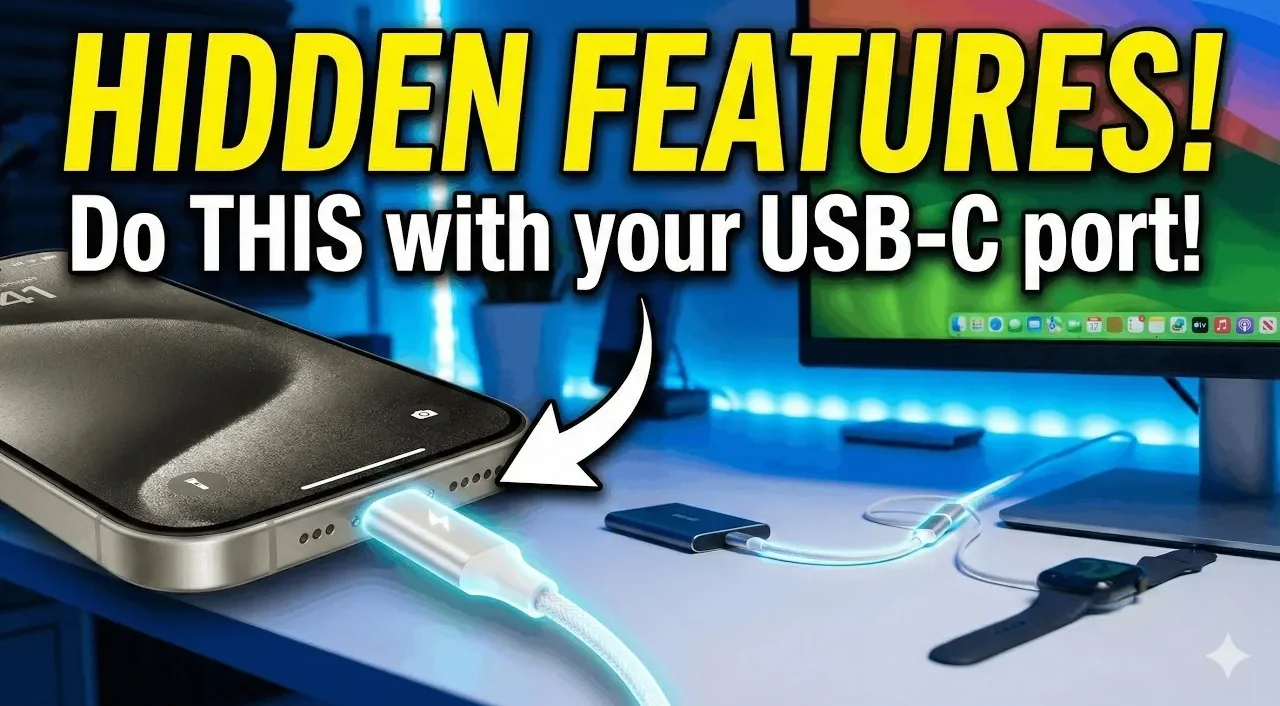
Apple’s transition to USB-C on the iPhone brings practical upgrades that go beyond charging convenience. Phones & Drones highlights one notable feature: device-to-device power sharing, which allows an iPhone to charge other devices like Android phones, wireless earbuds, or even another iPhone. By connecting two devices with a USB-C cable, the iPhone automatically transfers power from the device with more battery to the one with less, offering a useful solution when access to a power outlet is unavailable.
Discover how the USB-C port enables faster file transfers, cutting down the time required to move large files such as 4K videos or high-resolution images. Learn how it supports external peripherals, including keyboards, monitors and storage drives, expanding your iPhone’s functionality. This overview provides clear guidance on using these features to enhance both productivity and convenience.
iPhone USB-C Tips & Tricks
TL;DR Key Takeaways :
- The iPhone’s USB-C port enables power sharing, allowing it to charge other devices, including Android gadgets and accessories, making it a portable power bank in emergencies.
- It supports charging smaller accessories like AirPods and Apple Watches directly from the iPhone, enhancing convenience during travel or busy days.
- USB-C significantly improves file transfer speeds, making it ideal for handling large media files and backing up data, especially for content creators and professionals.
- The port allows connection to external peripherals such as keyboards, storage drives and monitors, transforming the iPhone into a versatile productivity tool.
- Investing in high-quality USB-C cables, adapters and Apple-certified accessories is essential to fully unlock the iPhone’s USB-C capabilities and maximize its functionality.
Power Sharing: Device-to-Device Charging
One of the most practical features of the USB-C port is its ability to assist power sharing between devices. By connecting your iPhone to another device using a USB-C to USB-C cable, you can seamlessly transfer battery power. The device with the higher battery percentage automatically charges the one with the lower percentage, making sure efficient energy distribution.
This capability is particularly valuable in emergency situations. For instance, if a friend’s phone is running critically low on battery or your wireless earbuds need a quick recharge, your iPhone can act as a portable power bank. Moreover, this feature is not limited to Apple devices, it works across platforms, allowing you to charge Android devices and other USB-C-compatible gadgets.
Charging Accessories on the Go
The USB-C port enhances convenience by allowing your iPhone to charge smaller accessories directly. This feature is especially useful for maintaining the functionality of essential devices during travel or busy days. Examples include:
- AirPods: Whether you own the standard or Pro model, your iPhone can provide a quick charge to your AirPods, making sure uninterrupted music playback or call availability.
- Apple Watch: Using a compatible USB-C Apple Watch charging cable, you can recharge your watch directly from your iPhone. This is particularly helpful when a wall outlet is unavailable, such as during commutes or outdoor activities.
These capabilities elevate your iPhone from a standalone device to a central hub for keeping your essential gadgets powered and ready for use.

Here are additional guides from our expansive article library that you may find useful on iPhone.
- iPhone 18 Pro Max Leak: Dynamic Island Stays For 2026
- iPhone Fold: 7.8-Inch Screen & Galaxy Z Fold 8 Comparison
- Apple’s iPhone Fold: Everything We Know So Far
- Iphone Fold Leak: 8-inch Display and a $2,500 Price Point
- No iPhone 18 In 2026? Here’s What Apple is Doing Instead
- iPhone 18 Pro Max Design Leaks: Smaller Dynamic Island & More
- iPhone 18 Pro Max: Apple’s Leap into Proprietary Hardware
- Apple Foldable iPhone: Design, Features, and Pricing Revealed
- iPhone Ultra Fold Specs: 7.8-inch Screen, A20 Pro, 12GB RAM
- Apple’s 2026 iPhone Lineup: iPhone Fold and 18 Pro Details
Faster File Transfers
The USB-C port significantly improves the speed and efficiency of file transfers, addressing a long-standing limitation of older Lightning cables and slower wireless methods like AirDrop. This advancement is particularly beneficial for users who frequently handle large media files.
For example, connecting two iPhones with a USB-C cable allows you to transfer high-resolution photos, 4K videos, or other sizable files in a fraction of the time required by previous methods. This feature is invaluable for content creators, photographers and videographers who need to move files quickly for editing or sharing. The faster transfer speeds also make it easier to back up your data to external storage devices, making sure your files are secure and accessible.
Connecting External Peripherals
The USB-C port expands the iPhone’s functionality by supporting a wide range of external peripherals, making it a more capable tool for productivity and creative tasks. You can connect devices such as wired keyboards, external storage drives and even monitors, depending on your needs. For example:
- Wired Keyboards: Plugging in a keyboard allows for efficient typing, whether you’re drafting lengthy emails, editing documents, or taking detailed notes.
- External Storage: With the right adapter, you can connect external drives to your iPhone, allowing you to access or back up files directly.
- Monitors: Certain USB-C adapters allow you to connect your iPhone to external displays, which is useful for presentations or viewing content on a larger screen.
Unlike Bluetooth peripherals, which require pairing and battery management, wired peripherals offer a straightforward plug-and-play solution. This functionality transforms your iPhone into a more versatile device for both work and leisure.
Maximizing USB-C with Essential Accessories
To fully use the iPhone’s USB-C capabilities, investing in the right accessories is crucial. Here are some key items to consider:
- High-Quality USB-C Cables: These are essential for fast file transfers, device-to-device charging and connecting peripherals. Opt for durable, certified cables to ensure reliability and performance.
- USB-C Adapters: Expand your connectivity options with adapters that enable you to link your iPhone to external drives, monitors, or other devices. Multi-port adapters can also add flexibility by combining USB-C, HDMI and USB-A ports.
- Apple-Certified Accessories: Apple offers a range of USB-C products specifically designed for the iPhone, making sure compatibility and optimal performance. These include charging cables, adapters and external storage solutions.
Equipping yourself with these accessories ensures that you can unlock the full potential of your iPhone’s USB-C port, enhancing its functionality in various scenarios.
The Versatility of the USB-C Port
The USB-C port on the iPhone introduces a new level of versatility, transforming it into a multi-functional device that goes beyond traditional smartphone capabilities. Key benefits include:
- Providing power to other devices in emergencies
- Charging smaller accessories like AirPods and Apple Watches
- Allowing faster and more efficient file transfers
- Supporting external peripherals for enhanced productivity
By understanding these features and equipping yourself with the necessary tools, you can maximize the utility of your iPhone in both personal and professional settings. Whether you’re a frequent traveler, a creative professional, or someone who values convenience, the USB-C port offers a range of practical applications that enhance the overall user experience.
Media Credit: Phones And Drones
Disclosure: Some of our articles include affiliate links. If you buy something through one of these links, Geeky Gadgets may earn an affiliate commission. Learn about our Disclosure Policy.
