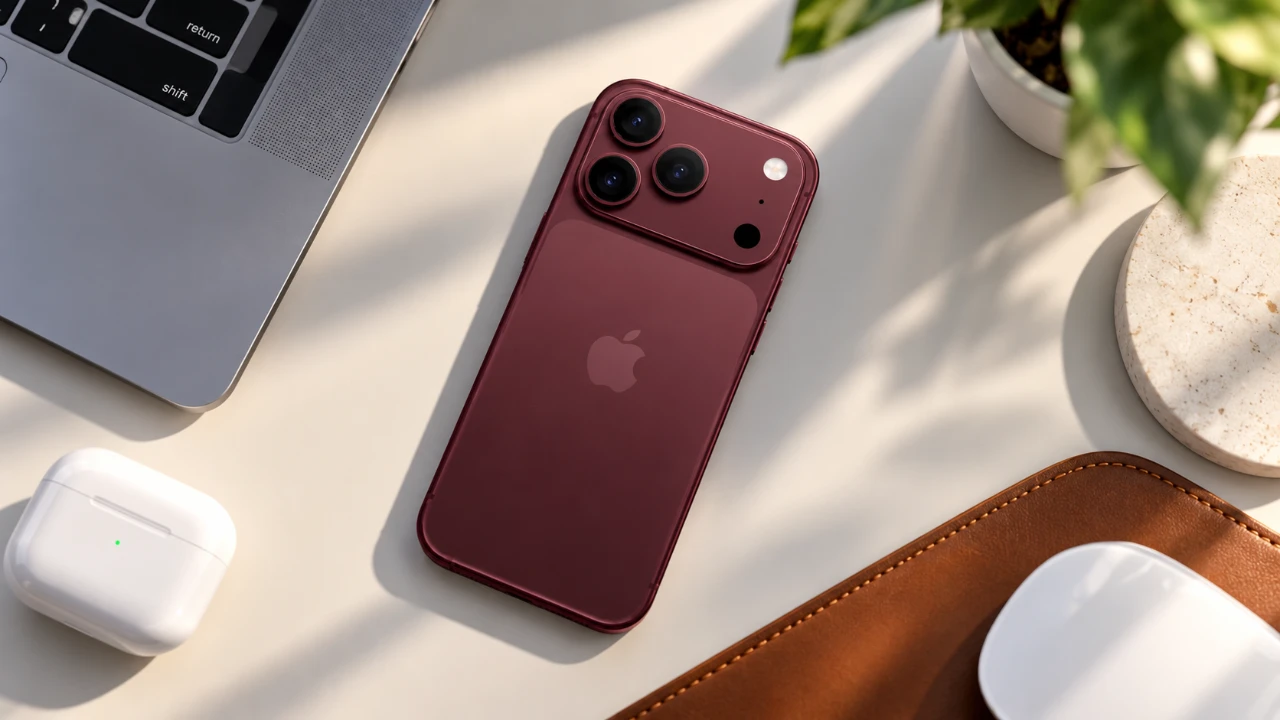
The iPhone 18 Pro is a powerhouse of innovation, offering advanced features and customization options that cater to a wide range of users. Whether you’re setting it up for the first time or fine-tuning it to suit your preferences, this guide provides a comprehensive walkthrough to help you optimize performance, personalize your device, and unlock its full potential. The video below from GregsGadgets shows us how to get the most out of the new iPhone 18 Pro.

Battery Optimization: Prolong Performance and Longevity
Making sure your iPhone 18 Pro remains powered throughout the day requires smart battery management. By taking a few proactive steps, you can extend battery life and maintain its health over time:
- Enable battery percentage display to monitor power levels at a glance.
- Turn on Optimized Battery Charging to reduce battery wear during overnight charging cycles.
- Use Adaptive Power settings to balance performance and energy efficiency based on your usage patterns.
- Automate Low Power Mode using the Shortcuts app to activate it when your battery reaches a specific percentage.
These measures ensure your device is always ready to perform, whether you’re working, traveling, or relaxing.
Camera Enhancements: Capture Stunning Visuals
The iPhone 18 Pro’s camera system is designed to deliver professional-grade results, making it a standout feature for photography enthusiasts and casual users alike. To make the most of its capabilities:
- Customize quick controls in the Camera app to easily adjust settings like aperture, shutter speed and white balance.
- Enable high-resolution formats such as 48MP HEIF or RAW for exceptional image quality.
- Set up ProRes recording and 4K video options to create cinematic-quality footage.
- Activate the grid and level features to improve composition and alignment in your shots.
- Experiment with photographic styles to fine-tune textures and tones, adding a creative touch to your photos.
By exploring these features, you can capture breathtaking photos and videos with ease, whether you’re documenting everyday moments or creating professional content.
Display and Accessibility: Tailor Your Viewing Experience
The iPhone 18 Pro’s display offers a range of customization options to enhance comfort and usability. Adjusting these settings can help reduce strain and improve your overall experience:
- Disable the Always-On Display to conserve battery life and minimize distractions when your device is idle.
- Adjust Auto-Lock timing to strike the right balance between convenience and security.
- Enable Display Pulse Smoothing to reduce OLED flicker, which can help prevent eye fatigue during extended use.
- Activate Vehicle Motion Cues to minimize motion sickness when using your device in moving vehicles.
These adjustments ensure your iPhone 18 Pro is comfortable to use in any environment, whether you’re at home, at work, or on the go.
Personalization: Make Your iPhone Uniquely Yours
Customizing your iPhone 18 Pro allows you to create a device that reflects your personal style and enhances your workflow. Here are some ways to make it your own:
- Redesign your home screen by adjusting icon size, color and text visibility for a clean and functional layout.
- Add custom wallpapers and apply filters or effects to create a visually appealing aesthetic.
- Personalize your lock screen with custom fonts, colors and widgets to display essential information at a glance.
These options not only make your device visually appealing but also improve its usability by tailoring it to your specific needs.
Streamlining Features: Control Center and Action Button
The Control Center and Action Button are powerful tools for simplifying your interactions with the iPhone 18 Pro. To optimize their functionality:
- Customize the Control Center by adding frequently used tools like Quick Note, Voice Memos and Screen Recording for easy access.
- Configure the Action Button to perform specific tasks, such as activating the flashlight, launching apps, or allowing Focus modes.
These features save time and effort by providing quick access to essential functions, making your daily interactions with the device more efficient.
Advanced Features: Unlock the Full Potential
The iPhone 18 Pro is equipped with advanced tools and settings that can elevate your experience even further. Here are some additional tips to explore:
- Use the Shortcuts app to automate repetitive tasks, such as allowing Low Power Mode or adjusting settings based on your location.
- Configure camera controls to prevent accidental adjustments and maintain consistent results.
- Enable 4K time-lapse recording to capture stunning visuals over extended periods.
- Set up Siri for contextual awareness, allowing it to provide relevant suggestions and perform tasks based on your current activity.
By exploring these advanced features, you can unlock new possibilities and make the most of your iPhone 18 Pro’s capabilities.
Enhance Every Interaction
The iPhone 18 Pro is more than just a smartphone; it’s a versatile tool designed to adapt to your lifestyle. By optimizing battery performance, mastering the camera system, customizing the display, and exploring advanced features, you can create a seamless and personalized experience. Whether you’re capturing memories, staying productive, or simply enjoying the device’s intuitive design, these steps ensure you get the most out of your iPhone 18 Pro.
Uncover more insights about iPhone 18 Pro in previous articles we have written.
- Early iPhone 18 Reports Point to Major Unconfirmed Shifts
- iPhone 18 Pro Max Leaks: 10 Massive Upgrades Coming to Camera, Screen and Battery
- Early iPhone 18 Pro Max Leak Reveals the Upgrade We’ve Been Waiting For
- Just Leaked: 10 Huge Upgrades for the iPhone 18 Pro Max
- What Apple Just Confirmed About the iPhone 18 Pro and Ultra
Source: GregsGadgets
Disclosure: Some of our articles include affiliate links. If you buy something through one of these links, Geeky Gadgets may earn an affiliate commission. Learn about our Disclosure Policy.
