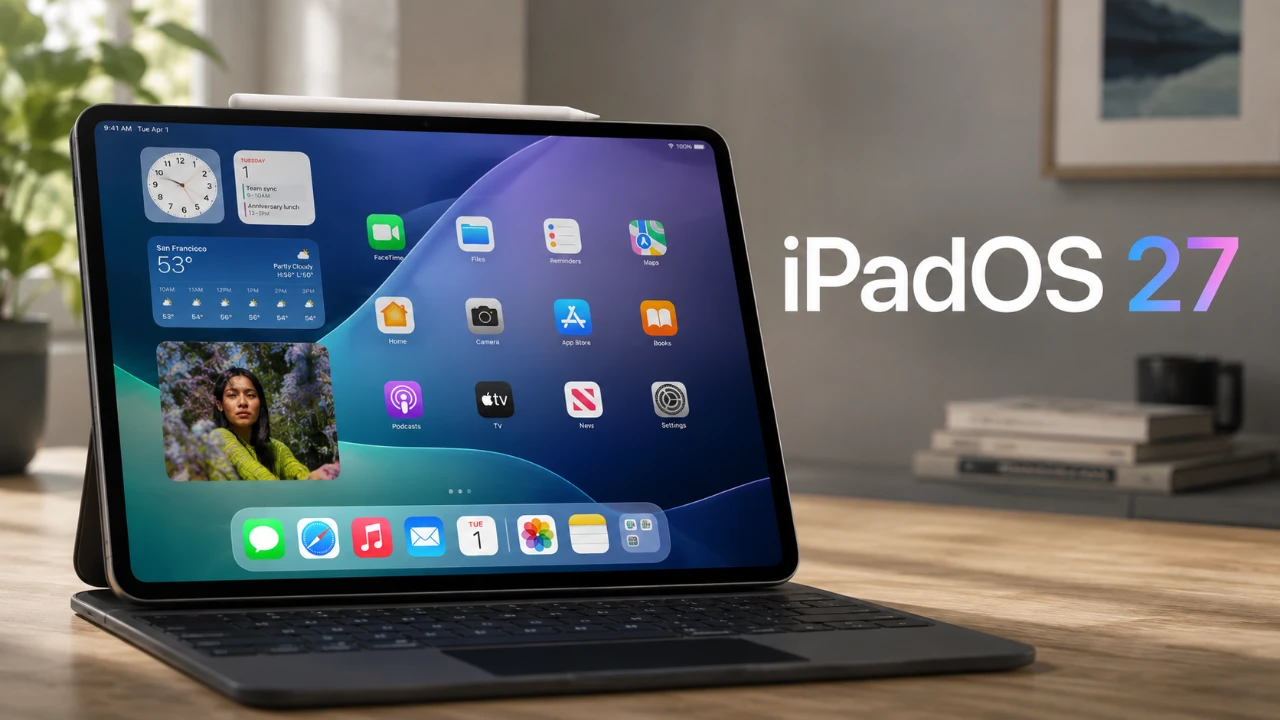
Apple’s iPadOS 27 marks a pivotal step in the evolution of the iPad, positioning it as a viable alternative to traditional computers. With a host of new features and refinements, this update bridges the gap between the iPad and macOS, delivering a desktop-like experience while maintaining its intuitive, touch-first design. Whether you’re a professional seeking enhanced productivity or a casual user looking for versatility, iPadOS 27 offers a compelling combination of power and portability. The video below from 9to5Mac gives us more details about the new iPadOS 27.

Enhanced Multitasking for Greater Productivity
Multitasking in iPadOS 27 has been significantly improved, offering users more flexibility and efficiency. The introduction of three distinct multitasking modes allows you to adapt your workflow to your specific needs:
- Full-Screen Apps: Perfect for immersive tasks that require undivided attention.
- Windowed App Mode: Enables floating, resizable windows, mimicking the functionality of a desktop environment.
- Stage Manager: Groups multiple apps into organized clusters, simplifying task switching and enhancing focus.
Additionally, the new Exposé-style multitasking view consolidates all open apps into a single, intuitive interface. This streamlined approach ensures you can quickly locate and switch between tasks, minimizing downtime and maximizing productivity.
Desktop-Like Features for a Seamless Workflow
iPadOS 27 introduces several desktop-inspired features that make the iPad feel more like a traditional computer while retaining its unique strengths:
- Persistent Menu Bar: A customizable bar, borrowed from macOS, that provides quick access to essential tools without interrupting your workflow.
- Traffic Light-Style Buttons: Simplifies window management with intuitive options for resizing, minimizing and closing apps.
- Enhanced Taskbar: Offers a more streamlined interface for app navigation and multitasking, improving overall usability.
- Desktop-Class Browser: Provides full access to web apps and advanced browsing tools, rivaling the capabilities of a laptop.
These features blur the line between tablet and laptop, offering a robust and familiar experience for users transitioning from traditional computers.
Customization Options to Match Your Style
Personalization is a key focus in iPadOS 27, allowing you to tailor your device to your unique preferences. The update introduces several customization features designed to enhance both aesthetics and functionality:
- Lock Screen Customization: Hide the clock, add widgets and choose dynamic wallpapers that adapt to the time of day.
- Advanced Color Palette: Create personalized wallpaper combinations to reflect your style.
- Functional Widgets: Display real-time information, such as calendar events or weather updates, directly on the lock screen for added convenience.
These enhancements go beyond mere visual appeal, offering practical benefits that improve usability and efficiency.
Performance Upgrades for Demanding Workflows
iPadOS 27 delivers significant performance improvements, making sure the iPad can handle even the most demanding workflows with ease. Key upgrades include:
- Faster App Launches: Apps open more quickly, reducing delays and improving responsiveness.
- Smoother Multitasking: Enhanced system responsiveness ensures seamless transitions between tasks.
- Optimized File Transfers: AirDrop and other sharing methods are now faster and more reliable, streamlining collaboration.
- Upgraded Files App: Features customizable layouts, a column view and advanced search filters for efficient file management.
These updates make the iPad a more capable device for professionals who rely on cloud storage, external drives, or complex workflows.
Keyboard and Automation Integration
For users who pair their iPad with a Magic Keyboard, iPadOS 27 introduces new features that streamline workflows and enhance productivity:
- Automation Triggers: Set up shortcuts to automatically open specific apps in split view when the keyboard is connected, saving time and effort.
- Enhanced Keyboard Shortcuts: Expanded functionality across apps allows for faster navigation and task execution.
- Spotlight Improvements: Delivers faster and more accurate search results for files, apps and information, making it easier to find what you need.
These integrations are particularly beneficial for users who rely on repetitive tasks or multitasking, offering a more efficient and streamlined experience.
Addressing Remaining Limitations
Despite its advancements, iPadOS 27 still has some limitations that may deter certain users:
- Lack of Developer Tools: macOS-specific tools like Xcode and terminal access remain unavailable, limiting its appeal for developers and other specialized professionals.
- Touch-First Design: While versatile, the iPad’s touch-first interface may not suit everyone, particularly those accustomed to traditional laptops.
These constraints highlight that while the iPad is closer than ever to being a laptop replacement, it may not fully meet the needs of all users, particularly those with specialized requirements.
A Versatile Evolution
iPadOS 27 positions the iPad as a versatile and capable alternative to traditional laptops for a wide range of users. Its enhanced multitasking capabilities, desktop-like features and performance improvements make it a powerful tool for productivity and creativity. While it may not yet replace a Mac for developers or other specialized professionals, it strikes an impressive balance between portability and functionality. For those seeking a device that bridges the gap between tablets and laptops, iPadOS 27 offers a compelling and practical solution.
Check out more relevant guides from our extensive collection on iPadOS 27 that you might find useful.
- iPadOS 27 Public Beta: Apple Just Made the iPad Way More Useful
- iPadOS 27 Public Beta is Out to Make iPad Feel Like a Computer
- iPadOS 27 Beta 3 Finally Unlocks the iPad’s Full Multitasking Potential
- Will iPadOS 27 Turn Your Tablet Into a True Laptop Replacement?
- What to Expect from Apple’s Massive iOS 27 Update
Source: 9to5Mac
Disclosure: Some of our articles include affiliate links. If you buy something through one of these links, Geeky Gadgets may earn an affiliate commission. Learn about our Disclosure Policy.
