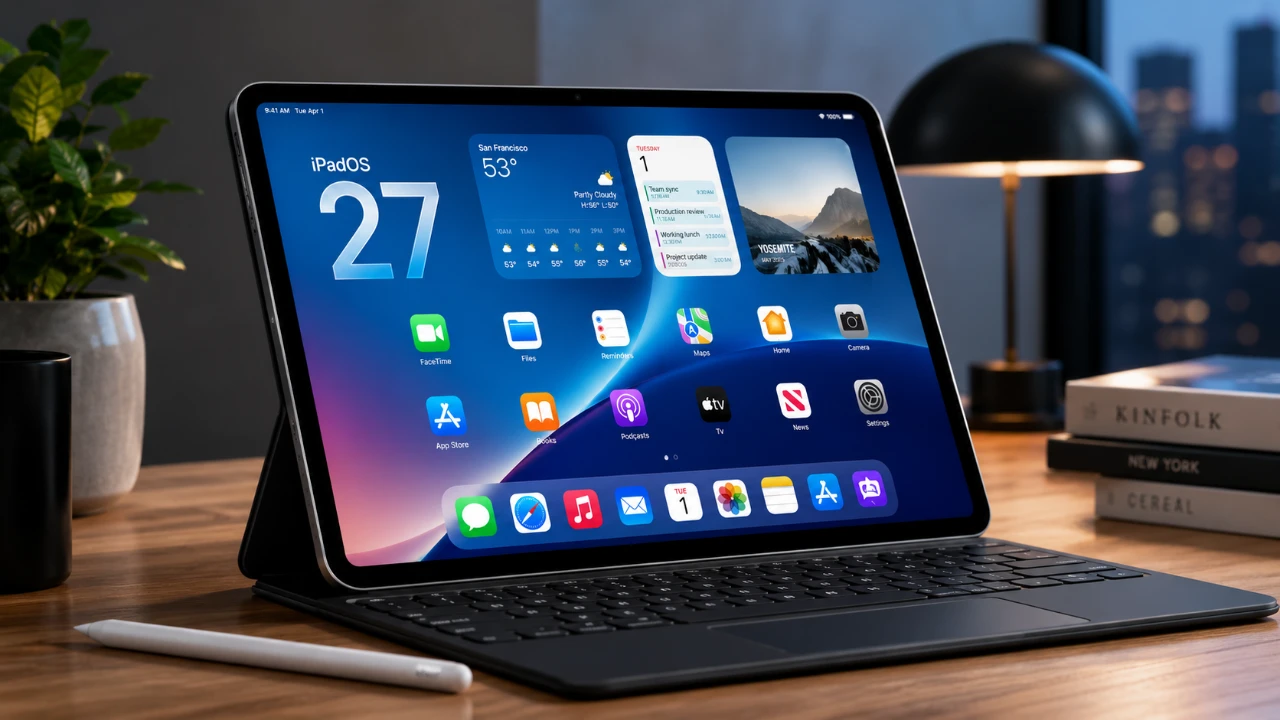
Apple’s iPadOS 27 introduces a comprehensive suite of features aimed at enhancing the iPad’s functionality for a wide range of users. With advancements in artificial intelligence, multitasking and customization, this update is designed to cater to professionals, students, and casual users alike. Whether you use your iPad for productivity, creativity, or entertainment, iPadOS 27 promises a more seamless and efficient experience, solidifying the iPad’s position as a versatile tool in the tech ecosystem.

AI Integration: Smarter Functionality at Your Fingertips
iPadOS 27 uses artificial intelligence to deliver smarter, more intuitive tools. The new Siri Spotlight Search gesture allows you to access search functions across all apps with ease, streamlining navigation and saving time. Another standout feature is AI-driven object recognition, which enables users to identify objects in photos or conduct reverse image searches directly from their device.
These AI enhancements are particularly beneficial for users who work with visual data. For instance, students can identify plants for biology projects, while researchers can analyze images for academic purposes. By simplifying complex tasks, iPadOS 27 ensures that the iPad remains a powerful tool for both learning and professional work.
Streamlined Multitasking for Greater Efficiency
Multitasking capabilities receive a significant upgrade in iPadOS 27, making it easier than ever to manage multiple tasks simultaneously. A new gesture allows users to quickly show or hide the menu bar, allowing smoother transitions between apps. Additionally, practical tools like split bill functionality via Apple Cash and receipt scanning for expense tracking are now integrated, offering time-saving solutions for everyday tasks.
For users of the Magic Keyboard, iPadOS 27 introduces automation options that adapt to whether the keyboard is attached or detached. This feature is particularly useful for those who frequently switch between typing and touch input, making sure a more intuitive and efficient workflow.
Safari: Smarter Browsing and Enhanced Organization
Safari in iPadOS 27 is designed to improve productivity and organization. The automatic tab categorization feature groups tabs based on topics or projects, making it easier to manage multiple tasks at once. This is especially helpful for users juggling work, research, or personal browsing.
Another notable addition is the “Notify Me” feature, which uses AI to alert users about price drops or stock updates. Whether you’re shopping online or tracking investments, this tool ensures you stay informed and make timely decisions.
Enhanced Creativity with Apple Pencil and Sidecar
Creative professionals and casual users alike will appreciate the new features introduced for the Apple Pencil. iPadOS 27 allows users to draw directly in Messages, adding a personal and artistic touch to conversations. This feature is ideal for sketching ideas, annotating images, or simply expressing creativity in a unique way.
Sidecar functionality has also been improved, offering smoother performance when using the iPad as a secondary display for a Mac. These updates make the iPad an even more versatile tool for tasks ranging from digital art to multitasking across devices.
Personalization and Customization
iPadOS 27 places a strong emphasis on personalization, giving users greater control over their device’s appearance and functionality. A new paintbrush icon allows for widget customization, while extra-large widgets provide more detailed information at a glance. The liquid glass appearance slider offers a unique way to adjust the display’s aesthetics, allowing users to tailor their iPad’s look to their preferences.
These customization options not only enhance the visual appeal of the iPad but also improve usability, making it easier to access the information and tools you need.
Performance and Stability Enhancements
Even in its beta phase, iPadOS 27 demonstrates noticeable improvements in system performance and stability. These upgrades ensure a smoother experience, particularly for users who rely on their iPads for demanding tasks such as video editing, data analysis, or running multiple apps simultaneously. By optimizing performance, Apple ensures that the iPad remains a reliable and efficient tool for a wide range of applications.
Additional Features to Explore
iPadOS 27 introduces several other features designed to enhance usability and convenience:
- The News app now supports audio for News+ subscribers, allowing users to listen to articles while multitasking.
- New multitasking gestures make navigating the device faster and more intuitive, improving overall efficiency.
These updates cater to users who value convenience, whether they’re commuting, exercising, or managing a busy schedule.
Device Compatibility and Release Timeline
iPadOS 27 is compatible with a range of devices, making sure that a broad audience can benefit from its features. Supported models include:
- iPad Mini 6th generation or newer
- iPad 9th generation or newer
- iPad Air 4th generation or newer
- iPad Pro 2nd generation or newer
The public beta is set to launch next month, with the official release scheduled for the fall. If you own a compatible device, this update is worth exploring for its extensive range of enhancements.
The Significance of iPadOS 27
With iPadOS 27, Apple continues to refine and expand the capabilities of its tablet lineup. From AI-powered tools to enhanced multitasking and customization options, this update is designed to make the iPad more powerful, versatile, and user-friendly. Whether you’re a professional seeking advanced tools, a student looking for efficiency, or a casual user exploring creative possibilities, iPadOS 27 offers something for everyone. Prepare to unlock new opportunities and elevate your iPad experience when the update becomes available later this year.
Here are more guides from our previous articles and guides related to iPadOS 27 that you may find helpful.
- What to Expect from Apple’s Massive iOS 27 Update
- Why iPadOS 27 is the AI Update You Can’t Ignore
- The Hidden iPadOS 27 Features Everyone Is Missing
- The Hidden iPadOS 27 Features Apple Didn’t Tell You About
- Is Your iPhone on the List? iOS 27 Could Cut Off These Popular Models
Source: HotshotTek
Disclosure: Some of our articles include affiliate links. If you buy something through one of these links, Geeky Gadgets may earn an affiliate commission. Learn about our Disclosure Policy.
