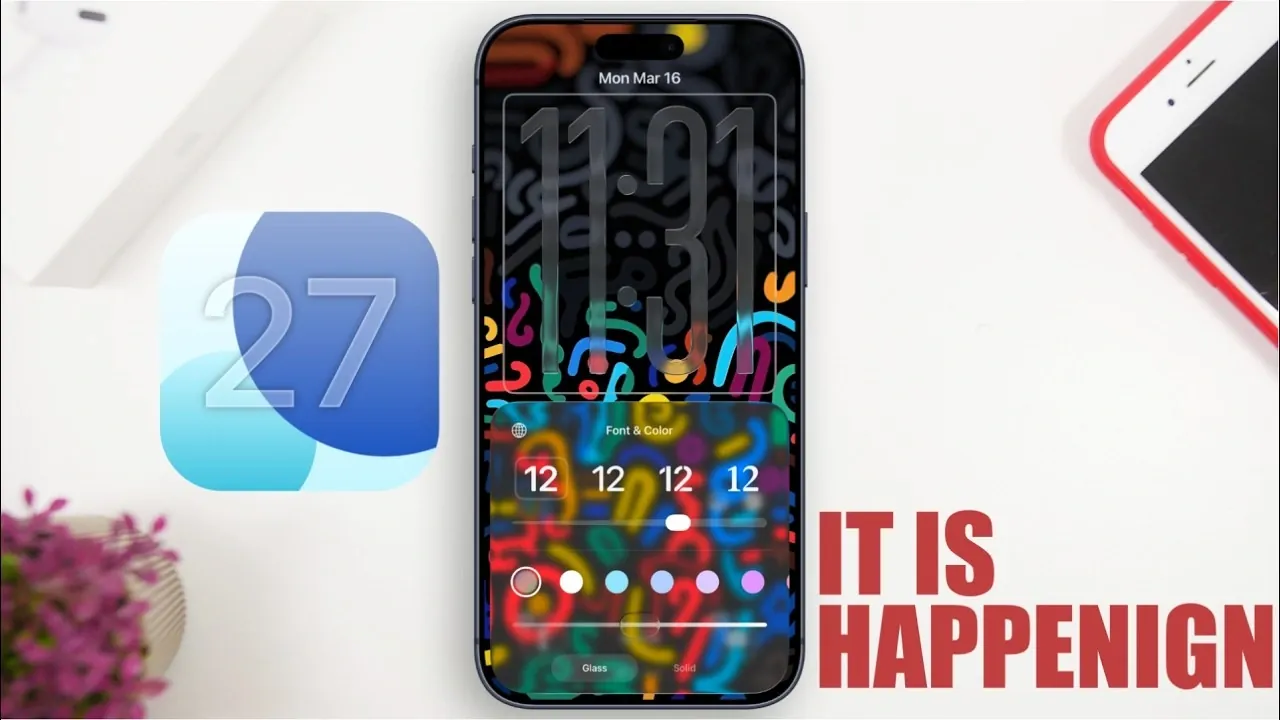
Apple’s iOS 27 is set to deliver a thoughtful blend of design refinements, productivity enhancements, and system optimizations. Building on the foundation of iOS 26, this update reflects Apple’s commitment to addressing user feedback while introducing features that align with the latest technological advancements. Below is a detailed look at what iOS 27 has to offer. The video below from iReviews gives us more details

Refining the “Liquid Glass” Design
The “Liquid Glass” design, first introduced in iOS 26, returns in iOS 27 with significant improvements aimed at enhancing both usability and visual appeal. Apple has introduced a systemwide “Liquid Glass” slider, allowing users to adjust the intensity of the effect. This customization ensures that the design remains visually striking without compromising functionality.
By giving users greater control over the design’s appearance, Apple strikes a balance between aesthetics and practicality. Whether you prefer a subtle or bold look, the updated “Liquid Glass” design adapts to your preferences, making sure a seamless and personalized experience.
AI-Powered Productivity Enhancements
Artificial intelligence takes center stage in iOS 27, introducing tools designed to simplify and enhance your daily tasks. These updates aim to make your device more intuitive and responsive to your needs, with key features including:
- AI-Enhanced Siri: Siri evolves into a smarter, context-aware assistant capable of understanding nuanced commands and offering more natural interactions. With deeper integration into system functions, Siri can now anticipate your needs and provide proactive suggestions.
- Intelligent Calendar: The updated calendar uses AI to analyze your habits and preferences, suggesting optimal times for meetings, reminders and events. This feature helps you stay organized and maximize your productivity.
- AI Health Coach: The redesigned Health app introduces a personalized fitness coach that uses AI to analyze your activity data. It provides tailored wellness recommendations, helping you achieve your health and fitness goals more effectively.
These AI-driven tools are designed to make your iPhone a more powerful and intuitive companion, streamlining your daily routines and enhancing overall productivity.
Satellite Features and Advanced Tracking
iOS 27 expands its satellite-based capabilities, making it a valuable tool for users in areas with limited cellular connectivity. These enhancements include:
- Satellite Support for Maps and Messages: Reliable communication and navigation are now possible even in remote locations, making sure that you stay connected and on track regardless of your surroundings.
- Precise AirPods Tracking: Advanced GPS technology allows you to locate your AirPods with pinpoint accuracy. Whether you’ve misplaced them in a crowded city or a dense forest, this feature ensures you can find them quickly and easily.
These updates cater to users who rely on their devices in diverse and demanding conditions, offering greater reliability and functionality in challenging environments.
Enhanced Security and System Stability
Security remains a cornerstone of iOS 27, with Apple introducing a new iCloud login validation system that adds an extra layer of authentication to protect your data. This feature ensures that your personal information remains secure, even in the face of evolving cybersecurity threats.
In addition to security, Apple has prioritized system stability in iOS 27. By addressing bugs, optimizing performance and improving battery life, this update aims to deliver a smoother and more reliable experience across all supported devices. These enhancements reflect Apple’s commitment to providing a polished and dependable operating system.
Multitasking and Foldable Device Support
With rumors of a foldable iPhone on the horizon, iOS 27 introduces multitasking optimizations designed to take full advantage of larger, foldable screens. Key features include:
- Side-by-Side App Functionality: This feature allows users to run multiple apps simultaneously, maximizing productivity on foldable devices.
- Streamlined App Switching: Even for users with standard iPhones, multitasking improvements make it easier to switch between apps and manage tasks efficiently.
These updates ensure that iOS 27 is ready to support the next generation of Apple devices while enhancing the multitasking experience for all users.
Release Timeline and Expectations
Apple is expected to unveil iOS 27 at its Worldwide Developers Conference (WWDC) in early June 2026. Following the announcement, the beta testing phase will begin, with public beta versions likely available by mid-July. The final release is projected for mid-September, aligning with Apple’s traditional launch schedule.
iOS 27 focuses on refinement rather than dramatic changes, offering updates to the “Liquid Glass” design, AI-powered tools, enhanced security and multitasking features. Whether you’re excited about smarter AI, improved tracking, or better multitasking, this release is designed to provide a polished and user-friendly experience. Keep an eye out for the beta release to explore these features firsthand.
Advance your skills in iOS 27 by reading more of our detailed content.
- iOS 27 Release Date, Features, and Innovations
- Apple iOS 27 Release: Liquid Glass 2.0 and More
- iOS 27 Features: Speed, AI, and Battery Life Improvements
- 10 Features of iOS 27 You Need to Know About
- iOS 27: Why It’s Apple’s Most Ambitious Update Yet
- iOS 26.4 and iOS 27: Siri’s AI Upgrades Explained
Source & Image Credit: iReviews
Disclosure: Some of our articles include affiliate links. If you buy something through one of these links, Geeky Gadgets may earn an affiliate commission. Learn about our Disclosure Policy.
