
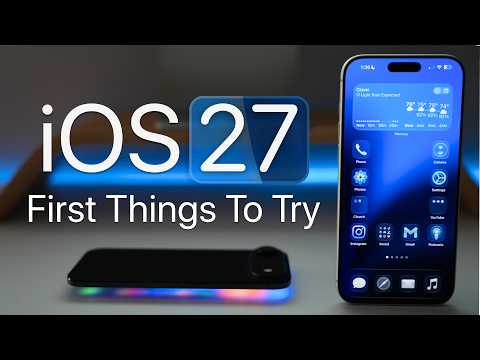
Apple has officially unveiled the iOS 27 public beta, introducing a range of features designed to enhance personalization, usability, and system performance. Whether you’re a tech enthusiast eager to explore the latest advancements or a casual user looking for practical improvements, this update offers tools that cater to diverse needs. Below is an in-depth look at the standout features that make iOS 27 a compelling upgrade. The video below from Zollotech gives us more details about the update.
Customizable Interface and Modern Design
iOS 27 introduces a visually striking interface with the new “Liquid Glass” transparency effect. This feature allows you to adjust the opacity of menus and backgrounds, creating a sleek and modern aesthetic that adapts to your preferences. Redesigned folders and icons further enhance the visual appeal, offering a polished and professional look. These updates make your device feel more personalized while maintaining a clean and organized appearance.
Additionally, the interface now supports dynamic color themes, which adjust based on your wallpaper or time of day. This subtle yet impactful change ensures your device feels fresh and engaging throughout the day.
Improved Audio Controls
Managing audio settings becomes more intuitive with iOS 27. The update introduces the ability to independently adjust volume levels for alarms, timers, alerts and system sounds, giving you greater control over your device’s audio environment. For AirPods users, the new equalizer allows fine-tuning of audio frequencies, allowing a more tailored listening experience.
Customizable adaptive noise cancellation is another highlight, letting you adjust the intensity of noise reduction based on your surroundings. Whether you’re in a bustling café or a quiet office, these features ensure optimal audio clarity and comfort.
Upgraded Widgets for Better Usability
Widgets receive a significant overhaul in iOS 27, offering more flexibility and functionality. Extra-large widgets are now available for apps like Music, Calendar and Weather, providing more detailed information at a glance. You can also organize widgets on full pages or dedicate an entire page to widgets, improving accessibility and organization.
For added convenience, widgets now support interactive elements, such as toggles and sliders, allowing you to perform actions directly from the home screen. This enhancement streamlines your workflow and reduces the need to open individual apps.
Smarter Siri with Enhanced Features
Siri becomes faster and more capable in iOS 27, thanks to on-device processing that ensures quicker responses while maintaining privacy. The virtual assistant can now perform advanced tasks, such as locating specific photos or messages, and integrates seamlessly with the camera for object and color recognition.
Additionally, Siri’s expanded functionality includes context-aware suggestions, which adapt based on your habits and preferences. For example, Siri can recommend apps or shortcuts during specific times of the day, making it a more proactive and helpful assistant.
Advanced Photo Editing Tools
The photo editing suite in iOS 27 introduces powerful new tools designed to elevate your photography. The “Cleanup” tool allows you to remove unwanted objects from photos with precision, while the “Extend” feature expands the frame of your images, giving you more creative freedom.
The “Reframe” tool adjusts perspectives for a professional finish, making it easier to correct distortions or align compositions. These tools are complemented by AI-powered suggestions, which provide real-time recommendations for enhancing your photos.
Dynamic Wallpaper Customization
Personalization takes center stage with new wallpaper effects in iOS 27. Depth effects create a layered, three-dimensional look, adding depth and dimension to your home screen. Dynamic wallpapers adapt to the subject matter, offering subtle animations or changes based on your interactions.
These features allow you to craft a more immersive and visually engaging home screen experience, making sure your device reflects your unique style.
Enhanced Safari and Web Browsing
Safari sees several improvements aimed at making web browsing more efficient. Bookmarks are now easier to access, with a streamlined interface that prioritizes frequently visited sites. The new “Notify Me” feature alerts you to updates on specific web pages, making sure you stay informed about changes to important content without the need for constant manual checks.
Safari also introduces improved tab management, allowing you to group tabs by category or project. This feature is particularly useful for users who juggle multiple tasks or research topics simultaneously.
Streamlined Automation with Shortcuts
Creating shortcuts becomes more accessible with the introduction of natural language input. You can now describe tasks in plain language and iOS 27 will automatically generate the corresponding shortcut. This feature simplifies automation, making it easier for users of all experience levels to take advantage of the Shortcuts app.
For advanced users, the ability to switch between traditional and natural language interfaces provides greater flexibility. This ensures that the automation process can be tailored to individual preferences and workflows.
Apple Wallet Gets Practical Updates
The Apple Wallet receives practical updates that enhance its functionality. Users can now create custom passes for tickets, memberships and events, making it easier to manage digital credentials. QR code integration further simplifies access, allowing you to scan and store codes directly within the Wallet app.
These updates make the Apple Wallet a more versatile tool for organizing and accessing your digital assets, whether you’re attending an event or managing loyalty programs.
Messaging Customization
Messaging becomes more versatile with new customization options in iOS 27. You can now modify the voice dictation icon, choosing to enable, disable, or replace it with an audio recording option. This update gives you greater control over how you communicate, making sure the messaging experience aligns with your preferences.
Additionally, the Messages app introduces enhanced search capabilities, making it easier to locate specific conversations or attachments. This improvement is particularly useful for users who rely on messaging for work or personal organization.
Landscape Mode Returns
Landscape mode makes a welcome return in apps like Music and Podcasts, offering expanded functionality for a better viewing and multitasking experience. This feature is especially beneficial for users who prefer consuming content or working in a horizontal orientation, as it provides a more immersive and efficient interface.
Focus on System Stability and Accessibility
Apple has placed a strong emphasis on system stability and accessibility in iOS 27. Numerous refinements ensure a smoother, more reliable experience, reducing the likelihood of crashes or performance issues.
Accessibility enhancements include improved voice control, expanded support for Braille displays, and customizable text-to-speech settings. These updates make iOS 27 more inclusive, catering to users with diverse needs and preferences.
Explore the Full Potential of iOS 27
The iOS 27 public beta delivers a comprehensive set of features designed to enhance customization, functionality, and performance. From smarter Siri capabilities and advanced photo editing tools to improved widgets and system stability, this update offers something for everyone. Dive into these features to unlock the full potential of iOS 27 and elevate your device experience.
Explore further guides and articles from our vast library that you may find relevant to your interests in iOS 27 public beta.
- The Difference Between the iOS 27 Public and Developer Betas
- Should You Install iOS 27 Beta 3 or Wait for the Public Beta?
- How to Safely Move from iOS 27 Developer Beta to Public Beta
- Is iOS 27 Beta 4 the Update Public Testers Have Been Waiting For?
- iOS 27 Public Beta Checklist: Things to Do Before You Download
Source & Image Credit: zollotech
Disclosure: Some of our articles include affiliate links. If you buy something through one of these links, Geeky Gadgets may earn an affiliate commission. Learn about our Disclosure Policy.
