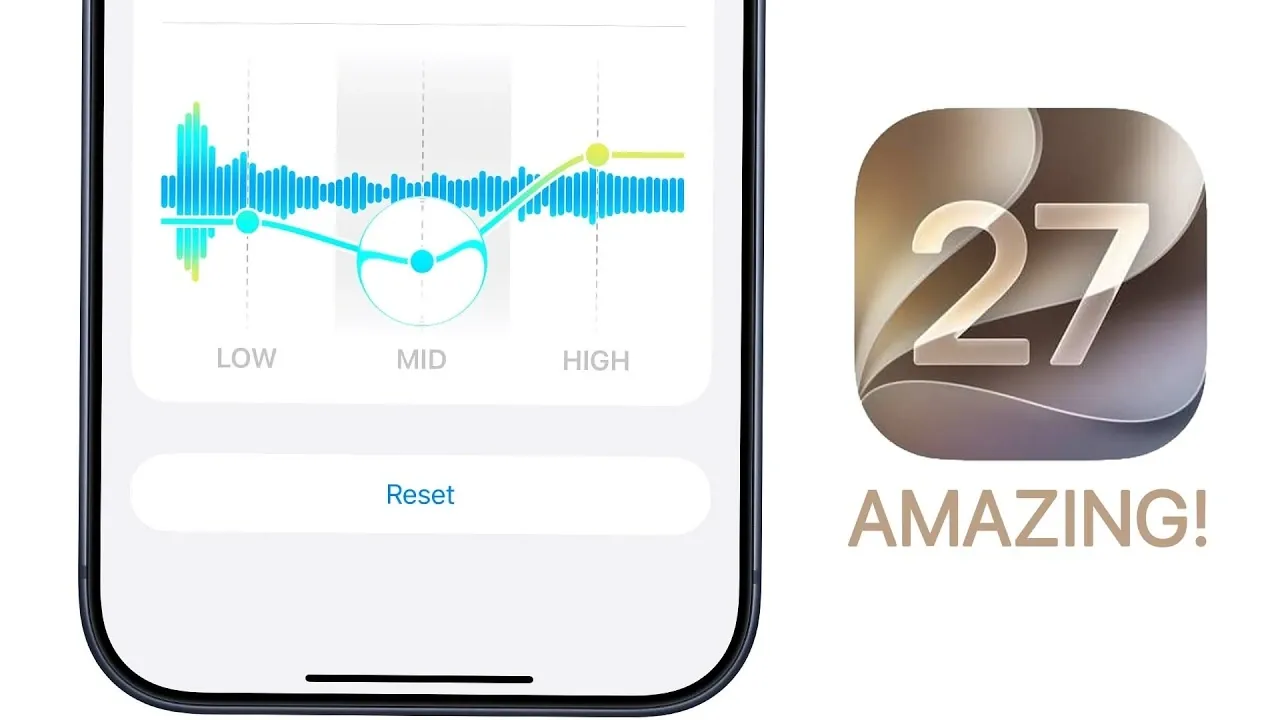
Apple’s iOS 27 introduces a comprehensive suite of features designed to enhance usability, personalization, and performance. Whether you’re a tech enthusiast or a casual user, this update delivers smarter tools, seamless connectivity, and refined controls to elevate your daily interactions with your device. By focusing on user-centric improvements, iOS 27 ensures a more intuitive and efficient experience. The video below from Brandon Butch gives us more details about iOS 27.

Top Features and Updates
Smarter Wallet Features
The Wallet app now includes the innovative “Create a Pass” feature, allowing you to design custom passes for tickets, memberships and more. Using advanced visual intelligence, this tool ensures your passes are both functional and visually appealing. You can customize fields, designs and layouts, making it easier to organize and access your digital essentials.
Enhanced Phone App
The Phone app has been upgraded to provide contextual insights during calls. Whether it’s a friend’s birthday, an upcoming event, or travel details like flight information, this feature ensures you have relevant information at your fingertips. This enhancement streamlines communication and helps you stay organized during conversations.
Redesigned AirPods Settings
AirPods settings now feature glyph icons for easier navigation, making adjustments more intuitive. Additionally, the ability to customize the equalizer allows you to fine-tune audio settings, creating a personalized listening experience tailored to your preferences.
Improved iMessage Transparency
iMessage introduces individual send indicators for both text and media, providing real-time progress updates. This is particularly useful in low-connectivity situations, making sure you can track the status of your messages and avoid confusion.
Performance Upgrades
iOS 27 delivers faster app launches and significantly improved AirDrop speeds. These enhancements make multitasking smoother and file sharing quicker, making sure a more seamless user experience across all activities.
Smarter Mail App
The Mail app now features improved search rankings, making it easier to locate important emails. A clear indexing progress indicator keeps you informed about the organization of your inbox, making sure you can quickly find what you need.
Reliable Connectivity Assist
With the simultaneous use of Wi-Fi and cellular data, iOS 27 ensures a more reliable connection. This feature minimizes interruptions during browsing or streaming, even in areas with weak signals, enhancing your overall connectivity experience.
Sound Customization
Separate volume controls for alarms, alerts and ringtones give you greater control over your device’s audio settings. This allows you to adjust sounds for specific scenarios without affecting other outputs, making sure a more tailored audio experience.
Streamlined Apple Pay
Apple Pay now features a full-screen checkout interface with interactive card selection. This redesign simplifies transactions, making them more intuitive and visually streamlined for users.
Advanced Dictation and Grammar Tools
Dictation is now more accurate, with automatic punctuation for smoother text input. Additionally, system-wide proofreading ensures polished grammar and spelling across all apps, enhancing productivity and communication.
Safari Gets Smarter
Safari introduces auto-organized tabs by topics, making it easier to manage your browsing sessions. Updates to bookmarks, reading lists and history interfaces provide a more intuitive and efficient user experience.
Siri’s AI Evolution
Siri receives a major upgrade with lifelike expressive voices and a new animation. Personal context awareness enables tailored responses based on your habits and preferences. A standalone Siri app also offers conversational interactions, expanding its versatility and usefulness.
Camera and Visual Intelligence
The Camera app now provides real-time nutritional information for food items, helping you make informed dietary choices. Generative AI-powered photo editing tools include:
- Cleanup: Precisely removes unwanted objects from photos.
- Extend: Seamlessly expands photo backgrounds for a professional look.
- Reframe: Intelligently adjusts photo perspectives to improve composition.
Streamlined Shortcuts
Creating shortcuts is now easier with natural language input. Simply describe your desired action and iOS 27 will generate the appropriate shortcut for you, saving time and effort.
Privacy-Focused Location Sharing
iOS 27 introduces custom time limits for sharing your location, giving you greater control over your privacy. You can also hide your location without notifying others, making sure a more discreet and secure experience.
Quick Timer Setup
The Control Center now includes a streamlined timer interface, allowing you to set timers with just a few taps. This feature simplifies your workflow and saves valuable time.
AI-Powered Password Management
Bulk password updates are now automated with AI, allowing you to secure compromised accounts quickly and efficiently. This feature enhances your online safety with minimal effort.
Customizable Lock Screen
The lock screen now offers minimalist clock placement and the option to clear the “Now Playing” bar for a cleaner look. These updates allow you to personalize your device’s appearance to suit your style and preferences.
Why iOS 27 Matters
iOS 27 represents a significant step forward in user-centric design, combining smarter AI integration, enhanced customization and improved performance. From advanced dictation tools to real-time nutritional analysis, these features are crafted to simplify your daily tasks and enrich your overall experience. By focusing on practical enhancements and intuitive functionality, Apple continues to ensure that your device is not only more efficient but also better tailored to your unique needs.
Here is a selection of other guides from our extensive library of content you may find of interest on iOS 27.
- iOS 27 Leaks Reveal the End of an Era: Apple’s New Priorities Confirmed
- iOS 27 Could Be Apple’s ‘Snow Leopard’ Moment—Focusing on One Huge Change
- The iOS 27 Compatibility Shock: Every iPhone That Will (and Won’t) Get the 2026 Update
- Apple Just Gave Us Our First Look at iOS 27—and It Changes Siri Forever
- First Look at the iOS 27 Siri Redesign Before WWDC 2026
- Apple Just Changed Everything: iOS 27 Rewrites the Rules for AirPods and AirPlay
Source & Image Credit: Brandon Butch
Disclosure: Some of our articles include affiliate links. If you buy something through one of these links, Geeky Gadgets may earn an affiliate commission. Learn about our Disclosure Policy.
