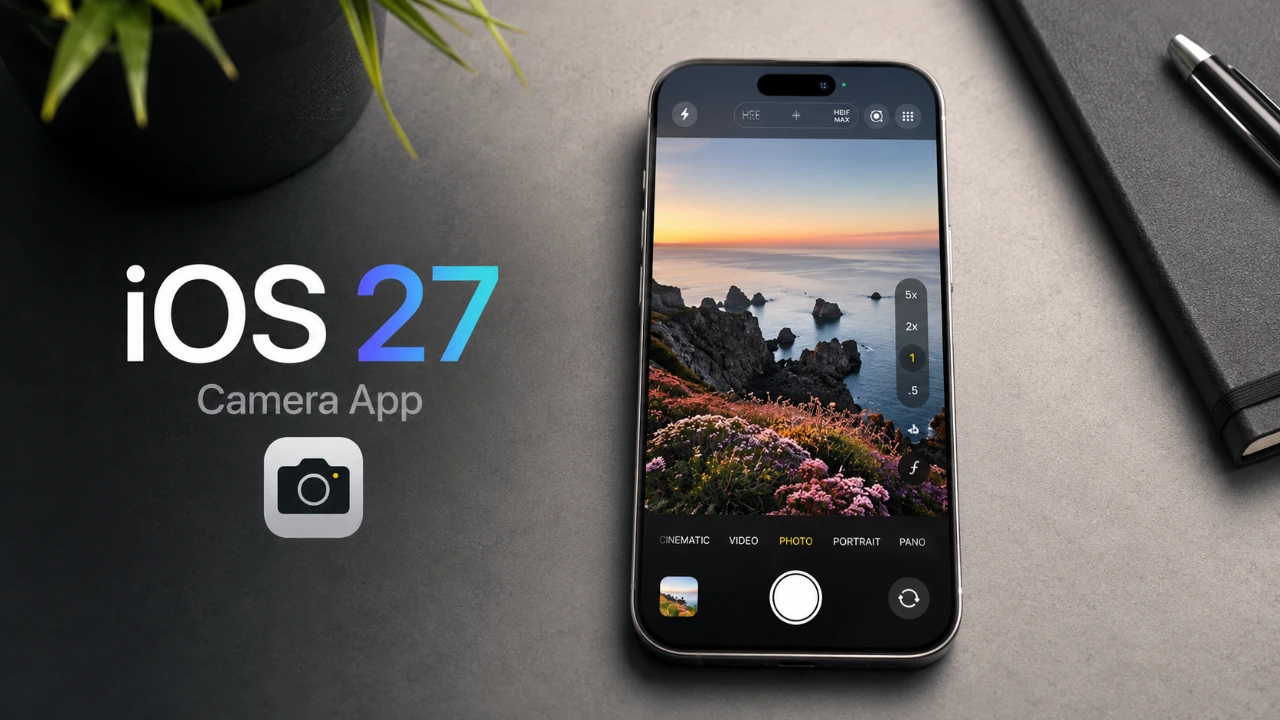
Apple’s iOS 27 introduces a significant update to the Camera app, merging an intuitive design with advanced features tailored for both casual users and professional photographers. With a redesigned settings interface, the innovative Siri AI Mode, enhanced RAW photo support, and the beta Reference Mode for image authenticity, Apple continues to push the boundaries of mobile photography. These updates underscore Apple’s dedication to improving user experience while addressing the evolving challenges of the digital age.
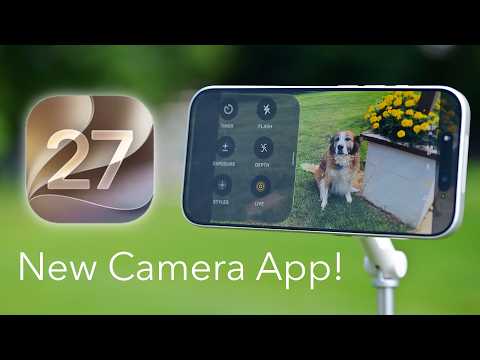
Streamlined Settings for Effortless Adjustments
The redesigned settings interface in iOS 27 revolutionizes how users interact with the Camera app. A newly introduced settings button, conveniently located next to the shutter, provides immediate access to mode-specific options. This dynamic interface adapts to the selected mode, offering tailored controls that enhance usability. For instance:
- In Night Mode, users can adjust exposure settings specifically optimized for low-light environments.
- In Portrait Mode, the interface provides depth and lighting controls to refine subject focus and background blur.
This approach eliminates the need to navigate through the general Settings app, allowing users to make adjustments directly within the Camera app. By aligning settings with each mode, Apple ensures a seamless and efficient photography experience, allowing users to focus on capturing the perfect shot.
Siri AI Mode: Your Intelligent Photography Assistant
A standout addition in iOS 27 is the Siri AI Mode, which uses advanced visual intelligence to enhance the Camera app’s functionality. This feature transforms your device into a versatile tool capable of performing a variety of tasks. By simply pointing your camera at an object, Siri can:
- Identify landmarks, plants, animals and other objects with precision.
- Translate text in real time, such as signs or documents, making it invaluable for travel or work.
- Generate grocery lists by scanning nutrition labels, streamlining shopping tasks.
- Add events to your calendar by extracting information from scanned materials.
Accessible through a simple swipe in the Camera app, Siri AI Mode integrates seamlessly with other apps, enhancing both photography and daily productivity. This feature not only improves the quality of your photos but also redefines how your device interacts with the world around you.
Reference Mode (Beta): Tackling Image Authenticity
In response to the growing prevalence of AI-generated images, Apple introduces Reference Mode, a forward-thinking feature currently in beta. This tool uses your device’s unique hardware data to verify the authenticity of photos by embedding metadata that confirms their origin.
Reference Mode addresses the increasing need for trust in digital imagery, offering a solution for professionals who require verified content. Whether you’re a journalist making sure of the credibility of your visuals, a content creator protecting your work, or a legal professional relying on authentic evidence, this feature provides a robust layer of security. Although still under development, Reference Mode signals Apple’s proactive approach to addressing emerging challenges in the digital landscape.
Enhanced RAW Photo Support for Professionals
iOS 27 introduces substantial improvements in RAW photo support, catering to photography enthusiasts and professionals alike. The app now supports RAW 9, which utilizes advanced de-mosaic and de-noise processing powered by Core ML. This ensures that photos maintain exceptional detail and clarity, even in challenging lighting conditions.
Additionally, the Photos app extends these enhancements to RAW images captured on third-party cameras, making it a comprehensive tool for managing high-quality images. Whether you’re editing on the go or preparing files for professional use, iOS 27’s RAW support enables users to achieve superior results. These updates reflect Apple’s commitment to providing tools that meet the demands of professional-grade photography.
When to Expect iOS 27
Currently in beta testing, iOS 27 is anticipated to launch publicly in fall 2026, with a likely release in September. The beta phase allows Apple to gather valuable user feedback and refine the features for a polished final release. For those eager to explore these updates early, joining the beta program offers an opportunity to experience the new features firsthand. Alternatively, users can wait for the official rollout to enjoy a fully optimized version of iOS 27.
The Future of Mobile Photography
The iOS 27 Camera app represents a thoughtful evolution in mobile photography, combining advanced technology with a user-focused design. From the streamlined settings interface to the powerful Siri AI Mode, enhanced RAW support and the innovative Reference Mode, these updates cater to a wide range of users. Whether you’re capturing everyday moments or working on professional projects, iOS 27 equips you with the tools to achieve exceptional results. As the release date approaches, these features highlight Apple’s ongoing commitment to advancing the capabilities of smartphone photography.
Here are more guides from our previous articles and guides related to iOS 27 that you may find helpful.
- Apple Delaying iOS 27 Beta 5? Here’s When to Expect the Next Update
- New iOS 27 Beta 5 Release Arrives with a Big Shift Coming
- iOS 27 Beta 5 Is Late: What’s Holding Up Apple’s Next Release?
- The iOS 27 Beta 5 Release Imminent with More New Features
- Apple’s iOS 27 Beta 3 Is Just Days Away: Here’s When It Drops
- Apple iOS 27 Beta 5 Preview: a Look at the Next Release
Source & Image Credit: AppleInsider
Disclosure: Some of our articles include affiliate links. If you buy something through one of these links, Geeky Gadgets may earn an affiliate commission. Learn about our Disclosure Policy.
