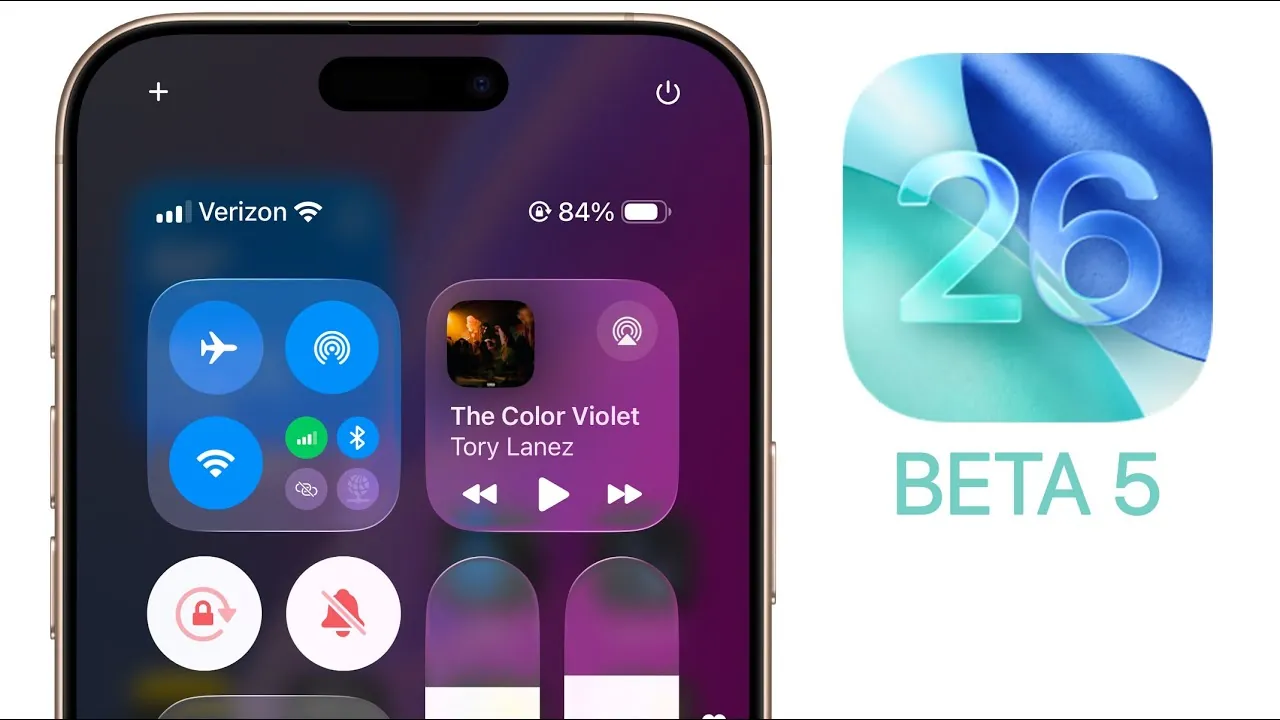
Apple has officially released iOS 26 Beta 5, delivering a host of refinements, new features, and critical bug fixes. This update emphasizes enhancing the user experience with smoother animations, improved design elements, and better overall performance. Below is a detailed look at the most significant changes and how they can impact your daily interactions with your device in a new video from Brandon Butch.

Smoother Animations for a Polished Experience
iOS 26 Beta 5 introduces noticeable improvements to system animations, offering a more fluid and engaging experience. Actions such as locking your device, opening apps, or navigating the control center now feel more dynamic and responsive. Even subtle details, like the behavior of app icons during screen locking, have been refined. These updates aim to create a seamless and polished user experience, making sure every interaction feels natural and intuitive.
Enhanced Liquid Glass Effects
Apple has further refined its liquid glass effect, enhancing clarity and precision across the interface. Menus, glyph icons, and wallpapers now appear sharper and more visually appealing. For example, text and buttons in apps like Photos are easier to read, even against complex or colorful backgrounds. These adjustments not only improve usability but also contribute to a more cohesive and visually satisfying design.
Streamlined User Interface Updates
Several updates to the user interface have been introduced to improve navigation and accessibility. These changes are designed to make daily interactions more intuitive and efficient. Key updates include:
- A redesigned AirDrop icon in the share sheet for quicker identification.
- A stabilized bottom menu bar in the Music app, reducing unnecessary motion and improving usability.
- Lock icons in the Wi-Fi selector, making it easier to identify secure networks at a glance.
- A local capture icon and an “audio-only” toggle for recordings, giving users more control over media settings.
These updates reflect Apple’s commitment to simplifying navigation while maintaining a high standard of functionality.
Camera and Screenshot Enhancements
The Camera app now includes a classic mode-switching interface, catering to users who prefer a more traditional layout. This change ensures that users can quickly and efficiently switch between modes without confusion. Additionally, screenshots now feature an animated glyph icon that highlights Apple’s visual intelligence capabilities. This makes annotating and sharing captures more straightforward, streamlining workflows and improving productivity.
Dynamic Island and Battery Notifications
Dynamic Island, Apple’s interactive notification hub, has been updated to include low battery alerts and notifications for adaptive power mode. These additions allow users to stay informed about their device’s power status without interrupting their activities. By integrating these notifications into Dynamic Island, Apple has made it easier to manage battery life while maintaining a distraction-free experience.
Safari Enhancements for Better Browsing
Safari has received subtle but impactful updates to improve navigation and usability. The tab view now dynamically adjusts when switching between private and regular tabs, making it easier to manage multiple browsing sessions. Additionally, a stacked reader icon in the address bar optimizes space, creating a cleaner and more organized interface. These enhancements ensure that browsing remains efficient and enjoyable.
Game Mode and Weather App Integration
Gamers will benefit from a new notification that activates Game Mode when launching compatible games. This feature enhances performance by prioritizing system resources and minimizing distractions, delivering a more immersive gaming experience. Meanwhile, the Weather app now integrates health-related prompts, providing timely updates on environmental conditions that could impact your well-being. These additions highlight Apple’s focus on personalized and practical features.
Updated Splash Screens in Notes and Music Apps
The Notes and Music apps now feature updated splash screens that highlight their key features upon launch. These quick guides are designed to help users discover app capabilities without the need for extensive exploration. By presenting this information upfront, Apple ensures that users can maximize the potential of these tools with minimal effort.
Bug Fixes and Performance Improvements
iOS 26 Beta 5 addresses several bugs and performance issues, further enhancing the stability of the system. Key fixes include:
- Resolving issues with the “Add to Home Screen” feature, ensuring smoother functionality.
- Improving HealthKit data accessibility for better integration with health-related apps.
- Fixing visual glitches in the Mail app when using dark mode.
- Eliminating ProMotion stuttering on Pro devices, resulting in smoother scrolling and animations.
While overall responsiveness has been improved, battery life optimizations are still under evaluation, with further refinements expected in future updates.
Beta Release Timeline and Future Developments
The public beta for iOS 26 Beta 5 is expected to be available within the next 24 hours, offering early access to these features for a broader audience. Apple is likely to transition to weekly beta releases starting with Beta 6, signaling an accelerated development cycle as the official iOS 26 launch approaches in September. These updates underscore Apple’s dedication to delivering a stable and feature-rich operating system that meets the needs of its users.
Enhance your knowledge on iOS 26 Beta 5 by exploring a selection of articles and guides on the subject.
- iOS 26 Beta 5: Everything You Need to Know
- iOS 26 Beta 5 Release Date, Features, and Updates
- iOS 26 Beta 5 and Public Beta 2 Release Dates and Features
- iOS 26 Beta 4 Re-Release: Key Updates and Features
- Exploring iOS 18.1 Beta 5: Key Changes and Enhancements
Source & Image Credit: Brandon Butch
Disclosure: Some of our articles include affiliate links. If you buy something through one of these links, Geeky Gadgets may earn an affiliate commission. Learn about our Disclosure Policy.
