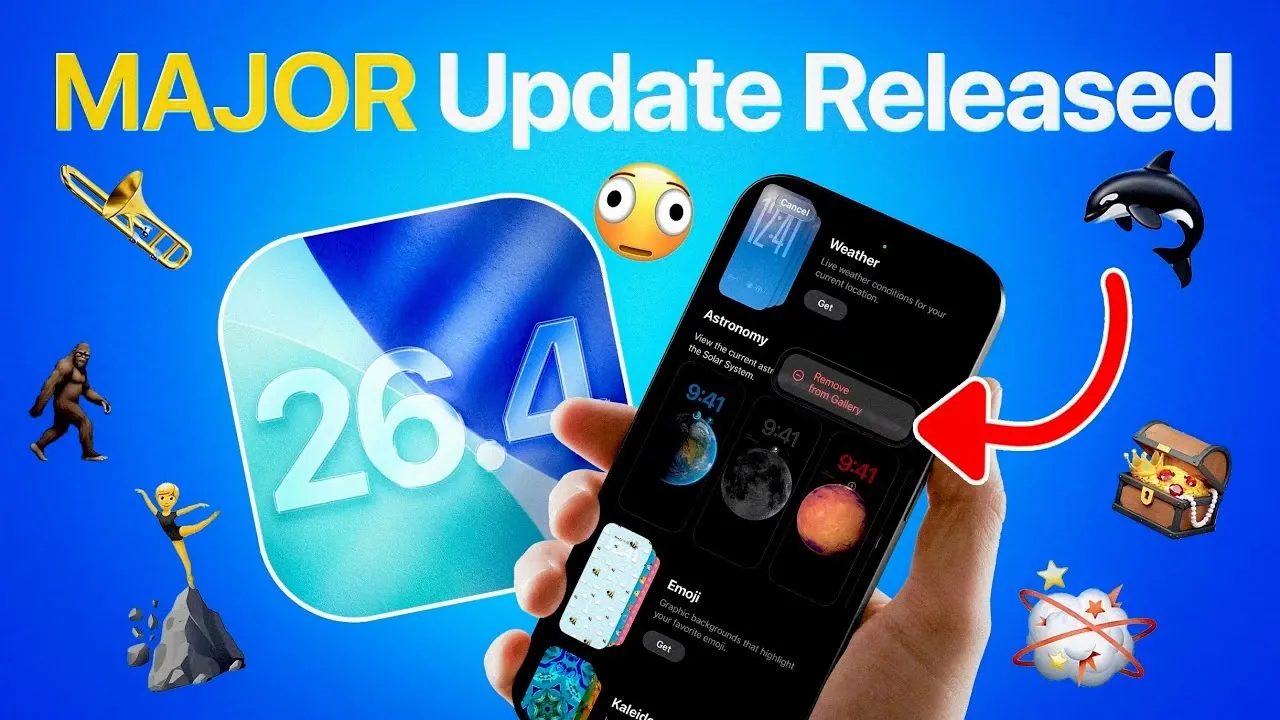
Apple has officially launched iOS 26.4, a comprehensive update designed to enhance your experience across a variety of apps and functionalities. Whether you’re a music lover, a multitasker, or someone who enjoys personalizing their device, this update introduces features that cater to diverse user needs. Below is an in-depth look at the most noteworthy updates and their practical benefits.

Apple Music: Smarter, More Personalized Features
iOS 26.4 introduces several enhancements to Apple Music, making it more intuitive and tailored to your preferences. These updates aim to simplify playlist management, improve music discovery and enhance your overall listening experience.
- Playlist Playground: Create playlists using descriptive prompts, allowing for a more personalized and dynamic music selection.
- Multi-Playlist Additions: Add songs to multiple playlists simultaneously, streamlining the process and saving time.
- Concert Discovery: Discover live music events and purchase tickets directly within the app, connecting you to your favorite artists in real life.
- Offline Shazam Integration: Identify songs even when you’re offline, making sure you never miss a tune.
- Ambient Music Widgets: Customize your home screen with widgets that provide quick access to your favorite tracks and playlists.
These features make Apple Music more versatile, catering to both casual listeners and dedicated music enthusiasts.
CarPlay: Expanded Voice Assistant Options
CarPlay now supports third-party voice assistants, including ChatGPT, Google Gemini and Claude. This update allows you to interact with your preferred assistant for navigation, messaging and other tasks, all through voice commands. By focusing on hands-free functionality, Apple ensures a safer and more seamless driving experience.
Apple Podcasts: Video Playback Integration
Podcast enthusiasts can now enjoy video playback directly within the Apple Podcasts app. This feature eliminates the need to switch between platforms, offering a unified multimedia experience. Whether you’re following a video podcast or sticking to audio, this update simplifies how you consume content.
Enhanced Customization: Wallpapers and Watch Faces
iOS 26.4 emphasizes personalization with new options for wallpapers and watch faces, giving you greater control over your device’s appearance.
- Wallpaper Collections: Download and remove wallpaper collections to match your style or mood.
- Exclusive Preloaded Wallpapers: Access unique wallpapers designed specifically for iOS 26 and compatible devices, offering a distinctive aesthetic.
These updates allow you to tailor your device to reflect your personality and preferences.
New Emojis for Creative Expression
Express yourself in fresh and imaginative ways with eight new emojis, including a ballet dancer, distorted face, fighting cloud, Sasquatch, landslide, orca, trombone and treasure chest. These additions expand your options for creative communication, making your messages more engaging and fun.
Accessibility Enhancements for Inclusive Use
Apple continues its commitment to inclusivity with new accessibility features that make devices more comfortable for all users.
- Reduce Motion: Minimize screen motion for users sensitive to movement, making sure a smoother visual experience.
- Reduce Bright Effect: Lower the intensity of bright effects during interactions, catering to individuals with light sensitivity.
These updates demonstrate Apple’s dedication to creating a user-friendly environment for everyone.
Freeform App: Advanced Creative Tools
The Freeform app receives significant upgrades, making it a more powerful tool for brainstorming and creative projects.
- Image Creation and Editing: New tools enable precise design and modifications, enhancing your creative workflow.
- Content Library Integration: Streamline your projects with seamless access to a library of resources.
These enhancements make Freeform a versatile platform for both personal and professional use.
Reminders App: Prioritize Urgent Tasks
The Reminders app now includes an “Urgent Reminders” feature, allowing you to prioritize tasks that require immediate attention. This update helps you stay organized and focused on what matters most, whether it’s work deadlines or personal commitments.
Family Sharing: Flexible Payment Options
Managing shared expenses is now more convenient with updated Family Sharing features. Adults in family groups can select individual payment methods, offering greater flexibility and control over purchases. This change simplifies financial management within shared accounts.
Improved Keyboard Accuracy
Typing on your device is now smoother and more reliable. iOS 26.4 enhances keyboard accuracy, reducing typos and improving your overall typing experience. Whether you’re composing emails or sending quick messages, this update ensures a more seamless interaction.
Streamlined Device Recovery
Recovering a device in recovery mode is now more straightforward. With iOS 26.4, you can use another iPhone to restore your device, minimizing downtime and simplifying the recovery process. This feature is particularly useful in emergencies, making sure you can get back to using your device quickly.
Why iOS 26.4 Stands Out
iOS 26.4 delivers a range of meaningful updates that enhance usability, customization and productivity across Apple’s ecosystem. From smarter Apple Music features to improved accessibility and expanded CarPlay options, this release caters to a wide variety of user needs. Whether you’re looking for better organization, creative tools, or a more personalized experience, iOS 26.4 offers practical upgrades that make your device more versatile and enjoyable to use.
Here are more guides from our previous articles and guides related to iOS 26.4 that you may find helpful.
- iOS 26.4 Icon Changes: How Apple’s New Liquid Glass Look Works
- Everything New in iOS 26.4 Beta 4: CarPlay, AI, and More
- iOS 26.4 Guide: New Features, Release Date, and Performance
- iOS 26.4 Release Date, Features, and Performance Details
- When Will iOS 26.4 Be Released? Full Details Inside
- iOS 26.4 RC Fixes iPhone Keyboard Accuracy Bug: What’s New
Source & Image Credit: iDeviceHelp
Disclosure: Some of our articles include affiliate links. If you buy something through one of these links, Geeky Gadgets may earn an affiliate commission. Learn about our Disclosure Policy.
