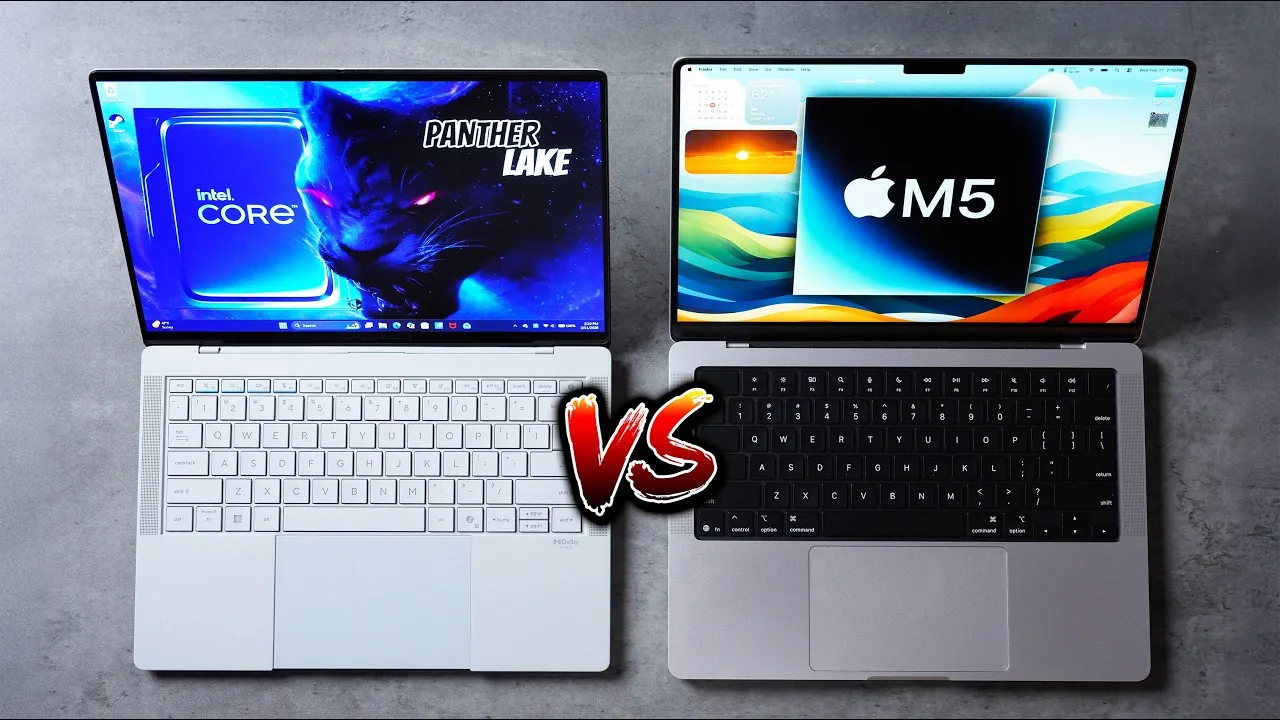
When comparing the Intel Panther Lake-powered Asus ExpertBook Ultra to the Apple M5 chip-equipped MacBook Pro, you’re evaluating two high-performance laptops designed to meet distinct user demands. Each device brings unique strengths to the table, excelling in areas such as performance, display innovation, and build quality. This detailed analysis from Max Tech will help you understand how these laptops differ and which one aligns better with your needs.

Design and Build: Portability Meets Professional Elegance
The Asus ExpertBook Ultra is crafted with portability in mind, featuring a slim profile of just 0.43 inches and a lightweight design at 2.2 pounds. Its nano-ceramic coating not only enhances durability but also resists scratches and smudges, maintaining a clean and professional appearance. Additional features like the glass haptic trackpad and integrated fingerprint sensor improve usability, making it a practical choice for users on the go.
In contrast, the MacBook Pro emphasizes a balance between durability and sophistication. Its aluminum unibody construction, while slightly bulkier at 0.61 inches thick and 3.4 pounds, exudes a premium feel. This design appeals to professionals who prioritize a robust, polished build that can withstand daily use while maintaining a sleek aesthetic.
Display: OLED Brilliance vs. Color Accuracy
The ExpertBook Ultra sets itself apart with a 3K tandem OLED display, offering a 120Hz refresh rate and a peak brightness of 1400 nits. This advanced display technology ensures vibrant colors, smooth motion, and excellent visibility, even in bright environments. It’s an ideal choice for users who demand innovative visuals for gaming, content creation, or multimedia consumption.
On the other hand, the MacBook Pro focuses on delivering exceptional color accuracy and contrast. While it lacks the tandem OLED technology and higher refresh rate, its display excels in producing deeper blacks and balanced visuals. This makes it a strong contender for professionals working in fields like photo editing or video production, where precise color representation is critical.
Performance: Tailored for Different Workloads
The Apple M5 chip is a powerhouse in single-core and multi-core CPU benchmarks, excelling in tasks such as web browsing, photo editing, and video rendering. Its efficiency ensures consistent performance, whether the laptop is plugged in or running on battery. This makes the MacBook Pro a reliable choice for professionals who need dependable performance across various workflows.
Meanwhile, the Panther Lake chip in the ExpertBook Ultra, paired with Intel’s Arc B390 GPU, shines in gaming and rendering tasks. The GPU supports advanced features like ray tracing and x86 gaming, making this laptop a strong contender for gamers and creative professionals. However, its performance tends to diminish on battery power, requiring a plugged-in setup for optimal results. This trade-off may be a consideration for users who prioritize portability alongside high-performance tasks.
Battery Life: Efficiency vs. Performance Scaling
Both laptops perform admirably under heavy workloads, but their approaches to battery life differ. After 2.5 hours of usage at maximum brightness, the MacBook Pro retained 40% battery, while the ExpertBook Ultra held 38%. The key distinction lies in performance consistency. The M5 chip in the MacBook Pro maintains steady output on battery power, making sure a seamless experience. In contrast, the Panther Lake chip scales back performance to conserve energy, which may impact demanding tasks when unplugged.
Audio and Webcam: Balanced Sound vs. Enhanced Volume
The ExpertBook Ultra features a six-speaker system, including dual woofers, delivering louder audio output. However, this comes at the expense of clarity, which may not appeal to users who prioritize precision in sound quality. The MacBook Pro, on the other hand, offers a more balanced audio profile, making it ideal for tasks like video editing or enjoying high-quality media.
For video calls, the MacBook Pro’s webcam provides natural and balanced visuals, making sure a professional appearance during virtual meetings. The ExpertBook Ultra’s webcam, while sharp, tends to produce contrast-heavy imagery, which may not suit all preferences.
Port Selection: Comprehensive Connectivity vs. Targeted Functionality
The ExpertBook Ultra stands out with its wide range of ports, including:
- Two Thunderbolt 4 Type-C ports
- Two USB-A 3.2 Gen 2 ports
- HDMI 2.1
- A headphone jack
This extensive selection caters to users who require multiple connectivity options for peripherals and external devices.
The MacBook Pro, while more specialized, includes:
- Three Thunderbolt 4 ports
- MagSafe 3 charging
- An SD card slot
- HDMI (not 2.1)
These ports are tailored for creative professionals who rely on specific peripherals, such as external monitors or SD cards for media transfer.
Storage and RAM: Capacity vs. Optimization
The ExpertBook Ultra offers impressive hardware specifications, including 32GB of RAM and a 1TB SSD. These features provide ample capacity for multitasking and storing large files. However, the MacBook Pro’s 16GB of RAM and 512GB SSD, while lower in raw capacity, benefit from Apple’s tight hardware-software integration. This optimization ensures smooth performance for most workflows, even with less hardware.
Thermal Management: Quiet Efficiency vs. Sustained Output
Thermal performance is another area where these laptops differ. The MacBook Pro runs hotter during stress tests but maintains higher performance levels, making it suitable for sustained workloads. In contrast, the ExpertBook Ultra stays cooler and quieter, which may appeal to users who value a more comfortable and noise-free experience. However, this comes at the cost of reduced performance when running on battery.
Making the Right Choice
The Asus ExpertBook Ultra, powered by Intel’s Panther Lake chip, is a strong contender for users who prioritize portability, advanced display technology, and gaming capabilities. Its lightweight design and versatile feature set make it a standout option in the Windows ecosystem.
On the other hand, the Apple M5 MacBook Pro excels in overall performance, consistency, and software optimization. Its robust build, seamless integration, and reliable battery performance make it an excellent choice for professionals focused on productivity and creative workflows.
Ultimately, your decision should be guided by your specific needs:
- If you value innovative gaming and display technology, the ExpertBook Ultra is a compelling option.
- For unmatched performance, reliability, and software integration, the MacBook Pro is the clear winner.
Take a look at other insightful guides from our broad collection that might capture your interest in Apple M5 chip.
- Apple M5 Chip: AI, Speed, and Battery Life Redefined
- Apple Mac Mini M5: Release Date, Specs, and Pricing Details
- MacBook Pro Redesign with M6 Chip: Everything We Know So Far
- Apple M5 Pro and M5 Max MacBook Pros: Release Date
- Apple Vision Pro Gets M5 Chip Upgrade
Source & Image Credit: Max Tech
Disclosure: Some of our articles include affiliate links. If you buy something through one of these links, Geeky Gadgets may earn an affiliate commission. Learn about our Disclosure Policy.
