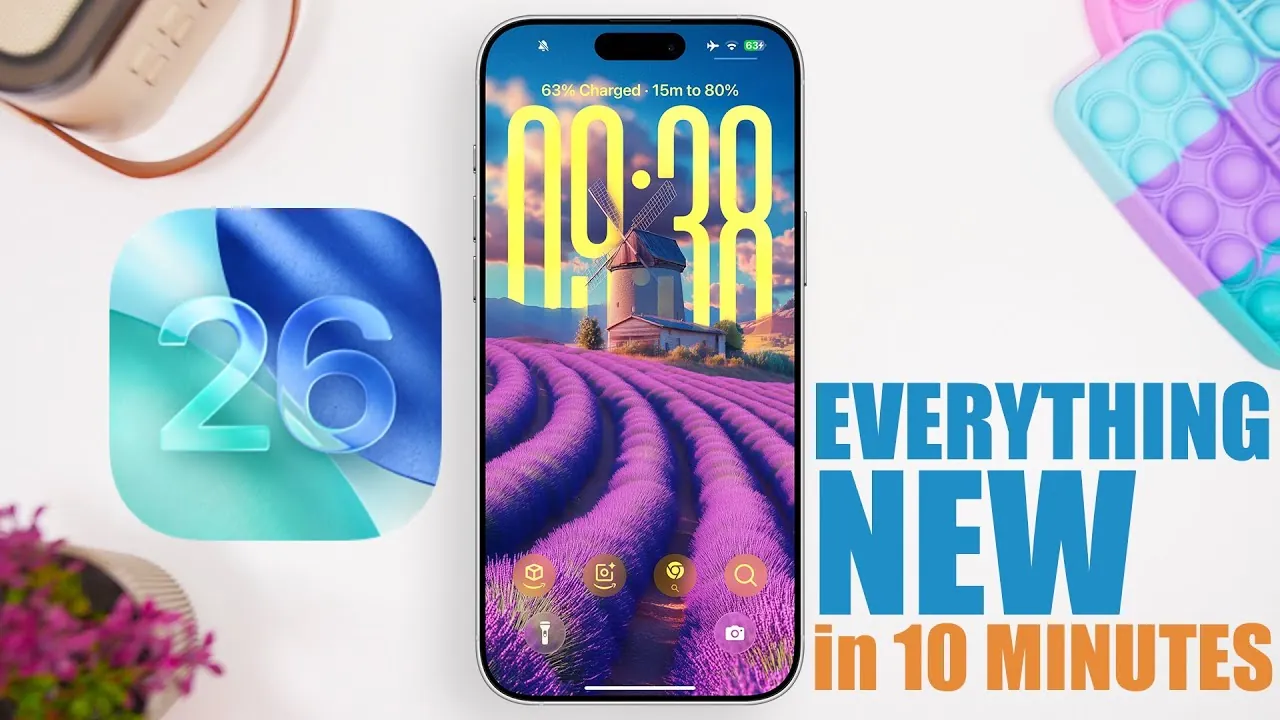
Apple has officially launched iOS 26, bringing a host of new features aimed at enhancing personalization, usability, and visual appeal. This update focuses on refining the way you interact with your device, offering tools and improvements that make daily usage more seamless and engaging. From revamped interfaces to advanced media capabilities, iOS 26 delivers a comprehensive upgrade designed to meet the needs of both casual users and tech enthusiasts. Below is a detailed look at the most significant updates in a new video from iReviews.

Enhanced Lock Screen Customization
The lock screen in iOS 26 has been reimagined to provide greater control and visual sophistication, making it more functional and aesthetically pleasing. Key updates include:
- Charging time estimates are displayed when your device reaches 80%, helping you better manage your battery usage.
- A redesigned clock that integrates seamlessly with depth-effect wallpapers, creating a dynamic and immersive visual experience.
- Full-screen album art during music playback, offering a richer and more engaging way to enjoy your favorite tracks.
- A spatial effect toggle for wallpapers, adding depth and interactivity to your lock screen.
These enhancements allow you to tailor your lock screen to suit your preferences, blending functionality with style.
Home Screen Upgrades
Customization takes center stage on the home screen, with new features that make it easier to personalize your device:
- Redesigned app icons with clear and tinted options, allowing you to match the look of your device to your case or personal style.
- New music widgets that let you pin your favorite tracks or playlists for instant access, making it easier to enjoy your music on the go.
These updates ensure that your home screen not only looks great but also works better for your daily needs.
Refreshed App Interfaces
Several core apps have received visual and functional updates, improving both usability and aesthetics:
- The keyboard now features a modernized design, making typing more intuitive and visually appealing.
- The screenshot interface includes advanced cropping tools and highlighting options, streamlining the process of editing and sharing images.
- The Control Center has been updated with rounded shapes and liquid glass effects, creating a cohesive and modern look across the system.
These changes make everyday tasks smoother while maintaining a sleek and polished appearance.
Messages App: More Dynamic Communication
The Messages app has been overhauled to make conversations more engaging and interactive. New features include:
- Customizable conversation backgrounds allow you to add a personal touch to your chats.
- Real-time group chat typing indicators make it easier to follow conversations in busy threads.
- Interactive tools like polls and live translations are enhancing collaboration and communication within chats.
- Optimized photo previews for low-connectivity scenarios, making sure you can share and view images even in challenging network conditions.
These updates make the Messages app a more versatile and enjoyable platform for staying connected.
Photos App: Simplified Organization
Managing your photo library has never been easier, thanks to the updates in the Photos app:
- A redesigned interface featuring pinned sections and customizable views, helping you organize your photos more effectively.
- A relocated search bar at the bottom of the screen makes it quicker and more convenient to find specific images or albums.
These improvements streamline photo management, saving you time and effort.
Camera App: Improved Accessibility
Photography enthusiasts will appreciate the enhancements to the Camera app, which focus on ease of use and photo quality:
- A new mode-switching interface that provides quicker access to tools and settings.
- Lens cleaning hints, making sure your photos remain sharp and clear by reminding you to maintain your camera lens.
These updates make capturing high-quality images more accessible for users of all skill levels.
Advanced Media Features
iOS 26 introduces several new media playback features designed to enhance your listening and viewing experiences:
- Automix for seamless transitions between tracks, creating a continuous and enjoyable listening experience.
- Automatic lyric translations for songs in different languages make it easier to understand and enjoy international music.
- Custom playback speeds and improved dialogue settings in the Podcast app give you greater control over how you consume audio content.
These features cater to music and podcast lovers, offering tools that elevate your media experience.
Call and Notification Improvements
Managing calls and notifications is now more intuitive, thanks to these updates:
- The Phone app introduces hold assist, call screening, and contact-specific call history, making it easier to manage your communications.
- Notifications now include adaptive power alerts and new screen capture settings, minimizing interruptions and improving usability.
These enhancements ensure that you can stay connected without being overwhelmed by distractions.
Safari and Settings Enhancements
Browsing and device management have been streamlined with updates to Safari and the Settings app:
- A compact Safari view featuring a bottom navigation bar makes it easier to access key features while browsing.
- The ability to add web apps directly to your home screen providing quick access to your favorite sites.
- A redesigned Settings app with a bottom search bar, allowing you to find options and settings more efficiently.
These changes make navigating your device and the web faster and more convenient.
System-Wide Visual Effects
iOS 26 introduces a sleek and modern aesthetic across the entire system, with updates that enhance the overall look and feel of your device:
- A liquid glass design is applied throughout the interface, creating a polished and futuristic appearance.
- Spatial effects for wallpapers, adding depth and interactivity to your device’s visuals.
These system-wide effects contribute to a more immersive and visually appealing user experience.
Here are more guides from our previous articles and guides related to iOS 26 features that you may find helpful.
- iOS 26 Beta 6 Features: What’s New and Improved
- iOS 26 Release: Key Features and Updates for Apple Users
- iOS 26 Features and Updates: Everything You Need to Know
- Hidden Features in iOS 26 You Need to Know About
- iOS 26: Liquid Glass & The TOP Features You Need to See!
Source & Image Credit: iReviews
Disclosure: Some of our articles include affiliate links. If you buy something through one of these links, Geeky Gadgets may earn an affiliate commission. Learn about our Disclosure Policy.
