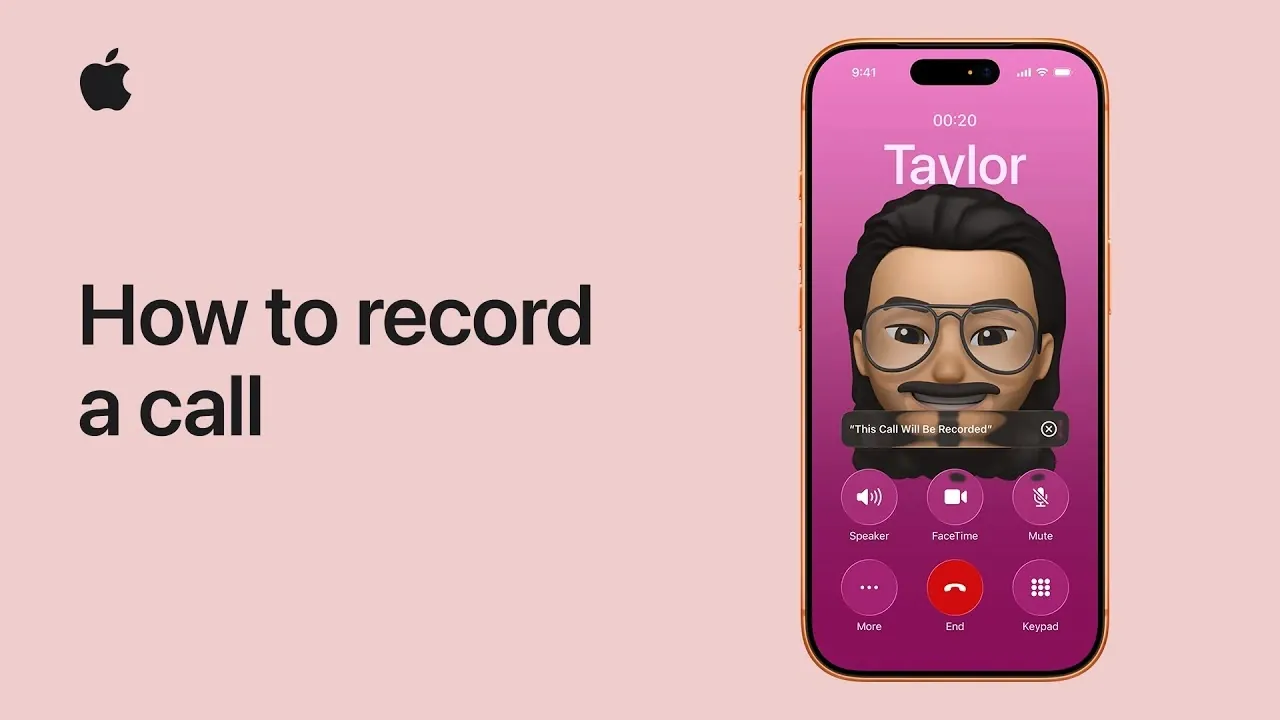
Apple’s iOS 18 introduces a highly anticipated built-in call recording feature for iPhone, iPad and macOS, simplifying the process of documenting phone and FaceTime audio calls. This new functionality is seamlessly integrated with the Notes app, providing users with an efficient way to record, manage and access their conversations. With features such as real-time notifications, editable transcripts and Apple’s advanced on-device intelligence, this update emphasizes both practicality and transparency. The video below from Apple gives us more details.

Key Features of Call Recording in iOS 18
The call recording feature in iOS 18 is designed to work across Apple’s ecosystem, including iPhones, iPads and Macs. Whether you are on a standard phone call or a FaceTime audio call, recording is now more accessible than ever. Some of the standout features include:
- Seamless Notes Integration: Recordings are automatically saved and organized within the Notes app for easy access and management.
- Real-Time Notifications: All participants are notified when a recording begins, making sure transparency and ethical usage.
- Privacy and Legal Compliance: The feature adheres to regional privacy laws and regulations, making it a secure option for users worldwide.
This functionality is designed to enhance productivity while maintaining a strong focus on ethical and secure usage.
Steps to Record a Call
Recording calls on iOS 18 is straightforward, thanks to its user-friendly design. Follow these steps to start recording your conversations:
- During an active phone or FaceTime audio call, tap the “More” button on your screen.
- Select “Call Recording” from the menu to initiate the recording process.
- All participants will receive a notification that the call is being recorded, making sure transparency and compliance with privacy standards.
- To stop recording, tap the stop button. The recording will end immediately and be saved automatically.
This process ensures that the feature is used responsibly and in line with legal requirements, making it a reliable tool for both personal and professional use.
Managing and Organizing Recordings in the Notes App
Once a call is recorded, it is automatically stored in the Notes app, which serves as a centralized hub for managing your recordings. The Notes app offers several features to enhance the usability of your saved conversations:
- Playback: Listen to your recordings directly within the app without needing additional software.
- Transcripts: Access automatically generated transcripts of your conversations, powered by Apple’s advanced transcription technology.
- Edit and Annotate: Make corrections to transcripts or add notes and annotations for better clarity and organization.
- Search Functionality: Use keywords to quickly locate specific details within your transcripts, saving time and effort.
This integration ensures that your recordings are not only secure but also easy to retrieve and organize, making it a valuable tool for both casual users and professionals.
Sharing and Collaboration Features
Sharing your recordings and transcripts is simple and efficient with iOS 18. From the Notes app, you can distribute recordings via email, messaging apps, or cloud services. This functionality is particularly useful for professionals who need to share meeting notes or collaborate on projects. Additionally, notifications provide quick access to recently saved recordings, allowing you to review or share them immediately after a call. These features make the call recording tool versatile and practical for a wide range of applications.
Advanced Intelligence and Summaries
Apple’s on-device intelligence enhances the call recording experience by offering features such as concise call summaries. The Notes app can automatically generate summaries that highlight the key points discussed during a conversation. This feature is especially useful for reviewing lengthy calls, as it saves time and provides a clear overview of the discussion. Importantly, all processing is done locally on your device, making sure that your data remains private and secure while benefiting from these advanced capabilities.
The Importance of Call Recording in iOS 18
The introduction of call recording in iOS 18 marks a significant advancement for Apple users. By providing a robust and user-friendly solution for documenting phone and FaceTime audio calls, Apple has addressed a long-standing demand. This feature is particularly valuable for professionals who require detailed records of conversations, as well as for everyday users who want to preserve important discussions. With its focus on privacy, transparency and ease of use, the call recording feature is a practical tool that enhances productivity without compromising ethical standards.
Here are additional guides from our expansive article library that you may find useful on iOS 18 Call Recording.
- How Apple Notes Call Recording & Transcription Feature Can Simplify Your Life
- iOS 18.1: The Ultimate Guide to Recording iPhone Calls
- Using Apple Notes to Record & Transcribe Calls
Source & Image Credit: Apple Support
Disclosure: Some of our articles include affiliate links. If you buy something through one of these links, Geeky Gadgets may earn an affiliate commission. Learn about our Disclosure Policy.
