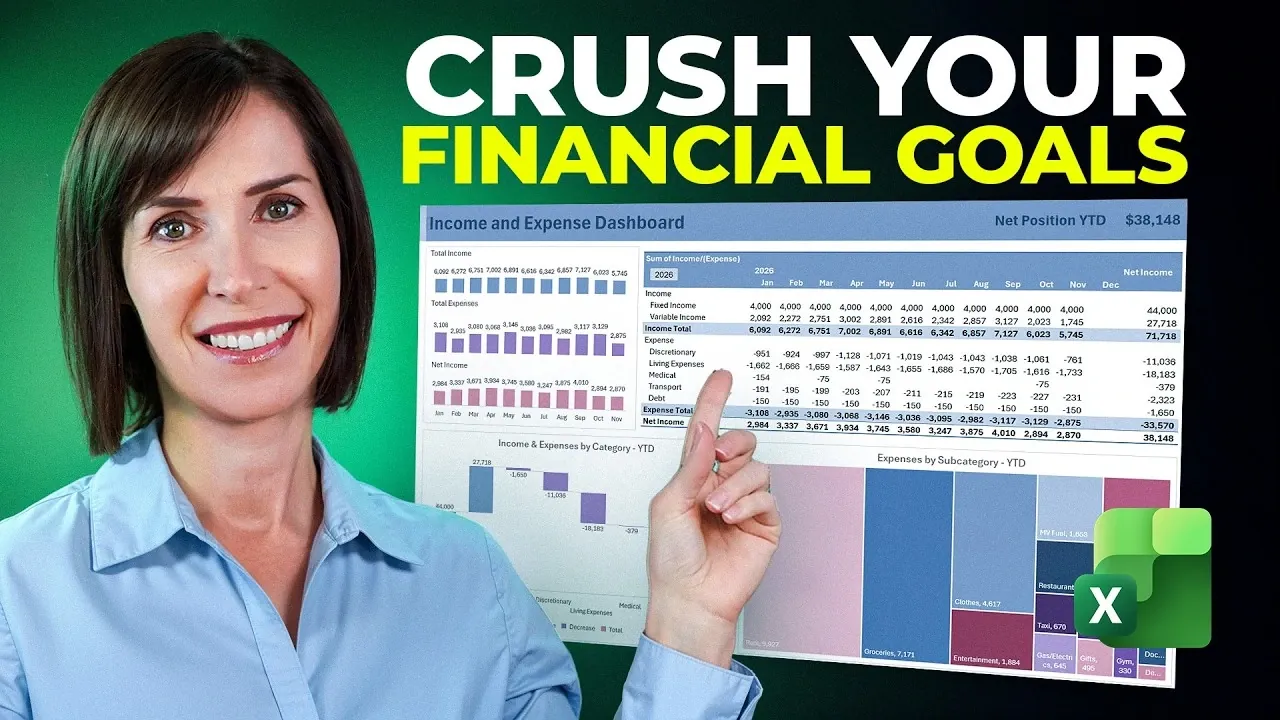
What if managing your finances in 2026 could be as simple as updating a spreadsheet? My Online Training Hub outlines how an Excel-based personal finance tracker can transform the way you handle money, offering a seamless blend of automation and clarity. Imagine a system that categorizes your transactions, tracks your savings, and updates your financial dashboard, all with minimal effort on your part. This isn’t just another budgeting method; it’s a smarter, more efficient way to stay on top of your finances without the usual stress and tedium. With features like automated transaction classification and dynamic visualizations, this tracker promises to make financial management less of a chore and more of a streamlined process.
In this guide, you’ll discover how this tracker uses Excel’s advanced capabilities to simplify your money management. From automated savings tracking to real-time dashboards that reveal spending trends, this guide will show you how to take control of your financial future with confidence. Whether you’re looking to cut unnecessary expenses, hit ambitious savings goals, or simply gain better insight into your spending habits, this tracker has something for everyone. As you explore its features, you might just find that managing your money isn’t as overwhelming as it seems, it’s all about having the right system in place.
Excel Personal Finance Tracker
TL;DR Key Takeaways :
- The Excel-based personal finance tracker automates key tasks like transaction classification, savings tracking, and dashboard updates, reducing manual effort and improving financial clarity.
- Automated transaction classification uses Excel’s XLOOKUP function to categorize expenses consistently, saving time and minimizing errors.
- Dynamic dashboards with pivot tables, charts, and slicers provide visual insights into income, expenses, and trends, allowing better financial decision-making.
- Savings tracking features, including cumulative targets and donut charts, help monitor progress toward financial goals and keep users motivated.
- Advanced tools like Power Query streamline data consolidation and multi-year tracking, making the tracker scalable and efficient for complex financial needs.
Why Automation Matters: Simplified Transaction Classification
One of the most tedious aspects of financial tracking is categorizing transactions. This tracker eliminates much of the manual work by automating the classification process. You can import bank transactions directly into Excel, either by copying and pasting data or uploading a file from your bank. Using Excel’s XLOOKUP function, the tracker matches transaction descriptions to predefined categories, subcategories, and types.
Key benefits of this automated system include:
- A lookup table that ensures consistent categorization of transactions, such as matching “Electric Bill” to “Utilities.”
- Automatic recognition of recurring expenses, reducing errors and saving time.
- Minimized manual data entry, allowing you to focus on analysis rather than tedious updates.
For example, if you frequently pay for gym memberships or streaming services, the tracker will automatically assign these expenses to categories like “Health & Fitness” or “Entertainment.” This level of automation ensures your financial records remain accurate and up-to-date, giving you a clear picture of your spending habits without the hassle of manual sorting.
Visual Insights: Dynamic Dashboards
Understanding your financial data becomes significantly easier when it’s presented visually. This tracker includes a dynamic dashboard that provides a comprehensive overview of your income, expenses, and net income on a monthly basis. These visual tools are designed to help you identify trends, spot areas for improvement, and make informed decisions.
The dashboard’s standout features include:
- Pivot tables that summarize large datasets for quick and efficient analysis.
- Charts such as column and waterfall charts to illustrate spending patterns and income fluctuations over time.
- Slicers for interactive filtering, allowing you to view data by specific years, categories, or other criteria with a single click.
For instance, a waterfall chart can highlight how your net income changes month by month, while a column chart breaks down spending across categories like groceries, transportation, and entertainment. These visualizations not only make complex data more digestible but also empower you to take actionable steps toward better financial management.
Free Excel Finance Tracker for 2026

Unlock more potential in Excel by reading previous articles we have written.
- New Excel Features 2026 : 17 Tools to Speed up Work
- Master Advanced Excel Functions BYROW vs MAP vs SCAN vs
- Endex for Excel : PDF Extraction, Model Cleanup & DCF Builds
- How to Use SuperXLOOKUP for Advanced Excel Data Analysis
- Beginner’s Guide to Excel AI Copilot : Tips, AI Tools & Functions
- How to Create a Custom Sidebar in Excel for Improved Navigation
- How to combine Excel tables using Power Query vs VSTACK
- Best Excel Features 2025 for Faster Reporting with Office Scripts
- How to Use Excel’s Dark Mode: Features, Benefits, and Limitations
- AI Assistant Mode in Microsoft Excel : Step-by-Step Guide for 2026
Track Your Progress: Savings Goals Made Simple
Achieving savings goals requires consistent tracking and prioritization. This tracker simplifies the process by helping you allocate funds to specific goals and monitor your progress over time. Using Excel’s LET function, the tracker dynamically updates calculations as your financial situation evolves, making sure that your savings plan remains accurate and relevant.
The savings tracker includes:
- Cumulative targets that show how much you’ve saved toward each goal.
- Percentage-funded calculations for a quick snapshot of your progress.
- Donut charts that visually represent how close you are to achieving each goal.
For example, if you’re saving $15,000 for a new car, the donut chart will display the percentage of your goal that has been funded, offering a clear and motivating visual of your progress. This feature keeps you focused on your priorities and provides a sense of accomplishment as you move closer to your financial objectives.
Effortless Updates: Monthly Refresh Workflow
Keeping your financial tracker up to date doesn’t have to be a time-consuming task. This tracker is designed with a streamlined monthly refresh workflow that simplifies the process of updating your data. By pasting new transactions into the transactions table, the automated classification system ensures that all new data is categorized correctly. Dashboards and savings goals are updated automatically, providing real-time insights into your financial performance.
This workflow offers several advantages:
- Elimination of repetitive manual updates, saving you time and effort.
- Real-time insights that help you stay on top of your financial health.
- Flexibility to analyze trends over months or even years, adapting to your long-term financial planning needs.
Whether you’re reviewing a single month’s spending or analyzing multi-year trends, this tracker adapts to your requirements, allowing you to focus on decision-making rather than data entry. The result is a more efficient and effective approach to financial management.
Advanced Tools for Power Users
For users who want to take their financial tracking to the next level, this tracker incorporates advanced features like Power Query. This tool automates data gathering and cleaning, making it easier to manage large datasets and consolidate information from multiple sources.
Advanced capabilities include:
- Combining multiple bank statements into a single table, significantly reducing manual effort.
- Scalability for multi-year tracking, eliminating the need for separate files for each year.
- Customizable pivot tables and slicers for analyzing data across different time periods or categories.
For instance, if you have accounts across multiple banks, Power Query can consolidate all your transactions into one cohesive dataset. This feature makes the tracker a robust solution for both short-term budgeting and long-term financial planning, offering unparalleled flexibility and efficiency for users with complex financial needs.
A Smarter Way to Manage Your Finances
This Excel-based personal finance tracker provides a comprehensive, automated approach to managing your finances in 2026. By combining features like automated transaction classification, dynamic dashboards, and savings tracking, it simplifies the complexities of financial management. Advanced tools such as Power Query and Excel formulas ensure that the tracker is both efficient and scalable, making it suitable for users with varying levels of financial complexity.
Whether your goal is to cut unnecessary expenses, achieve ambitious savings targets, or gain a clearer understanding of your financial habits, this tracker equips you with the tools needed to succeed. Take charge of your finances today and make 2026 the year you achieve your financial goals with confidence and clarity.
Media Credit: MyOnlineTrainingHub
Disclosure: Some of our articles include affiliate links. If you buy something through one of these links, Geeky Gadgets may earn an affiliate commission. Learn about our Disclosure Policy.
