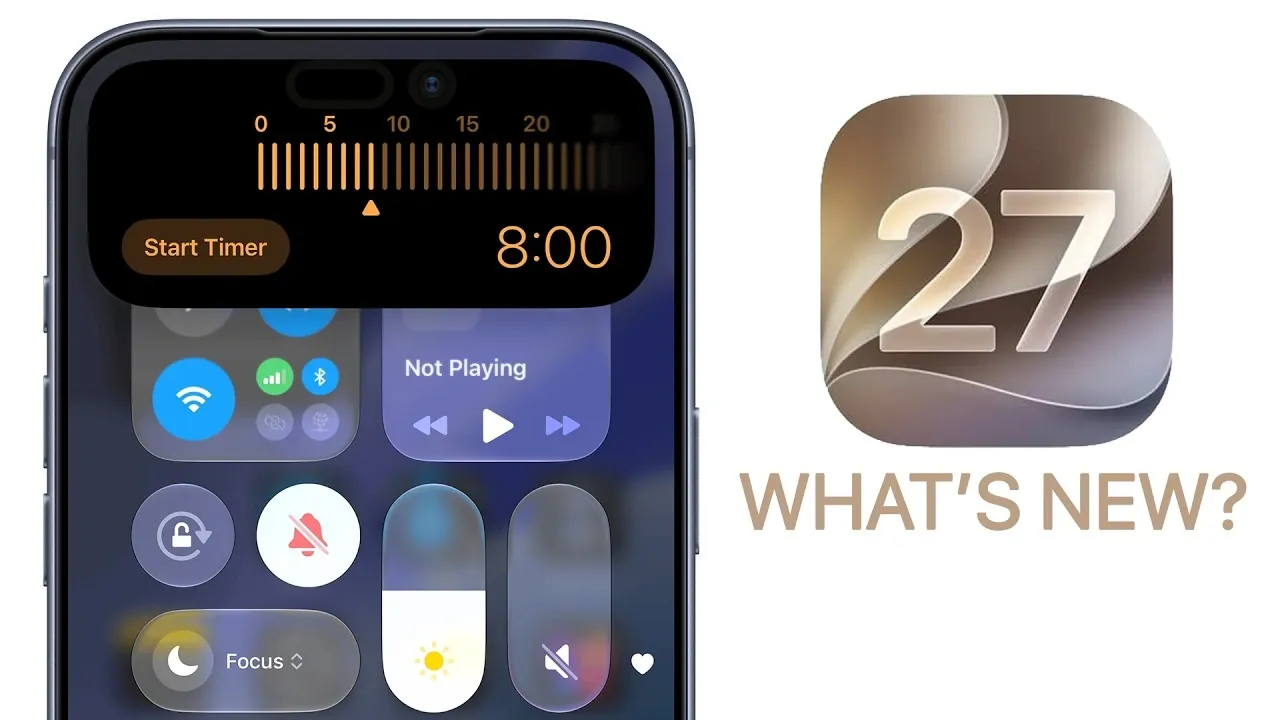
iOS 27 delivers a fantastic update with over 200 features designed to enhance speed, integrate advanced AI, and provide deeper personalization and security. This release reimagines how you interact with your device, offering a seamless and intuitive experience for both casual users and tech enthusiasts. With a focus on efficiency and user-centric design, iOS 27 ensures your device adapts to your needs like never before. The video below from Brandon Butch gives us a look at some of the new iOS 27 features.
Performance: Faster and Smoother
Performance improvements are at the heart of iOS 27. Apps now launch 30% faster, while photos in the camera roll load 70% quicker, making sure you spend less time waiting and more time engaging. AirDrop has been optimized with an 80% boost in transfer speeds, making file sharing nearly instantaneous. These enhancements ensure your device handles demanding tasks effortlessly, eliminating lag and delivering a consistently smooth experience.
Personalization: Make Your Device Truly Yours
iOS 27 introduces a wealth of personalization options to make your device uniquely yours. The lock screen now supports minimalist clock designs, while the “Now Playing” bar can be hidden for a cleaner aesthetic. AI-powered wallpaper extensions dynamically adapt backgrounds to your preferences, offering a personalized touch. Notifications are easier to manage, with the screen staying awake as you scroll, making sure you never miss important updates.
Home Screen and Widgets: Enhanced Customization
Widgets in iOS 27 have been reimagined for greater functionality and customization. Full-screen widgets and redesigned glyph icons make it easier to tailor your home screen to your needs. You can now add the Apple TV remote directly to your home screen, streamlining access to frequently used features. These updates enhance navigation and make interacting with your device more intuitive and efficient.
AI and Siri: Smarter Interactions
Artificial intelligence takes center stage in iOS 27, with Siri receiving significant upgrades. Siri now features expressive voices and improved context awareness, allowing it to better understand your emails, messages and calendar events. A standalone Siri app allows for conversational interactions and Siri can now perform tasks within apps, such as creating playlists or organizing photos. AI-powered tools extend to visual intelligence, offering features like nutrition analysis and receipt splitting, making everyday tasks more convenient.
Camera and Photos: Smarter and More Intuitive
The camera and photo experience in iOS 27 has been overhauled for greater usability. A redesigned interface provides quicker access to settings, while AI tools enable photo cleanup, reframing and auto-generated video captions. New albums, such as “Captured by Me” and “Identity Documents,” simplify media organization. Enhanced shared album features, including emoji reactions and temporary sharing options, make sharing memories more engaging and interactive.
Accessibility: Inclusive and Adaptive
iOS 27 introduces several accessibility improvements to ensure inclusivity for all users. VoiceOver now provides detailed image descriptions, offering greater context for visually impaired users. A new zoom interface and natural language input enhance usability, while display pulse smoothing reduces screen flicker, creating a more comfortable experience for users with visual sensitivities. These updates reflect Apple’s commitment to making technology accessible to everyone.
Messages and Safari: Streamlined Communication and Browsing
Messaging in iOS 27 is more efficient and user-friendly. Features like visible drafts, handwritten message support and individual progress bars for sending messages improve communication. Safari has been enhanced with automatic tab organization by topics, natural language-based extension creation and notifications for website content updates. A redesigned Apple Pay checkout interface simplifies online transactions, making browsing and shopping more seamless.
Offline Features and Maps: Smarter Navigation
Offline functionality receives a significant boost in iOS 27. Improved offline maps allow you to navigate without an internet connection, while AI-enhanced flyover experiences provide immersive views of cities and landmarks. The Maps app now includes trending restaurant recommendations, making it a more versatile tool for travel and exploration. These updates ensure you stay connected and informed, even when offline.
Privacy and Security: Protecting Your Data
Privacy remains a cornerstone of iOS 27. New features like impersonation risk detection help identify potential scams, while automatic password fixing addresses compromised accounts. These tools ensure your personal information remains secure, giving you greater peace of mind. With these robust privacy measures, iOS 27 continues Apple’s tradition of prioritizing user security.
Health, Fitness and Weather: Comprehensive Insights
The Health app in iOS 27 offers a more holistic view of your fitness journey. Redesigned workout summaries now include weather and effort details, providing deeper insights into your progress. Weather visualizations have been updated with new graphics for precipitation, wind and conditions, along with a highlights section for daily insights. These updates ensure you stay informed and motivated in your health and fitness goals.
Additional Enhancements: Small Changes, Big Impact
iOS 27 introduces a range of smaller but impactful changes that refine the overall user experience. Redesigned app icons, expanded parental controls and improved dictation with advanced punctuation and grammar checking enhance usability. Customizable widgets, AI-powered shortcuts and enhanced connectivity features further streamline daily tasks, making your device more versatile and efficient.
A New Standard for Mobile Operating Systems
iOS 27 sets a new benchmark for mobile technology, combining faster performance, advanced AI capabilities and robust privacy measures. With over 200 new features, this update delivers a user-centric experience that makes everyday tasks more intuitive, efficient and enjoyable. Whether you’re exploring personalization options, using smarter AI tools, or benefiting from enhanced security, iOS 27 ensures your device evolves to meet your needs.
Learn more about iOS 27 Features with other articles and guides we have written below.
- Apple Just Confirmed 8 Major Features Coming to iOS 27
- iOS 27 Rumors: Top Features We Need (and What’s Leaked So Far)
- Is Your iPhone on the List? iOS 27 Could Cut Off These Popular Models
- iOS 27 Leak: Apple Is Giving You More Control Over the ‘Liquid Glass’ Design
- What to Expect from Apple’s Massive iOS 27 Update
Source & Image Credit: Brandon Butch
Disclosure: Some of our articles include affiliate links. If you buy something through one of these links, Geeky Gadgets may earn an affiliate commission. Learn about our Disclosure Policy.
