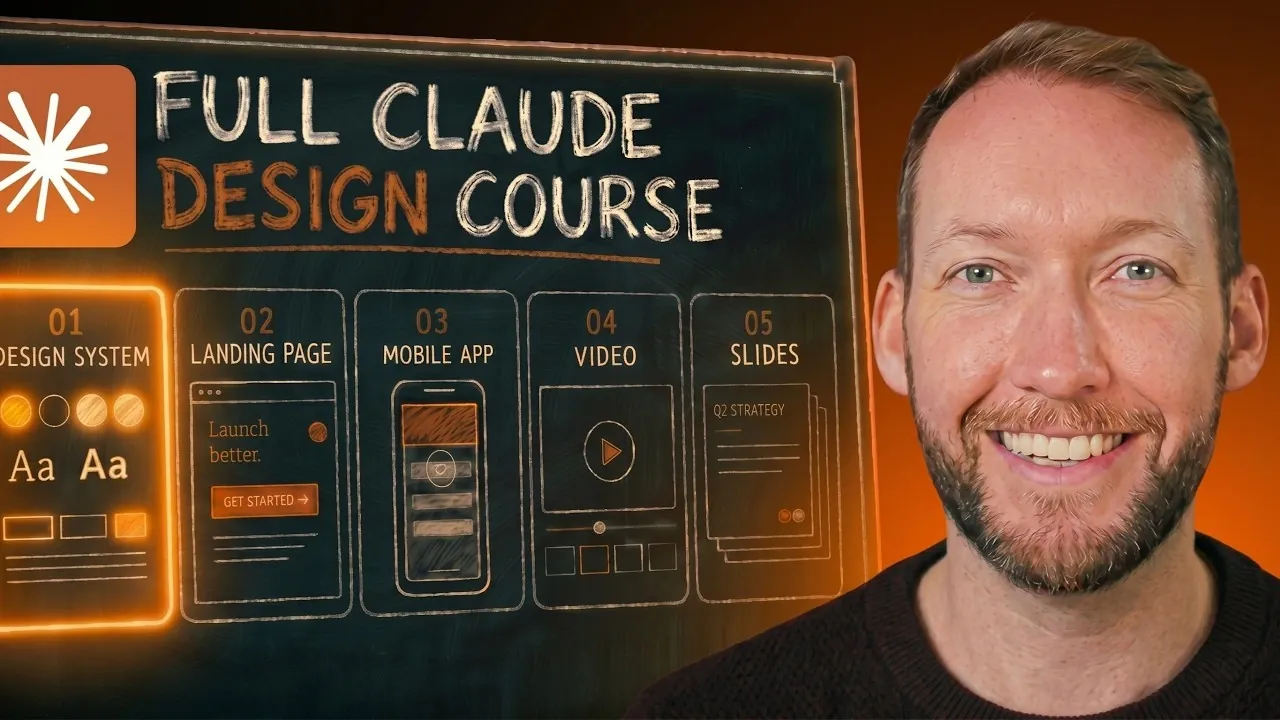
Claude Design combines code-based outputs with iterative prompts to create professional visuals, offering a distinct workflow compared to platforms like Figma or Canva. According to Simon Scrapes, success with this system begins with building a strong design foundation, such as establishing a cohesive design system. This involves gathering reference visuals, using frameworks like Skill UI and incorporating AI-generated elements to streamline the process and minimize repetitive instructions.
Discover how to refine landing pages through structured layout planning, prototype mobile apps using iterative drafts and incorporate external resources to elevate your designs. Gain insight into managing token usage effectively, balancing visual complexity and making sure brand consistency across various projects. This step-by-step guide equips you with practical strategies to navigate Claude Design’s unique approach.
What Sets Claude Design Apart?
TL;DR Key Takeaways :
- Claude Design is a code-based platform for creating professional visuals, offering unmatched flexibility and customization through structured prompts and iterative refinement.
- Building a strong design system is essential for consistency, efficiency and avoiding generic AI-generated aesthetics, saving time and optimizing token usage.
- Iterative refinement is key for designing landing pages, mobile app prototypes and dynamic slide decks, making sure polished and cohesive outputs tailored to project goals.
- Integrating external tools like ChatGPT’s image model and Claude Code’s Taste Skill can enhance originality, refine designs and push creative boundaries.
- Strategic planning and clear prompts are crucial to overcoming limitations such as inconsistent iterative edits and the lack of custom skill support, making sure effective use of the platform.
Claude Design stands out from visual editors like Figma or Canva by relying on structured prompts to generate outputs, similar to Claude Code. This approach offers unmatched flexibility and customization, but it also demands precise inputs and careful planning. By understanding its unique capabilities and limitations, you can unlock its potential to create cohesive, professional visuals tailored to your specific needs.
Unlike traditional tools, Claude Design allows for iterative refinement, allowing you to adjust and perfect outputs over time. This iterative process ensures that your designs are not only visually appealing but also aligned with your project’s goals. However, this flexibility comes with a learning curve, making it essential to approach the platform with a clear strategy.
Building a Strong Design System
A well-defined design system is the foundation of any successful project in Claude Design. By establishing clear design principles, you can ensure consistency across all outputs and avoid the generic look often associated with AI-generated visuals.
- Gather reference screenshots from websites or apps that reflect your desired aesthetic.
- Use tools like Skill UI to extract design principles from existing digital products.
- Incorporate ChatGPT’s image model to generate visual inspirations and refine your ideas.
Investing time in creating a comprehensive design system not only saves time but also optimizes token usage. By reducing the need for repetitive instructions in your prompts, you can focus on refining your designs rather than starting from scratch with each iteration.

Take a look at other insightful guides from our broad collection that might capture your interest in Claude Design.
- Claude Design Tutorial: Create Presentations and Assets with AI
- Claude Design Guide: Building Interactive UIs and Slide Decks
- Claude Design: Features, Exports and How It Impacts Figma
- Claude Design vs Traditional Wireframing : A 2026 Guide
- Claude Design: Anthropic’s New AI Platform Powered by Opus 4.7
- How to Fix NotebookLM Limitations With Claude Design
- Opus 4.7 Leak: Anthropic’s Answer to Google Stitch
- The Pros and Cons of AI Video Editing With Claude
- A Complete Guide to Claude Design
- How Claude Designer 3.0 Speeds Up UI Prototyping and Workflow
Designing Landing Pages with Precision
Creating a landing page in Claude Design requires a structured and deliberate approach. Unlike Claude Code, which emphasizes raw coding, Claude Design integrates visual elements directly into the output, making it essential to plan your layout carefully.
- Begin with a clear layout plan, detailing the structure and purpose of each section.
- Use inline comments to refine specific elements, such as buttons, headers, or images.
- Be mindful of token limits by avoiding overly complex or vague prompts.
Focusing on one section at a time ensures that each element aligns with your overall design system. Iterative refinement is crucial for achieving a polished and cohesive final product. By breaking the process into manageable steps, you can maintain control over the design while making sure that it meets your objectives.
Prototyping Mobile Apps with Flexibility
Claude Design excels at wireframing mobile apps, offering the flexibility to experiment with layouts and navigation patterns before finalizing your design. This capability allows you to explore multiple options and refine your ideas iteratively.
- Create multiple variations of each screen to evaluate different user interface options.
- Test visual adaptability by toggling between light and dark themes to ensure versatility.
- Use sketchy styles for early drafts and clean styles for polished prototypes.
This iterative process not only enhances the functionality and aesthetics of your app but also ensures a seamless user experience. By testing and refining your designs, you can address potential issues early in the development process, saving time and resources in the long run.
Crafting Dynamic Slide Decks
Dynamic slide decks are another area where Claude Design shines. By starting with an animated video, you can create engaging and visually cohesive presentations that capture your audience’s attention.
- Extract key frames from videos to convert them into slide decks with simplified information.
- Enhance clarity by incorporating screenshots, icons and other visuals that support your message.
- Maintain brand consistency by adhering to your established design system.
This approach ensures that your slides are not only visually appealing but also aligned with your overall design goals. By focusing on clarity and cohesion, you can create presentations that effectively communicate your ideas while leaving a lasting impression.
Enhancing Outputs with External Tools
To elevate your designs further, consider integrating external tools and experimenting with alternative aesthetics. These tools can complement Claude Design’s capabilities, allowing you to achieve more sophisticated and tailored results.
- Use the Taste Skill in Claude Code to eliminate generic AI traits and enhance originality.
- Explore minimalist and brutalist styles to create distinctive and memorable visuals.
- Use ChatGPT’s image model for additional design inspiration and refinement.
By combining Claude Design with external tools, you can push the boundaries of what’s possible, creating designs that stand out while meeting your specific needs.
Practical Strategies for Success
Maximizing Claude Design’s potential requires a strategic and thoughtful approach. Keep these practical strategies in mind to streamline your workflow and improve the quality of your outputs:
- Start by building a comprehensive design system to save tokens and ensure consistency across all outputs.
- Avoid generic AI design traits, such as overused fonts or color gradients, to maintain a unique aesthetic.
- Use inline comments for targeted edits instead of re-prompting entire sections, saving time and resources.
- Plan dynamic slides by creating videos first to guide your content structure and visual flow.
These strategies will help you navigate the platform more effectively, allowing you to produce high-quality visuals that align with your goals.
Overcoming Limitations
While Claude Design is a powerful tool, it does have its limitations. For example, it currently lacks support for custom skills, which may require reliance on external tools for advanced customization. Additionally, iterative edits can sometimes yield inconsistent results, making clear and focused prompts essential for success.
By understanding these limitations and planning accordingly, you can mitigate potential challenges and make the most of Claude Design’s capabilities. With careful planning and a strategic approach, you can overcome these obstacles and achieve your design objectives.
Media Credit: Simon Scrapes
Disclosure: Some of our articles include affiliate links. If you buy something through one of these links, Geeky Gadgets may earn an affiliate commission. Learn about our Disclosure Policy.
