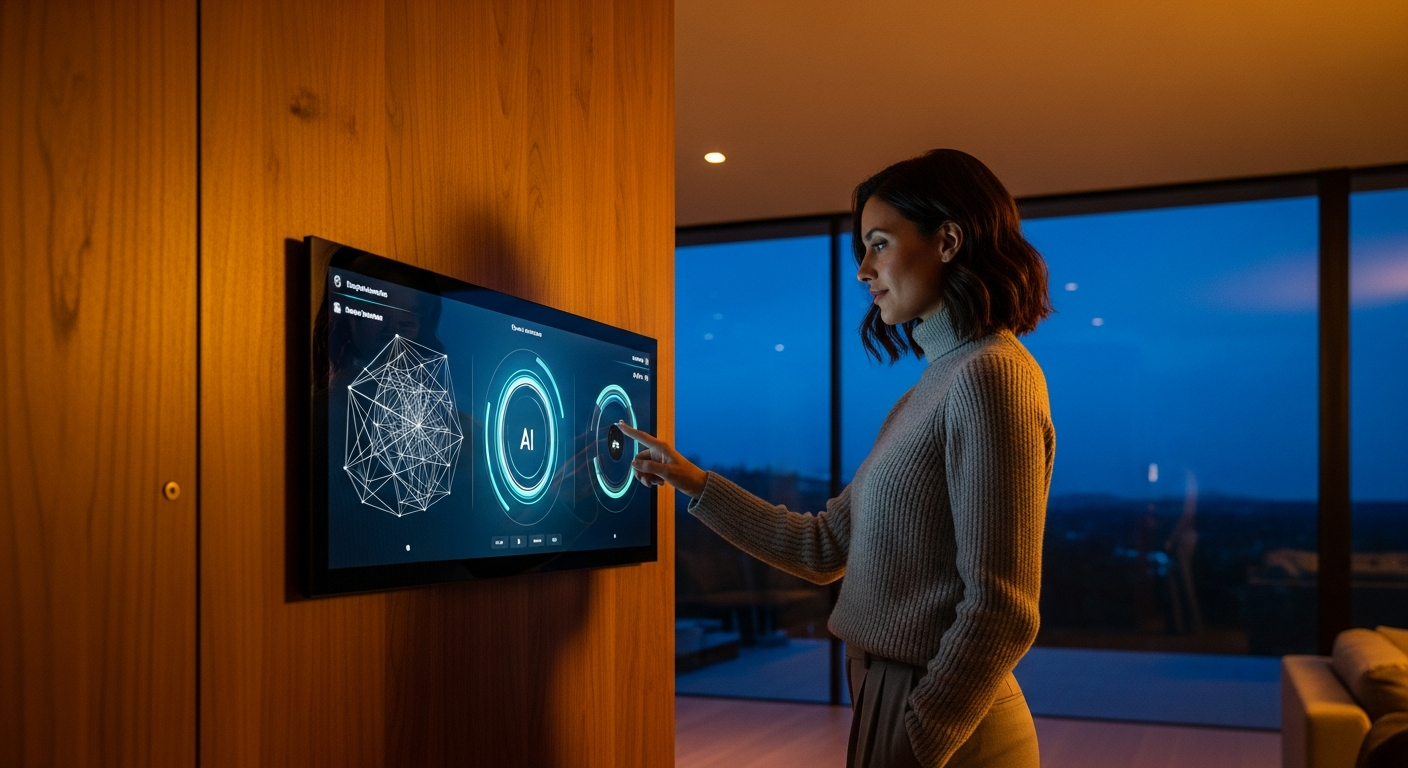
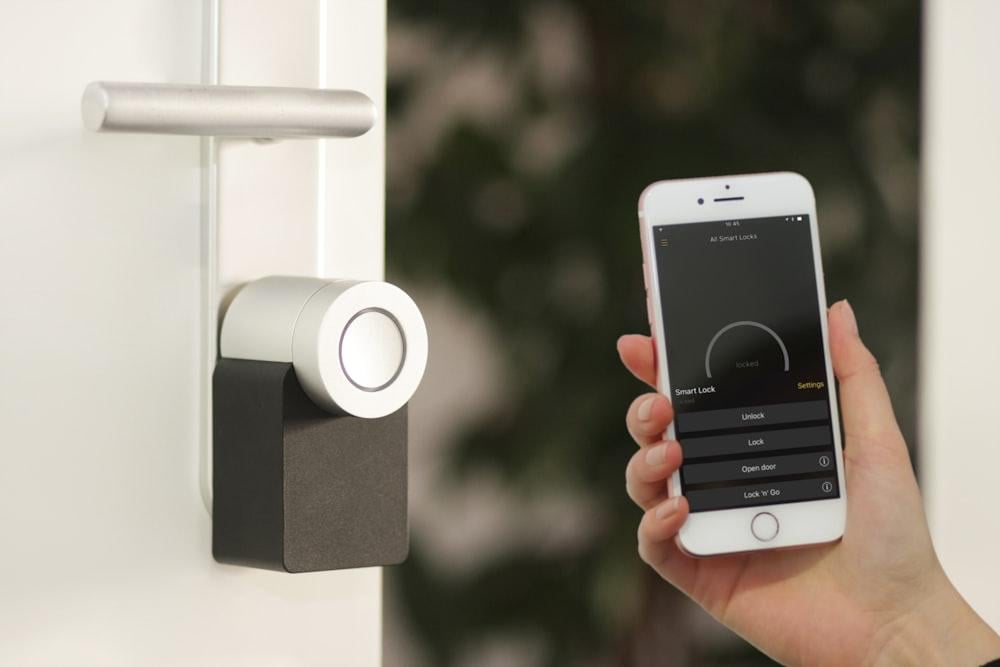
AI-powered smart home security devices at the front entryway. Image: Unsplash
Home security hardware has come a long way from the days of a loud siren and a prayer. The best systems now try to spot unusual activity before something goes wrong, identify who’s standing at the door, and let you respond from wherever you happen to be.
That shift toward proactive protection leans heavily on AI to filter out the noise and surface real events. The smart home security market, which covers connected cameras and sensors, is expected to grow from $41.4 billion in 2025 to $104.6 billion by 2033. With more options flooding the market every quarter, it’s become genuinely important to weigh total costs, platform compatibility, and real-world utility before you tap “Add to Cart.”
Property protection has moved well beyond basic door sensors into behavior-aware monitoring. That matters more than ever because property crime is adapting right alongside online shopping habits, with deliveries left exposed on porches like open invitations. In fact, consumer security surveys indicate that up to 45% of Americans reported a package stolen in recent years. A solid security setup gives your household the tools to prevent those losses, manage entry remotely, and keep some peace of mind no matter where you are (yes, even from a beach chair in Cancún).
Why AI Matters in Modern Home Security
From Motion Alerts to Behavior-Aware Monitoring
Older alarm setups relied entirely on basic motion triggers and generic window sensors, which meant you’d get woken up at 2 a.m. because a raccoon wandered across your patio. Modern devices swap those generic notifications for specific alerts tied to people, packages, familiar faces, and distinct activity zones. Advanced on-device processing helps the camera understand the context of movement, rather than just reacting to shifting pixels on a screen. Today’s smart cameras routinely feature two-way audio and smart detection that can significantly reduce false alerts. That reduction in noise is what prevents alert fatigue; you actually pay attention when your phone buzzes because you trust it means something.
AI also brings capabilities that tailor the security experience to your specific household routines. For example, AI-powered smart locks and cameras can now recognize pets with improved accuracy. So the system ignores your golden retriever sprinting through the living room while still catching an unexpected human intruder. You end up with a more personalized setup that fits your lifestyle without constant manual tweaking, which is great news if you’ve ever spent an afternoon re-configuring motion zones because the neighbor’s cat kept triggering your floodlight cam.
Where AI Helps Most (and Where It Still Falls Short)
AI excels at classifying events and triggering complex automation routines, but it’s far from perfect. Weather conditions, poor lighting, and bad camera angles significantly affect accuracy, even on the priciest hardware. Descriptive AI alerts can still make baffling mistakes; one report found cameras misidentifying humans as bears or turkeys. So judge a system on its overall reliability, control options, and notification speed rather than buying into exaggerated marketing claims. Think of AI as a helpful assistant, not an infallible guard.
| Security approach | Traditional system | AI-enabled system |
|---|---|---|
| Alerts | Basic motion/open-close alerts | Person, package, vehicle, or unusual activity alerts |
| Response style | Reactive | More proactive |
| False alerts | Often higher | Potentially lower, but it depends on the setup |
| Automation | Limited | Can trigger routines and lock/camera actions |
| Privacy considerations | Lower data complexity | Higher, especially with cloud processing |
Proper placement drastically improves the performance of any camera or sensor, regardless of the software powering it. Position lenses away from glaring sunlight and make sure there’s a clear, unobstructed field of view. Right now, over 75 million homes have security cameras installed nationwide. Many of those households could boost detection accuracy simply by repositioning their devices, something that takes 20 minutes and costs nothing. Hardware configuration usually outperforms software correction.
The Hardware That Matters Most Before You Buy
Essential Components for Most Homes
A solid residential setup typically includes smart cameras, video doorbells, automated locks, and various contact sensors. Some homeowners also add floodlights, glass-break detectors, and connected smoke alarms (like those from Nest or First Alert) to build a broader safety net. These components work together to cover key entry points and monitor environmental hazards simultaneously. As of 2026, 22% of U.S. internet households own a smart lock, showing steady mass-market adoption. You no longer need to rely on single-function mechanical deadbolts when connected alternatives offer greater visibility and control.
Choosing the right devices means balancing your budget against the specific vulnerabilities of your property. Outdoor cameras can deter trespassers on sight, while indoor sensors alert you if someone breaches the perimeter. The global smart home security camera market may see similar explosive growth over the next decade, driven by the adoption of these proactive tools. Prioritize essential entryways first before dropping money on supplementary indoor monitors. A logical hardware rollout keeps costs manageable while maximizing the immediate benefit.
Spend Priority by Risk Area
Homeowners frequently overspend on flashy gadgets while leaving their most vulnerable access points wide open. Sound familiar? Following a package theft incident, 50% of victims installed a security system or doorbell camera to prevent future losses. Taking a strategic approach to purchasing means you secure the most critical zones first. Walk your property and identify obvious blind spots. Dedicating your budget to high-traffic exterior doors often yields the highest return on investment.
Here’s a practical priority list from highest to lowest impact:
- Front door: Video doorbell or combined smart lock with camera
- Main entry points: Door and window contact sensors
- Driveway or porch: Outdoor camera with person and package detection
- Common indoor area: One indoor camera if you need it for pets or children
- Whole-home automation: Central hub or ecosystem controller (like SmartThings or Hubitat) if needed
DIY vs. Professionally Installed Systems
Self-installed hardware has improved drastically; many people with a screwdriver and a smartphone can secure their homes in an afternoon. Professional installation still makes sense for larger properties or systems requiring complex hardwiring and continuous monitoring services. Either way, you’ll need to manage software updates, battery replacements, and wireless network stability yourself. One concern worth flagging: the use of AI-generated code by hobbyists can introduce security vulnerabilities in unmonitored open-source smart home setups. Stick to established brands that push regular, verified firmware patches directly to devices.
Proper network maintenance is the foundation of any reliable connected safety system. Devices that drop offline during an internet outage leave your property less protected unless they include local fallback mechanisms (and yes, there’s a catch: many budget options don’t). CISA warns that poorly secured IoT environments can become attractive targets for cybercriminals. Secure your home router with a strong password and set up a separate guest network to isolate critical hardware. Basic cyber hygiene goes a long way toward preventing outsiders from accessing your private video feeds.
Why Integrated Entry Security Is Becoming a Smarter Buy
The Case for Combining a Smart Lock, Camera, and Intercom
Doorstep theft and visitor management are pressing daily concerns for renters and homeowners alike. Combining multiple devices into one unit reduces physical clutter around the doorframe and simplifies the mobile app workflow. Consumers increasingly want this convergence; 93% of smart lock purchasers want a video camera combined directly into the hardware. A unified device gives you one clear view of who arrived, when the door unlocked, and who granted access. Managing everything from a single interface makes a real difference during busy mornings when you’re juggling school drop-offs and a contractor showing up early.
Porch piracy drives much of the demand for these all-in-one entryway solutions. According to recent retail and shipping data, porch piracy accounts for tens of millions of lost packages annually, resulting in billions of dollars in losses for consumers. A visible lens right at the handle can deter casual thieves while providing recorded evidence if a theft happens. Streamlining the hardware response means you can quickly speak through the intercom and secure the delivery before a porch pirate even has time to think. That kind of immediate intervention stops crimes of opportunity before they escalate.
What to Look for in a Lock-Camera Combo
If you’re evaluating smart door locks with camera, check whether the device combines Full HD live streaming, a doorbell intercom, remote lock and unlock controls, fingerprint access, access logs, flexible guest code options, and voice assistant support. Lockly Vision is one example of this converged approach, especially if you want to manage entry and doorstep video on a single device rather than juggling separate hardware. Centralizing these features saves you from bouncing between three different apps just to let a friend inside.
Beyond simple entry management, the real utility of these integrated devices comes down to contextual awareness. High-end setups go well beyond simple convenience by differentiating between vehicles and unfamiliar visitors, adding critical intelligence to your front-door activity feed. Before buying, just make sure to compare battery life requirements, physical installation fit, and whether Alexa, Apple HomeKit, or Google Assistant support seamlessly matches the rest of your home. A thoughtful purchase improves safety without complicating your daily routine.
Remote Monitoring, Automation, and Ecosystem Compatibility
Google Home, Apple HomeKit, Alexa, and Mixed-Device Setups
Platform compatibility matters more than the isolated quality of any single product. Before you buy, verify that your new cameras, sensors, and deadbolts all function within a single primary ecosystem. Google Home’s recent spring update expands Nest camera alerts and door lock controls, making it easier to automate complex household routines. Apple-focused buyers tend to prioritize local control and HomeKit support, while Amazon Alexa users benefit from broad third-party device compatibility. Picking a central platform early helps prevent operational headaches down the line.
Mixing and matching random brands can create a fragmented experience that defeats the purpose of automation. Not sure why that matters? When devices fail to communicate securely, they may introduce unnecessary vulnerabilities into your home network. Recent reports showing vulnerabilities in connected lawn bots demonstrate how hackers can remotely access Wi-Fi passwords and camera feeds when ecosystems lack tight security. Sticking to a unified, heavily encrypted platform keeps your data safer and daily operations smoother. Consistent updates across a single ecosystem also reduce software conflicts.
App Quality Matters as Much as Hardware
Impressive hardware specs mean very little if the mobile app constantly crashes or lags during an emergency. You need immediate notification speed, clear event timelines, detailed access logs, and simple temporary guest code management. Studies show over 95% of custom AI assistants lack adequate protection, which is a good reminder to choose well-tested mobile applications with strong user ratings. Secure software forms the backbone of remote monitoring.
The best software lets administrators manage multi-user permissions without exposing the entire network. Poorly designed apps can suffer from quiet data leaks, silently sharing sensitive household behavior with unauthorized third parties. If possible, download and test the app before committing to expensive hardware. A clean, responsive interface makes it far more likely you’ll actually use the tools you paid for. Consistent app support also signals that the manufacturer takes user safety seriously, not just launch-day hype.
Privacy, Cloud Fees, and the Hidden Costs of AI Security
Local AI vs. Cloud AI
Processing video footage directly on the device can improve both response speed and user privacy. Cloud-based processing, on the other hand, may offer richer history logs and more advanced detection algorithms, but it sends personal data off-site. The industry is starting to shift here. Eufy’s new EdgeAgent platform processes events locally on an onboard AI chipset, cutting down cloud response latency to just a few seconds. This localized framework keeps footage entirely within the physical boundaries of your property—a massive win for privacy-conscious buyers who increasingly prefer to avoid remote servers.
Consumer trust remains a real hurdle for companies pushing cloud-reliant analytical tools. Industry data reveals that 72% of US internet households are concerned about AI data security and privacy. Read the fine print to determine exactly who owns your video clips and how that data might be used to train future software updates. If that sounds paranoid, ask anyone who’s tried to delete footage from a major cloud provider’s servers. Understanding the data flow helps you make a genuinely informed call about which system to trust.
What the Price Tag Really Includes
The upfront cost of a camera or keypad is only part of the total ownership expense. Many advanced features stay locked behind monthly subscription plans that can add hundreds of dollars over a device’s lifetime. Cloud storage subscriptions may provide event history or extended recording, depending on the provider. You should also factor in the ongoing cost of replacement batteries, extra bridging hubs, and optional professional emergency dispatch services. Budgeting for these recurring fees upfront saves you from unpleasant surprises six months in.
Questions to Ask Before Checkout
Smart shoppers look closely at long-term value before completing a purchase. Ask whether the system continues to work effectively if you cancel the monthly subscription. Which intelligent features disappear when you stop paying, and where do your video recordings physically reside? Research shows that 52% of companies don’t fully trust their AI security controls, indicating that even professionals struggle to verify vendor claims. Also ask how long the provider retains your access logs, whether local backups are supported, and how often the batteries need charging. These aren’t nitpicky questions; they’re the ones that separate a smart purchase from buyer’s remorse.
Which Type of System Makes Sense for Your Home
Best Fit for Apartments, Single-Family Homes, and Rentals
Renters benefit most from peel-and-stick window sensors, wireless battery devices, and retrofit locks that avoid permanent door damage. Single-family homeowners usually prefer hardwired outdoor cameras, expanded perimeter sensor coverage, and loud external sirens to deter intruders early. Vacation rental managers, meanwhile, tend to prioritize temporary guest codes, detailed entry logs, and remote unlocking capabilities to streamline property access between turnovers. Tailoring the hardware to the property type makes a marked difference in both performance and everyday satisfaction.
A Simple Decision Framework
So what does picking the right gear actually come down to? Identify your biggest daily frustration and solve it first. Choose an outdoor camera-first setup if monitoring a dark driveway or expansive backyard is your top concern. Go with a lock-first strategy if controlling access, managing dog walkers, and securing incoming packages matter most to you. Build out a more complete system if you need sirens, glass sensors, and automated lighting working together.
Keep in mind that 30% of consumers say AI-focused marketing actually reduces their likelihood of purchase, so focus on practical utility rather than whatever buzzword a brand slapped on the box. The best system is the one that solves your specific problem without creating three new ones.
The Smartest Upgrade Is the One You’ll Actually Use
The most effective security hardware isn’t necessarily the system with the longest spec sheet. The right equipment needs to be reliable, easy to manage, compatible with your preferred phone platform, and suited to your property layout. AI processing adds the most value when it reduces false notifications, speeds up your reaction time, and simplifies daily entry. Corporate reports show that only 5% of companies report full visibility into AI tool usage, a reminder for homeowners to keep their own setups simple and understandable, too. Overly complex configurations often lead to user errors at exactly the wrong moment.
Buying gear that’s too complicated leads to frustration, dead batteries, and devices being switched off entirely. Take the time to align your hardware choices with your exact household needs for long-term success. Protecting your family requires vigilance, common sense, and tools that genuinely make your daily routine easier, not harder. Are you leaning toward a full security setup, or would a combined front-door device cover most of your needs? Drop your thoughts in the comments below.
Disclosure: Some of our articles include affiliate links. If you buy something through one of these links, Geeky Gadgets may earn an affiliate commission. Learn about our Disclosure Policy.
