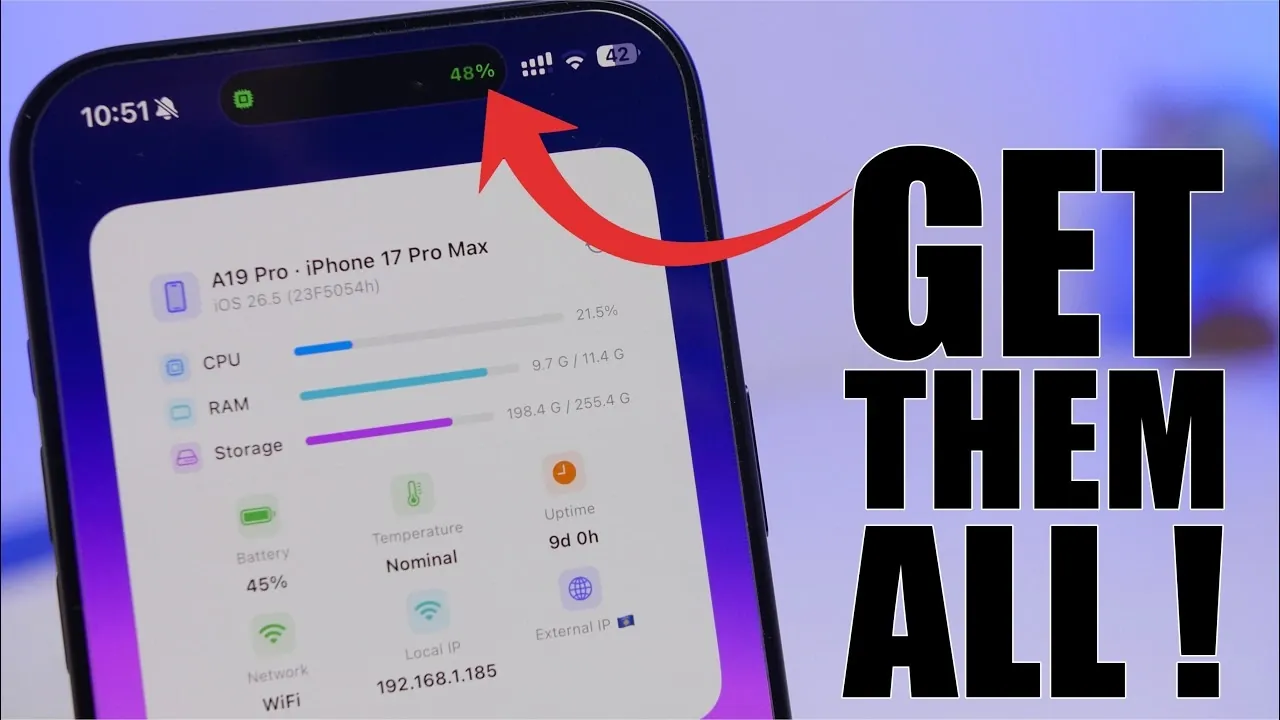
Are you looking to maximize your iPhone’s potential without spending a dime? These eight free apps can significantly enhance how you use your device, offering tools that improve productivity, creativity, and overall functionality. From monitoring your phone’s performance to creating professional-grade content, these apps cater to a variety of needs. Here’s an in-depth look at each app and how it can elevate your iPhone experience in a new video from iReviews.

Device Monitoring: Stay Informed About Your iPhone’s Performance
Understanding your iPhone’s performance is essential for maintaining its efficiency. Device monitoring apps provide detailed insights into key metrics, allowing you to track and optimize your phone’s functionality. These apps typically monitor:
- CPU usage to identify resource-heavy processes
- RAM allocation for smoother multitasking
- Battery health to prolong longevity
- Storage capacity to manage files effectively
- Network activity for better connectivity
- Sensor data for advanced diagnostics
Many of these tools feature widgets and real-time updates, making sure you’re always informed. If you own a newer iPhone, dynamic island integration offers seamless access to performance data, making it easier than ever to monitor your device.
ReplyKit: Streamline Your Communication
ReplyKit is a customizable keyboard app designed to simplify and speed up your messaging. It allows you to create pre-set text templates for quick replies, making it an invaluable tool for both personal and professional communication. You can organize templates into folders for specific purposes, such as:
- Frequently used phrases for everyday conversations
- Contact information for sharing details quickly
- Email signatures for professional correspondence
This app is particularly useful for professionals who need to respond promptly and consistently, saving time while maintaining accuracy and clarity.
Zoom Magic: Elevate Your Video Content
Zoom Magic simplifies the process of creating dynamic and engaging video content. The app automates zoom effects, allowing you to customize:
- Start and end points for precise focus
- Durations to control pacing
- Transitions for smooth visual flow
Whether you’re recording hands-free or adding creative touches to your videos, Zoom Magic delivers professional-grade results. It’s an excellent choice for vloggers, content creators, or anyone looking to enhance their video production effortlessly.
Toolbox Pro: A Comprehensive Utility App
Toolbox Pro is a versatile app that combines over 100 tools into one convenient package. It includes features such as:
- Calculators and converters for quick problem-solving
- File management utilities to organize your data
- Media editing tools for creative projects
- Device diagnostics to troubleshoot issues
With a built-in search bar and a favorites section, you can easily access frequently used tools, streamlining your workflow. Whether you’re managing files or performing quick calculations, Toolbox Pro is a reliable companion for everyday tasks.
Bast: Gain Deeper Insights into Your Battery Health
Bast is a specialized app designed to help you monitor and optimize your iPhone’s battery performance. It provides detailed analytics, including:
- Battery cycles to track usage patterns
- Capacity metrics to assess overall health
By offering more in-depth information than the standard battery settings, Bast enables you to take proactive steps to extend your battery’s lifespan and improve your device’s efficiency.
Dual Camera: Capture Multiple Perspectives
Dual Camera enables you to use both the front and rear cameras simultaneously, making it ideal for creating unique and engaging content. Its features include:
- Split-screen and picture-in-picture modes for versatile recording
- Flash, timer and zoom controls for added flexibility
Whether you’re filming interviews, reaction videos, or creative projects, this app provides the tools you need to capture every angle with ease and precision.
Media Editor: Advanced Editing Tools for Free
Media Editor offers a robust suite of photo and video editing tools, rivaling many paid apps. Its features include:
- Text overlays to add captions or titles
- Audio integration for soundtracks and voice-overs
- Cropping, reversing and trimming for precise edits
Despite being free, Media Editor delivers professional-grade capabilities, making it an invaluable resource for creators aiming to produce high-quality content without additional costs.
Tables: Simplify Data Organization
Tables is a user-friendly app designed for creating and managing tables directly on your iPhone. It allows you to:
- Add rows and columns to structure your data
- Customize layouts for better visualization
- Export tables to the Files app for easy sharing
Whether you’re organizing personal, academic, or professional information, Tables makes data management straightforward and efficient, boosting your productivity.
Unlock the Full Potential of Your iPhone
These eight free apps offer a diverse range of tools to enhance your iPhone experience. From monitoring performance and improving communication to creating professional-grade content and managing data, these apps cater to various needs and preferences. By integrating them into your daily routine, you can unlock new possibilities and make the most of your device’s capabilities.
Unlock more potential in iPhone apps by reading previous articles we have written.
- Discover the Must-Have iPhone Apps for 2026
- Essential iPhone Apps for 2026: Apps You’ll Love
- Best Free iPhone Apps to Download in 2026
- Must-Have iPhone Apps for March
- Hidden iPhone Apps That Simplify and Enhance Your Life
- 15 Free iPhone Apps to Simplify Your Life
Source & Image Credit: iReviews
Disclosure: Some of our articles include affiliate links. If you buy something through one of these links, Geeky Gadgets may earn an affiliate commission. Learn about our Disclosure Policy.
