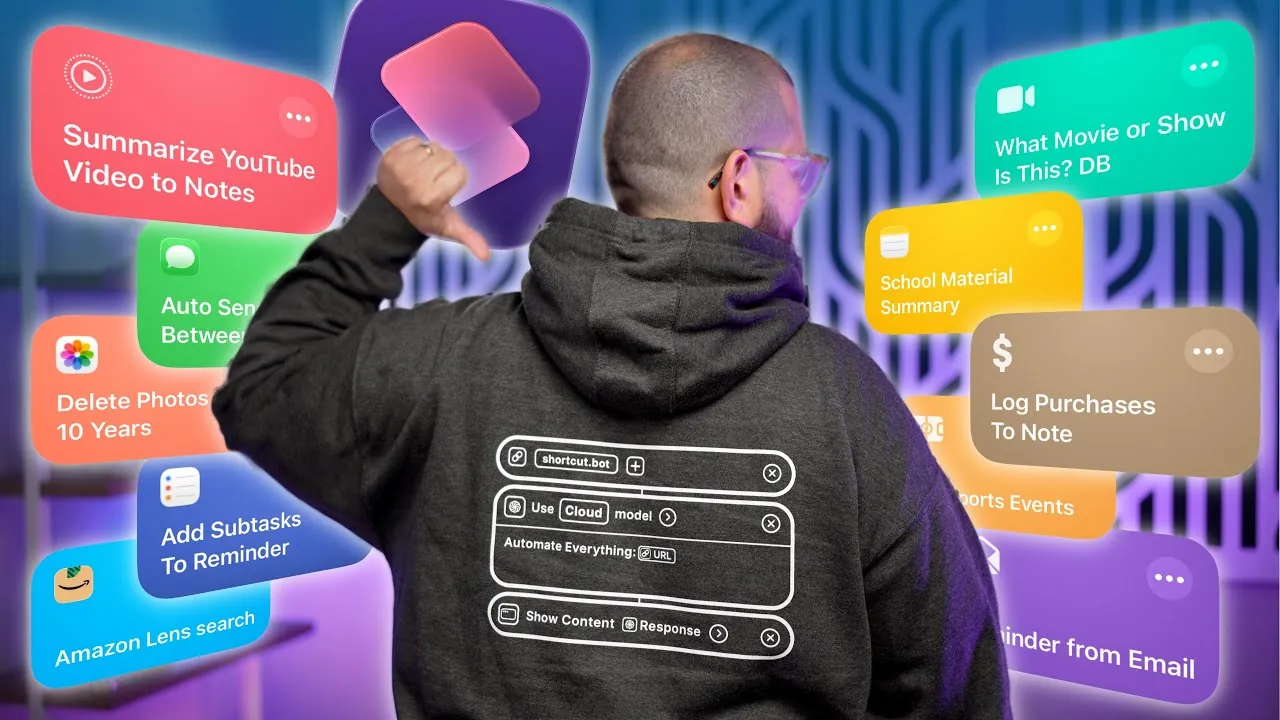
iPhone shortcuts offer a powerful way to enhance your daily routines, improve productivity, and maximize the functionality of your device. Whether you’re organizing your schedule, managing tasks, or tracking expenses, these 25 awesome shortcuts from Stephen Robles are designed to save time and effort. They cater to a wide range of needs, allowing you to customize your iPhone experience to align with your lifestyle and priorities.

Summarize Content in Seconds
Processing large amounts of information is now more efficient. With shortcuts, you can summarize lengthy YouTube videos, documents, and audio files into concise notes. For example, tools that integrate with APIs can extract key points from a lecture or video and save them directly to Apple Notes. This feature is particularly beneficial for students and professionals who regularly deal with extensive content. By automating the summarization process, you can focus on what truly matters while staying organized.
Streamline Reminder Management
Managing tasks and reminders becomes seamless with iPhone shortcuts. You can create reminders directly from emails, attach relevant screenshots, and even break down tasks into subtasks for better organization. If you have overdue reminders, shortcuts can automatically reschedule them to today’s date, making sure that no task is forgotten. This functionality is ideal for staying on top of your responsibilities and maintaining a structured workflow.
Organize Photos and Files
Keeping your device clutter-free is easier with photo and file organization shortcuts. These tools allow you to clean up photos taken on the same date in previous years, rename files based on their content, or share screenshots without saving them to your camera roll. By automating these processes, you can maintain an organized device while preserving important memories and documents. This ensures that your iPhone remains efficient and easy to navigate.
Identify and Stream Media
Finding where to stream your favorite movies or shows is now a breeze. Media identification shortcuts analyze screenshots, identify the content, and provide streaming options. Additionally, you can create detailed Apple Notes that include posters, descriptions, and streaming links for easy reference. This feature is perfect for keeping track of what you want to watch and making sure you never miss out on entertainment options.
Track Your Budget
Budget management is simplified with shortcuts that log purchases, calculate expenses, and track money owed. For instance, you can automatically record transactions into monthly notes or calculate daily spending. These tools provide clear financial insights, helping you stay on top of your budget and make informed financial decisions. By automating these tasks, you can focus on achieving your financial goals with minimal effort.
Create Personal Wish Lists
Organizing potential purchases is effortless with wish list shortcuts. Save items you find online into a single, organized note, complete with images, links, and descriptions. Whether you’re browsing Safari or another app, this feature allows you to compile gift ideas, shopping lists, or items you’re considering. It’s a practical way to keep track of your interests and plan purchases efficiently.
Monitor Screen Time
Understanding your screen time habits is essential for maintaining a healthy balance between productivity and leisure. Shortcuts can generate detailed yearly summaries or automate monthly tracking of your device usage. By identifying patterns and trends, you can make informed adjustments to your habits, making sure that your screen time aligns with your personal and professional goals.
Automate Text Replies
Stay connected without distractions by automating text replies. Shortcuts allow you to set up custom responses based on your availability, focus mode, or contact status. For example, you can configure your phone to send a polite reply when you’re in a meeting or driving. This ensures that you remain accessible while prioritizing your safety and focus.
Integrate Your Calendar
Simplify your scheduling process with calendar integration shortcuts. Automatically add events, such as recurring appointments or sports team schedules, to your calendar. This ensures that you never miss an important date or activity. By streamlining event management, you can stay organized and focus on what matters most.
Enhance Study Efficiency
Students can significantly benefit from shortcuts that condense study materials into manageable notes. Whether you’re working with PowerPoints, PDFs, or audio lectures, these tools summarize complex information, making it easier to review and retain. By automating this process, you can enhance your study efficiency and focus on mastering the material.
Search Amazon with Your Camera
Finding products online is faster with shortcuts that use your camera. Snap a photo of an item, and the shortcut will search for it on Amazon or other platforms. This is particularly useful for identifying products you’ve seen in stores or elsewhere but aren’t sure where to purchase. It’s a practical tool for saving time and simplifying your shopping experience.
Set Custom Alerts and Focus Modes
Stay on top of your priorities with custom alerts and focus mode triggers. Shortcuts can activate reminders based on specific times or focus modes, making sure that you’re notified when it matters most. This feature helps you manage your time effectively and ensures that important tasks are addressed promptly.
Use Gemini AI
Integrate Gemini AI into your shortcuts for advanced text processing and conversational assistance. Whether you need help drafting a message, analyzing data, or organizing information, this tool enhances productivity with intelligent, tailored support. By using AI, you can tackle complex tasks more efficiently and effectively.
Join the Shortcuts Community
Explore a dedicated shortcuts community to discover and share innovative tools. These resources provide inspiration and guidance, helping you expand your use of iPhone shortcuts. By engaging with the community, you can learn new ways to customize your device and make the most of its capabilities.
Unlock the Full Potential of Your iPhone
These 25 iPhone shortcuts are designed to simplify your life, from managing reminders to organizing files and tracking your budget. By incorporating these tools into your routine, you can save time, boost productivity, and unlock the full potential of your device. Explore these shortcuts today to transform the way you use your iPhone and enhance your daily experience.
Below are more guides on iPhone shortcuts from our extensive range of articles.
- Top 15 iPhone Shortcuts to Save Time and Stay Organized
- 23 iPhone Shortcuts That Will Blow Your Mind
- 15 Innovative iPhone Shortcuts You Need
- Essential iOS 26 Shortcuts to Boost Productivity
- Must-Have Apple Shortcuts for Your iPhone
Source & Image Credit: Stephen Robles
Disclosure: Some of our articles include affiliate links. If you buy something through one of these links, Geeky Gadgets may earn an affiliate commission. Learn about our Disclosure Policy.
