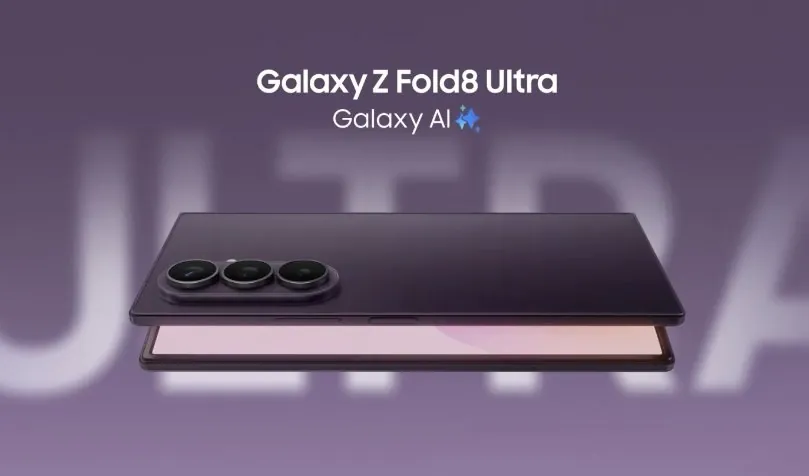
The Z Fold 8 Ultra was evaluated as a laptop alternative over a 14-day period, with Samuel Nam focusing on its performance in productivity and multitasking. One standout feature was Samsung’s DeX mode, which offered a desktop-style interface for tasks like document editing and app management. However, the absence of S Pen support and the inability to run three apps simultaneously revealed limitations for users with more demanding workflows.
Explore how the Z Fold 8 Ultra handled scenarios like student note-taking combined with media use and professional multitasking requirements. Gain insight into its hardware elements, including the anti-reflective display and 200MP camera, as well as its software strengths and specific shortcomings.
Productivity and Multitasking: Strengths and Shortcomings
TL;DR Key Takeaways :
- The Z Fold 8 Ultra excels in productivity and multitasking with its foldable screen, DeX mode and Flex mode, making it ideal for professionals and multitaskers.
- Key limitations include the lack of S Pen support, inability to run three apps side-by-side and constrained multitasking in DeX mode, which may deter users with complex workflows.
- Real-world testing across user scenarios revealed its versatility but highlighted challenges such as its high price for students and thermal issues during prolonged gaming sessions.
- Hardware upgrades like a 200MP camera, anti-reflective screen and stereo speakers enhance usability, while Samsung’s One UI software offers a stable and user-friendly experience.
- Despite its strengths in portability and versatility, the Z Fold 8 Ultra’s premium price and compromises in battery life, charging speed and stylus support make it a niche device for specific audiences.
The experiment aimed to assess whether this innovative device could truly serve as an all-in-one solution for modern users with diverse needs. The results were both promising and revealing, highlighting its strengths and areas where it falls short.
The Z Fold 8 Ultra excels in productivity and multitasking, largely due to its foldable screen and Samsung’s software optimizations. The expanded screen real estate enables users to perform tasks such as note-taking, video editing, and running multiple apps simultaneously with ease. Features like DeX mode transform the device into a desktop-like interface, while Flex mode supports hands-free activities such as video conferencing or media consumption. These features make the device particularly appealing to professionals and multitaskers.
However, the device is not without its limitations. For instance, it cannot run three apps side-by-side, which restricts its multitasking efficiency. Additionally, app multitasking in DeX mode feels constrained, particularly for users with complex workflows or heavy multitasking demands. While these shortcomings may not affect casual users, they could be a dealbreaker for those who rely on seamless multitasking for work or creative projects. Despite these challenges, the Z Fold 8 Ultra remains a compelling option for users who prioritize portability and productivity.
Testing Across User Scenarios
To evaluate its adaptability, the Z Fold 8 Ultra was tested across various user personas. These scenarios provided valuable insights into its performance in real-world situations:
- University Student: The device proved highly useful for multitasking during commutes and lectures. Its efficient battery life supported extended use and the foldable screen allowed for seamless transitions between note-taking and media consumption. However, the high price makes it an impractical choice for most students, especially those on a budget.
- Side Hustler: For users juggling administrative tasks, hotspot sharing and media consumption, the Z Fold 8 Ultra delivered reliable performance. Its ability to handle multiple apps and tasks simultaneously was a significant advantage. However, the absence of S Pen support limited its utility for precision tasks like sketching or detailed note-taking, which could be a drawback for creative professionals.
- Jobless Gamer: While the device is capable of running games, it struggled with thermal management and experienced frame rate drops during prolonged gaming sessions. This makes it less ideal for dedicated gamers who require consistent performance for extended periods.
These tests highlight the device’s versatility but also underscore its limitations in specific use cases. While it performs well in many scenarios, it may not fully meet the needs of every user.

Browse through more resources below from our in-depth content covering more areas on Z Fold 8 Ultra.
- Samsung’s Foldable Masterpiece: Galaxy Z Fold 8 Ultra Leaks
- Huge Samsung Leak Reveals Galaxy Z Fold 8, Fold 8 Ultra and Flip 8
- Samsung Galaxy Z Fold 8 Ultra: All the Upgrades That Make It a True ‘Ultra’
- What the Samsung Galaxy Z Fold 8 Ultra Just Revealed Left Us Stunned
- Samsung Galaxy Z Fold 8 Ultra: The Foldable We’ve Been Waiting For
- Why the Samsung Galaxy Z Fold 8 Ultra is Breaking the Internet
- The Feature You’ve Been Waiting for: Galaxy Z Fold 8 Ultra Brings Back the S PenPen
- Samsung Just Used Titanium to Finally Kill the Galaxy Z Fold 8 Crease
- The Shocking Galaxy Z Fold 8 Ultra Design Details That Will Make Apple Nervous
- Samsung Galaxy Z Fold 8 Ultra: Is It Worth the $2,099 Price?
Hardware and Software: A Mixed Bag
The Z Fold 8 Ultra introduces several hardware and software upgrades that enhance its usability. On the hardware front, the device features a 200MP camera sensor and a zoom lens, delivering impressive photography capabilities. The anti-reflective screen and reduced crease improve display quality, making it more enjoyable for both work and entertainment. Additionally, the square aspect ratio and stereo speakers enhance the media experience, making it a well-rounded device for diverse tasks.
On the software side, Samsung’s One UI continues to stand out with its user-friendly interface and stability, outperforming competitors like Oppo’s Color OS. These enhancements make the device more intuitive and reliable for everyday use. However, the absence of stylus support remains a significant drawback, particularly for users who rely on precision input for tasks like drawing or detailed note-taking. Additionally, the device’s slower charging speeds compared to rivals may be a concern for users who prioritize fast charging.
While the Z Fold 8 Ultra offers a mix of strengths and weaknesses, its hardware and software upgrades represent meaningful improvements over its predecessor. However, certain compromises may limit its appeal to specific user groups.
How It Stacks Up Against Competitors
When compared to its predecessor, the Z Fold 8, the Ultra model delivers notable improvements in screen size, camera performance, and multitasking capabilities. These enhancements make it a more versatile and powerful device for users seeking a premium foldable experience. However, it falls short in areas like battery life, charging speed, and stylus support when compared to competitors such as Oppo’s foldable devices.
Against flagship models like the S26 Ultra and Pixel 10 Pro, the Z Fold 8 Ultra holds its own in terms of performance and software stability. However, it struggles to fully replace a high-end laptop or gaming PC for demanding tasks. While it excels in portability and versatility, it may not be the ideal choice for users who require the power and functionality of dedicated devices for specific tasks.
Final Verdict: A Niche Powerhouse
The Z Fold 8 Ultra is a capable all-in-one device that bridges the gap between productivity and entertainment. Its foldable screen, multitasking features and hardware enhancements make it a compelling option for users who prioritize portability and versatility. However, its high price and the absence of features like S Pen support may limit its appeal to niche audiences. While it cannot fully replace a dedicated gaming PC or high-performance laptop, it remains a strong choice for those seeking a multifunctional device that adapts to diverse needs.
Media Credit: Samuel Nam
Disclosure: Some of our articles include affiliate links. If you buy something through one of these links, Geeky Gadgets may earn an affiliate commission. Learn about our Disclosure Policy.
