
What if you could completely transform your coding workflow with a single platform, one that adapts to your needs, integrates seamlessly with your favorite environments, and puts the power of AI at your fingertips? In this overview, Scott Tolinski explores how OpenCode, an open source AI-powered coding assistant, is reshaping the way developers approach their work. Designed to be as flexible as it is powerful, OpenCode offers a developer-centric experience that prioritizes customization, compatibility, and productivity. Whether you’re managing complex projects or automating repetitive tasks, this platform promises to streamline your process while giving you unparalleled control over your development environment. But is it truly the fantastic option it claims to be?
This breakdown provide more insights into the standout features that make OpenCode a compelling choice for developers of all levels. From its broad compatibility with over 75 AI providers to its highly customizable interface, OpenCode is built to evolve alongside your projects. You’ll discover how its unique features, like task-specific agents, permissions management, and native terminal UI, can simplify even the most demanding workflows. But that’s not all: with advanced options like Zen Mode for power users, OpenCode pushes the boundaries of what’s possible in modern development. By the end, you might just find yourself rethinking how you approach your coding tasks.
OpenCode: AI Coding Assistant
TL;DR Key Takeaways :
- OpenCode is an open source, AI-powered coding assistant designed to streamline development workflows with broad compatibility and extensive customization options.
- It integrates seamlessly with over 75 AI providers, popular tools like GitHub Actions and VS Code, and supports both CLI and terminal-based UIs for flexibility.
- Customization features include tailored tools, adjustable themes, key bindings, and granular control, making it adaptable to individual and team needs.
- Core features include a native terminal UI, built-in utilities, task-specific agents, and permissions management to enhance productivity and security.
- Advanced users can access Zen Mode, a subscription tier offering additional AI models and enhanced functionalities for demanding projects.
Why OpenCode Stands Out
OpenCode distinguishes itself through its developer-centric design, broad compatibility, and extensive flexibility. It integrates effortlessly into existing workflows, making sure minimal disruption while maximizing productivity. Key aspects that set OpenCode apart include:
- Broad AI Compatibility: OpenCode supports integration with over 75 large language model (LLM) providers, giving you the freedom to choose the AI services that best align with your project needs using API keys.
- Tool Integration: It works seamlessly with popular development tools such as GitHub Actions, VS Code, and terminal-based workflows, making sure it fits naturally into your existing processes.
- Customizable Design: OpenCode allows you to tailor its interface and functionality, from themes to key bindings, to suit your preferences and project requirements.
This combination of compatibility, flexibility, and customization ensures that OpenCode is a valuable asset for developers seeking to optimize their workflows.
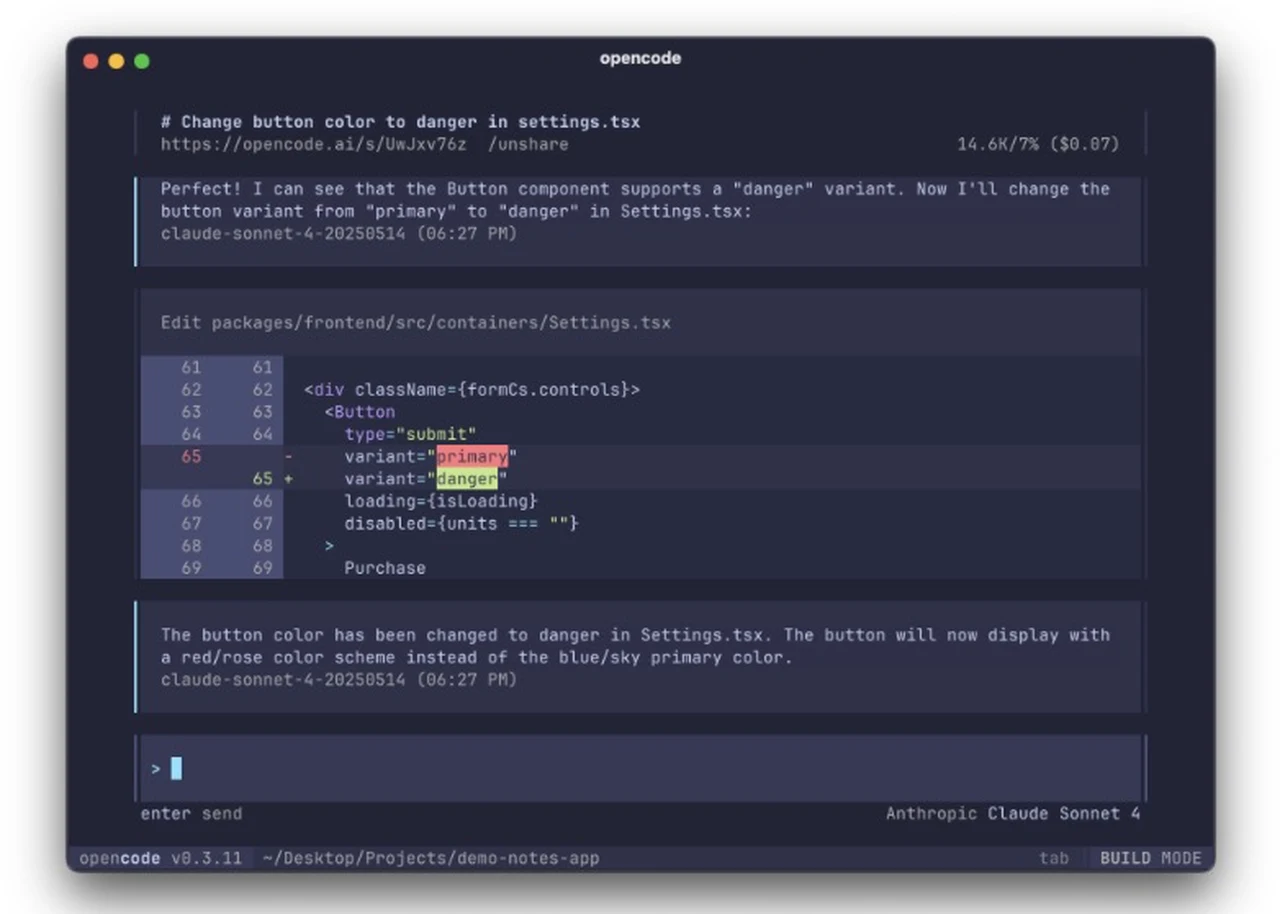
Customization: A Key Strength
One of OpenCode’s standout features is its extensive customization options, allowing developers to adapt the platform to their specific needs. This flexibility ensures that OpenCode evolves alongside your projects, providing a personalized development experience. Key customization features include:
- Custom Tools and Agents: Developers can create tools and agents tailored to their projects, with support for both global and project-specific configurations.
- User Interface Adjustments: Modify themes, commands, and key bindings to ensure the platform aligns with your workflow and preferences.
- Granular Control: Fine-tune settings to manage tasks with precision, giving you complete control over your development environment.
These customization capabilities make OpenCode a highly adaptable tool that caters to both individual developers and teams with unique requirements.
What is OpenCode?

Dive deeper into AI coding with other articles and guides we have written below.
- ChatGPT 5 vs Claude Sonnet: Real-World AI Coding Comparison
- Save Money on AI Coding: Use Free Extensions In VS Code
- How the Claude SANDBOX Method Makes AI Coding 90% Faster
- 36 Claude Code Tips for Smarter, Faster AI Coding Workflows
- Opus 4.5 vs GPT-5.2 : AI Coding Build Results, Strengths
- Gemini Coder 2 Build Mode : Free AI Coding Tool You Need to Try
- Google Antigravity vs Cursor, Gemini 3 Pro AI Coding Review
- How Agent Swarm 2.0 Is Transforming Coding with AI Sub-Agents
- How Claude Code Brings AI Coding to Your Mobile Devices
- Deepseek Coder AI open source coding assistant
Core Features That Enhance Productivity
OpenCode is packed with features designed to simplify complex tasks, improve efficiency, and boost productivity. These features make it an indispensable tool for developers tackling a wide range of coding challenges. Some of its most notable functionalities include:
- Native Terminal UI: Manage multiple sessions simultaneously, allowing efficient multitasking and streamlined workflows.
- Built-In Tools: Access utilities such as to-do lists, formatters, and command execution tools to simplify routine tasks and enhance organization.
- Task-Specific Agents: Use specialized agents like “Plan” and “Build” for task planning and execution, or create custom agents to address unique project needs.
- Permissions Management: Maintain security and precision by controlling file changes, web fetches, and tool usage.
These features are designed to empower developers, allowing them to focus on innovation and problem-solving while automating repetitive or time-consuming tasks.
Zen Mode: Advanced Features for Power Users
For developers with advanced requirements, OpenCode offers a subscription-based tier called Zen Mode. This premium option provides access to additional AI models and enhanced functionalities, catering to users who need more robust capabilities for demanding projects. Zen Mode is ideal for power users looking to push the boundaries of what OpenCode can achieve.

Developer-Centric Design
OpenCode is built with developers in mind, emphasizing predictability, clarity, and explicit commands. This approach ensures that the tool behaves consistently, allowing you to execute tasks with confidence. Additional features that highlight its developer-friendly design include:
- Plugin Support: Extend OpenCode’s functionality with plugins, including compatibility with Claude Code skills and other third-party integrations.
- Deterministic Behavior: Avoid unexpected outcomes with a design that prioritizes clarity and control, making sure reliable performance across all tasks.
This focus on developer needs makes OpenCode an intuitive and reliable tool for coding professionals, regardless of their level of expertise.
Practical Use Cases
OpenCode’s versatility makes it suitable for a wide range of coding tasks, from routine operations to complex projects. Its adaptability ensures that it can support developers working on projects of varying complexity and scale. Common applications include:
- Automating Repetitive Tasks: Simplify processes such as linting, formatting, and generating change sets, saving time and reducing manual effort.
- Running AI Models: Use AI for specific development needs, including code generation, optimization, and analysis.
- Streamlining Workflows: Integrate OpenCode into your existing environment to enhance efficiency and improve overall productivity.
These practical use cases demonstrate OpenCode’s ability to address a wide range of development challenges, making it a valuable tool for developers across industries.
Getting Started: Setup and Installation
Installing OpenCode is designed to be straightforward and efficient, minimizing setup time so you can start using the platform quickly. The installation process typically involves a single command, such as using curl or bun. Once installed, you can begin using OpenCode’s capabilities through its CLI or terminal-based workflows, depending on your preferred working style.
Comprehensive Documentation and Support
To ensure a smooth user experience, OpenCode provides detailed documentation that covers its features, capabilities, and setup process. This resource is invaluable for developers of all experience levels, helping you quickly get up to speed and make the most of the platform. Additionally, OpenCode is regularly updated with new models and functionalities, keeping it aligned with the latest advancements in AI and development tools.
Why OpenCode Is Worth Exploring
OpenCode is a powerful, flexible, and developer-focused tool designed to optimize coding workflows. Its compatibility with multiple AI providers, extensive customization options, and robust feature set make it an invaluable resource for developers. Whether you’re automating routine tasks, tackling complex projects, or exploring advanced AI capabilities, OpenCode provides the tools and support you need to work efficiently and effectively.
Media Credit: Scott Tolinski
Disclosure: Some of our articles include affiliate links. If you buy something through one of these links, Geeky Gadgets may earn an affiliate commission. Learn about our Disclosure Policy.
