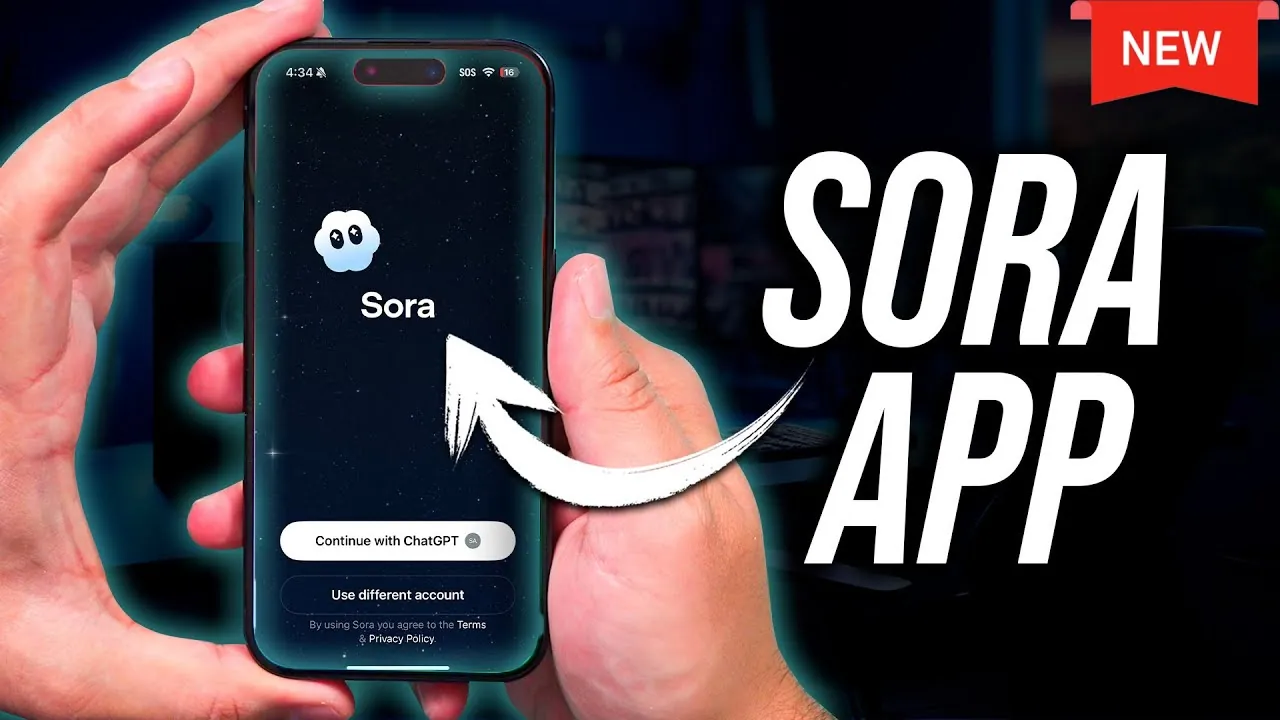
Have you ever imagined a social media app where every piece of content is generated by AI, tailored to your preferences, and designed to spark creativity? Enter Sora, a new platform that redefines how we create and interact with video content. Developed by OpenAI, Sora merges innovative artificial intelligence with intuitive tools, making it a fantastic option for both tech enthusiasts and beginners alike. Whether you’re looking to craft stunning AI-powered videos, design personalized avatars, or explore a feed curated just for you, Sora promises an experience that’s as seamless as it is innovative. But with so many features packed into one app, where do you even begin?
In the video below Howfinity walk you through the essentials of getting started with Sora, from downloading the app to mastering its standout tools like AI-driven video creation and customizable avatars. Along the way, you’ll uncover tips to personalize your profile, refine your content, and maintain control over your digital presence. Whether you’re curious about how to turn a simple text prompt into a polished video or intrigued by the idea of creating an avatar that mirrors your identity, this guide has you covered. By the end, you’ll not only feel confident navigating Sora but also inspired to harness its potential for your creative projects. After all, the future of content creation is here, are you ready to explore it?
Sora AI Video Generation App
TL;DR Key Takeaways :
- Sora is an AI-powered social media platform by OpenAI, designed for creating, interacting with, and sharing AI-generated video content, offering tools like personalized avatars and a dynamic content feed.
- The app uses text-to-video prompts for intuitive video creation, allowing users to transform ideas into videos and refine them before sharing, with options for adding images (excluding those with people).
- Users can create customizable AI avatars (“Cameos”) with privacy controls, allowing personal use, restricted access to mutual followers, or public engagement, along with advanced interaction restrictions.
- Sora includes additional features like direct messaging, profile search, and video orientation options (portrait or landscape), enhancing user convenience and flexibility.
- Content editing and sharing tools allow users to preview, refine, remix, and download videos (with watermarks), fostering creativity while maintaining platform branding integrity.
Getting Started with Sora
To begin your journey with Sora, download the app from the App Store. Once installed, log in using your OpenAI, Apple, Google, or email account. Depending on the app’s current access policies, you may need an invite code to complete the registration process. After logging in, you’ll find yourself in a unique environment where all video content is generated by AI, eliminating the need for traditional uploads. This innovative approach ensures a streamlined and creative experience right from the start.
Key Features of Sora
Sora seamlessly blends AI innovation with essential social media functionalities, offering a range of tools to enhance your experience. Here are some of its standout features:
- AI-Powered Social Feed: The app’s feed is designed to showcase AI-generated videos tailored to your preferences. You can explore content based on recommendations, the latest posts, or even specific text prompts, making sure that the feed aligns with your interests.
- Profile Customization: Sora allows you to personalize your profile by editing your username, bio, and profile picture. You can also manage your followers and adjust settings to control how others interact with your content.
These features provide a balance between creativity and control, making Sora an engaging platform for users of all experience levels.
Sora App Beginner’s Guide 2025

Take a look at other insightful guides from our broad collection that might capture your interest in AI video generation.
- OpenAI Sora AI Video Generator Review: Features and Pricing
- Alibaba WAN 2.5 AI Video Generator Combines Visuals & Sound in
- Sora AI Video Generator Review : Features, Benefits & Limitations
- Discover the Power of PIKA 1.5: AI Video Generation
- Runway Gen 4 Review: How It Redefines AI Video Generation
- Top 10 AI Video Generators for Professional-Grade Videos in 2025
- Advancements in AI Video Generation & Consistent Characters
- Kling 2.1 Review: Affordable AI Video Generation vs Google Veo 3
- Google LUMIERE AI video generation platform unveiled
- OpenAI Sora 2 AI Video Generator Combines Physics & Storytelling
How to Create AI Videos
Sora’s video creation tools are designed to make content generation both intuitive and versatile. Using text-to-video prompts, you can describe your vision, and the app will transform your ideas into fully realized videos. For added customization, you can upload images (excluding those featuring people) to enhance your creations.
One of the app’s most distinctive features is its AI avatars, known as “Cameos.” These avatars can replicate your likeness or that of others and can be used individually or collaboratively in group videos. All videos are saved as drafts, giving you the flexibility to refine and perfect them before sharing. This ensures that your content meets your expectations and resonates with your audience.
Customizing AI Avatars (Cameos)
The Cameo feature allows you to create a personalized AI avatar that reflects your unique identity. The app provides guided steps to help you design your avatar, making sure a smooth and straightforward process. Once your avatar is complete, you can set privacy preferences to control how it is used. Options include:
- Keeping your Cameo private for personal use only.
- Restricting its use to mutual followers for added security.
- Making it publicly accessible to maximize engagement.
Additionally, Sora offers advanced controls to restrict specific actions or block certain users from interacting with your avatar. This level of customization ensures that you maintain full control over your digital representation.
Additional Tools and Features
Sora goes beyond basic functionality by offering a range of supplementary tools to enhance your experience. These include:
- Direct Messaging: Communicate with other users through optional direct messaging, which can be enabled or disabled based on your preferences.
- Search Functionality: Easily locate creators or friends by searching for their profile names, making it simple to connect with others.
- Video Orientation: Choose between portrait or landscape orientation when creating videos, allowing you to tailor your content to different platforms or personal preferences.
These tools are designed to provide flexibility and convenience, making sure that your experience with Sora is both enjoyable and efficient.
Editing and Sharing Content
Sora simplifies the process of editing and sharing your creations. Before posting, you can preview and refine your videos to ensure they align with your vision. The app also allows you to remix, share, or download videos, though downloaded content will include a watermark. This feature encourages creativity while maintaining the integrity of the platform’s branding.
By offering these editing and sharing options, Sora enables you to maximize the impact of your content and engage more effectively with your audience.
Exploring the Potential of Sora
Sora represents a fusion of advanced AI technology and familiar social media features, offering a platform that is both innovative and accessible. With tools for AI-driven video creation, customizable avatars, and robust privacy settings, Sora provides a versatile space for creativity and connection. Whether you’re experimenting with new forms of digital expression or building a community through unique media, Sora equips you with the tools to make your vision a reality.
Media Credit: Howfinity
Disclosure: Some of our articles include affiliate links. If you buy something through one of these links, Geeky Gadgets may earn an affiliate commission. Learn about our Disclosure Policy.
