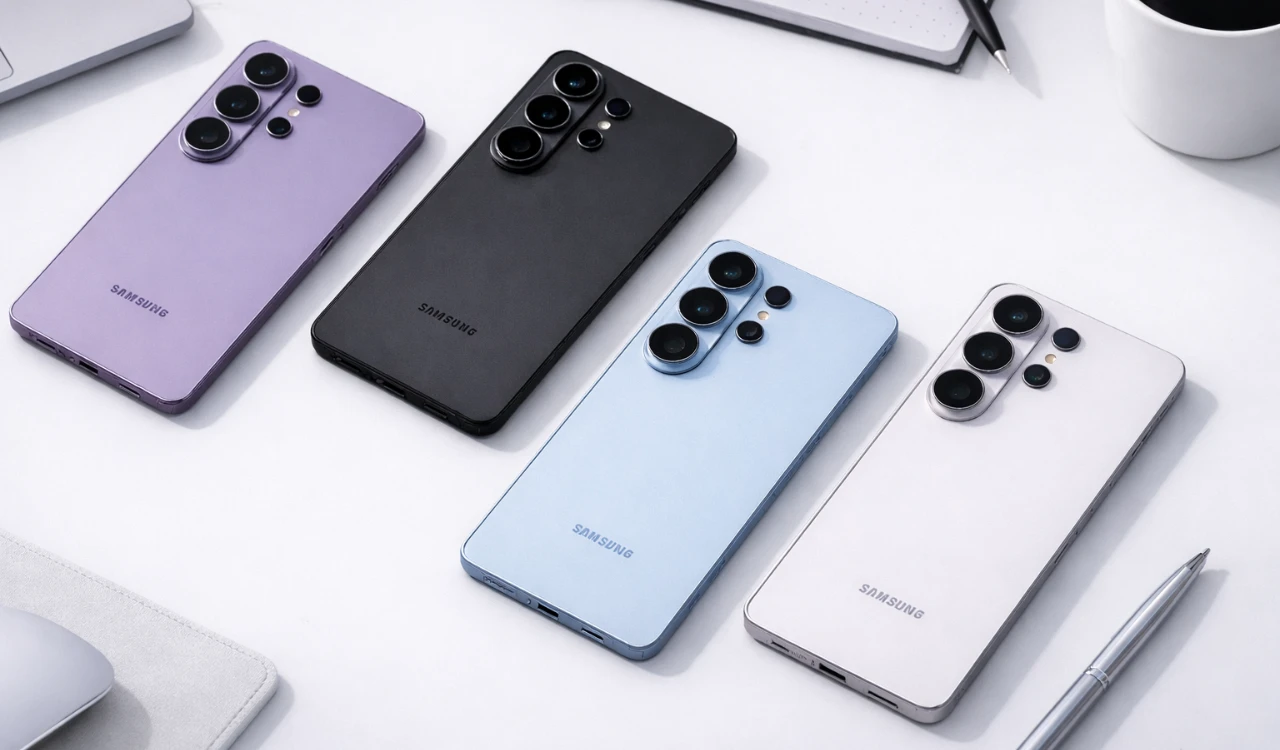
The Samsung S26 Ultra is an innovative device packed with advanced features and customization options. While its core functionalities are impressive, many of its most powerful tools remain underutilized. By exploring these lesser-known capabilities, you can enhance your privacy, optimize performance, and create a personalized experience that aligns with your preferences. The video below from HotShotTek will help you unlock the full potential of your S26 Ultra, making sure you get the most out of your device.

Privacy Features: Protect Your Data
Privacy is a top priority for many users, and the Samsung S26 Ultra offers robust tools to safeguard your personal information. By using these features, you can ensure your data remains secure:
- Privacy Screen: Activate this feature to limit screen visibility from side angles, preventing others from viewing sensitive information in public spaces.
- Notification Privacy: Adjust your lock screen settings to hide sensitive content, making sure that only you can access private notifications.
- App Permissions: Regularly review and manage app permissions to ensure applications only access the data they genuinely need.
These tools provide greater control over your information, offering peace of mind whether you’re at home or on the go.
Battery Health: Maintain Peak Performance
The longevity and performance of your device depend heavily on battery health. The Samsung Members app includes a diagnostics tool that can help you monitor and maintain your battery:
- Battery Health Check: Use this feature to assess the current condition of your battery and identify potential issues before they escalate.
- Performance Optimization: Address flagged concerns to ensure your device operates efficiently and extends its lifespan.
By running these diagnostics regularly, you can keep your device running smoothly and avoid unexpected performance drops.
Display Optimization: Enhance Your Visual Experience
The Samsung S26 Ultra features a stunning display, but you can further enhance your viewing experience with a few adjustments:
- QHD+ Resolution: Enable this setting for sharper visuals, making it ideal for gaming, streaming, or viewing high-quality content.
- Adaptive Brightness: Allow your device to automatically adjust brightness levels based on ambient lighting for optimal visibility.
- Extra Brightness Mode: Activate this feature to improve screen clarity in direct sunlight or other bright environments.
These settings ensure that your display performs at its best, regardless of the conditions.
Audio Enhancements: Immerse Yourself in Superior Sound
The S26 Ultra offers advanced audio features that can transform your listening experience. By allowing these tools, you can enjoy professional-grade sound quality:
- Dolby Atmos: Turn on this feature in the sound settings to enhance audio clarity and depth, whether you’re watching movies, listening to music, or playing games.
- Audio Eraser: Reduce background noise during calls or recordings for clear and uninterrupted communication.
These enhancements make your device a portable entertainment hub, delivering an immersive audio experience.
Navigation Customization: Tailor Your Interface
The Samsung S26 Ultra allows you to customize how you navigate your device, making it more intuitive and suited to your preferences:
- Gesture Controls: Switch from traditional button-based navigation to gesture-based controls for a modern and streamlined experience.
- Good Lock App: Use the NavStar module to personalize the navigation bar’s appearance and functionality, adding a unique touch to your interface.
These options make your device feel more intuitive and aligned with your personal style.
S Pen Features: Maximize Productivity
The S Pen is a standout feature of the S26 Ultra, offering tools that go beyond basic note-taking. Here’s how to make the most of it:
- Quick Access: Configure the S Pen to launch specific apps or air commands as soon as it is removed from its slot.
- Pinned Notes: Pin important notes to your lock screen for instant access, making sure you never lose track of critical information.
- Placement Settings: Adjust the S Pen’s removal settings to make it easier to use, especially if your device is in a case.
These features make the S Pen an indispensable tool for productivity and creativity.
Camera and Video Features: Capture Stunning Visuals
The S26 Ultra’s advanced camera system is designed to deliver professional-quality results. Unlock its full potential with these tips:
- Stabilize Zoom Shots: Use the stabilization feature to capture clear and focused images, even at high zoom levels.
- Horizon Lock: Keep your video footage level during movement for smooth and professional-looking results.
- High-Resolution Photos: Enable maximum megapixel settings and RAW photo capture for detailed images with greater editing flexibility.
These tools ensure that every photo and video you take is of the highest quality.
Edge Panel Customization: Streamline Multitasking
The Edge Panel is a versatile tool that can be customized to improve multitasking and accessibility. Here’s how to make it work for you:
- Rearrange icons to prioritize frequently used apps and tools.
- Add shortcuts for folders, contacts, or specific features to save time.
- Remove unnecessary items to declutter the interface and improve usability.
Customizing the Edge Panel ensures that your most important tools are always within reach.
File Sharing: Fast and Secure Transfers
Sharing files between devices is seamless with the S26 Ultra. The “Nearby Device” toggle allows you to transfer files quickly and securely using Bluetooth and Wi-Fi Direct. This feature is perfect for sharing photos, videos, or documents without relying on third-party apps, making sure both speed and security.
Additional Tips: Fine-Tune Your Experience
The S26 Ultra offers a range of advanced settings that allow you to further personalize your device. Consider these additional tips:
- Maximize screen space by hiding unnecessary navigation elements, creating a cleaner and more immersive interface.
- Experiment with themes, wallpapers, and icon packs to give your device a unique and personalized look.
Small adjustments like these can significantly enhance your overall experience, making your device feel truly yours.
Enhance your knowledge on Samsung S26 Ultra tips by exploring a selection of articles and guides on the subject.
Discover other guides from our vast content that could be of interest on Galaxy S26 Ultra.
- Samsung Galaxy S26 Ultra Design Leaks and Camera Upgrades
- Samsung Galaxy S26 Ultra: Pros, Cons, and Key Features
- Samsung Galaxy S26 Ultra Launch Date, Features, and Innovation
- Samsung Galaxy S26 Ultra: 2nm Chip, 60W Charging & Design
- Why the Samsung Galaxy S26 Ultra Redefines Smartphones
- Samsung Galaxy S26 Ultra Features and Upgrades Explained
Source: HotshotTek
Disclosure: Some of our articles include affiliate links. If you buy something through one of these links, Geeky Gadgets may earn an affiliate commission. Learn about our Disclosure Policy.
