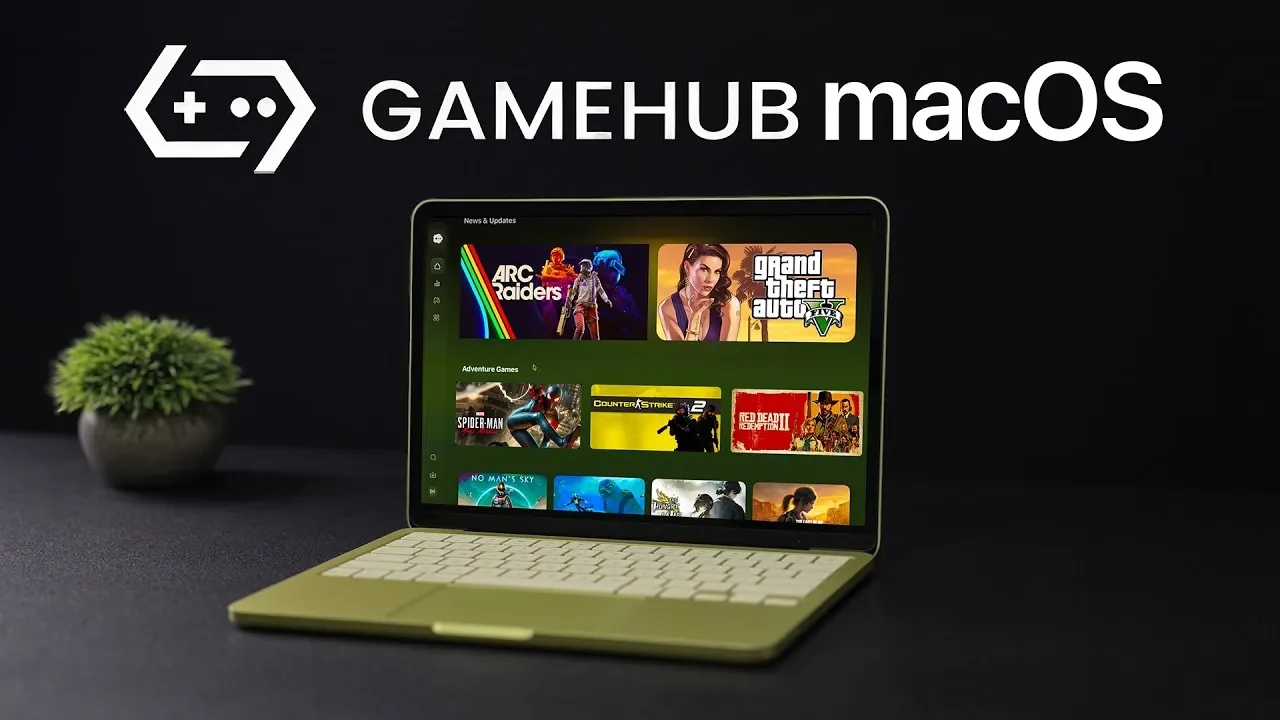
GameHub for Mac is making waves as a beta application that enables macOS users to play Windows PC games locally on their devices. Unlike cloud-based platforms, which rely on internet streaming, GameHub uses compatibility frameworks like Wine, Proton and Apple’s Game Porting Toolkit to run games directly on Apple hardware. As ETA Prime explores in their assessment, this approach highlights both the promise and the challenges of bringing PC gaming to macOS. For example, while the software supports importing game libraries from platforms like Steam and Epic Games, the lack of a built-in compatibility filter can make it difficult to determine which titles will run smoothly.
Dive into this breakdown to understand how GameHub integrates with Apple’s Game Porting Toolkit to enhance performance and compatibility. You’ll also gain insight into how hardware variations, from entry-level MacBooks to high-end Pro models, affect gaming performance and learn about key features like customizable settings for optimizing individual games. Whether you’re curious about its current limitations or future updates like super resolution, this guide offers a clear look at what GameHub can, and cannot, deliver in its beta phase.
What Makes GameHub for Mac Unique?
TL;DR Key Takeaways :
- GameHub for Mac enables local execution of Windows and Steam games on macOS using tools like Wine, Proton and Apple’s Game Porting Toolkit, eliminating the need for cloud streaming.
- The platform integrates game libraries from Steam, Epic Games and local storage, offering customizable settings for optimized performance, though compatibility varies by game and hardware.
- Performance depends heavily on hardware, with high-end Macs delivering smoother gameplay, while entry-level devices may struggle with graphically intensive titles.
- As a beta application, GameHub faces challenges such as bugs, incomplete features and the lack of a compatibility filter, which can hinder user experience.
- Future updates, including super resolution for improved graphics on lower-end devices, aim to enhance accessibility and solidify GameHub as a leading macOS gaming solution.
GameHub for Mac offers a platform where you can play Windows-based games directly on your macOS device without relying on an internet connection for streaming. This is achieved through compatibility tools like Wine and Proton, which enable games to run natively on macOS. Additionally, Apple’s Game Porting Toolkit is integrated to enhance performance and compatibility, making sure a smoother gaming experience.
This local execution model sets GameHub apart from other gaming solutions for macOS, which often rely on cloud-based streaming. To access the beta version, you must join the GameHub Discord community, where you can explore its features, provide feedback and contribute to its ongoing development.
Core Features and Compatibility
GameHub is designed to enhance your gaming experience on macOS, offering a variety of features. However, compatibility depends on the specific game and the hardware capabilities of your Mac. Some of the platform’s standout features include:
- Game library integration: Import games from Steam, Epic Games, or local storage, consolidating your gaming library in one place.
- Search and ranking tools: Easily browse and rank games sourced from Steam for better organization.
- Customizable settings: Adjust graphics, compatibility options and other configurations for individual games to optimize performance.
Despite these features, there are areas for improvement. For instance, the absence of a built-in filter to identify compatible games can make the user experience less intuitive. While many titles are supported, not all games will run smoothly, particularly on lower-end devices.

Learn more about Mac gaming by reading our previous articles, guides and features :
- Play Windows games are Apple Silicon Macs using Whiskey
- New M4 Pro Mac Mini – A Powerful 8k Gaming Emulator
- Crossover 25: Enhanced Windows Gaming on macOS Explained
- Apple 2026 MacBook Lineup: Features, Specs, and More
- What to Expect from Apple’s 2026 MacBook Lineup
- Mac Gaming Setup: Unlock Your Mac’s True Gaming Potential in 2025
Integration with Apple’s Game Porting Toolkit
One of GameHub’s most notable features is its integration with Apple’s Game Porting Toolkit. This toolkit simplifies the process of running Windows games on macOS by improving both compatibility and performance. Although still in its early stages, the toolkit provides a robust foundation for developers and users to experiment with bringing PC games to Apple devices.
By incorporating this toolkit, GameHub demonstrates a commitment to advancing the gaming ecosystem on macOS. It opens up new possibilities for Apple users who have long faced limited gaming options compared to Windows users.
Performance Insights
The performance of GameHub varies significantly depending on your Mac’s hardware. Testing across different devices highlights these variations:
- Entry-level devices: On models like the MacBook Neo (A18 Pro chip, 8GB RAM), performance is limited. Graphically intensive games may experience low frame rates and sluggish gameplay.
- High-end devices: On models such as the MacBook Pro (M4 Max chip, 36GB RAM), the experience is much smoother. Many games achieve high frame rates with minimal lag, offering a more enjoyable gaming experience.
These results emphasize the importance of hardware specifications in determining the quality of your gaming experience. While GameHub opens new doors for macOS gaming, its performance is not consistent across all devices, making it essential to consider your hardware capabilities before diving in.
Challenges and Current Limitations
As a beta application, GameHub is still a work in progress. Some of the current limitations include:
- Bugs and incomplete features: These may occasionally disrupt usability and require patience from users.
- Lack of compatibility filters: The absence of a built-in tool to identify compatible games can make game selection a time-consuming process.
- Performance inconsistencies: Depending on game settings and hardware configurations, the gaming experience can vary widely.
These challenges are typical of beta software and are expected to improve as the platform evolves. However, they may pose obstacles for users seeking a seamless gaming experience right out of the box.
The Road Ahead for GameHub
The developers of GameHub have ambitious plans to refine and expand the platform. One of the most anticipated updates is the introduction of built-in super resolution. This feature aims to optimize graphics rendering, potentially improving performance on lower-end devices and making the platform more accessible to a broader audience.
If successfully implemented, super resolution could significantly enhance GameHub’s appeal, allowing more users to enjoy high-quality gaming on macOS devices. Additionally, ongoing updates are expected to address current limitations, further solidifying GameHub’s position as a leading solution for macOS gaming.
Is GameHub the Right Choice for You?
Deciding whether GameHub is right for you depends on your expectations and willingness to engage with beta software. The platform offers a glimpse into the future of macOS gaming, but it comes with the typical drawbacks of early-stage development, such as bugs and performance inconsistencies.
Joining the GameHub Discord community is required for beta access and users must be comfortable navigating the challenges of a work-in-progress application. If you’re an early adopter eager to explore new possibilities and contribute to the platform’s growth, GameHub could be an exciting opportunity. However, if you prefer a polished and seamless experience, waiting for the full release may be a better option.
Media Credit: ETA PRIME
Disclosure: Some of our articles include affiliate links. If you buy something through one of these links, Geeky Gadgets may earn an affiliate commission. Learn about our Disclosure Policy.
