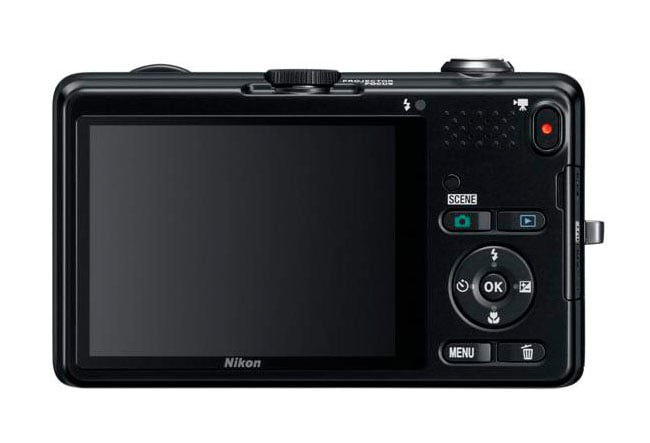
Nikon has today launched their newly updated application called the Nikon iP-PJ, which now allows you to use the integrated projector in their Coolpix S1200pj camera to project media from your iPhone 4 or similar iOS device.
Any images projected through the camera will be scaled down to the Coolpix S1200pj camera’s 1024 x 768 projector resolution. But the application and projector camera combo will allow you to view slideshows and the streaming of YouTube content.

Expanded Media Capabilities
Together with document files such as Microsoft Word, Excel, and PowerPoint, Adobe PDF as well as websites. This means that the Nikon iP-PJ Transfer app is not just limited to photos and videos; it can also be a powerful tool for business presentations and educational purposes. Imagine being able to project your latest business report or a detailed PowerPoint presentation directly from your iPhone onto a wall or screen, making it easier to share information in meetings or classrooms.
The ability to project websites also opens up a range of possibilities. For instance, you could project a live website during a meeting to discuss its design or content. This feature can be particularly useful for web developers and designers who need to showcase their work to clients in a more interactive and engaging way.
Practical Applications and User Experience
You can view a video demonstration of the Nikon iP-PJ Transfer app over on the Amazon website. This demonstration provides a comprehensive overview of how to use the app, including step-by-step instructions on connecting your iOS device to the Coolpix S1200pj camera and navigating through the app’s features. The video also showcases the quality of the projected images and documents, giving potential users a clear idea of what to expect.
The user interface of the Nikon iP-PJ Transfer app is designed to be intuitive and user-friendly. Even those who are not particularly tech-savvy will find it easy to navigate through the app and utilize its various features. The app also supports multiple file formats, ensuring that you can project almost any type of document or media file you have on your iOS device.
You can download the updated application from the App Store now for free. This makes it accessible to a wide range of users, from casual photographers to business professionals. The free download also means that you can try out the app without any financial commitment, allowing you to explore its features and see if it meets your needs.


Source:
The Nikon iP-PJ Transfer app significantly enhances the functionality of the Coolpix S1200pj camera by allowing it to project a wide range of media from iOS devices. Whether you are looking to share photos and videos with friends and family, present documents in a business meeting, or showcase your latest web design project, this app provides a versatile and convenient solution. The ability to project high-quality images and documents directly from your iPhone makes the Nikon iP-PJ Transfer app a valuable tool for both personal and professional use.
Disclosure: Some of our articles include affiliate links. If you buy something through one of these links, Geeky Gadgets may earn an affiliate commission. Learn about our Disclosure Policy.
