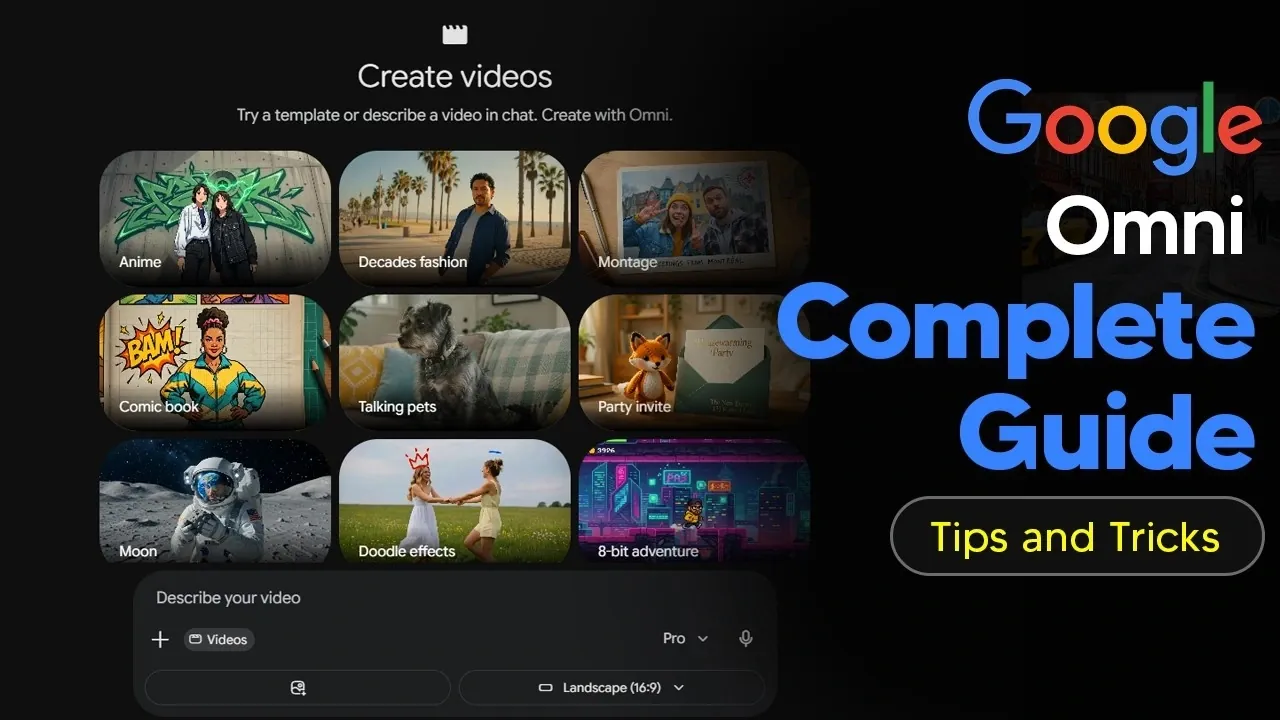
Google Omni is a platform developed by Google to streamline video creation by integrating text, images, audio and video into a unified workflow. According to AI Grid, one notable feature is the Omni Flash model, which enables automatic camera angle adjustments across multiple scenes. This feature reduces the need for manual editing, making it a practical option for crafting dynamic visuals efficiently.
Discover how to navigate Google Omni’s interface, work with pre-designed templates to speed up production and manage its credit-based system effectively. Gain insight into advanced functionalities like Google Flow for handling complex projects and learn how to apply features such as motion transfer and scene adjustments to customize your videos.
Getting Started with Google Omni
TL;DR Key Takeaways :
- Google Omni is a multi-modal platform designed for video creation and editing, offering tools for both beginners and professionals, including pre-designed templates and advanced customization features.
- The platform integrates text, images, videos and audio inputs, allowing creators to produce high-quality, visually captivating content with features like Omni Flash for dynamic scene generation and seamless transitions.
- Advanced editing capabilities include terrain simulation, background changes, object replacement and precise scene adjustments, allowing for professional-grade results tailored to specific creative needs.
- Customization options include motion and style transfers, character swapping and adapting videos to different themes, empowering creators to experiment and innovate.
- Google Omni supports educational content creation through NotebookLM, while its credit-based system ensures efficient resource management for consistent productivity.
To access Google Omni, navigate through the Gemini interface and select the “Videos” tab. The platform is designed with an intuitive interface, making sure accessibility for users of all skill levels. For beginners, pre-designed templates simplify the video creation process, offering workflows that require minimal effort while delivering professional results. These templates are ideal for quickly producing polished content without extensive technical knowledge.
For advanced users, the integration of Google Flow enhances both efficiency and precision. This feature is particularly valuable for complex projects, allowing faster workflows and professional-grade customization. By combining user-friendly design with advanced tools, Google Omni ensures a seamless experience for all creators.
Understanding the Credit System
Google Omni operates on a credit-based system, which is especially relevant when using advanced tools like Google Flow for video generation. Here’s how the system works:
- Each video creation consumes a specific number of credits, such as 25 credits per video.
- Users are allocated a set number of daily credits, which reset every 24 hours and do not roll over.
- This system encourages efficient resource management while maintaining accessibility for all users.
Understanding this credit system is essential for planning your projects effectively. By managing your credits wisely, you can optimize your use of the platform and ensure consistent productivity.

Gain further expertise in Google Omni by checking out these recommendations.
- What the Leaked Gemini Omni Demo Reveals About Google’s AI Future
- How Google’s New Gemini Omni is Reshaping Multimodal AI
- Forget Seedance: Why Google’s Gemini Omni is the Future of AI Video
- How Gemini Remy Uses 3.2 Flash Thinking to Redefine AI Reasoning
Core Video Generation Features
At the heart of Google Omni lies the Omni Flash model, a powerful tool for generating high-quality video clips with minimal effort. Its standout features include:
- Multi-scene generation with automatic camera angle adjustments, creating dynamic and engaging visuals.
- Customizable scenes and camera angles, allowing precise control over the final output.
- Seamless transitions that enhance storytelling and maintain viewer engagement.
These features make Google Omni an indispensable tool for crafting visually compelling and professional-grade videos, regardless of the project’s complexity.
Advanced Editing Capabilities
Google Omni excels in video editing, offering a range of tools designed to adapt to real-world scenarios. Some of its most notable editing features include:
- Simulating terrain effects on vehicle movement or adjusting the time of day within a scene.
- Changing backgrounds, replacing objects and adding custom elements such as logos or text overlays.
- Refining videos to meet specific creative or professional requirements with precision.
These advanced editing capabilities provide the flexibility needed to produce polished, high-quality content tailored to your unique vision.
Customization Options for Unique Creations
One of the most impressive aspects of Google Omni is its ability to combine multiple inputs, video, image, audio and text prompts, to create truly unique outputs. Additional customization options include:
- Transferring motion and style from reference images or videos to new creations, allowing innovative designs.
- Character swapping and style transformations for personalized and dynamic content.
- Adapting videos to suit different themes, audiences, or creative objectives.
These customization tools empower creators to push the boundaries of video production, offering endless possibilities for experimentation and innovation.
Storyboard Creation and Scene Control
For creators focused on narrative-driven content, Google Omni provides detailed storyboard creation tools. These tools allow you to visually map out each scene, making sure a cohesive and engaging storyline. Key features include:
- Granular control over object movements, with the ability to sketch or draw trajectories for animations.
- Precise scene adjustments that deliver professional-grade results.
This level of control is invaluable for producing videos with a strong narrative structure, making it easier to guide your audience through a compelling visual journey.
Educational Content and Explainer Videos
Google Omni integrates seamlessly with NotebookLM, a feature designed to simplify the creation of educational content and explainer videos. By using source materials, the platform can generate concise, informative videos tailored to specific topics. Key aspects of this feature include:
- Quick generation of shorter videos for straightforward explanations.
- More comprehensive overviews for in-depth topics, which may require additional processing time.
This functionality is particularly useful for educators, businesses and organizations aiming to communicate complex information in an accessible and engaging format.
Limitations and Considerations
While Google Omni is a versatile and powerful tool, it is important to be aware of its limitations to ensure optimal results. Key considerations include:
- Content resembling real humans or copyrighted characters cannot be generated, as a safeguard against misuse.
- Some prompts may produce errors or unintended outputs, requiring refinement and adjustments for the desired results.
By understanding these constraints, you can navigate the platform more effectively and achieve better outcomes in your projects.
Applications for Content Creators
Google Omni’s versatility makes it a valuable resource for a wide range of creative fields. Its features are particularly well-suited for:
- Producing visual effects (VFX) for films, advertisements and other video projects.
- Creating explainer videos for educational, corporate, or marketing purposes.
- Developing creative storytelling projects with dynamic visuals and engaging narratives.
The platform’s ability to combine styles, enhance visual effects and adapt to various themes ensures its relevance across multiple industries and creative endeavors.
Unlocking the Potential of Google Omni
Google Omni represents a significant advancement in video creation and editing, offering tools that cater to both beginners and professionals. With features like Omni Flash, NotebookLM and Google Flow, the platform enables creators to produce dynamic, visually rich content with precision and creativity. Whether you are designing storyboards, crafting educational videos, or experimenting with visual effects, Google Omni provides the resources needed to bring your ideas to life. By using its capabilities, you can elevate your video production process and achieve outstanding results.
Media Credit: TheAIGRID
Disclosure: Some of our articles include affiliate links. If you buy something through one of these links, Geeky Gadgets may earn an affiliate commission. Learn about our Disclosure Policy.
