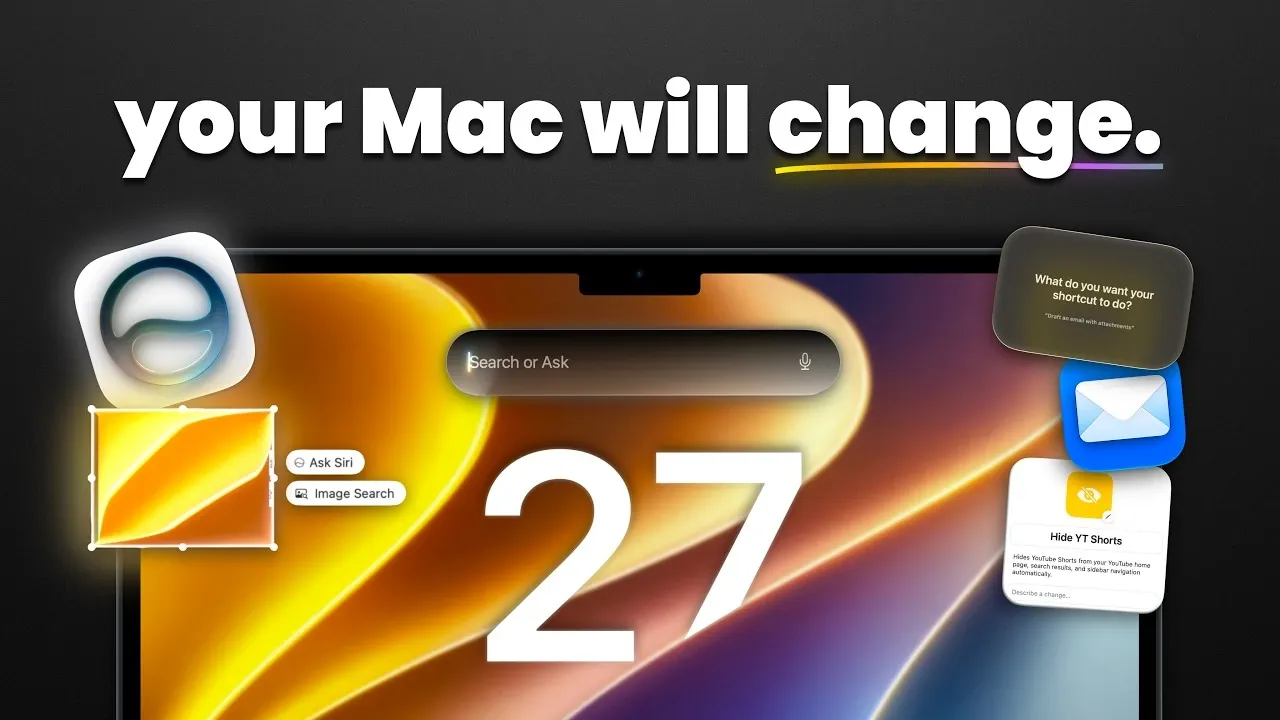
Apple’s macOS 27 Golden Gate introduces updates designed to enhance functionality and visual consistency. One standout feature is the liquid glass transparency effect, allowing users to adjust window translucency for a tailored desktop experience. As noted by MacVince, this addition, combined with redesigned app icons and a unified interface, emphasizes a balance between aesthetics and usability.
Discover how macOS 27 improves everyday workflows and applications. Gain insight into AI-driven automation within the Shortcuts app, which learns user patterns to suggest optimized actions. Explore the upgraded Photos app, now offering expanded background editing options. Finally, decode the impact of faster AirDrop and AirPlay speeds on sharing files and streaming media across devices.
Refined Design and Interface
TL;DR Key Takeaways :
- macOS 27 Golden Gate introduces advanced AI-powered tools, including enhanced image editing, workflow automation and natural language processing for smarter productivity.
- The operating system features a visually refined interface with liquid glass transparency, redesigned app icons and consistent design elements for improved usability.
- Performance upgrades deliver faster multitasking, app launches and up to 80% faster AirPlay and AirDrop transfer speeds, making sure a smoother user experience.
- Seamless cross-device integration enhances workflows, with tighter connections between macOS, iOS and iPadOS through features like AirPlay, AirDrop and the Siri chatbot app.
- Apple Notes now supports Markdown formatting, while enhanced search capabilities with natural language queries make locating files, emails and photos more intuitive.
macOS 27 introduces a visually polished and cohesive interface that balances aesthetics with functionality. The liquid glass transparency effect allows users to customize window translucency, creating a more immersive and dynamic desktop environment. App icons and toolbar buttons have been redesigned with sharper details, while a consistent corner radius across all windows ensures a unified visual experience. These subtle yet impactful updates enhance usability without overwhelming the user, making navigation intuitive and visually appealing.
Enhanced System Performance
Performance optimizations in macOS 27 deliver a faster, smoother experience across all tasks. Multitasking is now more seamless, with apps launching quicker even under heavy workloads. Upgrades to AirPlay and AirDrop provide up to 80% faster transfer speeds, significantly improving file sharing and streaming capabilities. These enhancements ensure that whether you’re working on complex projects or managing everyday tasks, the system remains responsive and reliable.
AI-Powered Productivity and Automation
Artificial intelligence plays a central role in macOS 27, simplifying complex workflows and enhancing user efficiency. The Photos app now includes AI-driven tools for expanding image backgrounds, reframing compositions and removing imperfections with ease. Visual intelligence capabilities extend to reverse image searches and screenshot analysis, allowing users to identify objects, locations, or details effortlessly.
The Shortcuts app uses AI to suggest automated workflows based on user habits, streamlining repetitive tasks such as organizing files or managing calendars. These tools not only save time but also empower users to focus on more creative and strategic activities.

Browse through more resources below from our in-depth content covering more areas on macOS 27 Golden Gate.
- Why the macOS 27 Update is Actually a Massive Leap Forward
- Steve Jobs Said No, but macOS 27 Says Yes: The Touchscreen Mac Finally Arrives in 2027
- Why macOS 27 is Officially Apple’s Biggest Mac Update Yet
- The Biggest Changes Coming to macOS 27 Golden Gate
- 7 Apple Ecosystem Updates That Actually Matter : macOS 27
- Why Apple’s iOS 27 and macOS 27 Will Change Everything
- The Biggest Hidden Features in the MacOS 27 Golden Gate Beta
- Apple Left a Massive MacBook Ultra Clue Hidden Inside macOS 27
- How to Get the iOS 27 Developer Beta Today
- What Apple Hid Inside the macOS 27 Golden Gate Update
Smarter Natural Language Processing
macOS 27 introduces advanced natural language processing (NLP), transforming how users interact with system-wide search and Siri. You can now locate files, emails, or photos using conversational queries like, “Show me last week’s meeting notes.” Siri has been upgraded to integrate seamlessly with search, delivering faster and more accurate results.
The new Siri chatbot app offers cross-device syncing, allowing you to maintain continuity across your Apple devices. Customization options, such as adjusting Siri’s accent or speech speed, provide a more personalized and user-friendly experience.
Advanced Visual Intelligence and Image Editing
The Photos app in macOS 27 receives a significant upgrade with professional-grade editing tools powered by AI. Users can expand image backgrounds, adjust perspectives and clean up imperfections with precision and ease. These features cater to a wide range of users, from casual photographers to professionals seeking advanced functionality.
Additionally, the reverse image search tool allows users to identify objects, landmarks, or other details directly from screenshots, making it a valuable resource for research and creative projects.
Seamless Cross-Device Integration
Apple’s ecosystem integration reaches new heights with macOS 27. Features like AirPlay, AirDrop, and the Siri chatbot app are now more tightly connected, making sure a seamless experience across devices. Whether you’re working on a MacBook, transitioning to an iPad, or using an iPhone, your data and preferences remain synchronized. This enhanced integration supports uninterrupted workflows and a more cohesive user experience.
Optimized Search and Markdown Support
Search functionality in macOS 27 has been reimagined for greater speed and accuracy. Enhanced indexing ensures that files, emails and photos are easier to locate, while natural language processing enables conversational queries like, “Find the email about the marketing proposal.” This makes search more intuitive and accessible for users of all skill levels.
For writers, developers and professionals, Markdown support in Apple Notes adds a new layer of versatility. Users can now format text for structured documentation with ease, while additional features like divider lines enhance organization and clarity. These updates make Apple Notes a more powerful tool for both casual and professional use.
Why macOS 27 Golden Gate Stands Out
macOS 27 Golden Gate represents a thoughtful evolution in operating system design, combining innovative AI capabilities, performance enhancements and user-centric features. Whether you’re editing images, automating workflows, or simply navigating your desktop, this update delivers a streamlined and engaging experience. By refining its ecosystem integration and introducing smarter tools, Apple continues to set a high standard for innovation and usability.
Media Credit: MacVince
Disclosure: Some of our articles include affiliate links. If you buy something through one of these links, Geeky Gadgets may earn an affiliate commission. Learn about our Disclosure Policy.
