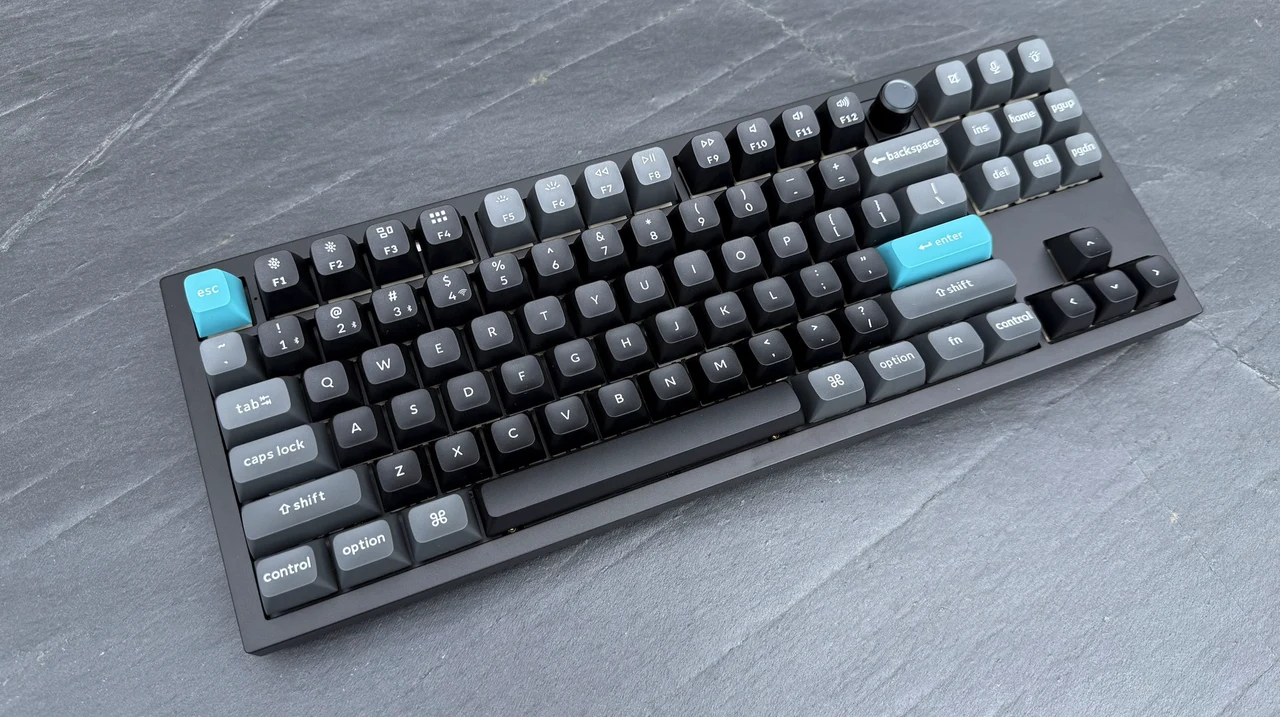
Keychron Q3 Ultra 8K quietly rewrites the wireless rulebook with an 80% layout with 8,000 Hz polling, 660 hours of battery life, and a firmware decision that will quietly divide the enthusiast community. The Keychron Q3 Ultra 8K arrives with a deceptively familiar silhouette. It is an 87-key tenkeyless mechanical keyboard wrapped in a slab of CNC-machined aluminum, sold for $229.99, and aimed at the same audience that has kept Keychron’s Q-series in enthusiast carts for years.
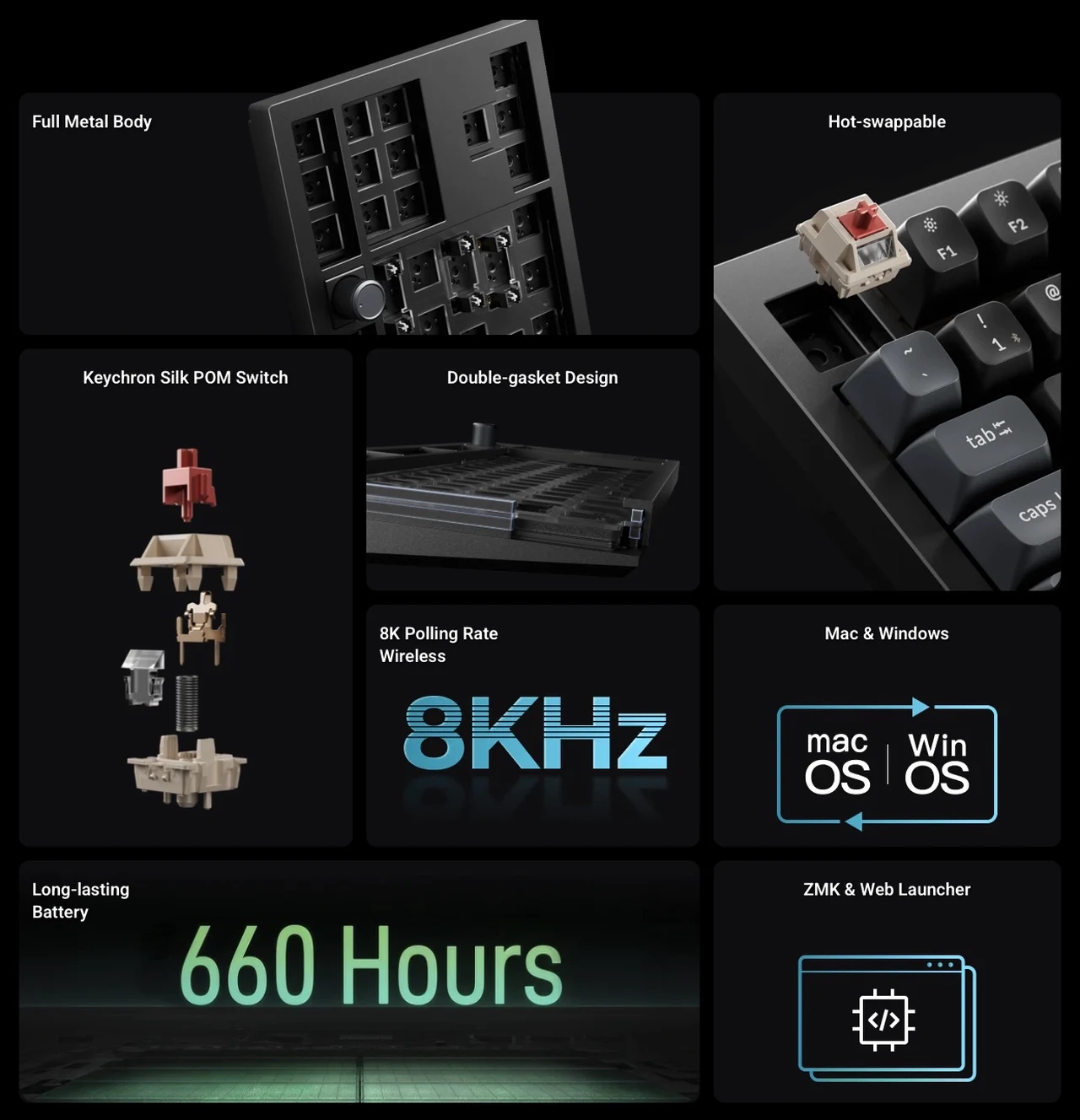
Look past the form factor, though, and this is a meaningfully different product from the Q3 Max it sits beside on the shelf. It runs ZMK rather than QMK, hits an 8,000 Hz polling rate over both 2.4 GHz wireless and USB-C, and claims up to 660 hours of battery life with the backlight switched off. None of those numbers are marketing fluff. Together, they reframe what a premium wireless TKL is supposed to do.
After spending time with the board across mixed work, writing, and gaming sessions, the short version is this: the Q3 Ultra 8K is a near-perfect machine for people who want a single keyboard that feels artisanal under the fingers and behaves like a gaming peripheral when it has to. The longer version requires a conversation about firmware trade-offs, the rake of the keycap profile, and whether you actually care about chasing input latency below the threshold of human perception.
A Block of Aluminum That Earns Its Weight
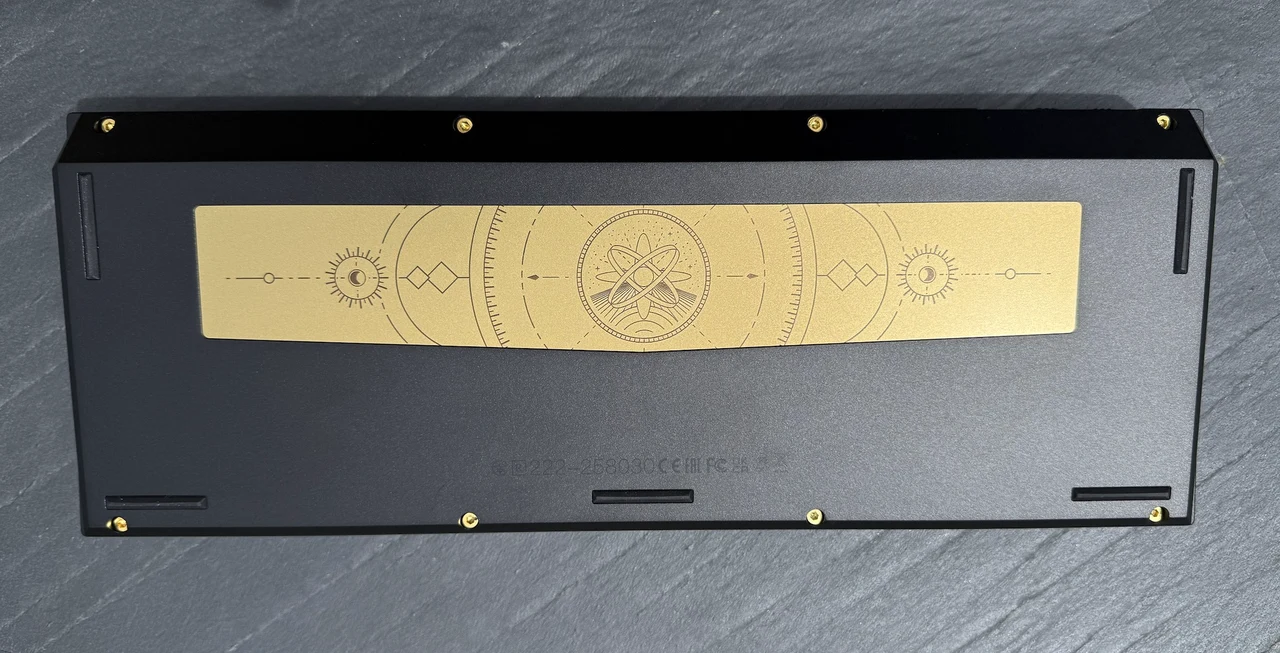
Pull the Q3 Ultra 8K from the box and the first sensation is mass. The board lands at 1,787 grams, with the bottom case and shell both machined from 6063 aluminum and finished with a PC backplate that runs along the rear edge. Dimensions sit at 365 by 137 millimeters, with a front height of 20.6 millimeters and a back height of 31.09 millimeters before keycaps. The 5.3-degree typing angle is fixed, which will please anyone who has wrestled with flip-out feet that collapse mid-session and irritate anyone who likes to dial in their own pitch.
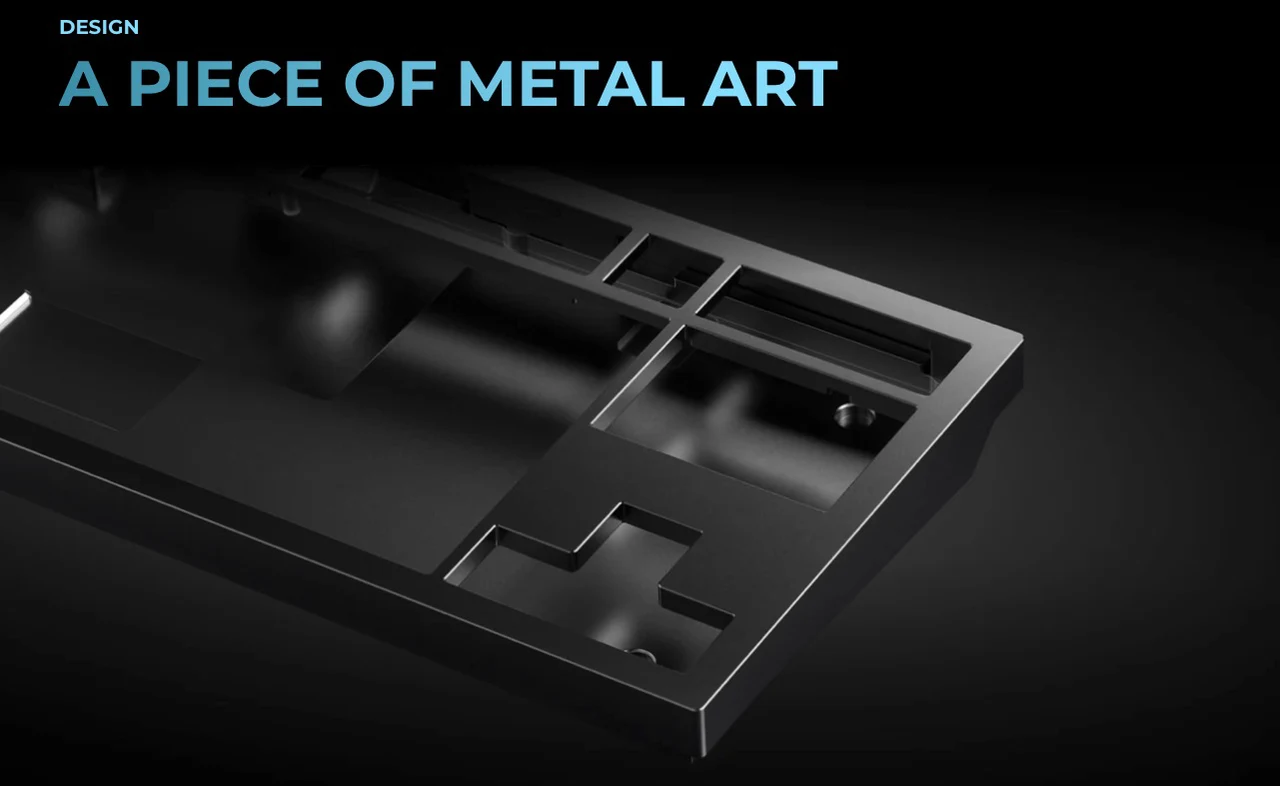
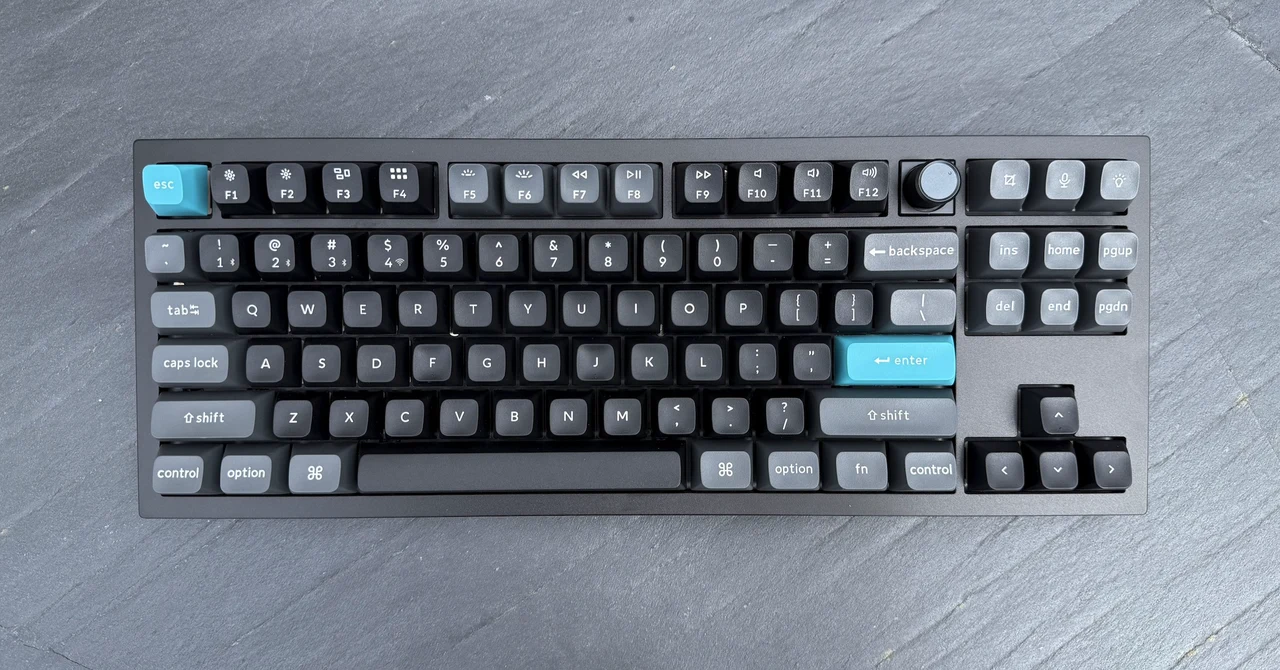
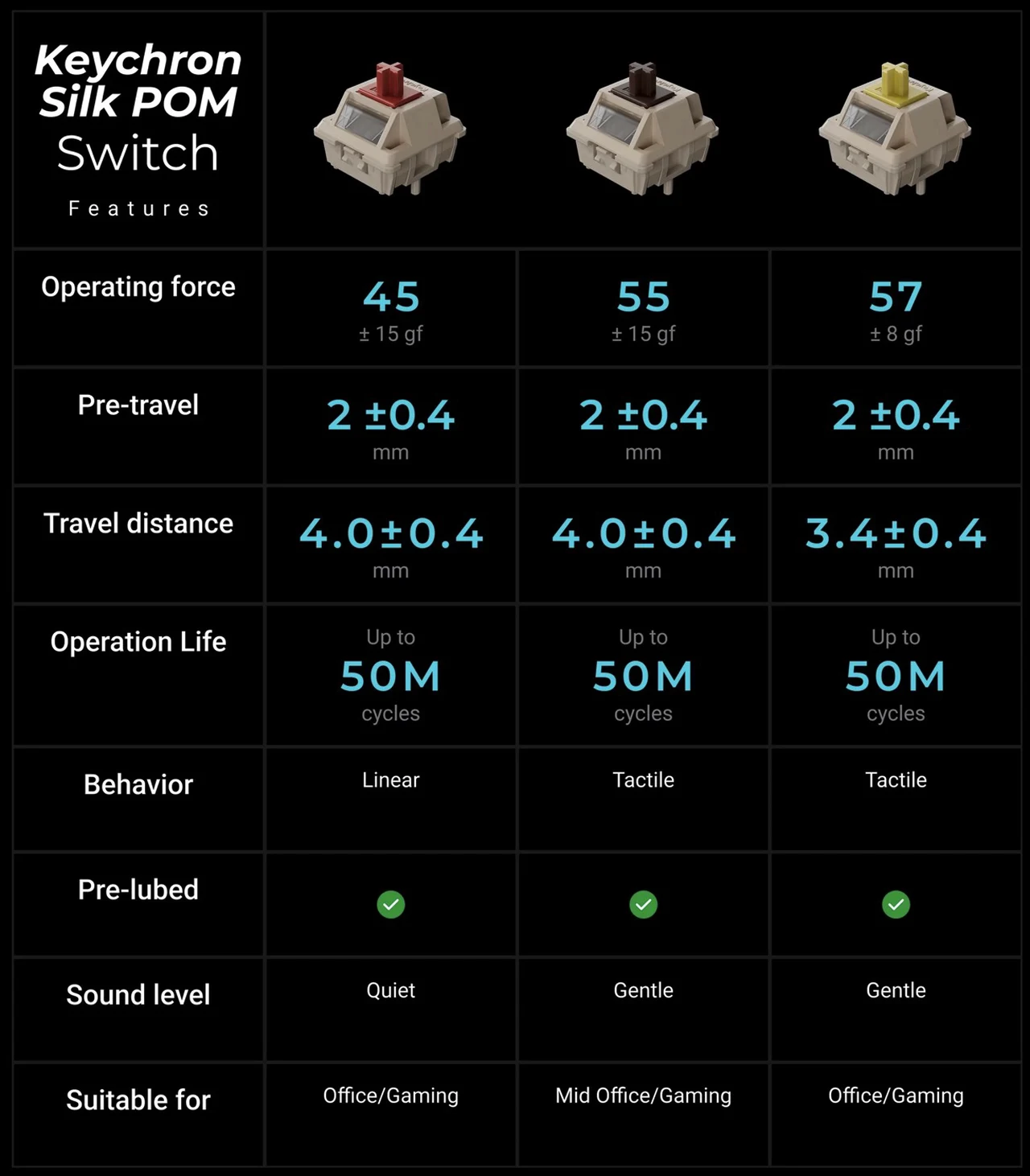
Keychron offers the board in black and white, with three switch flavors at launch: Silk POM Red, Brown, and Banana. The aluminum colorways are uniform and well finished, and the slightly oversized aluminum knob in the upper right replaces the older classic design with something taller and more positive in action. It is a small detail but it changes how the board looks from across a desk. What you do not get is a screen, a second knob, or the macro-pad flourishes that flagship gaming keyboards have started adding to justify $200-plus pricing. The Q3 Ultra 8K is unapologetically restrained, and on a clean desk it reads more like a piece of office hardware than a peripheral built to be photographed under RGB floodlights.
The Sound and Feel of the Stack
Keychron has spent the last three product cycles refining its internal acoustic recipe, and the Q3 Ultra 8K runs the full menu. Inside the case you get sound-absorbing foam, IXPE foam between the switches and the PCB, a PET film, a latex bottom pad, a second layer of bottom case acoustic foam, and another PET film against the bottom shell. A double-gasket mount with silicone pads sits between the top and bottom cases to soften acoustic resonance, and the bottom acoustic pad can be removed if you want more flex in the typing feel. The result, even on a hard desk surface, is a deep and muted sound profile that lands closer to a built-up enthusiast board than to anything you would expect at this price.
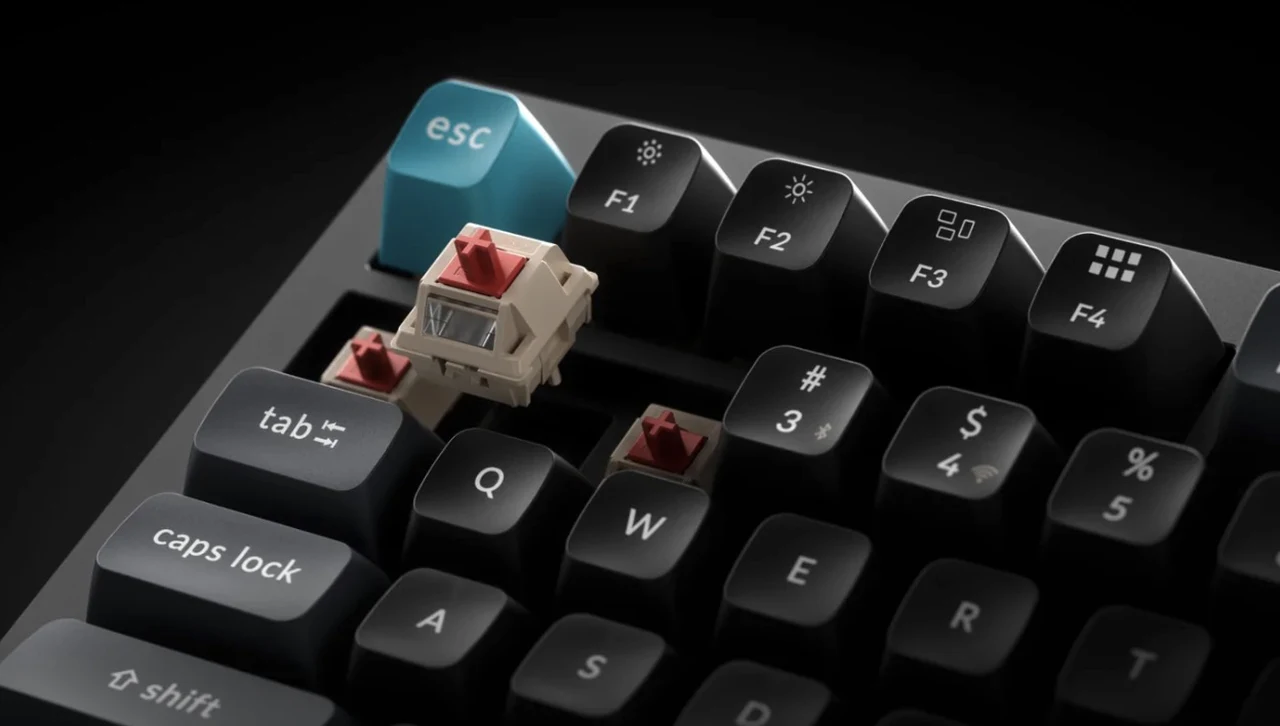
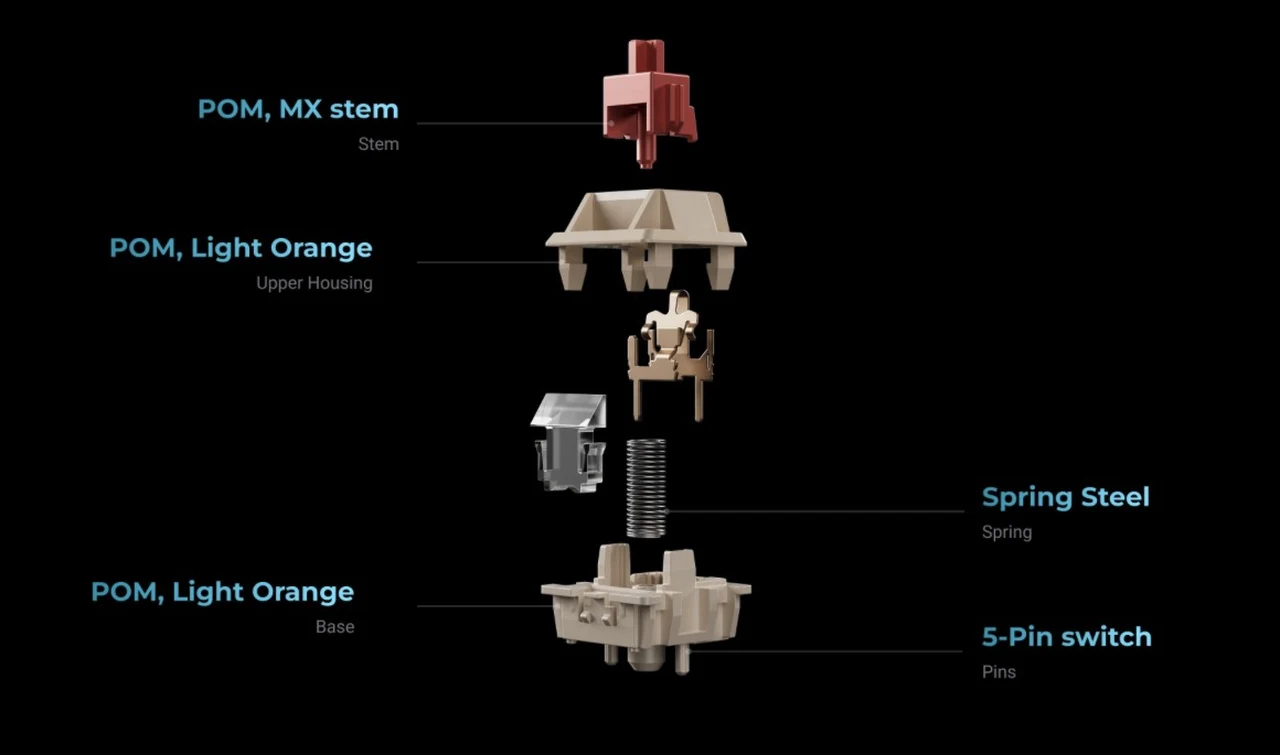
The pre-lubed Silk POM switches contribute most of that character. The Red linear option used during this review felt smooth and slightly heavier than the typical entry-level red, with a damp bottom-out that benefits noticeably from the PC plate. The keycaps are KSA-profile double-shot PBT, oil-resistant and built for long-term legend retention. This is where personal taste enters the picture. The KSA profile is tall and steeply sculpted, somewhere between SA and Cherry in height, and reviewers including Tom’s Guide have flagged that not every typing style adapts to it. If you write fast with relaxed wrists and rest your palms low, the rake is comfortable. If you type from a hovering position over a low-profile board, the transition will take a week.
Why the 8,000 Hz Polling Rate Matters, and When It Does Not
The headline performance number is the 8,000 Hz polling rate, available in both wired mode and over the 2.4 GHz wireless dongle. That is eight times the 1,000 Hz ceiling on the Q3 Max and matches the figures advertised by current-generation wireless gaming keyboards from Razer, Corsair, and Wooting. Polling rate determines how often the keyboard reports its state to the host, and at 8K the interval drops to 0.125 milliseconds.
In practical terms, the difference between 1,000 Hz and 8,000 Hz is invisible during typing and most everyday computing. It begins to matter in fast-paced competitive games where shaving fractional milliseconds from input latency can affect aim micro-corrections and rapid input chains. For the Q3 Ultra 8K’s likely buyer, who is probably a mixed-use hybrid worker rather than a Counter-Strike pro, the spec earns its place more as future-proofing than as a daily feature. What does matter on a daily basis is that Keychron pulled this off wirelessly.
Most 8K boards on the market either tether to USB or require a separate transmitter to maintain the polling rate over RF. The Q3 Ultra 8K hits 8,000 Hz through its supplied 2.4 GHz receiver, with selectable fallback rates of 2,000 Hz and 1,000 Hz to extend battery life when you do not need the headroom. NKRO is supported across wired and wireless modes, and Bluetooth 5.3 covers three additional device slots when you want to swap to a phone or tablet.
Battery Life That Sounds Implausible Until You Live With It
The 660-hour battery claim, drawn from a 4,000 mAh lithium-polymer pack with the backlight off, sounds like the kind of figure that asks to be picked apart. In reality it is conservative if you treat RGB as optional. Keychron’s own specs list 200 hours with RGB lighting on at the lowest brightness, which still represents weeks of work for anyone who turns the board off at the end of the day. That number is the single biggest argument for choosing the Q3 Ultra 8K over the Q3 Max, which tops out at around 180 hours. The reason is not battery capacity but firmware.
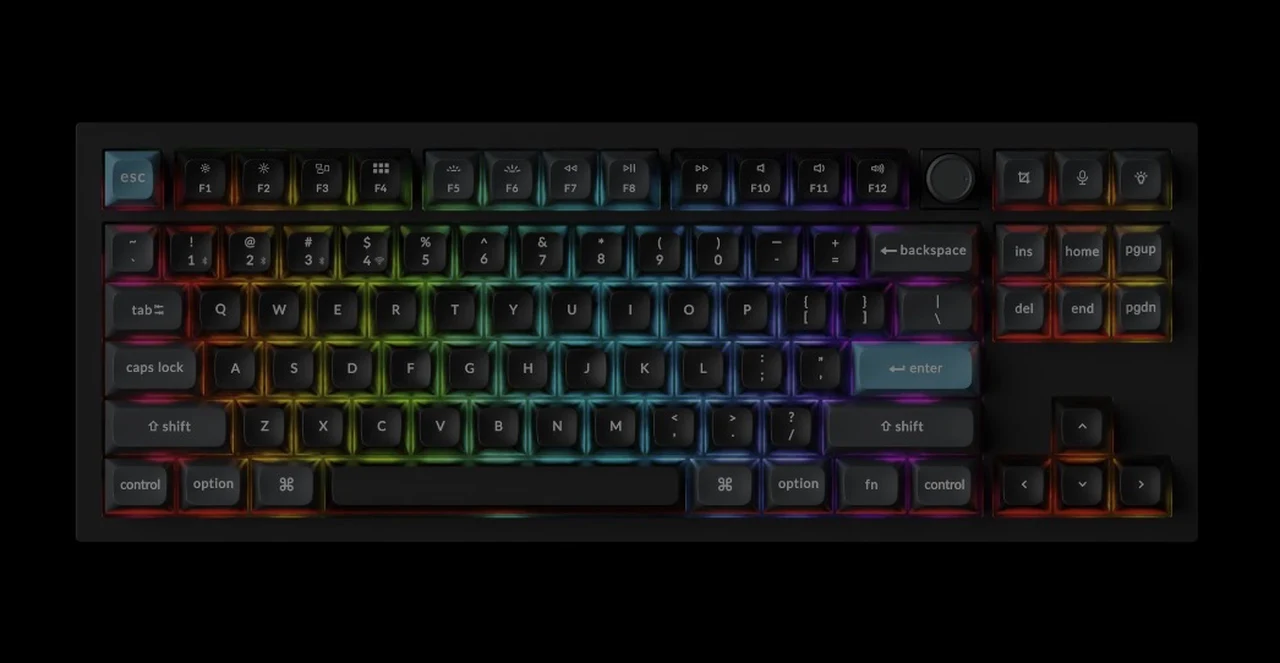
ZMK is built on the Zephyr real-time operating system and engineered from the ground up for wireless keyboards, which means it sleeps aggressively, wakes quickly, and treats every milliamp like a budget item. QMK, by contrast, was designed for wired boards first and never shed those assumptions. Even with the dongle plugged in and 8K polling enabled for hours of mixed work, the Q3 Ultra 8K barely moves the needle on its battery indicator. For people who hate hunting for the USB-C cable or who travel with a keyboard tucked into a bag, this is the genuinely transformative part of the product.
ZMK, the Launcher, and the Firmware Trade-Off
Choosing ZMK over QMK is the most consequential decision Keychron made with this board, and it is the one that will divide the enthusiast audience. On the upside, ZMK enables the battery life advantage, supports the 8K wireless polling, and is fully open source. The community can audit the code, which Keychron leans on as a security pitch given that keyboards see your passwords and sensitive input every day. On the downside, ZMK does not yet have the deep, mature ecosystem of QMK and VIA. Keychron’s response is the Keychron Launcher, a browser-based configurator that runs in Chrome, Edge, or Opera and connects to the keyboard over USB.
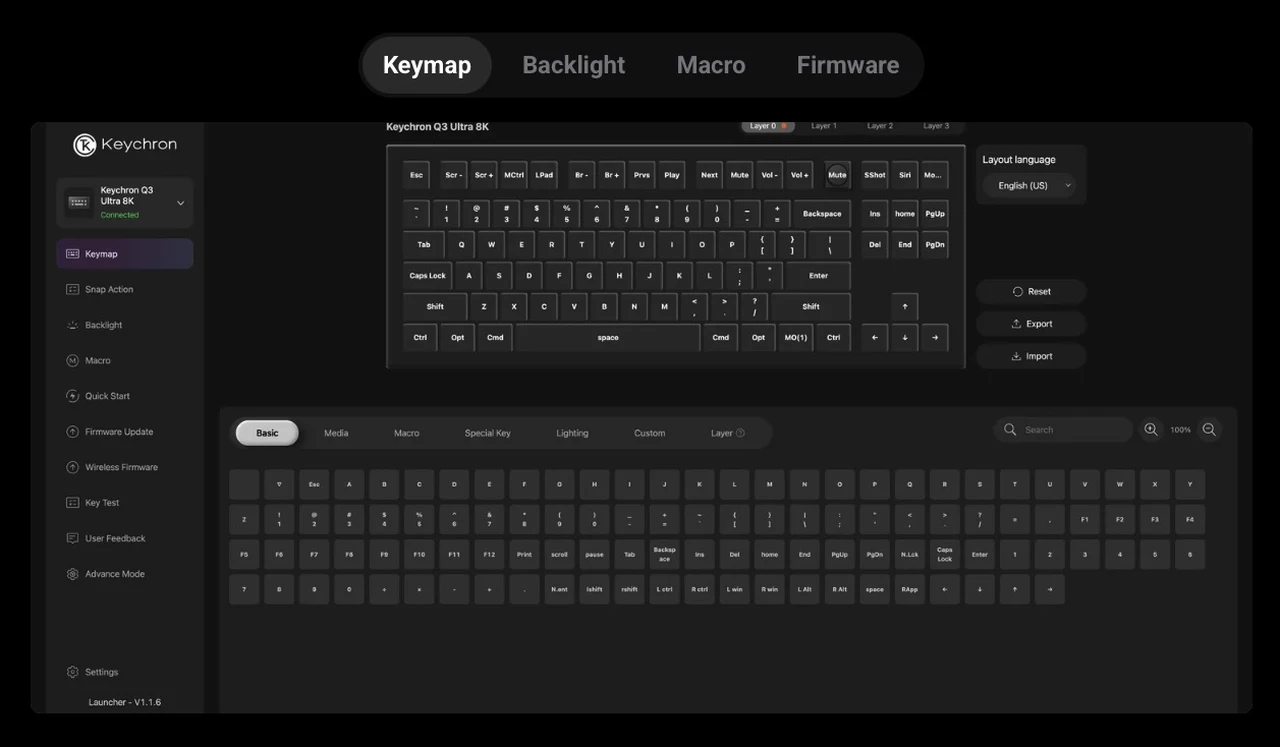
The Launcher handles key remapping, macros, RGB programming, and firmware updates through a clean interface, and it requires no install. It works on Windows, macOS, and Linux because the heavy lifting happens in the browser. For most users this is more than enough. If you have a deep QMK config tucked into a Git repository with years of personal tweaks, the migration is non-trivial and worth weighing before you buy. For everyone else, the Launcher delivers around 90 percent of QMK’s everyday utility with a fraction of the friction.
Hot-Swap, Stabilizers, and the Modding Headroom
The Q3 Ultra 8K is hot-swappable and accepts almost any 3-pin or 5-pin MX-style switch on the market, which includes Cherry, Gateron, Kailh, and Panda. Swapping is tool-free once you remove the keycaps, and the south-facing per-key RGB layout means MX low-profile-style caps will not bind on the LEDs. The screw-in PCB stabilizers deserve a specific call-out. Space bar, shift, and enter all feel tight out of the box with minimal wire rattle, and the screw-in design makes it easy to lube and reseat them without prying anything destructive.
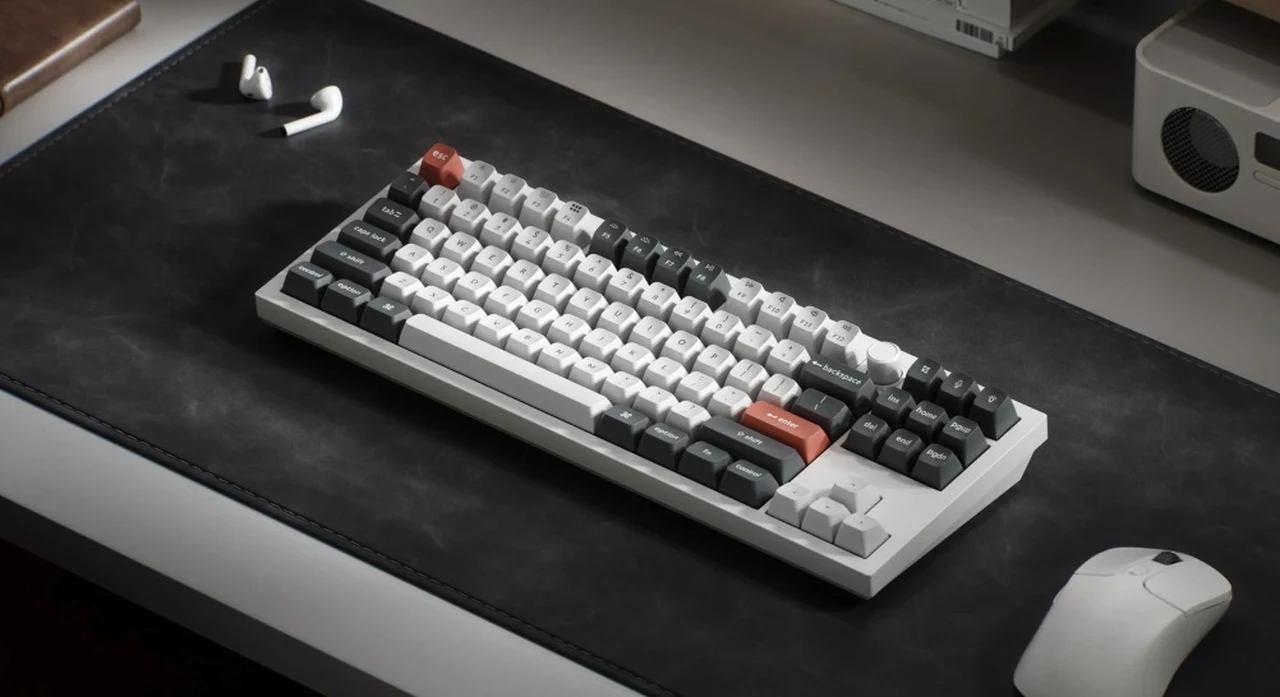
Combined with the gasket mount and the foam stack, the larger keys arrive with the kind of consistency that usually requires a weekend of modding to extract. RGB is handled with 22-plus presets, per-key custom colors, and a Mix RGB mode that splits the board into two zones with independent effects. It is more capable than most users will exercise, but the static white option alone is worth the price of admission for anyone who wants subtle backlight without a light show.
How It Sits Next to the Q3 Max
Both the Q3 Max and the Q3 Ultra 8K launch at $229.99. The decision is genuinely about feature trade-offs rather than cost. Choose the Q3 Max if you want QMK and VIA with their mature ecosystems, the Gateron Jupiter switches, and a polling rate that meets every realistic need. Choose the Q3 Ultra 8K if you want the longest battery life on the market for a wireless TKL, the 8K polling headroom, and a firmware path that is being actively engineered for wireless first. The Q3 Pro is the budget sibling at a lower price point with QMK, no 2.4 GHz, and a 300-hour battery. It exists for buyers who want the Q-series feel without the latest electronics.
The Verdict and What Comes Next
The Keychron Q3 Ultra 8K is the most complete wireless TKL Keychron has shipped, and one of the few keyboards on the market that delivers enthusiast-grade typing feel, gaming-grade input performance, and laptop-class battery life in the same chassis. The two reservations are the KSA keycap rake, which is a matter of preference, and the ZMK ecosystem, which is younger than QMK but improving fast.
What will be more interesting to watch is whether the rest of Keychron’s lineup follows the Q3 Ultra 8K to ZMK. The battery life advantage is too significant to ignore, and the company’s willingness to abandon a mature firmware stack to chase wireless-first engineering suggests this board is a template rather than an outlier. If you are buying a premium wireless mechanical keyboard in 2026 and you can live with the keycap profile, this is the one to beat.
Sources: Keychron
Disclosure: Some of our articles include affiliate links. If you buy something through one of these links, Geeky Gadgets may earn an affiliate commission. Learn about our Disclosure Policy.
