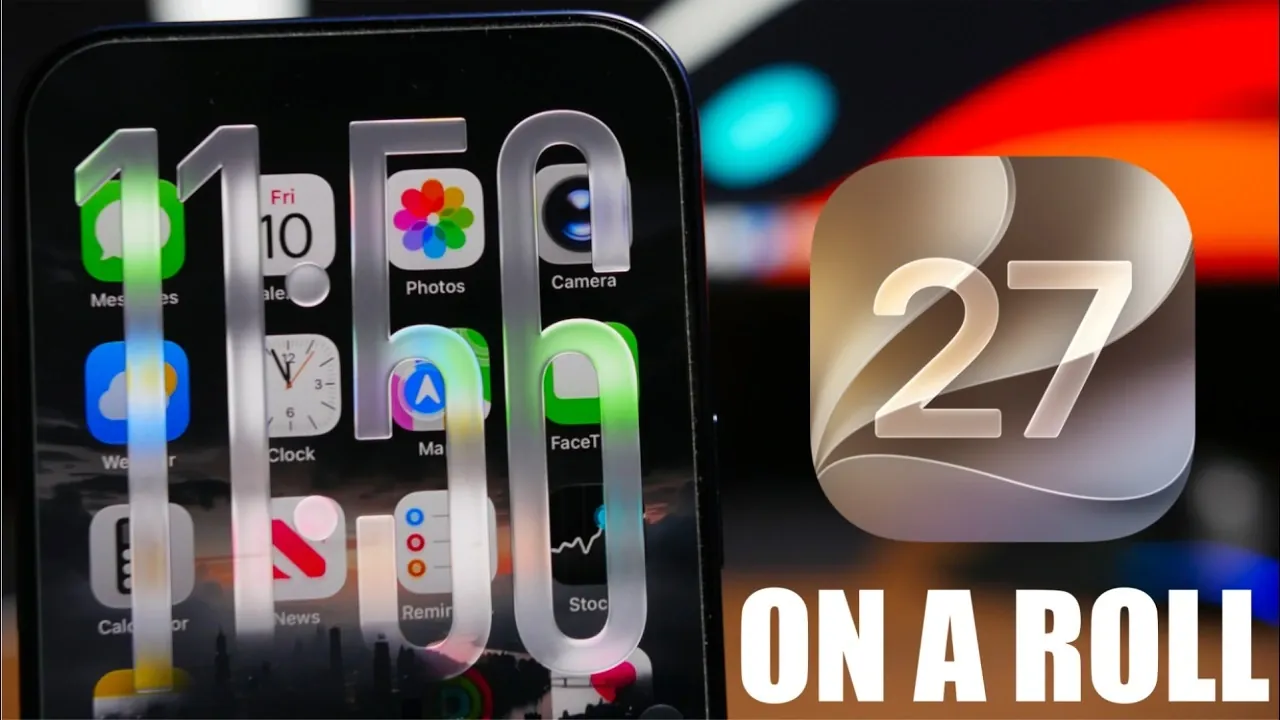
iOS 27 represents one of Apple’s most ambitious software updates to date, introducing a host of new features, design refinements, and performance upgrades. Currently in its third beta phase, the update focuses on enhancing user experience, improving stability, and optimizing battery efficiency. With the public beta release set for July 13, Apple is carefully fine-tuning the system to ensure a seamless experience for users when the official launch arrives.
Key Features and Updates in iOS 27
Apple has packed iOS 27 with a variety of updates that cater to both functionality and aesthetics. These changes reflect the company’s commitment to delivering a more intuitive and engaging experience for users. Below is a closer examination of the standout features and improvements.
Keyboard Upgrades
The keyboard in iOS 27 has been enhanced with Siri shortcuts integrated directly into its interface. Positioned at the top of the keyboard, these shortcuts allow you to access Siri’s capabilities without disrupting your workflow, making multitasking more efficient. Additionally, Apple has introduced an innovative emoji “Combine” tool, which lets you merge multiple emojis into a single, customized icon. This feature adds a layer of creativity and personalization to your messages, making communication more expressive and fun.
Notification Center Enhancements
The Notification Center has undergone a visual transformation, incorporating 3D animations that dynamically interact with your wallpaper. These animations create a more immersive experience, adding depth and fluidity to how notifications appear and behave. Beyond aesthetics, these changes improve functionality by making notifications more engaging and easier to manage.
Lock Screen Improvements
Apple has refined the lock screen with adaptive buttons that automatically adjust to light and dark modes. This ensures better visibility while maintaining a cohesive design. Additionally, a subtle background tint has been added to these buttons, enhancing their appearance without overwhelming the overall design. While still in beta, this feature demonstrates Apple’s attention to detail and focus on usability.
Redesigned Settings Interface
The Settings app has been reimagined to prioritize transparency and user control. A new section titled “Optimizing Search and Siri” provides real-time progress percentages, offering users a clearer understanding of system processes. This redesign underscores Apple’s commitment to empowering users with greater insight into how their devices operate.
Control Center Accessibility
The Control Center has been restructured to improve accessibility and ease of use. Previously hidden shortcuts are now displayed in a list format, making navigation more intuitive. This change is particularly beneficial for users with diverse accessibility needs, making sure that the interface is inclusive and user-friendly.
Standby Mode Updates
Standby mode has been modernized with the introduction of a new Siri orb, replacing the traditional microphone indicator. This visual update aligns with Siri’s expanded functionality, which now includes access to third-party app information. These enhancements make Siri more versatile, allowing it to deliver more comprehensive and context-aware responses.
Home Screen Refinements
The home screen has received subtle yet impactful updates, including reduced specular highlights around app icons. This adjustment creates a cleaner and more streamlined appearance, making sure that the interface remains visually appealing without unnecessary distractions. These refinements reflect Apple’s dedication to maintaining a polished and professional design.
Battery Life Improvements
Battery performance has been a major focus in iOS 27. Early beta testing indicates notable improvements, with approximately eight hours of usage on roughly 85% battery consumption. These results suggest that Apple has made significant strides in optimizing power efficiency, though further refinements are expected as the beta phase progresses.
Performance Gains
iOS 27 delivers significant performance enhancements, offering smoother and faster operation across devices. Benchmark tests reveal impressive scores, including 3755 for single-core and 9722 for multi-core performance. These metrics highlight Apple’s ongoing commitment to delivering high levels of efficiency and speed, making sure that devices run seamlessly even under demanding conditions.
Beta Release Timeline
The public beta for iOS 27 is scheduled for release on July 13, with the fourth beta following on July 20. Subsequent beta updates will roll out biweekly, leading up to the final release in August. This structured timeline allows Apple to gather feedback, address potential issues and deliver a polished final product.
What to Expect Moving Forward
iOS 27 beta 3 highlights Apple’s dedication to innovation and user-focused design. From enhanced Siri integration and emoji customization to improved battery life and performance benchmarks, the update offers a robust suite of features designed to enhance the overall user experience. As the beta phase continues, further refinements are anticipated, making sure that the final release is both feature-rich and carefully optimized.
Learn more about iOS 27 with other articles and guides we have written below.
- Apple’s iOS 27 Beta 3 Is Just Days Away: Here’s When It Drops
- iOS 27 Leaks Reveal the End of an Era: Apple’s New Priorities Confirmed
- iOS 27 Beta 2 Changes: What Apple Is Modifying to Improve Performance
- Should You Install iOS 27 Beta 3 or Wait for the Public Beta?
- iOS 27 Could Be Apple’s ‘Snow Leopard’ Moment—Focusing on One Huge Change
- The Difference Between the iOS 27 Public and Developer Betas
Source & Image Credit: iReviews
Disclosure: Some of our articles include affiliate links. If you buy something through one of these links, Geeky Gadgets may earn an affiliate commission. Learn about our Disclosure Policy.
