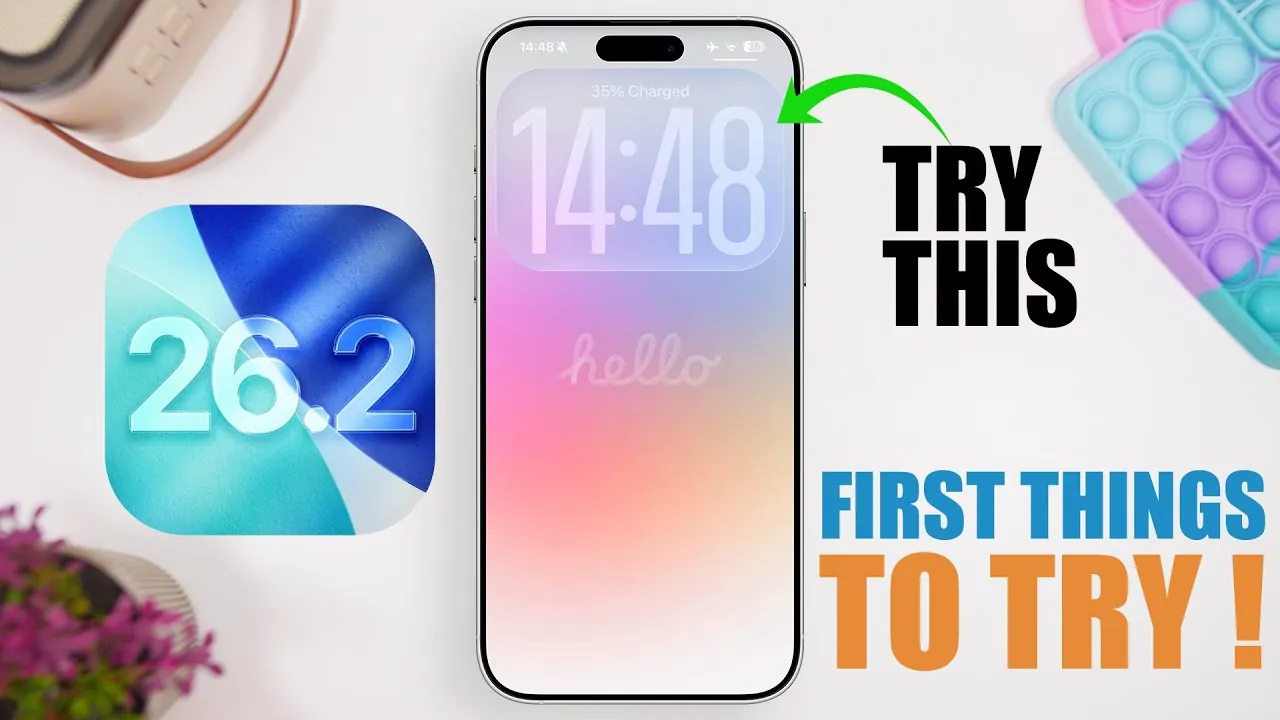
Apple’s iOS 26.2 brings a host of new features and refinements designed to enhance usability, performance, and visual appeal. Whether you’re a casual user or a tech enthusiast, this update offers a variety of tools and improvements to elevate your experience. In the video below, iReviews delves into the top 10 features that make iOS 26.2 a noteworthy upgrade.

1. Lock Screen Gets a Modern Makeover
The lock screen in iOS 26.2 introduces a striking liquid glass effect for the clock, offering a sleek and dynamic design. This feature allows you to customize the intensity of the effect, allowing a more personalized and polished appearance. Whether you prefer a subtle shimmer or a bold, fluid aesthetic, this update ensures your lock screen reflects your style.
2. Smoother Animations for a Seamless Experience
System-wide animation enhancements make navigating your device feel more intuitive and responsive. From app transitions to gesture interactions, these refinements create a cohesive and polished interface. The smoother animations not only improve usability but also contribute to a faster and more immersive experience, making everyday tasks feel effortless.
3. Screen Flash Notifications for Better Alerts
iOS 26.2 introduces screen flash notifications as an alternative to the traditional LED flash. This feature is particularly useful in low-light environments or when you prefer a less intrusive alert. Accessible through the accessibility settings, this option provides greater flexibility in how you receive notifications, making sure you never miss an important update.
4. Redesigned Measure App with Visual Upgrades
The Measure app receives a significant visual overhaul, incorporating the same liquid glass effect seen on the lock screen. While the design is more modern and visually appealing, the app retains its core functionality, making it a practical tool for everyday measurements. Whether you’re measuring dimensions or using the level tool, the updated interface enhances usability without compromising accuracy.
5. Advanced Game Filtering Options
Gamers will appreciate the improved filtering options in the Games app. You can now sort titles by name, size, or category, and even apply multiple filters simultaneously. For example, you can narrow down your search by combining filters for controller compatibility and genre, making it easier to find games that match your preferences. This feature streamlines the gaming experience, saving time and effort.
6. Auto-Generated Podcast Chapters
The Podcasts app now includes auto-generated chapters for episodes, allowing you to skip directly to the segments that interest you most. This feature is particularly beneficial for avid listeners who want to navigate content more efficiently. By breaking down episodes into easily accessible sections, iOS 26.2 ensures you can focus on the topics that matter most to you.
7. Alarms in the Reminders App
The Reminders app now supports alarms, making it easier to stay on top of important tasks and deadlines. Notifications appear directly on your lock screen, making sure you never miss a critical reminder. This enhancement transforms the app into a more comprehensive organizational tool, perfect for managing both personal and professional schedules.
8. Quick-Access Tags in the News App
Navigating the News app is now more efficient with the addition of quick-access tags. These tags allow you to jump directly to specific sections, while the new “Following” tab consolidates all your followed topics in one place. By streamlining access to your preferred content, this update makes staying informed faster and more convenient.
9. Offline Lyrics in Apple Music
Music lovers can now enjoy offline lyrics for downloaded songs in Apple Music. Whether you’re traveling or in an area without internet access, you can still sing along to your favorite tracks. Additionally, playlists now feature full-screen album art, enhancing the visual experience and making your music library more engaging.
10. Live Translation for AirPods (EU Only)
For users in the European Union, iOS 26.2 introduces live translation for AirPods. This feature enables real-time language translation, making it an invaluable tool for travel and international communication. Simply pair your AirPods with your device to access seamless translation, breaking down language barriers and enhancing global connectivity.
Additional Enhancements
Beyond these standout features, iOS 26.2 includes a range of performance improvements and battery optimizations. These updates ensure your device runs more efficiently, offering a smoother and longer-lasting experience. Whether you’re multitasking or using resource-intensive apps, these enhancements contribute to a more reliable and enjoyable user experience.
Explore the Full Potential of iOS 26.2
iOS 26.2 delivers a blend of functional upgrades and aesthetic improvements designed to enhance your daily interactions with your device. From the visually captivating lock screen to practical tools like podcast chapters and offline lyrics, this update caters to a wide range of user needs. Dive into these features to discover how iOS 26.2 can transform your device into a more refined and versatile tool for work, entertainment, and communication.
Gain further expertise in iOS 26.2 features by checking out these recommendations.
- iOS 26.2 Update: Top 10 Features You’ll Love
- iOS 26.2 Beta 4 Release & More New Features
- iOS 26.2 Beta 2 Features: What’s New and Improved
- iOS 26.2 Features Breakdown: Everything You Need to Know
- iOS 26.2 Beta 1 Features, Updates, and Performance Insights
Source & Image Credit: iReviews
Disclosure: Some of our articles include affiliate links. If you buy something through one of these links, Geeky Gadgets may earn an affiliate commission. Learn about our Disclosure Policy.
