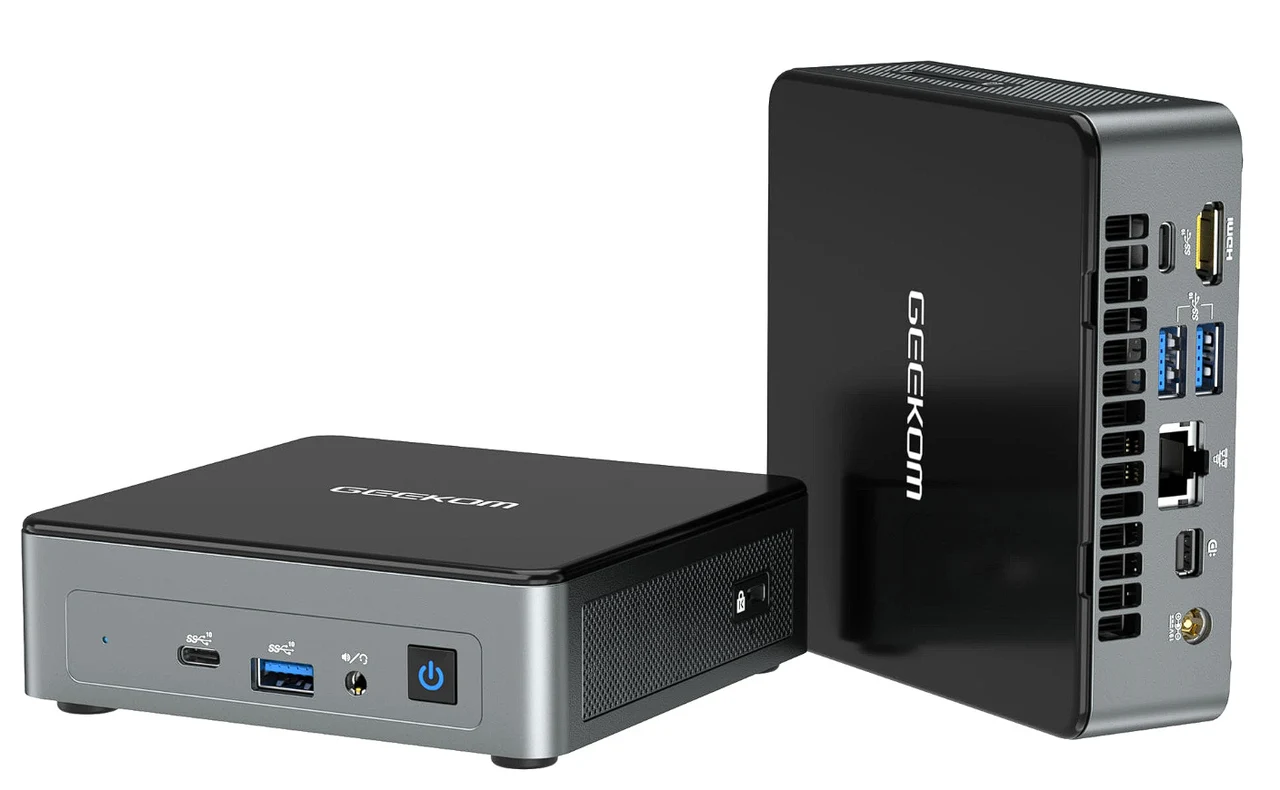
 The Mini Air12 is a compact, low-powered Intel mini PC, which appears to be one of the last iterations of the discontinued Intel NUC line. Despite its small size and low power consumption, the Mini Air12 offers a range of features suitable for everyday computing tasks, light gaming, and media playback. At the heart of the Mini Air12 is the Intel N100 processor. This is a low-power CPU with four cores that can speed up to 3.4 GHz when needed. It’s a solid choice for handling everyday tasks without a hitch. The processor is complemented by 16 GB of DDR5 RAM, which supports you in juggling multiple tasks at once. Although the RAM operates in single-channel mode due to the CPU’s limitations, it doesn’t hinder the Mini Air12’s performance.

You won’t have to worry about running out of storage space either. The Mini Air12 comes with an M.2 NVMe SSD that provides up to 2 TB of storage. This means your computer will start up quickly, and you’ll be able to access files and programs in no time. When it comes to connecting to the internet or other devices, the Mini Air12 has you covered with Wi-Fi 6 and Bluetooth 5.2. These features offer the latest in wireless connectivity. Plus, with a range of ports including USB Type-C and HDMI 2.0, you can easily connect all your essential peripherals.
Mini Air12 performance tested

Features of the Mini Air12
- It is equipped with an Intel N100 processor, featuring four cores and a boost clock up to 3.4 GHz.
- The Mini PC includes 16 GB of DDR5 RAM, which operates in single-channel mode due to the CPU’s limitations.
- Storage is provided by a 2280 M.2 NVMe SSD, with support for up to 2 TB capacity.
- Connectivity options include Wi-Fi 6, Bluetooth 5.2, and a variety of ports such as USB Type-C, USB 3.2 Gen 2, HDMI 2.0, mini DisplayPort 1.4, Gigabit Ethernet, and a full-size SD card reader.
- The device runs on Windows 11 and is capable of 4K video playback.
- The Mini Air12 comes with a 44W power supply, though its actual power consumption is much lower, with the ability to adjust the TDP settings for better performance.
- The system’s cooling is sufficient to prevent thermal throttling even when the TDP is increased.
- Performance benchmarks indicate that the Mini Air12 is not suitable for high-end gaming but can handle light indie games and tasks like web browsing, email, and document editing efficiently.
- The Mini Air12’s total system power consumption is low, making it an energy-efficient choice for users with modest computing needs.
Intel mini PC
The Mini Air12 runs on Windows 11, which supports 4K video playback. This means you’ll get crisp, clear visuals whether you’re watching videos, streaming content, or putting together presentations. It’s a dependable choice for both work and play.
One of the standout features of the Mini Air12 is its energy efficiency. The device comes with a 44W power supply unit, which is more than enough due to its low power consumption. You can even adjust the TDP settings to strike the right balance between performance and energy use.
With compact devices, there’s often a concern about how well they can stay cool. The Mini Air12, however, boasts an effective cooling system that keeps it from overheating. This ensures that the device maintains consistent performance, even when it’s working hard.

While the Mini Air12 might not be the best fit for high-end gaming, it’s perfectly suited for less demanding games, surfing the web, managing emails, and editing documents. Its low overall power consumption will be particularly attractive if you have light to moderate computing needs and are mindful of energy use.
The Mini Air12 Intel mini PC is a small, energy-efficient desktop computer that delivers solid performance for everyday tasks. Its compact size and low power usage make it an appealing choice for anyone looking to save space and reduce energy consumption while still having a reliable computing experience for work, casual gaming, and watching media.
Disclosure: Some of our articles include affiliate links. If you buy something through one of these links, Geeky Gadgets may earn an affiliate commission. Learn about our Disclosure Policy.
