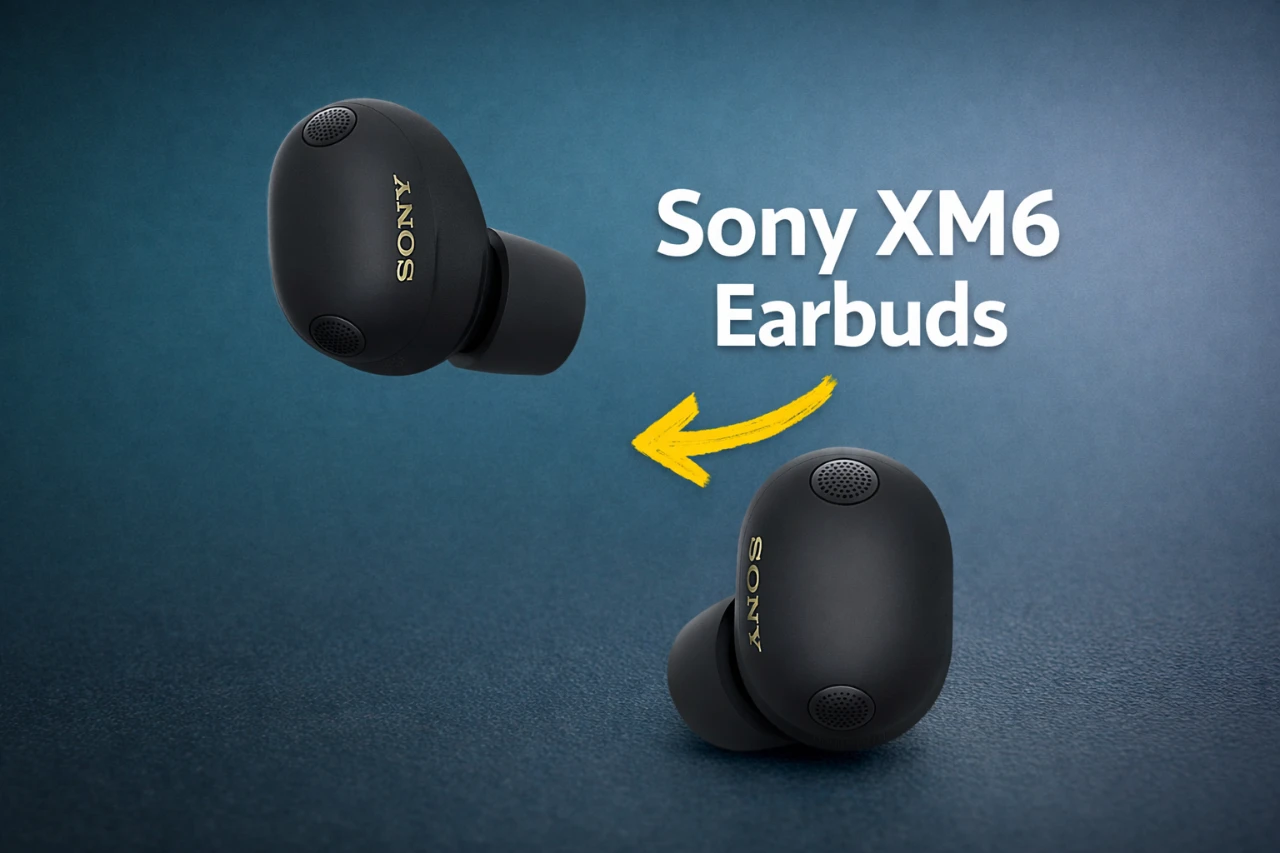
The Sony XM6 earbuds represent a pinnacle of modern audio engineering, offering a blend of exceptional sound quality, intuitive features, and long-term durability. By understanding and using their advanced capabilities, you can elevate your listening experience to new heights. This guide provides actionable steps to help you maximize the performance of your XM6 earbuds, ensuring a seamless and immersive audio journey.

Enhance Sound Quality for an Immersive Experience
The XM6 earbuds are designed to deliver superior audio fidelity, making them ideal for music enthusiasts and casual listeners alike. To achieve the best sound quality, start by allowing the LDAC codec, which supports high-resolution audio over Bluetooth. This codec ensures that you experience music as the artist intended, with minimal loss of detail.
For compressed audio files, activate Sony’s DSEE Extreme technology. This feature uses AI to restore lost details in compressed tracks, enhancing their richness and clarity. Additionally, take advantage of the 360 Reality Audio and spatial sound settings. These features adapt the sound output to your ear shape, creating a personalized and immersive soundstage. Whether you’re streaming music or listening to high-resolution tracks, these settings ensure a dynamic and engaging audio experience.
Customize Audio and Noise-Canceling Features
Personalizing your audio settings is essential to unlocking the full potential of the XM6 earbuds. Use the Sony Headphones Connect app to adjust the equalizer (EQ) settings. This allows you to create custom profiles tailored to your favorite music genres, whether you prefer deep bass for electronic tracks or balanced tones for classical compositions.
The XM6 earbuds also feature adaptive noise-canceling technology, which can be fine-tuned to suit your environment. Adjust the noise-canceling and ambient sound settings to strike the perfect balance between external awareness and audio isolation. For instance, you can reduce background noise in a busy café or allow ambient sounds to filter through while walking outdoors. These customizable options ensure that your listening experience is both versatile and enjoyable.
Use Voice Commands and Smart Assistants
The XM6 earbuds are equipped with hands-free functionality to enhance convenience and usability. Set up voice commands to control playback, adjust volume, or switch between noise-canceling modes without needing to touch your device. Integration with digital assistants such as Google Assistant and Alexa further expands the earbuds’ capabilities. With simple voice prompts, you can check notifications, set reminders, or even control smart home devices.
These features are particularly useful for multitasking, whether you’re working, commuting, or exercising. By using voice commands and smart assistants, you can stay connected and productive without interrupting your routine.
Optimize Call Quality and Microphone Performance
Clear communication is a standout feature of the XM6 earbuds, thanks to their advanced microphones and super wideband speech technology. These innovations ensure that your voice is transmitted with clarity and natural tone during calls, even in noisy environments.
For added convenience, the earbuds include a microphone mute gesture. This feature allows you to mute or unmute the microphone with a simple touch, providing privacy during conversations without disrupting your workflow. Whether you’re on a business call or catching up with friends, the XM6 earbuds deliver reliable and high-quality communication.
Extend Battery Life and Maintain Longevity
Battery performance is a critical factor for wireless earbuds, and the XM6 offers several tools to help you manage power efficiently. Enable auto power-off and power-saving modes to conserve energy when the earbuds are not in use. These features ensure that your earbuds are always ready when you need them.
To protect the long-term health of your earbuds, activate the battery care feature. This setting limits charging to 90%, reducing wear on the battery and extending its lifespan. By adopting these practices, you can enjoy consistent performance and reliability over time.
Streamline Daily Use with Smart Features
The XM6 earbuds are designed to simplify your daily routine with a range of intelligent features. Speak-to-Chat automatically pauses playback and switches to ambient sound mode when you start speaking, allowing you to hold conversations without removing the earbuds. This feature is particularly useful in social or professional settings.
Quick access shortcuts enable you to launch frequently used apps or settings with a single tap, saving time and effort. Additionally, location-based automation adjusts audio preferences based on your activity or environment. For example, the earbuds can enable noise-canceling at work and switch to ambient sound mode at home. These smart features enhance convenience and adaptability, making the XM6 earbuds an integral part of your daily life.
Protect Your Hearing with Safe Listening Tools
Hearing health is a priority with the XM6 earbuds, which include features to promote safe listening habits. The earbuds monitor sound pressure levels and provide alerts if you exceed recommended audio thresholds. This helps you maintain a safe volume level and reduce the risk of hearing damage.
Additionally, the earbuds track your listening patterns over time, offering insights to help you make informed decisions about volume and usage duration. By prioritizing safe listening, the XM6 earbuds ensure a sustainable and enjoyable audio experience.
Unlock Exclusive Features with Your Sony Account
Creating a Sony account allows you to access additional features and updates for the XM6 earbuds. For example, scene-based audio modes automatically adjust sound settings based on specific scenarios, such as commuting, working, or relaxing. These exclusive features enhance the versatility of your earbuds, delivering a tailored listening experience that adapts to your lifestyle.
By staying connected to your Sony account, you can also receive firmware updates that improve performance and introduce new functionalities. This ensures that your XM6 earbuds remain at the forefront of audio technology.
Maximize Your Listening Experience
The Sony XM6 earbuds are more than just a pair of wireless earbuds—they are a comprehensive audio solution designed to meet the needs of diverse users. By following this guide, you can unlock their full potential, from achieving high-resolution sound quality to using advanced customization and smart features. Whether you’re an audiophile seeking pristine audio or a casual listener prioritizing convenience, the XM6 earbuds offer a versatile and immersive experience tailored to your preferences.
Here are more guides from our previous articles and guides related to Sony XM6 earbuds that you may find helpful.
- Sony WH1000 XM6: Essential Setup & Pro Tips
- Sony XM6 vs. B&W Px7 S3: The Ultimate Headphone Showdown
- Sony XM6 Challenges AirPods Max for Noise-Cancelling Supremacy!
- Nothing Headphone 1 Review As Good as They Look
- Sony WF-1000XM6: The Ultimate Wireless Earbuds You Need Right
Source: WhatGear
Disclosure: Some of our articles include affiliate links. If you buy something through one of these links, Geeky Gadgets may earn an affiliate commission. Learn about our Disclosure Policy.
