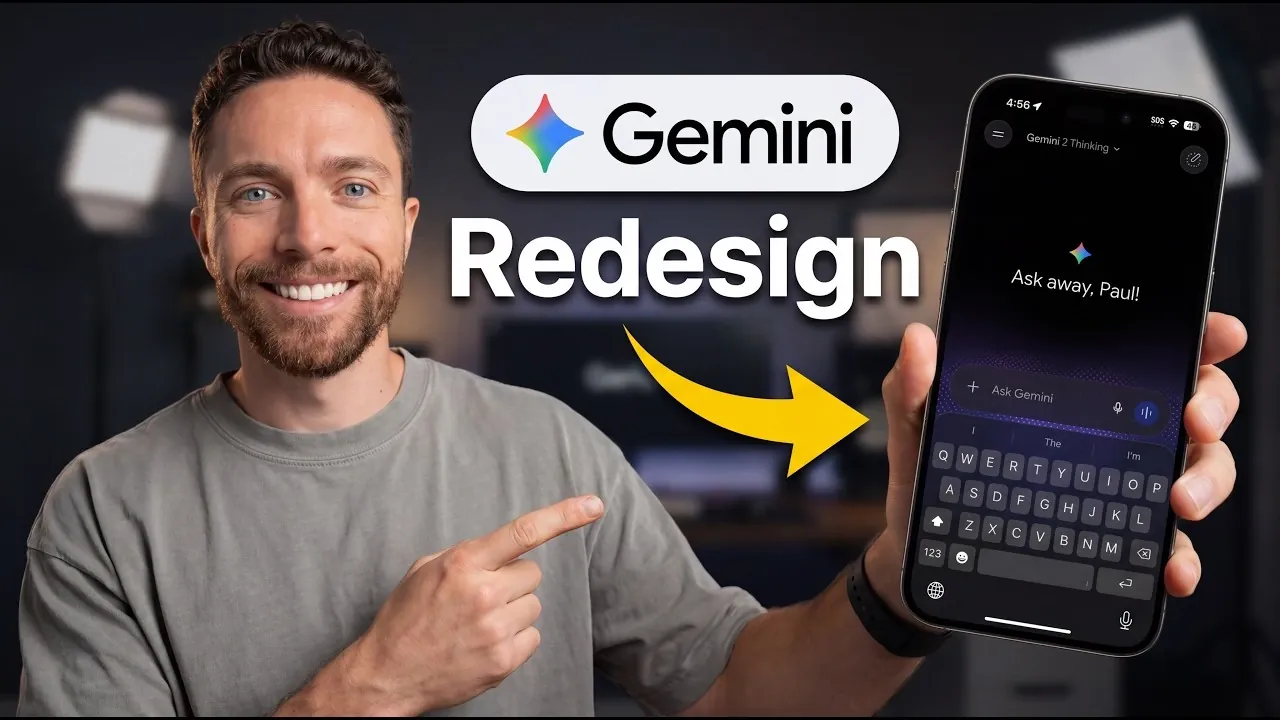
Google’s Gemini platform has undergone a major redesign, introducing a sleek interface and enhanced functionality that cater to a wide range of users. Paul Lipsky explores these updates, highlighting features like the new streamlined chat bar and consolidated menu, which integrate key actions such as file sharing and media creation under a single “+” icon. The redesign also includes a polished black-and-white side menu and a minimized “gems” section, making sure a more focused and distraction-free experience. These changes reflect a user-centric approach, balancing simplicity with efficiency to elevate how users interact with the platform.
Dive into this guide to uncover how Gemini’s updates can enhance your workflow. You’ll gain insight into the platform’s adaptive visuals, such as interactive timelines and maps, which make complex information more accessible. Explore the functionality of the “thinking level” selector, designed to tailor responses to your preferred level of detail and learn how Gemini Live integrates real-time interactions seamlessly into the interface. This breakdown offers a clear look at how the redesign prioritizes usability and engagement across its features.
Key User Interface Enhancements
TL;DR Key Takeaways :
- Google’s Gemini platform has undergone a major redesign, featuring a modernized interface with enhanced visuals, interactive features and a focus on user-centric design for improved navigation and usability.
- Key interface updates include a streamlined chat bar, a consolidated menu for essential tools, a polished black-and-white side menu and a minimized “gems” section to prioritize core functionality.
- Visual enhancements include dynamic animations, minimalistic icons and adaptive visuals like interactive timelines and maps, making the platform more engaging and informative.
- New functional features include a “thinking level” selector for tailored responses, improved “notebooks” for content organization and consistent design across devices for a seamless user experience.
- Gemini Live integrates real-time chat and text interactions into a unified interface, while context-aware responses with interactive elements like charts and tables enhance interactivity and usability.
The revamped Gemini interface prioritizes simplicity and efficiency, making sure that interacting with the platform is both intuitive and productive. Key updates include:
- A streamlined chat bar that reduces visual clutter while emphasizing essential tools for communication.
- A consolidated menu, accessible through a single “+” icon, which integrates features like photo uploads, file sharing and tools for creating images, videos and music.
- A redesigned side menu with a clean black-and-white theme, offering a polished and professional appearance.
- A minimized “gems” section to prioritize core functionality, making sure a more focused and efficient user experience.
These enhancements are designed to make navigation more intuitive while maintaining a professional and cohesive aesthetic. By reducing unnecessary complexity, the platform ensures that users can focus on their tasks without distractions.
Visual Design: A Polished and Dynamic Look
The redesign places significant emphasis on visual appeal, incorporating dynamic elements that enhance both light and dark modes. Key visual updates include:
- Enhanced animations and glowing effects that introduce a sense of movement and energy to the interface.
- Minimalistic icons that align with Google’s broader design philosophy, making sure consistency across its ecosystem.
- Adaptive visuals, such as contextually relevant images, interactive timelines and maps, which make information more engaging and easier to comprehend.
For example, when exploring historical events, Gemini might display an interactive timeline or map to provide additional context. These visual updates not only enhance the platform’s aesthetic appeal but also improve how users interact with and understand information. By integrating dynamic visuals, Gemini ensures that the user experience remains engaging and informative.
Here is a selection of other guides from our extensive library of content you may find of interest on Google Gemini.
- How Google Gemini’s New Canvas Dashboard is Completely Changing File Creation
- What Early Tests Reveal About Gemini 3.5 Flash and Pro
- What the Leaked Gemini Omni Demo Reveals About Google’s AI Future
- Gemini 3.1 Pro Brings Deepthink-Style Reasoning with Three Thinking Levels
- Google Just Put NotebookLM Inside Gemini: Here’s What You Can Do Now
- Google’s Unreleased Gemini 3.2 Flash Just Surfaced Online : Here’s What It Can Do
- Gemini Gems Bring NotebookLM Notes into Google Docs & Sheets
- Inside Google’s Gemini Deep Research Agent
- Gemma 4 vs Gemini 3.1 : Which Google AI is Right for You?
- Chrome Gemini Updates Include Connected Apps and Upcoming Personal Intelligence
Interactive Features and Functional Improvements
The redesign introduces several innovative features aimed at enhancing interactivity and functionality. These updates cater to a wide range of user needs, offering greater flexibility and control:
- A “thinking level” selector that allows users to adjust the complexity of prompts, making it suitable for both high-level summaries and in-depth analyses.
- Enhanced “notebooks” for improved content organization, replacing the previous emphasis on “gems” to provide a more structured approach to managing information.
- Consistent design and functionality across devices, making sure a seamless experience whether accessed via desktop or mobile browsers.
These functional improvements are designed to empower users, allowing them to tailor the platform to their specific needs. By offering tools that adapt to different levels of complexity and organizational preferences, Gemini ensures a versatile and user-friendly experience.
Gemini Live: Seamless Real-Time Interactions
One of the standout features of the redesign is Gemini Live, which integrates live chat and text-based interactions into a unified interface. This innovation eliminates the need to switch between separate modes, allowing users to transition effortlessly during conversations. Whether engaging in real-time discussions or reviewing past exchanges, the experience is now more cohesive and efficient.
Gemini Live enhances communication by providing a fluid and uninterrupted interaction environment. This feature is particularly beneficial for collaborative tasks, making sure that users can focus on their discussions without being hindered by technical limitations or fragmented interfaces.
Context-Aware Responses and Enhanced Interactivity
Gemini’s responses have become smarter and more context-aware, incorporating visuals and interactive elements only when they add tangible value. For instance:
- Discussing data trends? Expect clickable tables or interactive charts that allow for deeper exploration of specific metrics.
- Exploring historical topics? You might encounter timelines or maps that provide additional context and enrich the discussion.
Interactive elements such as tables, diagrams and charts are now clickable, allowing users to dive deeper into specific details without losing sight of the broader context. This approach ensures that information is not only accessible but also actionable, encouraging active engagement and exploration. By integrating these features, Gemini transforms passive consumption of information into an interactive and immersive experience.
A Thoughtful Redesign for Enhanced Usability
Google’s Gemini redesign represents a significant step forward in creating a platform that is both functional and visually appealing. By combining intuitive navigation, adaptive visuals and interactive features, the redesign addresses diverse user needs while maintaining a focus on simplicity and efficiency. Whether adjusting the “thinking level” for tailored responses, exploring context-aware visuals, or navigating the streamlined interface, users will find the platform more engaging and versatile than ever before. This thoughtful approach to user experience underscores Gemini’s commitment to innovation and excellence in digital interaction.
Media Credit: Paul J Lipsky
Disclosure: Some of our articles include affiliate links. If you buy something through one of these links, Geeky Gadgets may earn an affiliate commission. Learn about our Disclosure Policy.
