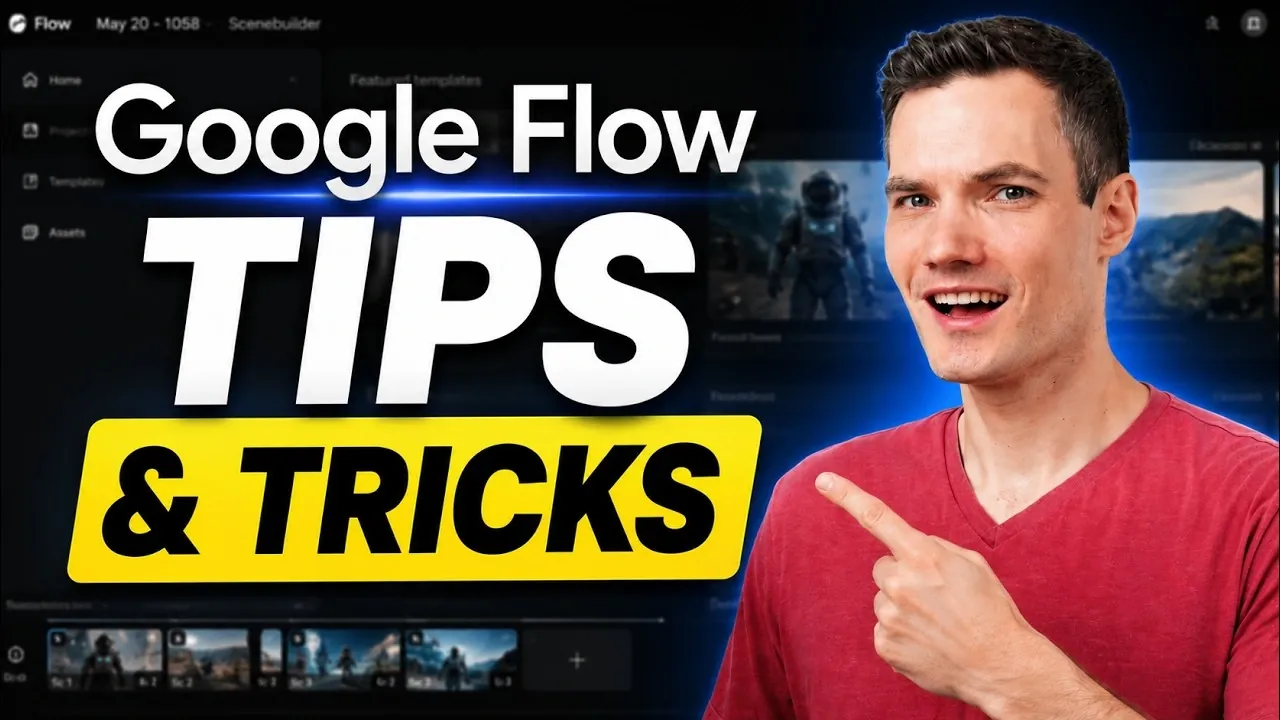
Google Flow integrates advanced AI features with intuitive editing options, allowing creators to enhance video content efficiently. Kevin Stratvert examines key functionalities, such as using AI prompts to modify existing footage. This feature allows users to adjust elements like backgrounds or weather conditions without reshooting. For instance, a sunny scene can be converted into a rainy one with a single command, providing practical solutions for adapting content to different narratives or themes.
Gain insight into optimizing Google Flow’s features with specific strategies and techniques. Learn how to apply targeted edits for fine-tuning video elements, explore the use of custom AI avatars for consistent branding and understand methods for maintaining character continuity across multiple scenes. These approaches offer practical ways to enhance both the creative and technical aspects of your video editing projects.
Transform Existing Videos with AI Prompts
TL;DR Key Takeaways :
- Google Flow uses advanced AI prompts to modify existing videos, allowing seamless scene, object, or background alterations without reshooting or manual editing.
- The tool allows precise, targeted edits to specific video elements, such as color adjustments or lighting corrections, making sure efficiency and high-quality results.
- Features like AI-generated avatars and character consistency across scenes enhance personalization and storytelling, ideal for marketing and complex projects.
- Google Flow supports creative flexibility with tools like style transformations, multiple camera angle generation and subject replacement without reshooting.
- The AI-powered Storyboard Studio streamlines pre-production by generating scripts, characters and props, making sure organized and efficient video planning.
One of the most remarkable features of Google Flow is its ability to modify existing videos using AI prompts. With just a simple command, you can seamlessly alter scenes, objects, or settings without the need for reshooting or manually editing frames. For instance, you can transform a sunny outdoor scene into a rainy one or replace a background entirely. This capability not only saves significant time but also fosters creative experimentation, allowing you to refine your content effortlessly. By using this feature, you can explore new possibilities and adapt your videos to fit diverse themes or narratives.
Make Quick, Targeted Edits
Google Flow excels at allowing precise, targeted edits to specific elements within a video. Whether you need to adjust an object’s color, correct lighting inconsistencies, or fine-tune intricate details, you can do so without regenerating the entire clip. This feature is particularly valuable for last-minute changes or when perfecting complex projects. By focusing on specific areas, you can ensure efficiency without compromising the overall quality of your work. This precision makes Google Flow an indispensable tool for both professionals and content creators seeking to streamline their editing process.

Here is a selection of other guides from our extensive library of content you may find of interest on Google Flow.
- Google’s New AI Music Tool Gives You 500 Free Credits Every Day
- How Google’s New Gemini Omni is Reshaping Multimodal AI
- 20 Google Flow Veo3 Examples, First Tests and Impressions
- Google Flow Generates Entire AI Movies From Text Prompts
- How To Use Googles Flow Complete 2025 Beginners Guide
- How to Use Google Workspace Flow : Simple Guide to Easily Automate Your Day
- The Hidden Google AI Tools You Probably Aren’t Using Yet
- The Tensor G6 Makes the Google Pixel 11 Pro XL Unstoppable
- Why You Keep Hitting Gemini’s Usage Limits and How to Stop
- 30 Google Al Tools Tested: Here Are the Best
Create Personalized AI Avatars
With Google Flow, you can generate AI avatars that replicate your facial expressions and voice. By capturing your facial and vocal data, the tool creates a digital version of you, which can be seamlessly integrated into videos. This feature is ideal for personalized marketing campaigns, virtual presentations, or maintaining consistent branding across your content. Whether you’re creating tutorials, promotional materials, or interactive videos, these avatars add a unique and professional touch. They also allow you to engage with your audience in a more dynamic and innovative way.
Ensure Character Consistency Across Scenes
Maintaining character consistency is crucial for storytelling, especially in multi-scene projects. Google Flow enables you to generate and reuse characters across different scenes, making sure visual continuity throughout your video. This feature is particularly valuable for animated videos, training materials, or any project requiring recurring characters. By maintaining a cohesive narrative, you can enhance the viewer’s experience and ensure your content remains polished and professional. This functionality is a fantastic option for creators working on complex or serialized projects.
Control Start and End Frames for Seamless Transitions
The ability to define specific start and end frames is a powerful feature that ensures smoother transitions between scenes. By avoiding abrupt cuts, you can maintain a cohesive narrative flow and create a polished final product. This feature is especially useful for projects that require a high level of precision, such as promotional videos, cinematic sequences, or instructional content. By mastering frame control, you can keep your audience engaged and deliver a seamless viewing experience.
Apply Unique Style Transformations
Google Flow’s style transformation feature allows you to apply distinct visual aesthetics to your videos. Using reference images, you can match your content to a specific theme or artistic vision. For example, you can give a modern video a vintage film look or apply a painterly effect for a creative twist. This feature is particularly useful for tailoring your videos to different audiences, branding requirements, or creative projects. By experimenting with various styles, you can make your content stand out and resonate with your target audience.
Generate Multiple Camera Angles
Dynamic videos often benefit from varied perspectives and Google Flow simplifies this process by generating multiple camera angles from a single clip. This feature is particularly useful for interviews, tutorials, or cinematic projects where additional angles enhance viewer engagement. By adding depth and variety to your videos, you can create more compelling and visually interesting content. This functionality eliminates the need for multiple cameras during filming, saving both time and resources while delivering professional results.
Replace Subjects Without Reshooting
The ability to replace subjects in a video without reshooting is another new feature of Google Flow. This tool allows you to swap out the main subject while preserving the original motion and environment. For example, you can replace an actor in a scene or update a product in a commercial without the need for costly reshoots. This capability streamlines revisions and ensures your content remains relevant and up-to-date. By using this feature, you can adapt your videos to changing needs or preferences with minimal effort.
Plan Videos with AI-Powered Storyboarding
Google Flow’s AI Storyboard Studio is an invaluable tool for planning your videos scene-by-scene. By generating scripts, characters, locations and props, it provides a structured framework for your storytelling. This feature is particularly useful during pre-production, making sure your vision is clearly outlined before you begin editing. Whether you’re working on a short film, a marketing campaign, or an educational video, this tool helps you organize complex projects and align your team effectively. By starting with a solid plan, you can streamline the production process and achieve your creative goals more efficiently.
Unlock the Full Potential of Google Flow
Google Flow offers a comprehensive suite of tools designed to simplify and enhance video production. From transforming existing footage with AI prompts to creating personalized avatars and maintaining character consistency, its features provide unparalleled creative control. By using tools like frame control, style transformation and AI-powered storyboarding, you can produce high-quality videos with efficiency and precision. Whether you’re a professional editor or a content creator, mastering these features will help you maximize the potential of Google Flow and elevate your video projects to the next level.
Media Credit: Kevin Stratvert
Disclosure: Some of our articles include affiliate links. If you buy something through one of these links, Geeky Gadgets may earn an affiliate commission. Learn about our Disclosure Policy.
