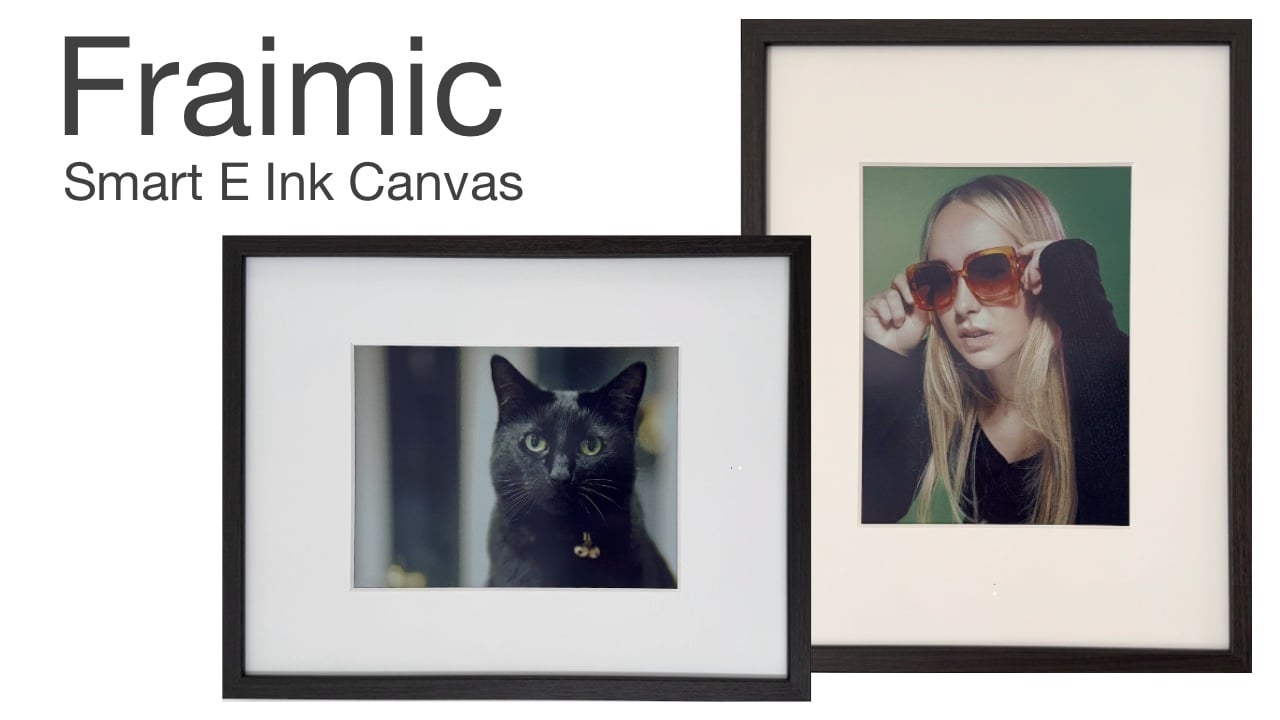
Over the years I have tried many different displays, panels and solutions to display digital photos. Walk past most digital art frames and they give themselves away instantly: a backlit LCD glowing back at the room, a glossy sheen no painting ever had, and usually a monthly subscription quietly ticking away behind a proprietary app. Fraimic doesnt include any of that. Providing a large digital picture frame equipped with E Ink’s flagship Spectra 6 color panel to produce an image that genuinely looks like paint on paper, with no backlight, no glare, and no tell.
It ships in a hardwood frame and allows to easily lift the digital canvas out. So you can drop it into any frame you like to suit your home and style. It runs for years on a single charge. And it has no subscription attached to any of its core features. In this review I will take you though my thoughts on the 14 x 18 Standard Canvas, built around a 13.3-inch Spectra 6 display, and what follows is an honest look at how it performs in a real home.

The Two Sizes at a Glance
Fraimic digital picture frame is available in two sizes. Both sharing identical internals: the same Spectra 6 panel technology, the same 10,000 mAh battery, the same software, the same connectivity. The only meaningful differences comes down to physical size, resolution, aspect ratio, and price.
| Specification | Standard Canvas | Large Canvas |
|---|---|---|
| Price | £376.00 GBP | £1,130.00 GBP |
| Frame Size | 14 x 18 x 1 in | 24 x 36 x 2 in |
| Display Size | 13.3 in | 31.5 in |
| Resolution | 1,200 x 1,600 | 2,560 x 1,440 |
| DPI | 150 | 94 |
| Aspect Ratio | 3:4 (portrait-natural) | 16:9 (landscape-natural) |
| Weight | 6 lb | 16 lb |
Both sizes are now available to buy directly from Fraimic.com. The Standard Canvas is shipping now, and the Large Canvas is also available to preorder, with shipping taking place next month in July 2026.
Build Quality and the Frame
The first thing worth saying is that the included frame is genuinely well made. It is a dark walnut wood frame that feels substantial rather than decorative, and there are no plastic shortcuts or flimsy corners on it. It looks the part on a shelf or a wall and would not be out of place sitting next to actual framed prints. What makes Fraimic interesting from a design standpoint is that the whole enclosure can be easily removed from the supplied wooden frame, if you would like to swap it out for some other style or colour. The screen itself is housed in a single plastic housing that lifts cleanly out of the wood frame, which means you are not locked into Fraimic’s aesthetic choices. Making it a very versatile addition to your home or office.

If walnut does not match your room or you want to mount the canvas in a vintage gilt frame, a modern white surround, or anything else of the same outer dimensions, you can. That is a meaningful design decision, and one that almost no other connected art frame on the market allows. The plastic housing itself is also very unobtrusive and features a single LED light and hidden touch controls along the bottom edge when hung in portrait.
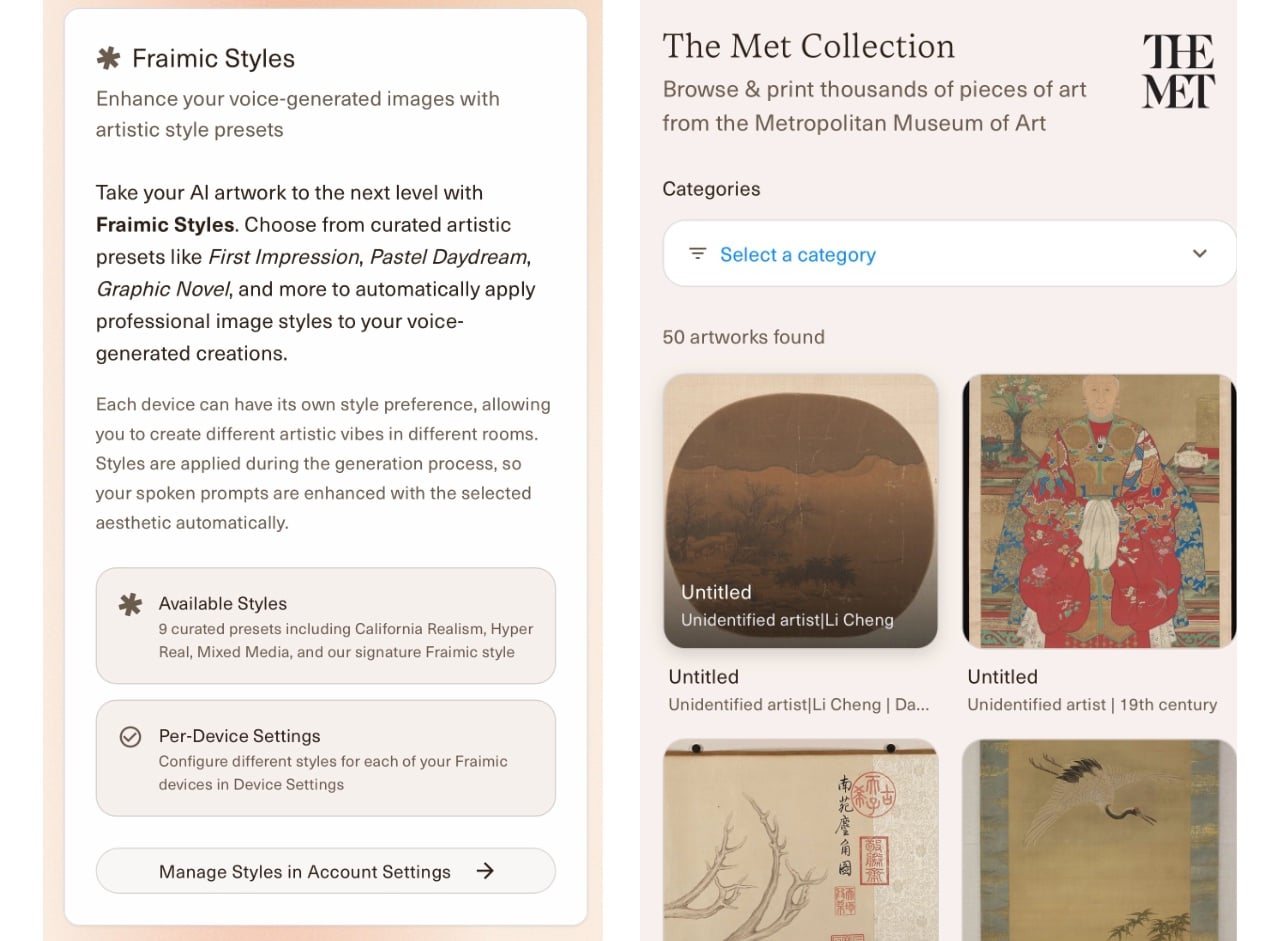
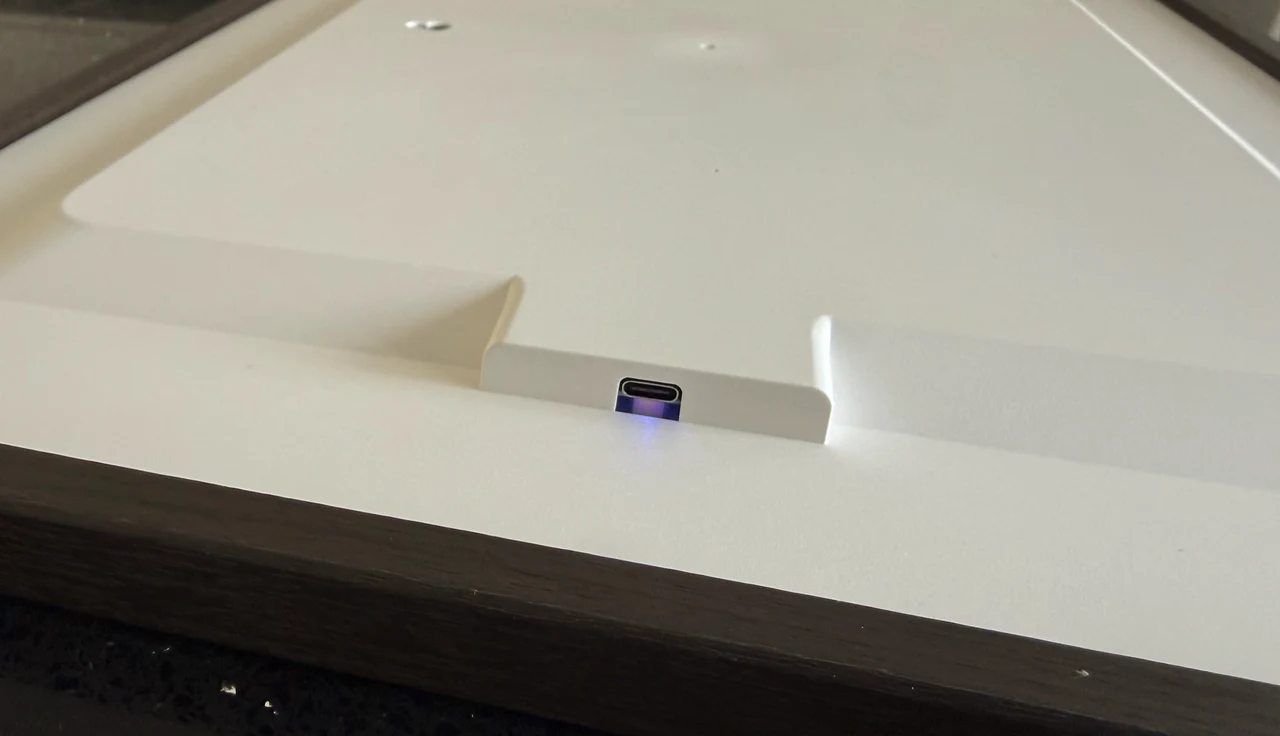
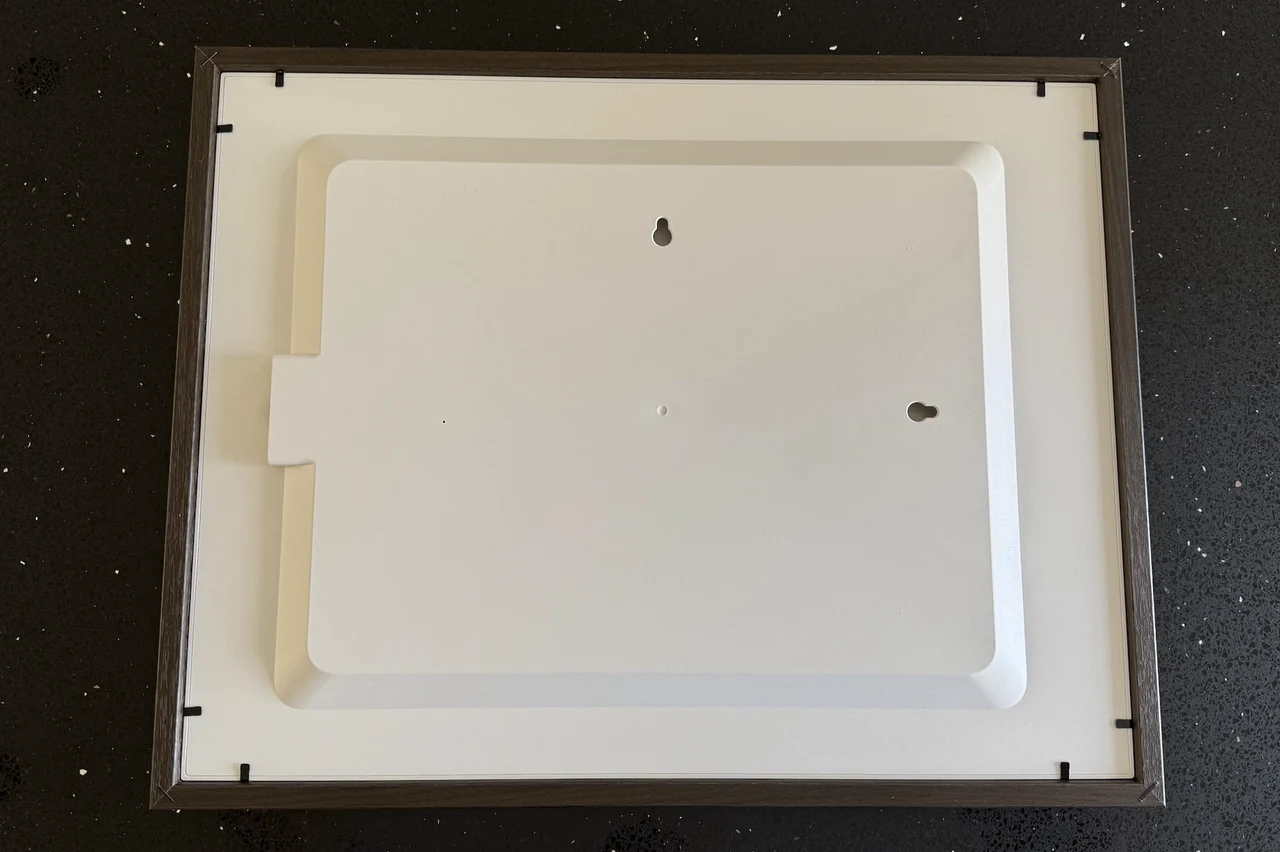
Charging happens via an integrated USB-C connection on the back, and the canvas can keep running and refreshing while plugged in. Total weight on the Standard size is around 6 pounds, which is light enough that wall mounting with the included drywall hardware is straightforward and shelf placement is also an option if preferred. The App is browser based and comes with a selection of images from the Metropolitan Museum of Art to get you started. Although uploading your own images is very easy and takes just a few minutes.
The Display: E Ink Spectra 6
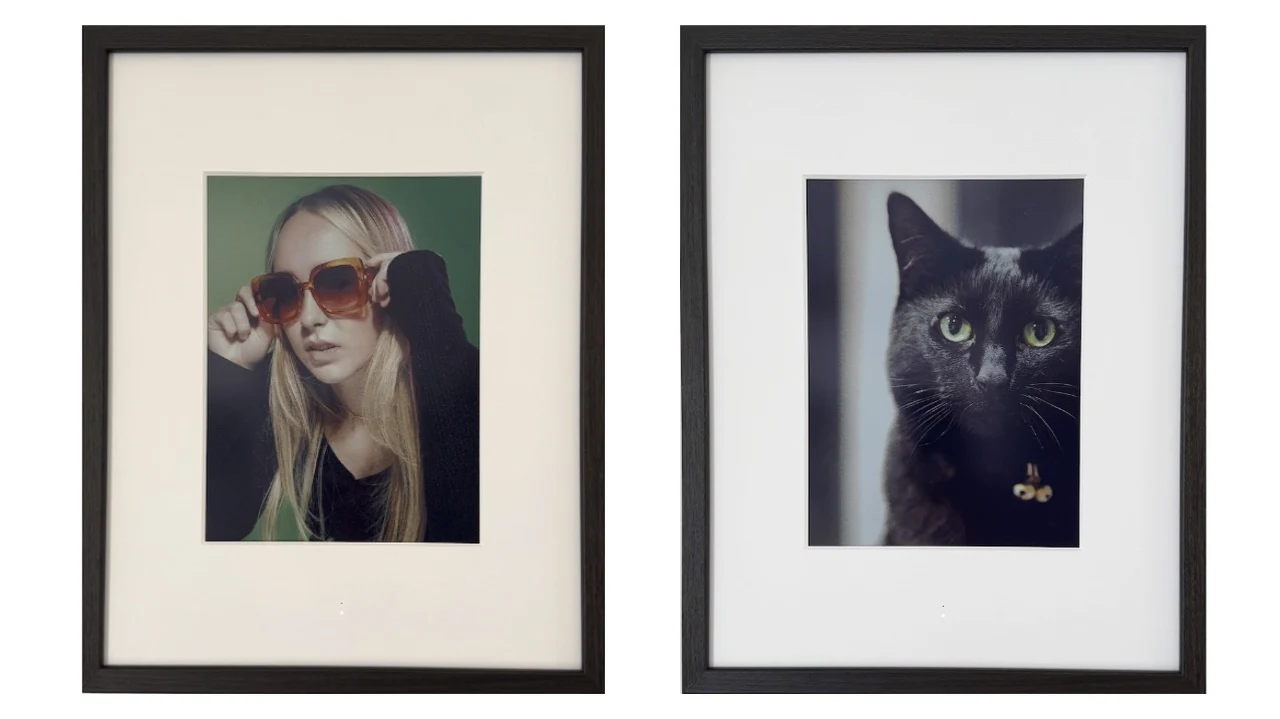
Fraimic uses E Ink’s Spectra 6 panel, which is the current state of the art in color E Ink technologies. On the Standard model, that means a 13.3-inch panel at 1,200 by 1,600 resolution, working out to a sharp 150 pixels per inch in a tall, portrait-friendly shape. It can show around 65,000 colours, which is enough to render skin tones, skies, and gradients without the banding you might expect from E Ink. In practice, the panel does exactly what E Ink is meant to do: it looks like paint on paper. There is no backlight, no glare, no reflective sheen pointing back at the room lights.
The image sits on the surface the way ink sits on a printed photograph, and from a normal viewing distance it is genuinely difficult to tell at a glance that it is a display at all. That is the whole point of going with E Ink instead of an LCD, and Fraimic nails the execution. A few caveats worth being honest about. Because Spectra 6 is a reflective display, it relies entirely on ambient light. In low light or at night, the canvas will look dim, the same way a printed photograph would in the same conditions. As you can see in the close-up below the images are made of small pixels that can only be seen if you are a few inches away. This was taken with an iPhone approximately 3 inches away from the display.

This is a fundamental property of E Ink rather than a Fraimic limitation. Sometimes the screen can look a little dark, especially with images that were exposed for backlit viewing on a phone or laptop. The fix is simply to be thoughtful about which images you upload. Picking photos with brighter exposure, slightly higher contrast, and good lighting in the original shot will make the canvas come alive. Family photos taken on an iPhone in good light look fantastic on this digital picture frame and the process of creating galleries and uploading photos is easy from your phone.
After a few rotations through an album you start to get a feel for which photos work and which ones don’t, and pruning the ones that fall flat is as simple as removing them from the album in the web app from your phone of computer. Refresh time is measured in seconds rather than milliseconds, which is normal for Spectra 6. You tap or schedule an update, wait roughly half a minute, and the new image appears. This is not a display you would want for video or animation (which is why GIFs are not supported), but for static art it is more than fast enough.
Setup and Daily Use
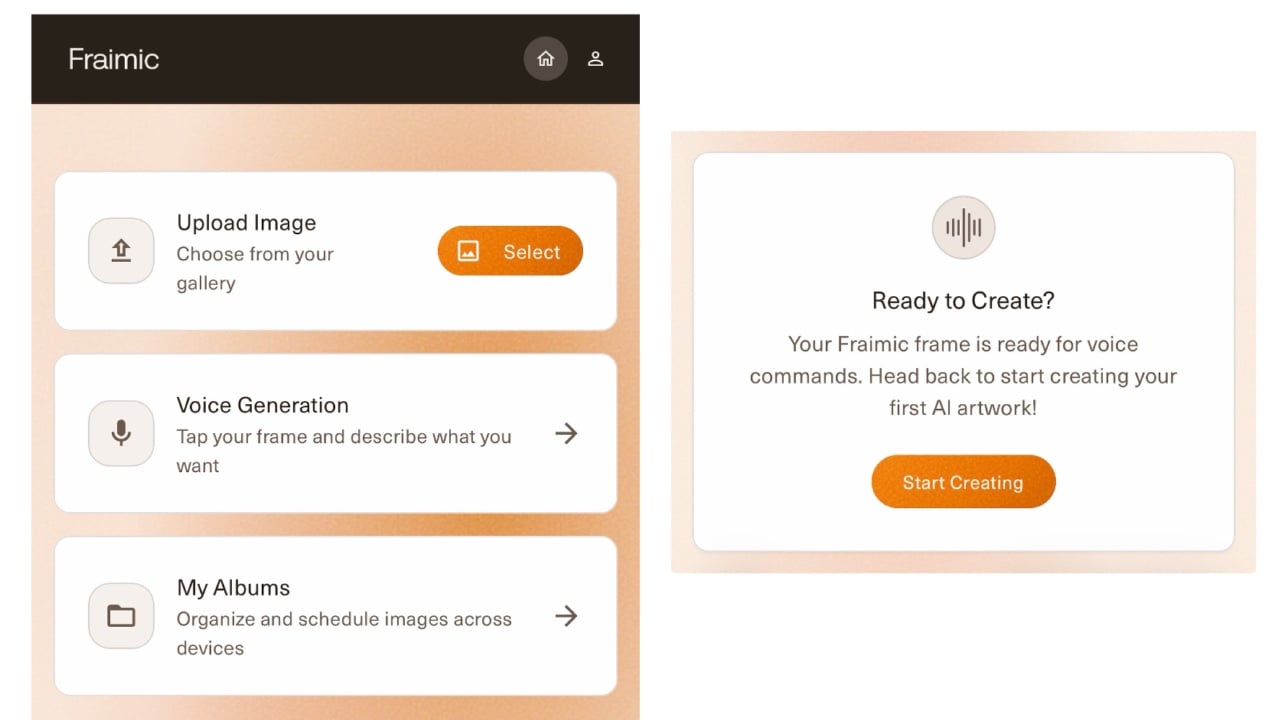
Getting the canvas onto your home Wi-Fi is genuinely easy, and it works the same way as setting up most smart-home gadgets. You tap the canvas to wake it, open your phone’s Wi-Fi settings, and connect to the temporary “Fraimic” network it creates. A setup page then opens by itself in your browser, where you enter your home Wi-Fi password, scan a QR code, and create a Fraimic account.
The whole thing takes a few minutes and there is nothing to install. One small thing worth knowing: the canvas connects over 2.4 GHz Wi-Fi, so if you are on a mesh router that hides the two bands, you may need to allow it to find that connection. Once it is set up, you manage everything at app.fraimic.com in any web browser.

There is no app to download and no account tied to a single phone or platform. You log in, upload images straight from your device, and they appear on the canvas. You can create new albums very easily, group images by mood or occasion, and set them to rotate automatically at whatever interval you choose. The interface handles cropping and orientation in the background, and if the canvas is sitting horizontally and you send it a portrait image, it will automatically rotate to fit.
Obviously the more rotations you have the quicker you’ll go through the battery, since the panel only consumes power during a refresh. But it is genuinely useful to have full control over the cadence. Daily rotation is a reasonable default, weekly works well for slower contemplation, and you can dial it down further if you want a single image to live on the wall for a month at a time.
Uploading Images
- Go to app.fraimic.com and LOGIN.
- CLICK “Select” next to Upload Image.
- SELECT the image you’d like to upload on your device.
- TAP the corner of the mat on the Fraimic you’d like the image to be sent to.
- A solid red LED will appear before becoming a pulsing white LED.
- Wait ~ 30 sec for your image to appear.
Multi-user account support means a household can all upload to the same canvas without stepping on each other’s collections. There is also a local-only mode that lets you upload directly from a device on the same Wi-Fi network without anything routing through Fraimic’s servers. For privacy-conscious users, that is a meaningful option to have, and it is something most competing frames do not offer.
Voice-to-Vision: AI Art Generation
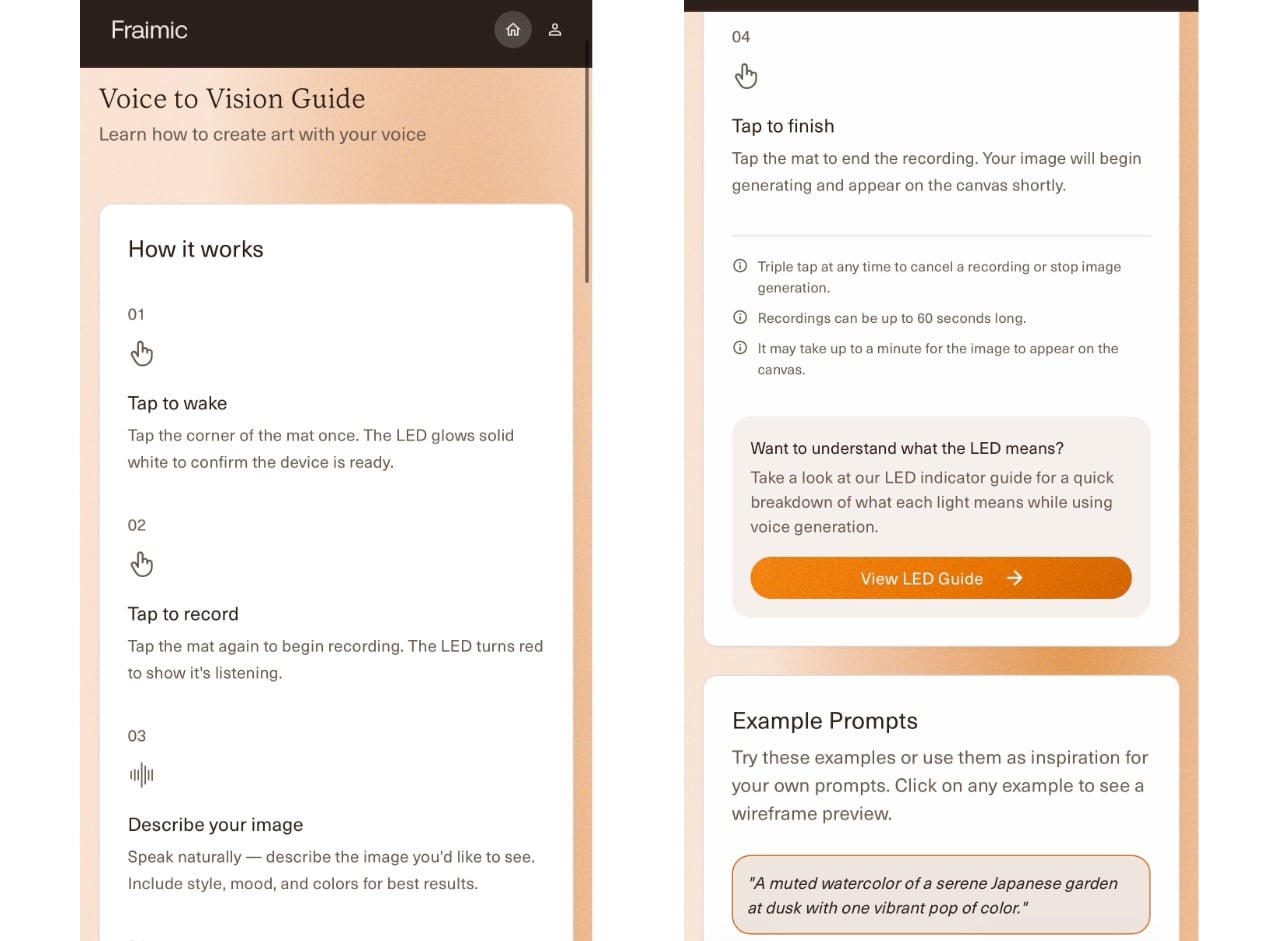
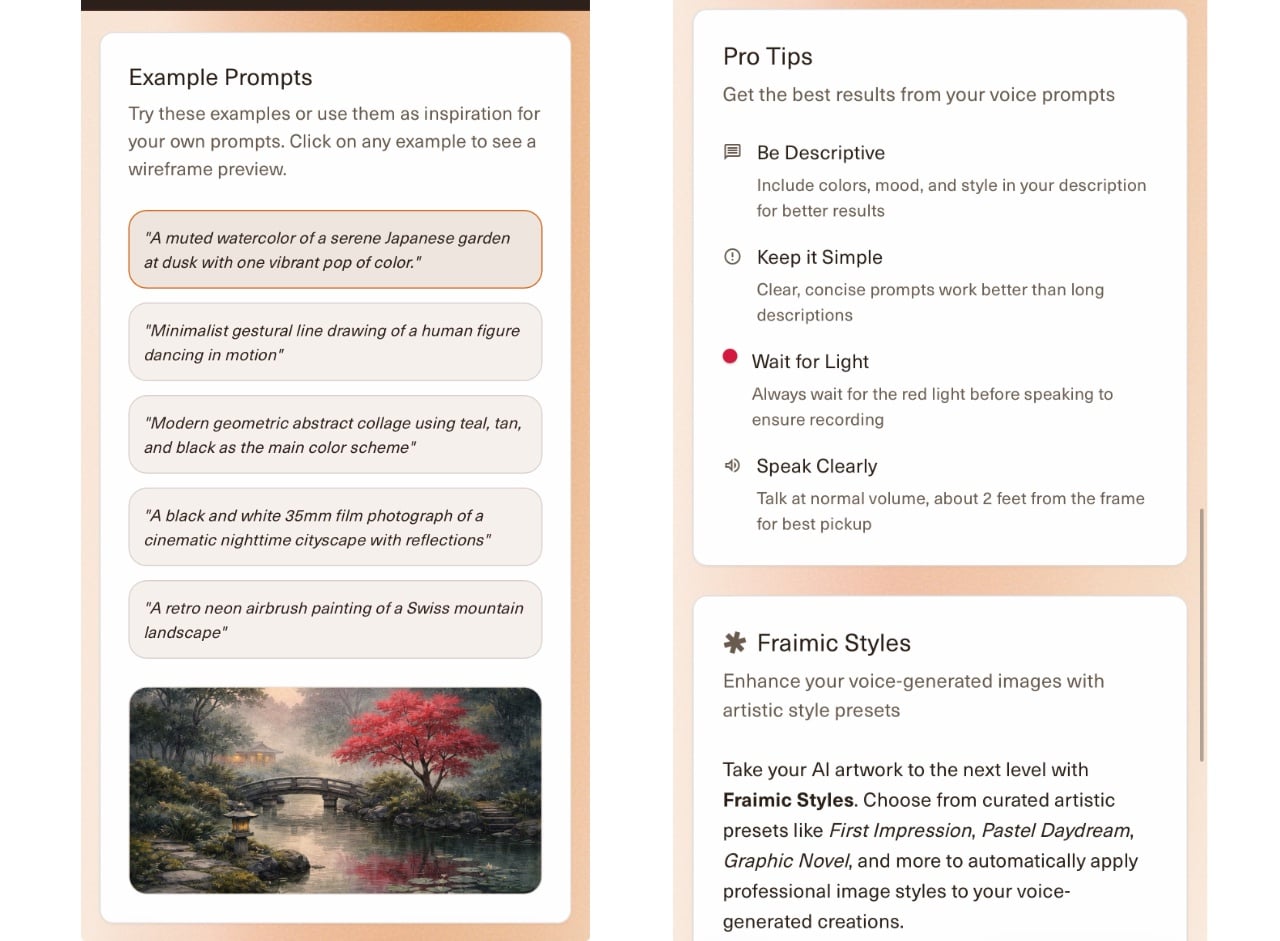
Fraimic’s other standout trick is its built-in AI art feature, called Voice-to-Vision. You tap the bottom-right corner of the mount, describe what you want into the built-in microphone, tap again to stop, and an OpenAI image generator creates a new piece of art and displays it on the canvas. Every account gets 100 free generation credits per year, with additional credits available for purchase or via an annual unlimited membership if desired.

Your appetite for AI-generated art will determine how much of a selling point it is. If you actively dislike AI art, the good news is that the feature is entirely optional and can be disabled in settings. The canvas works perfectly well as a dedicated display for photos and existing art you already own. If you are curious about it, one thing to be aware of is that the touch-sensitive corner of the mount is quite responsive, which is the price of having a quick voice trigger. If you set it off by accident while handling the frame, a triple-tap cancels it, confirmed by three yellow blinks of the status light.
Tips & Tricks
- Be specific — Include style, mood, subject, and composition in every prompt.
- Use visually descriptive adjectives — “Warm,” “cinematic,” “minimalist,” “vibrant,” etc.
- Specify the medium — Oil, watercolor, mixed-media collage, detailed pencil sketch, 35mm film photo, etc.
- Describe the style — “An impressionist oil painting of a…”, “an abstract expressionist mixed-media painting of a…” etc.
- Define the composition — Centered portrait, wide landscape, macro detail, “…as part of a larger composition,” visually balanced, etc.
Battery Life and Power
The battery life is genuinely impressive both on paper and in reality. Fraimic uses a 10,000 mAh lithium-polymer battery, and because Spectra 6 only draws power during a refresh, the canvas is rated for around three years per charge on the 14 x 18 size at roughly one image change per day. Even at higher refresh rates, you are looking at multi-year runtime under normal use. Charging happens via USB-C on the back, takes the time you would expect from any battery this size depending on charger wattage, and you can keep using the canvas while it is plugged in. If you let it die completely, the last displayed image stays on the panel indefinitely, which is one of the quiet magic moments of E Ink technology.
Connectivity, Privacy, and Openness
This is where Fraimic earns extra credit. There is no subscription required for any core feature. Uploading images, organizing albums, setting slideshow schedules, managing multiple users, all of it is permanently free. AI generation is the only paid layer, and even that includes 100 free credits per year. Compare that to competing connected art frames, most of which gate basic features behind monthly fees, and the value proposition starts looking very different.
The privacy stance is also unusually clear for a connected device. Fraimic states plainly that your uploaded photos are never used to train AI models, your data is encrypted on its servers, and the option to upload privately over your own Wi-Fi is built in rather than bolted on. For the more technically minded, there is also official Home Assistant support for smart-home setups and an open interface that lets tinkerers build their own automations. Most people will never need any of that, but it signals a company comfortable letting you actually own the thing you bought, which is rarer than it should be in 2026.
Landscape or Portrait
On the rear of the frame holes are available for either hanging landscape or portrait and the frame can easily be removed using the lift-up metal fingers you find on most non-digital frames.
What’s in the Box and Small Details
The Standard offering ships with the canvas itself, the dark walnut wood frame, drywall mounting screws and anchors, a USB-C charging cable, a quick start guide, and a user manual with safety and warranty information. There is no power adapter in the box, which is increasingly common but worth mentioning. A status LED on the canvas uses a clear color system: white pulse for processing, solid red for active voice recording, blinking red for errors or Wi-Fi failure, magenta for firmware updates, green blinking for charging, and solid green when fully charged.
- Fraimic Smart Canvas
- 14×18” or 24×36” mat + frame (depending on model)
- Drywall screw(s) (1 or 2)
- Drywall anchor(s) (1 or 2)
- USB C Cable
- Quick Start Guide
- User Manual, Safety & Warranty sheet
It is a small thing, but having documentation in the manual and online is the kind of detail that suggests genuine attention to the user experience. The canvas is for indoor use only. JPG, JPEG, and PNG are supported up to 35 MB per file. Animated formats like GIF are not supported because E Ink refresh times do not allow it. There is no SD card slot, which Fraimic justifies on the basis that Spectra 6 requires a specialized image conversion pipeline that does not match what a generic card reader would expect. Warranty is one year for manufacturing defects, and software improvements arrive automatically over Wi-Fi.
Final Thoughts
Fraimic is a quietly clever piece of hardware. It is doing the obvious thing (put art on a wall and rotate it) and the less obvious thing (do it on a display that looks like ink, lasts for years on a charge, costs nothing to maintain, respects your data, and lets you put it in any frame you want). The Standard 14 x 18 is the size I would recommend for most homes. It fits comfortably on a shelf, a mantel, or a wall without dominating the room, the higher 150 DPI gives portrait photography real bite, and at £376 it sits in a price range that makes sense as a thoughtful purchase rather than a luxury splurge.
The Large 24 x 36 is the one to look at if you want a statement piece for a feature wall, your collection skews landscape, and £1,130 is within your budget; the same internals, just scaled up. Picking between the two really comes down to budget and wall space. There is no wrong choice. Thanks to the Spectra 6 art canvas with multi-year battery life, no subscription, optional voice-controlled AI art, and a frame you can actually swap out to suit your home.
For me, the answer is resounding yes. The image quality on family photos taken in good light is excellent, the setup is painless, the rotation control is genuinely useful, and the no-subscription model is a breath of fresh air in a category that has been quietly turning into a recurring-revenue trap. Fraimic feels like a connected device built by people who actually use connected devices and got tired of how the rest of the market treats them.
Source : Fraimic
Disclosure: Some of our articles include affiliate links. If you buy something through one of these links, Geeky Gadgets may earn an affiliate commission. Learn about our Disclosure Policy.
