
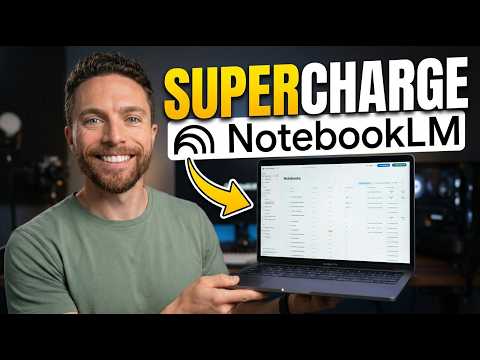
NotebookLM’s Kortex Chrome extension has introduced updates that refine how users organize and access their content. Below Paul Lipsky takes you through the redesigned dashboard, which now includes three distinct views: Notebooks, All Sources, and Artifacts. This structure allows users to filter, sort and tag documents more efficiently. The integration with Google Drive further supports synchronization across devices, offering a practical solution for managing complex projects or large collections of information.
Below learn how to use features like bulk management options to handle multiple files at once and set up customizable automation triggers to reduce manual effort. Expanded audio integration will also be covered, showing how to convert notes into podcast feeds and enable RSS compatibility for mobile learning. These updates offer practical methods to simplify workflows and maintain better organization.
Kortex NotebookLM Chrome Extension Update
TL;DR Key Takeaways :
- Redesigned Dashboard: The updated dashboard offers three views (Notebooks, All Sources, Artifacts) with bulk management options and Google Drive integration for seamless organization and navigation.
- Automation Tools: Customizable triggers and actions automate repetitive tasks like creating study guides, quizzes and audio summaries, boosting productivity and consistency.
- Expanded Audio Integration: Enhanced support for audio content allows users to convert notes into podcast feeds, upload custom audio files and generate RSS links for on-the-go learning.
- Advanced Notebook Management: Features like merging notebooks, organizing them into folders and marking favorites simplify handling large volumes of information and improve efficiency.
- Streamlined Import/Export: Effortless content import/export options, including bulk actions, centralize resources and simplify sharing or archiving materials.
Enhanced Dashboard for Seamless Organization
At the core of Kortex’s updates is a redesigned dashboard that offers three distinct views: Notebooks, All Sources, and Artifacts. This intuitive layout simplifies navigation, allowing you to filter, sort and tag documents effortlessly. Integration with Google Drive ensures that your files remain synchronized across devices, providing a unified workspace.
Key improvements include bulk management options, allowing you to tag, delete, or organize multiple files simultaneously. These features transform the dashboard into a central hub for managing your content efficiently, saving you both time and effort. Whether you’re organizing research materials or creative projects, the updated dashboard ensures a smoother workflow.
Automation Tools to Streamline Repetitive Tasks
One of the standout features of the Kortex extension is its robust automation capabilities, designed to handle repetitive tasks with ease. You can create customizable triggers and actions to automate processes such as generating study guides, flashcards, quizzes, or audio summaries. For instance, you can set up a rule to automatically create a quiz whenever new content is added to a specific notebook.
These automation tools not only save time but also ensure consistency in how your content is organized. By reducing the manual effort required for routine tasks, you can focus on more critical aspects of your work or studies, significantly boosting your overall productivity.
Gain further expertise in NotebookLM by checking out these recommendations.
- NotebookLM Update Expands Prompt Limit to 10,000 Characters
- NotebookLM Infographic Presets, 10 Styles & Custom Looks
- Claude Projects vs NotebookLM: Research Notes or Buildable Workflows
- Using Google NotebookLM with Gemini 3.0 for Smarter Research
- NotebookLM Data Tables Explained, Free for All Google Users
- NotebookLM Alternative Open Notebook Lets You Build a Private AI Notebook
- NotebookLM Guide: Summaries, Slide Decks, SOPs & Data Tables
- NotebookLM Update: Automate Research & Build Overviews in Minutes
- NotebookLM-Gemini Integration for Faster Plans, Briefs, Answers
- How to Use NotebookLM & Gemini 3 for Fast, Accurate Research
Expanded Audio Integration for On-the-Go Learning
Kortex now offers enhanced support for audio content, catering to users who prefer auditory learning or need to access information while multitasking. You can convert audio overviews into podcast feeds, making it easy to review your notes on the go. Additionally, you can upload custom audio files and generate RSS links compatible with popular podcast apps.
This feature is particularly beneficial for auditory learners or professionals who consume information during commutes or downtime. By integrating podcasts into your workflow, you can stay productive and engaged, even when you’re away from your primary workspace.
Advanced Notebook Management Features
Managing multiple notebooks has become more intuitive with Kortex’s new tools. You can now merge notebooks, consolidating related content into a single, organized file. The ability to organize notebooks into folders and mark key notebooks as favorites ensures quick access to frequently used materials.
These features are especially valuable for users handling large volumes of information. By simplifying notebook organization, Kortex helps you maintain a clear and structured workspace, reducing clutter and improving efficiency. Whether you’re managing academic research or professional projects, these tools make it easier to stay organized.
Effortless Content Import and Export
Kortex simplifies the process of importing and exporting content, making sure that all your resources are centralized and easily accessible. You can bring in web pages, documents and other materials into your notebooks with minimal effort. The bulk export options allow you to download conversations, creative outputs and other data in one streamlined action.
These capabilities are essential for users who frequently work with external content. Whether you’re compiling research, archiving completed projects, or sharing materials with collaborators, Kortex ensures that the process is both straightforward and efficient.
Flexible Pricing Plans to Suit Every User
Kortex offers a range of pricing plans designed to accommodate diverse user needs. The free plan provides access to basic features, making it an excellent starting point for new users. For those requiring advanced functionality, paid plans include both subscription options and a lifetime pricing model.
These flexible pricing options ensure that you can select the level of access that aligns with your requirements and budget. Whether you’re a casual user exploring the platform or a power user using its full potential, there’s a plan tailored to meet your needs.
What Sets Kortex Apart
The latest updates to the Kortex Chrome extension for NotebookLM represent a significant advancement in notebook and content management. With its redesigned dashboard, powerful automation tools, podcast integration, and streamlined import/export capabilities, Kortex enables you to work smarter and stay organized. Whether you’re managing academic research, professional projects, or creative endeavors, these updates make NotebookLM an indispensable tool for optimizing your workflow and achieving your goals.
Media Credit: Paul J Lipsky
Disclosure: Some of our articles include affiliate links. If you buy something through one of these links, Geeky Gadgets may earn an affiliate commission. Learn about our Disclosure Policy.
