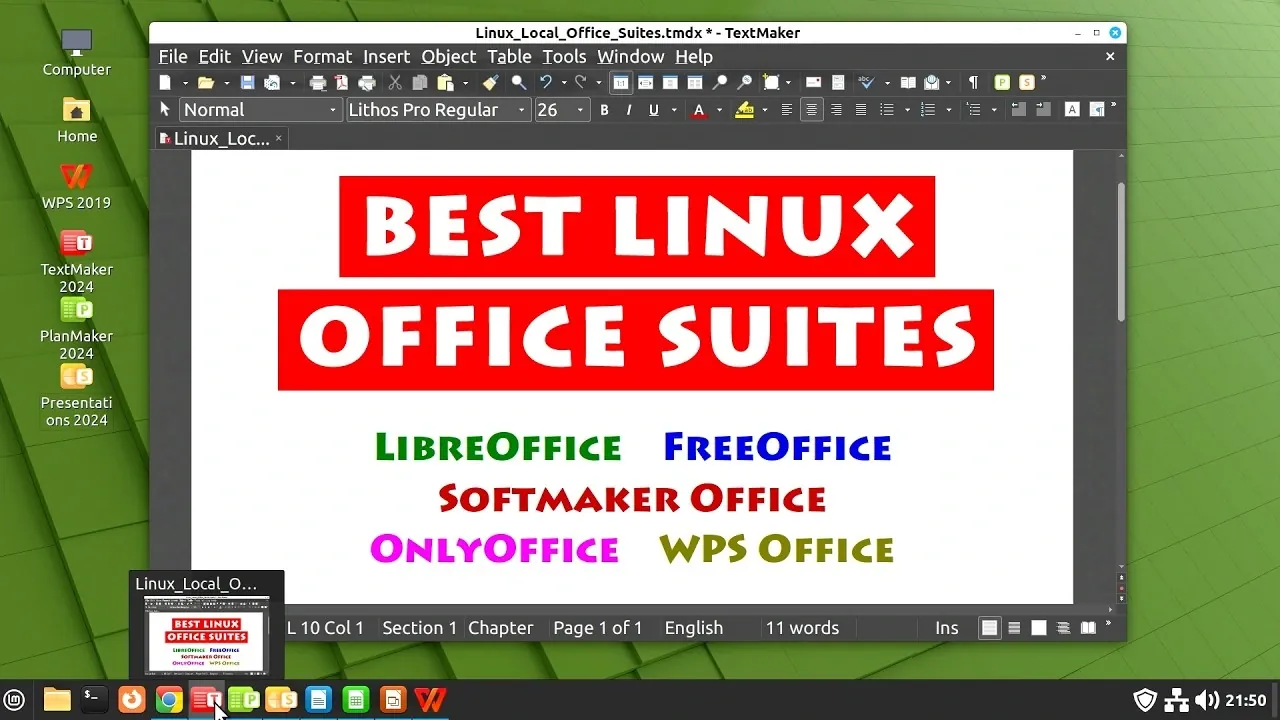
Linux users seeking alternatives to Microsoft Office often face challenges balancing functionality, compatibility and cost. In a detailed breakdown by Explaining Computers, four prominent options are explored: LibreOffice, FreeOffice (and its paid version, SoftMaker Office), OnlyOffice and WPS Office. Each suite offers unique strengths, such as LibreOffice’s open source flexibility or OnlyOffice’s emphasis on collaboration and cloud integration. However, none of these alternatives achieve flawless compatibility with Microsoft Office files, especially when handling complex formatting or macros. This underscores the importance of aligning your choice with specific workflow needs.
In this overview, you’ll gain insight into how each suite performs in key areas like document fidelity, user interface design and advanced features. Explore the cost-effectiveness of LibreOffice for everyday tasks, the polished experience of SoftMaker Office for professionals and the collaborative potential of OnlyOffice for team-based projects. You’ll also learn how WPS Office balances modern functionality with accessibility through its free and paid versions. By the end, you’ll be equipped to make an informed decision tailored to your productivity requirements.
TL;DR Key Takeaways :
- LibreOffice is the default open source choice for Linux users, offering a comprehensive suite of tools but struggling with Microsoft Office file compatibility, especially for complex formatting and macros.
- FreeOffice (and its paid version, SoftMaker Office) provides better compatibility than LibreOffice, with a polished interface and advanced features in the paid version, making it a strong option for professionals.
- OnlyOffice emphasizes collaboration and cloud integration, featuring AI-powered tools, but suffers from significant document fidelity issues with Microsoft Office files.
- WPS Office offers a feature-rich suite with both free and paid versions, excelling in spreadsheets and presentations but facing challenges with advanced Word document formatting.
- No Linux alternative achieves perfect compatibility with Microsoft Office files; users requiring flawless fidelity may need to use Microsoft Office via a virtual machine or compatibility layer like Wine.
LibreOffice: The Open Source Standard
LibreOffice is widely regarded as the default choice for Linux users, thanks to its open source nature and inclusion in most Linux distributions. It provides a comprehensive suite of tools, including:
- Writer: A versatile word processor.
- Calc: A powerful spreadsheet application.
- Impress: A presentation tool for creating slideshows.
- Base: A database management tool (often not pre-installed).
The interface is highly customizable, offering both a traditional menu layout and an optional tabbed mode that mimics Microsoft Office’s ribbon interface. However, LibreOffice struggles with document fidelity when handling Microsoft Office files. Complex formatting, embedded macros and advanced features in Word, Excel, or PowerPoint documents may not render accurately, which can be a significant limitation for professional use.
Despite these challenges, LibreOffice remains the best free spreadsheet tool for Linux users who value cost-effectiveness and open source principles. While it may not achieve perfect compatibility, its extensive features and flexibility make it a dependable choice for everyday productivity tasks.
FreeOffice and SoftMaker Office: Proprietary Alternatives
FreeOffice, the free version of SoftMaker Office, offers a polished proprietary alternative with better compatibility than LibreOffice. It includes:
- TextMaker: A robust word processor.
- PlanMaker: A capable spreadsheet application.
- Presentations: A tool for creating professional slideshows.
The suite allows users to choose between a ribbon interface and a classic menu layout, catering to different preferences. For those seeking additional functionality, the paid version, SoftMaker Office, introduces advanced features such as footnotes, endnotes, table sorting and full-screen mode. It also offers two licensing options: a subscription-based NX version or a perpetual license for the 2024 edition.
While SoftMaker Office improves compatibility with Microsoft Office files, it still falls short of perfect fidelity. However, for users willing to invest in a paid solution, it provides a polished and user-friendly experience with fewer formatting issues compared to LibreOffice. This makes it a strong contender for professionals who require a more reliable alternative.
Find more information on Linux by browsing our extensive range of articles, guides and tutorials.
- New Steam Machine Accessories : Plus GeForce Now App for Linux
- 2026 Guide to Linux Gaming Compatibility & Performance
- Revive an Old Computer with Lightweight Linux Distros
- Windows 11 Gaming Performance vs Linux : Real-World Results
- Move from Windows 11 to Linux for Gaming Performance Gains
- Gaming on Linux vs Windows : Steam Deck, Proton & Handhelds
- Steam Machine HDMI 2.1 Limits, Valve and AMD Fixes Explained
- Steam Machine Gaming Makes Linux a Serious Windows Rival
- Gaming on Linux in 2026, Performance Tips, Fixes & Best Hardware
- GNOME 50 Linux Desktop : OrCA Upgrades & Modern Wayland
OnlyOffice: Collaboration and Cloud Integration
OnlyOffice sets itself apart by emphasizing collaboration and cloud integration. Its open source desktop editors are free, while enterprise and self-hosted versions are available for organizations requiring advanced features. The suite includes tools for word processing, spreadsheets and presentations, all presented in a modern ribbon-only interface. Additionally, AI-powered editing tools enhance its functionality, offering features like grammar suggestions and content optimization.
Despite its strengths, document fidelity remains a significant drawback. Microsoft Word and Excel files, in particular, often lose formatting or functionality when opened in OnlyOffice. While its collaboration features and seamless cloud integration are appealing, users who prioritize compatibility with Microsoft Office may find this suite insufficient for their needs. However, for teams that value real-time collaboration and cloud-based workflows, OnlyOffice is a compelling option.
WPS Office: A Feature-Rich Proprietary Suite
WPS Office is another strong contender, offering both free and paid versions. Its suite includes:
- Writer: A feature-rich word processor.
- Spreadsheets: A capable spreadsheet application.
- Presentation: A tool for creating engaging slideshows.
The interface is ribbon-based, with an optional hybrid menu layout for added flexibility. The free version is ad-supported, though ads are limited to mobile apps and do not appear on the desktop. The paid version removes ads, introduces AI-powered features and offers additional cloud storage, making it a more comprehensive solution for users willing to pay for premium functionality.
WPS Office performs particularly well with spreadsheets and presentations but struggles with Word documents containing advanced formatting or macros. While it offers a modern interface and a wide range of features, its compatibility issues may limit its appeal for users who frequently work with Microsoft Office files.
General Observations and Recommendations
While these alternatives provide valuable tools for Linux users, none achieve perfect compatibility with Microsoft Office files. Issues with document fidelity, particularly with complex formatting, macros and advanced features, persist across all suites. For users who require guaranteed compatibility, running Microsoft Office in a virtual Windows machine or using a compatibility layer like Wine remains the most reliable solution.
Among the reviewed options, LibreOffice and SoftMaker Office stand out as the most practical choices. LibreOffice is ideal for users who prioritize cost-effectiveness and open source values, offering a robust set of tools for free. On the other hand, SoftMaker Office provides enhanced compatibility and advanced features, making it a better option for professionals willing to invest in a paid solution. Ultimately, the best choice depends on your specific needs, including budget, functionality and the importance of document fidelity in your workflow.
Media Credit: ExplainingComputers
Disclosure: Some of our articles include affiliate links. If you buy something through one of these links, Geeky Gadgets may earn an affiliate commission. Learn about our Disclosure Policy.
